An open cloud architecture connecting design and engineering information
I’m starting a series of articles this week to speak about OpenBOM architecture to solve problems of complex product development.
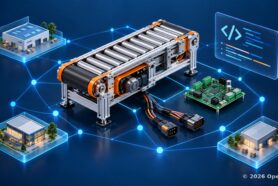
Modern products combine mechanical assemblies, electrical systems, electronics, and software. Teams develop these contributions in different tools, often across different companies and on different schedules. Manufacturing needs to know which combination to build. Purchasing needs the components to source, and service needs the configuration it must support.
A controller board update can affect enclosure fit and firmware behavior. The engineering definition must connect those changes to the product and preserve who controls each contribution.
What is an engineering frontend
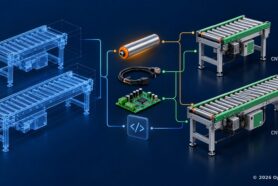
An engineering frontend is the working environment that connects design sources to a reviewed engineering product definition. OpenBOM Engineering Frontend organizes files, source references, Items, bills of materials (BOMs), and lifecycle context. Its configurable model supports OpenBOM’s own downstream workflows or connects engineering information to enterprise product lifecycle management (PLM) and enterprise resource planning (ERP) systems.
The term engineering frontend describes an architectural role, not only a connection to enterprise PLM. OpenBOM’s cloud product data management (PDM), integrations, and flexible data model provide that role in both deployment patterns.
I have written about multidisciplinary BOMs and product lifecycle management for several years. In my conversations with manufacturing companies and product development teams, the engineering frontend has become a useful way to explain how these capabilities work together. Each company can organize its model and collaborate with others while retaining authority over its own data.
Four architectural levels connect the platform to engineering work
Four architectural levels explain how OpenBOM connects company configuration to engineering work. They describe responsibilities in the platform, not a mandatory storage pipeline.
| Level | Architectural role | Practical result |
|---|---|---|
| Multi-tenant platform | Company accounts and controlled collaboration | Companies manage access and share selected information |
| Flexible data model and knowledge graph | Configurable objects and connected relationships | Company-specific product information remains navigable |
| Engineering semantic model | Design artifacts, assembly dependencies, and engineering Items | Captured data has a defined engineering meaning |
| Engineering Frontend process | Capture, manage, enrich, revise, and publish | Engineering work produces data for downstream workflows |
CAD add-ins and APIs connect sources and applications to these levels. Their configuration determines how supported source information enters the model and how it is used.
The engineering ontology supplies a shared vocabulary for these connections. Design Folders organize managed files and versions. Design BOMs describe assembly references. Engineering BOMs describe products through Items and their usages. Their identities and lifecycles differ, even when they refer to the same design work.
Midsize manufacturers
Inventory + ordering
Enterprise PLM + ERP
Common cloud foundation
Conceptual responsibilities, not a storage pipeline
Integration services
Multidisciplinary design sources
Source-management paths span disciplines
A shared platform with company specific configuration
OpenBOM is a cloud-native, multi-tenant service. Companies use shared platform infrastructure while access to their data is controlled through accounts, roles, and sharing permissions.
Each company can configure how it organizes product information. It can define properties, organize Items into catalogs, configure BOM types, and create views for different teams. The platform provides a common service while accommodating differences in the information companies manage.
A machine builder and an electronics design partner can use the same service with different classifications and properties. Within one company, mechanical, electrical, electronics, and software catalogs can also carry different schemas while their Items participate in a connected product model.
This combination of multi-tenancy and configurability is central to the architecture. It gives us a way to support company-specific engineering models within a connected service.
Flexible data management gives the model its building blocks
OpenBOM’s core data model uses objects, properties, and relationships. Items, BOMs, catalogs, design data, and other records can be organized and connected through this foundation.
Properties have defined types, such as text, numbers, lists, and references. Mechanical Items can carry material and finish; electrical Items can carry voltage and connector information; electronic components can carry package and sourcing attributes; software Items can carry release identifiers and source references. Each discipline keeps the information it needs within the shared modeling foundation.
Catalogs organize reusable Item definitions. Different catalogs can carry the properties appropriate to their Item types. BOMs describe how Items participate in products, with quantities and other usage information. Custom objects and object references allow the model to extend beyond the predefined structures.
Views provide another form of configuration. Engineering and purchasing can work with the same product information while seeing different selections of properties. A view defines how information is presented; access permissions determine what a person is allowed to use.
These objects, properties, and links give companies practical tools for building their model. They can start with OpenBOM’s predefined objects and extend the model as their information needs develop.
Open APIs connect the model to other applications
The openness of this architecture has a practical meaning: documented APIs, an extensible data model, and configurable integrations. OpenBOM’s developer APIs provide programmatic access to supported product data and operations. Companies and integration partners can use them to connect applications or automate selected workflow steps.
An integration still needs to identify the records, properties, permissions, and lifecycle actions it will use. CAD add-ins and APIs connect sources and applications to the platform; their configuration determines how those applications work with the company model.
The knowledge graph connects engineering information
The flexible model also provides the basis for OpenBOM’s product knowledge graph. Relationships connect design information, Items, product structures, and supporting records.
Consider roller Item ROL-050, used in two conveyor products. CNV-1000 requires eight rollers; CNV-2000 requires sixteen. These illustrative products reuse one Item definition, with different quantities in their BOMs. Following those relationships identifies both products when engineering evaluates a change to the roller.
The graph provides a way to navigate connected information across structures. The engineering semantic model defines what those connections mean: an assembly references a design state, a configured design represents an Item, and a product uses that Item with a quantity. The graph supplies connectivity; the ontology supplies engineering meaning.
Multidisciplinary composition describes what contributes to the product: mechanisms, wiring, boards, and software. OpenBOM’s xBOM model, which connects different bill-of-materials types, also supports different lifecycle perspectives, including engineering, manufacturing, and service. The same connected model can therefore describe a product across disciplines and across the processes that use it. These perspectives can require different structures and properties.
How does multi tenant collaboration preserve company data authority
Companies collaborate through selected shared records while controlling their own accounts, data, and permissions. The project also assigns who maintains each definition, which source owns each field, and who accepts a contribution into the product. Shared access enables joint work without transferring every engineering responsibility to one company.
OpenBOM supports sharing BOMs and catalogs with other registered users, including people outside the company. Permissions define whether they can view or edit the shared information. Team settings can organize access to common resources such as templates and property definitions.
For the conveyor, an electronics partner can maintain its controller information while the manufacturer manages the complete product definition. Selected BOMs and catalogs can be shared for joint work. The partner retains control of its own records and permissions; the manufacturer defines how the accepted controller contribution participates in the product.
OpenBOM common multi-tenant service
Manufacturer
Account: Manufacturer
Owned records
- Product identity: CNV-2000
- Selected firmware: FW-CTRL 2.4
Responsibility
- Accept controller use in the complete product
Sharing permissions
- Grant access to selected product records
Electronics design partner
Account: Electronics partner
Owned records
- PCB identity: PCB-CTRL-100
- Component properties and controller BOM
Responsibility
- Maintain the controller definition
Sharing permissions
- Grant access to selected controller records
Contract manufacturer
Account: Contract manufacturer
Owned records
- Sourcing and assembly information
Responsibility
- Maintain manufacturing information
Sharing permissions
- Grant access to selected manufacturing records
Selected sharing grants — illustrative
Record ownership stays with the granting company. Edit access does not grant product acceptance authority.
Identifiers and mappings are agreed explicitly Illustrative properties and permissions
This collaboration across companies preserves each company’s ownership of its account and data. Independent data authority means the project identifies who maintains a definition, controls changes, and accepts its use in the product. Shared access does not transfer every responsibility to one company. Teams agree on identifiers, mappings, field ownership, and lifecycle decisions for the information they share.
Integrations use the company data model
Mechanical CAD (MCAD), electrical CAD (ECAD), printed circuit board (PCB), and software sources contribute different kinds of information. CAD add-ins, imports, references, and APIs connect discipline outputs to the company model. The capture method depends on the source and on which information it manages.
The available settings depend on the CAD integration. They can include selecting properties, determining Item and BOM usage properties, assigning destination catalogs, choosing templates, and selecting supporting files or derivatives.
In the SOLIDWORKS integration, category values can be mapped to OpenBOM catalogs. A company can configure purchased hardware to populate one catalog and machined parts another. The add-in interprets the category information in CAD and places Items into the configured destinations when the data is saved to OpenBOM.
Onshape provides another example. Its OpenBOM integration supports property selection and the assignment of properties to Item or BOM usage data. Its BOM property template determines which supported source and OpenBOM properties appear in the generated BOM.
The integration scope extends across disciplines. AutoCAD Electrical supplies component and schematic metadata. The Altium and KiCad integrations contribute electronic component and BOM data. These electrical and PCB contributions can join mechanical definitions in the product structure.
Software uses its own connection path. As described in Linking GitHub to OpenBOM, a software Item can reference a repository commit or release while the repository manages the code. This reference-based approach differs from CAD BOM extraction. APIs and imports support additional configured connections.
The company defines the information it needs; the integration defines how supported source data populates it. The model can develop from captured design information as well as predefined structures.
A configured BOM template preserves property definitions, formulas, and catalog assignments for subsequent BOM creation. Supported add-in settings align the capture with this organization.
Supporting desktop and cloud design sources
Engineering data can originate in desktop CAD, cloud CAD, electrical and PCB tools, connected PDM, or software repositories. Discipline and storage are separate choices: a PCB project can be file-based, while a mechanical model can be cloud-native.
For desktop CAD, OpenBOM’s cloud PDM capabilities manage files through Design Folders, synchronization, versioning, and design revision functions. Engineers can continue working with local CAD files while the managed design data is connected to Items and BOMs.
With cloud CAD or connected PDM, the source can manage its own design objects and states. OpenBOM captures the relevant engineering information and source links through the integration. The engineering frontend therefore has a broader role than storing CAD files: it organizes the connection between design sources and engineering product definitions.
OpenBOM connects the product context while the selected systems manage their assigned source artifacts. This follows the federated data network approach: different sources contribute connected information with defined authority and access.
Growing the model and its connections
The multi-tenant architecture supports a common service for companies with different models and collaboration needs. As a company grows, it can extend its properties and product structures, include more engineering participants and partners, and connect additional applications through supported integrations and APIs.
This is the architectural basis for a scalable engineering frontend. Configuration and integration design determine how those growing needs are served.
Can the same architecture support midsize companies and enterprise systems
Yes. OpenBOM can provide a connected PDM, PLM, inventory, and ordering workflow for a midsize manufacturer. In an enterprise deployment, it can provide the engineering workspace while exchanging mapped information with PLM and ERP. The architecture is shared; the deployment determines where each record and lifecycle responsibility is managed.
| Responsibility | Midsize OpenBOM workflow | Enterprise frontend workflow |
|---|---|---|
| Design and engineering work | OpenBOM files, Items, BOMs, and configured integrations | OpenBOM workspace connected to assigned source systems |
| Engineering lifecycle | OpenBOM revisions and applicable approvals | Responsibilities assigned between OpenBOM and enterprise PLM |
| Inventory and purchasing | OpenBOM planning, stock, and ordering functions | Enterprise ERP manages assigned operational records |
| Data authority | Defined by company, source, and process | Defined by company, source, field mapping, and enterprise governance |
Both patterns depend on identifiers and responsibilities. An enterprise handoff also depends on field mappings, revision treatment, and connector capabilities. Manufacturing may need a Manufacturing BOM (MBOM) or another transformation before using an engineering structure for production. The comparison of OpenBOM and enterprise PLM discusses how to choose the deployment that fits the organization.
Start with one product. Define its properties and catalogs, configure the discipline contributions, and agree on data authority and use. The Engineering Frontend becomes a workflow that can grow with the company.
Continue with Design BOM vs Engineering BOM: An Engineering Ontology for Complex Products to see how files, assembly references, and Items retain distinct meanings. The final article, From CAD to Manufacturing: Engineering Release and ERP Integration, follows that model through review, release, and its next operational use.
REGISTER FOR FREE and check how OpenBOM can help you.
Best, Oleg
Join our newsletter to receive a weekly portion of news, articles, and tips about OpenBOM and our community.