There’s a moment every modern product company eventually hits, and it’s usually not pretty.
Someone asks a seemingly simple question — “what exactly is in this product release?” — and the answers start coming from three different places. Mechanical is in CAD. Electronics are split between ECAD and a handful of spreadsheets. And software? It’s in GitHub, managed by a completely separate team, under a completely different workflow.
Nobody is wrong. But nobody has the full picture either.
The Missing Piece in the BOM
This problem came into sharp focus for me recently through two conversations happening at OpenBOM simultaneously.
The first was our multi-disciplinary BOM webinar, where we kept coming back to the same reality: product structures today aren’t just mechanical. They’re combinations of hardware, electronics, and software — and all three have to be managed together, not in parallel silos.
The second was the Contromax story. Contromax builds aerospace servo actuators, and their experience captures exactly what happens when real-world product complexity meets tools that weren’t designed with that complexity in mind. Different domains, different systems, fragmented data.
These aren’t edge cases. This is how most engineering teams operate today. Products are systems, and systems are made of multiple disciplines. But our BOMs still mostly behave as if the software layer doesn’t exist.
From Files to Product Memory
Here’s the irony: software is actually the most structured part of your product.
It already has version control. It has a complete change history. It has traceability and collaboration baked in. GitHub — or GitLab, or whatever your team uses — is already managing all of that. The data is there. It’s just not connected to anything else.
This is exactly where the OpenBOM’s concept of Product Memory stops being philosophical and starts being practical. Product Memory isn’t about consolidating everything into one giant system. It’s about connecting what already exists into something coherent. The insight isn’t that you need a better repository. It’s that you need a smarter connection layer.
OpenBOM as the Connection Layer
This is where OpenBOM’s data model earns its keep — not by trying to become GitHub, but by giving you a way to bring GitHub into the product structure.
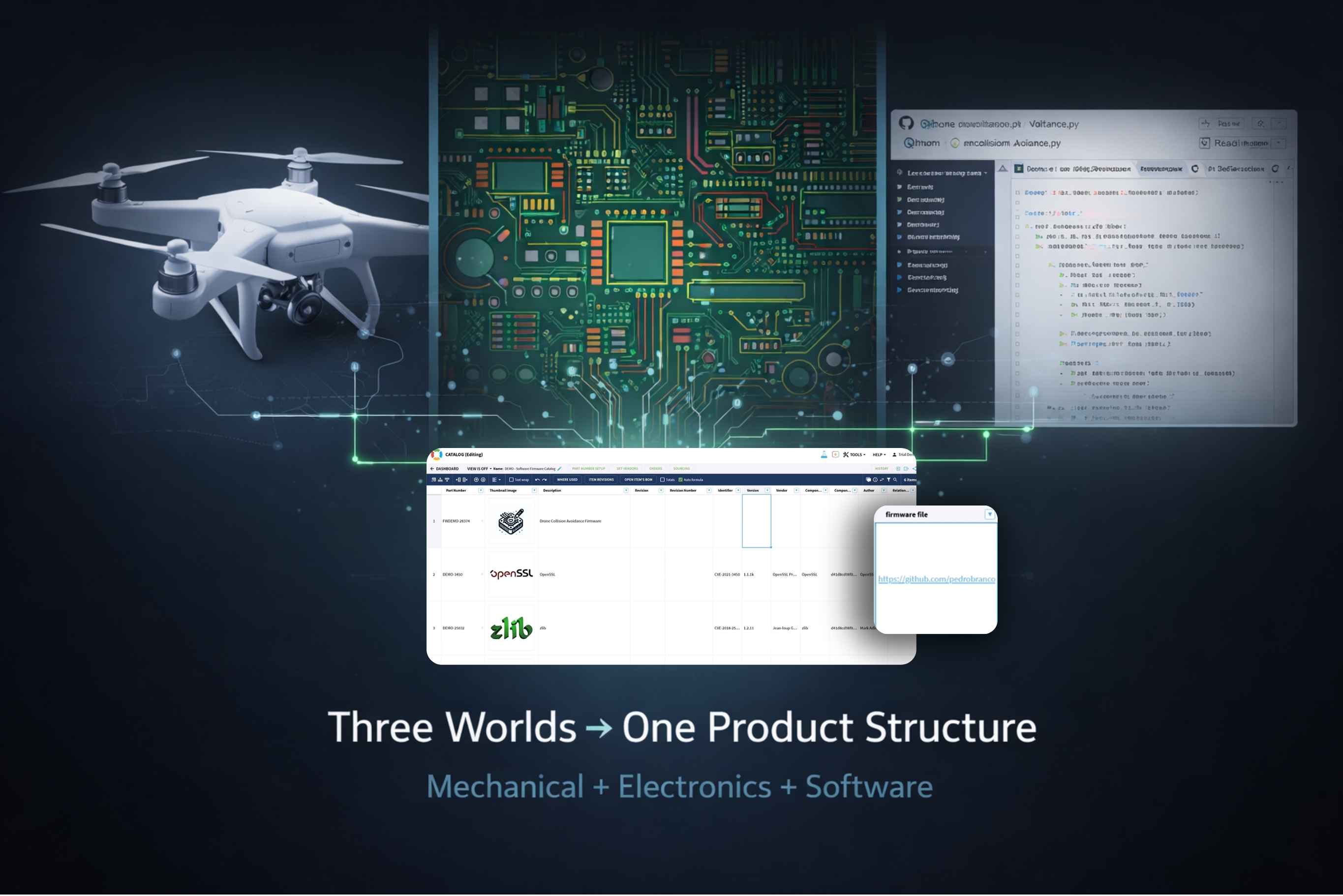
The firmware example we walked through in the video is deliberately simple, because the core idea is simple: you don’t import software into OpenBOM. You reference it. You create a property that points directly to the source of truth and let that link carry the meaning.
How GitHub Integration Actually Works
Let me walk through what this looks like when you actually set it up.
Represent Software as a BOM Item
Start by creating an item in OpenBOM that represents your firmware or software component. This isn’t conceptually different from how you’d add a mechanical part. It becomes part of the same product structure, sitting alongside everything else.
Add a GitHub Reference Property
Using OpenBOM’s data model, you define a property for that item — something like “Firmware Repository,” “Git Commit,” or “Release Tag.” That property gets configured as a reference, meaning it holds a link rather than a value.
Link to GitHub
Instead of copying files or duplicating data, you paste in the repository URL, the specific commit hash, or the release version. That’s it. You now have a live connection between OpenBOM and GitHub without moving a single file.
Include Software in the BOM Structure
Once that link exists, your BOM gets a new dimension. You can look at a product and see mechanical assembly, electronic components, and firmware — all in one place, all from a single view.
Maintain Traceability Across Domains
This is where it gets genuinely useful. Now you can answer questions like: which firmware version shipped with this product revision? What changed between builds? Which hardware configuration corresponds to which software release? And you can answer those questions directly from the BOM, not by opening three different tools and hoping someone kept things in sync.
Why This Matters More Than It Seems
On the surface, this looks like a small feature. You’re adding a link. How significant can that be?
Pretty significant, actually. Because what changes isn’t the data — it’s what you can ask about the data. The BOM stops being a list of parts and starts being a connected model of product knowledge. That shift matters enormously when things go wrong, when products get updated, when customers report issues, or when you need to understand what actually shipped.
This is what multi-disciplinary BOM and xBOM is really about.
From Integration to Product Understanding
What I appreciate most about this approach is that it doesn’t ask teams to change how they work.
Engineers keep using CAD. Software teams keep using GitHub. Procurement keeps using ERP. OpenBOM becomes the layer that connects all of those workflows into a meaningful structure — not by pulling data out of its native home, but by linking it in context.
That distinction matters. Integration projects that try to centralize everything tend to fail slowly and expensively. Connection layers that respect existing tools tend to actually get used.
The Bigger Picture: Software BOM Meets Engineering BOM
There’s a lot of industry conversation right now about SBOM (Software Bill of Materials) driven mostly by security and compliance concerns. That’s important, but it’s a different question than the one engineering teams need to answer.
Check our earlier webinar
Engineering teams aren’t just asking “what libraries are inside this product?” They’re asking “how does the software relate to the physical thing we’re shipping?” That’s a harder question, and it requires connecting the Engineering BOM, the Manufacturing BOM, and the Software BOM into something coherent. Multi-disciplinary BOM is how you get there.
What Contromax and Others Are Showing
The Contromax experience is a good illustration of where the industry is heading. Their products don’t fit neatly into any single domain. Mechanical systems, electronics, embedded software, and continuous firmware updates all have to be managed together. Treating them as separate concerns creates fragmentation and blind spots. Connecting them creates actual product understanding.
This isn’t a Contromax-specific problem. It’s the direction products in general are moving.
Final Thought: Start Small, Think Big
The most encouraging thing about this approach is how low the barrier to entry actually is.
You don’t need a massive integration project. You don’t need a new tool. You can start with one firmware component, one GitHub link, and one BOM. That’s enough to prove the concept. And once software is part of the product structure — even in one small corner of it — something shifts. You stop spending time hunting for data and start spending time understanding your product.
That’s the payoff.
REGISTER FOR FREE to check how OpenBOM can help you.
Best, Oleg
FAQ
Q:How does OpenBOM integrate with GitHub?
OpenBOM doesn’t sync repositories directly. Instead, it lets you store references — URLs, commits, releases — that link BOM items to GitHub. The source of truth stays in GitHub; OpenBOM provides the structure around it.
Q: Can I track firmware versions in a BOM?
Yes. You create items that represent firmware components and link them to specific GitHub commits or release tags.
Q: Is this replacing GitHub?
No. GitHub remains the source of truth for code. OpenBOM adds structure and context that connects software to the rest of the product definition.
Q: What’s the real benefit of linking software to the BOM?
Full product traceability. Instead of cross-referencing separate systems, you can see hardware and software as a single, connected product definition — and answer questions about what shipped, when, and why.
Join our newsletter to receive a weekly portion of news, articles, and tips about OpenBOM and our community.