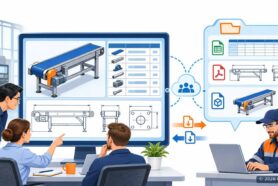
Engineering data does not break in one place, it breaks at every handoff
I spent an hour on November 18 with Tanner Knight of Converge Design, running a live OpenBOM demo and then working through the integration scenarios the audience actually runs. Steve Hess drove the product. The title I put on the first slide was deliberate: your data should drive the business, not sit in a silo.
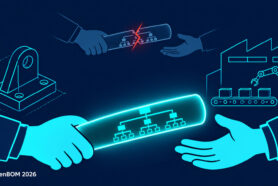
This framing is the main value proposition we are hearing about when we speak to OpenBOM customers. The problem is rarely a single bad system. Engineering data gets created once in CAD and then re-entered by hand at each boundary it crosses. Someone retypes a BOM into a spreadsheet for purchasing. Someone else retypes it into ERP. A file gets emailed, then a newer revision gets emailed, and nobody is sure which one the supplier quoted against. Every handoff is a place where the data loses fidelity and nobody owns the loss. Check our earlier article – Five Handoffs Where Product Data Breaks, and How to Stop Re-Checking It.
The demo followed one BOM through six stops, from the CAD file to the purchase order. What follows is the path we took, with each capability marked as shipped, beta or roadmap, because I would rather you know what you can use this week than be impressed by a roadmap.

File control is not a separate product, it is the precondition for everything downstream
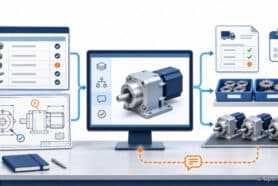
We opened the demo with PDM because a BOM built on files nobody controls is a BOM nobody can trust. Steve showed the OpenBOM File Manager inside SolidWorks, where every CAD file carries its sync status and lock state, visible to the whole team.
OpenBOM provides a native cloud PDM. Files live in the cloud with no local vault to install and no server to host. Sync transfers only what changed. Lock and check out stop two engineers from editing the same part at once. Release marks a revision as ready for everyone downstream. We are continuously developing and enhancing cloud PDM capabilities. A few highly demanded features are coming later in November – file rename, get previous revision, and copy assembly. These features will be gradually added to all desktop CAD add-ins starting from Solidworks and then later with all other CAD systems.

Capture the BOM from the design, because a retyped BOM is a new source of error
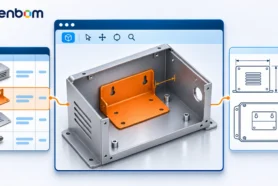
The second stop was making a BOM straight from the CAD assembly. Generating unique part numbers and then capturing all information including configurations and all small details and features such as weldment, sheet metal and others. Capturing quantities and properties come from the design itself, including automatic part number generation, so the engineer is not transcribing anything. That sounds like a small convenience. It is the difference between a BOM that stays in step with the design and one that diverges the moment someone changes a component.
Derivative files automatically generated and delivered with the BOM line rather than living in a separate folder. PDF, STEP and DXF files generated from the design stay attached to the item they describe, so the supplier who gets the purchase order can also get the right drawing at the right revision.
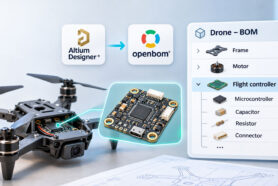
The structure holds more than mechanical parts. Flat or multi-level, EBOM and MBOM, with MCAD, ECAD and PCB in the same multi-disciplinary BOM. Most products are not single-discipline, and splitting them across tools is how the electrical BOM and the mechanical BOM end up disagreeing about the same assembly.

Review the BOM before purchasing acts on it, not after the parts arrive
BOM Review is the stop I care most about, because it is where cost gets avoided rather than incurred. The review runs rule-based checks on part numbers, quantities, properties and structure, plus an AI BOM Health check that looks at the BOM as a whole.
The workflow Steve demonstrated has three steps:
- Run the review and look at what it flags.
- Add comments and tasks on the specific BOM lines that need work, so every fix has an owner rather than living in a thread.
- Make a revision once the review is closed.
BOM Review has been available to all OpenBOM customers. Customer-specific AI checks, where your team defines the validation rules that matter in your business. More capabilities are coming here including the way to use your own language models.
One question came up that is worth repeating. The AI does not make the engineering decision. It finds and flags, a person decides and closes the task. I think that boundary is the right one for the current generation of these tools, and I would be suspicious of anyone selling you the opposite.

A released BOM is only useful if it reaches the system that spends the money
Once the BOM is reviewed and released, it carries part numbers, quantities, vendors and cost. The demo then split into the two situations we actually meet in the field.
For a team with no ERP, OpenBOM Procurement Planning handles it directly. Check stock against the BOM, create orders, and issue purchase orders to suppliers from the same workspace where the BOM lives.
For a team that already runs an ERP, the BOM goes there instead – check more about OpenBOM ERP integrations. Steve pushed items and the bill of materials into Odoo with a single click and then opened the created BOM inside Odoo to confirm it landed correctly. Also in production. Check the list of integrations. If you run NetSuite, Acumatica, M365, Odoo, Katana, Visma, Xero, Quickbooks, we have integrations already. Our new ERP AI agent (we use it internally now, but plan to make it available for everyone) develops ERP integrations for any system you have.
I make a point of showing both because the question is never whether OpenBOM can replace your ERP. It is where the engineering data should live before it gets there, and who has to retype it in between. The answer we are aiming for is nobody.

There is no single right way to connect a BOM to an ERP, so we support three
This is where the session turned into a working discussion, and where most of the audience questions came from. The route that fits depends on which system you run and who needs to see the data.
Push means OpenBOM sends items and the BOM to the ERP on a click. Embedded and pull means the ERP user opens an OpenBOM Workspace record and pulls the data they need without leaving their own system. API means you build the flow yourself on the REST API.

| System | What moves | Route |
|---|---|---|
| Odoo | Items, BOMs, files | Push, one click, shown in the demo |
| NetSuite | Items, BOMs, files | Embedded, viewed inside NetSuite |
| Dynamics, QuickBooks, Xero, Katana | Items, BOMs, files | Existing OpenBOM ERP integrations |
| Any other ERP, MRP or purchasing system | Custom data flows | API, REST, documented in OpenAPI |
If you run something not in that table, the honest answer today is the API route. However, our new ERP AI agent can develop it for you. Please talk to OpenBOM sales or contact support.
Open access to the data is what makes AI useful here, not a chat box bolted onto a BOM
Under the CAD add-ins, the REST APIs and the MCP layer sits one multi-tenant product knowledge graph. An agent reads the same data your engineers edit. That is the architectural point, and it is why I am comfortable talking about AI in this context at all.
The REST API is documented in OpenAPI format with self-service API keys, and it is in production. That matters more than it sounds: an AI coding tool can inspect the API specification and build against it without anyone writing an integration guide first.
The OpenBOM MCP server gives AI agents a standard way to query data and run operations. It is in beta now, with production planned for late November 2026.
For applications, the pattern available today is that an AI coding agent builds an app on the OpenBOM API and you host it yourself. In our own experiment we used Claude Code, GitHub and Render, though none of those are requirements. An OpenBOM app store, where customer-built applications are hosted inside OpenBOM, is roadmap.

Here is the same demo with the marketing removed
I put this table in front of audiences on purpose. AI roadmaps get dressed up as products across this industry, and the fastest way to lose a technical audience is to let them discover the gap themselves.
| Capability | Status |
|---|---|
| PDM: vault, sync, lock, release | In production |
| PDM: rename, previous revision, copy assembly | Late November 2026 |
| BOM capture with automatic part numbers and derivative files | In production |
| BOM Review with AI BOM Health | In production |
| Customer-specific AI checks | Roadmap, with design partners |
| Procurement planning: inventory, orders, POs | In production |
| Push of items, BOMs and files to Odoo | In production |
| Open API with self-service API keys | In production |
| MCP server | Beta, production late November 2026 |
| OpenBOM app store | Roadmap, est. Nov–Dec 2026 |
Dates on roadmap items are engineering estimates, not commitments.
The question worth answering is which handoff is costing you now
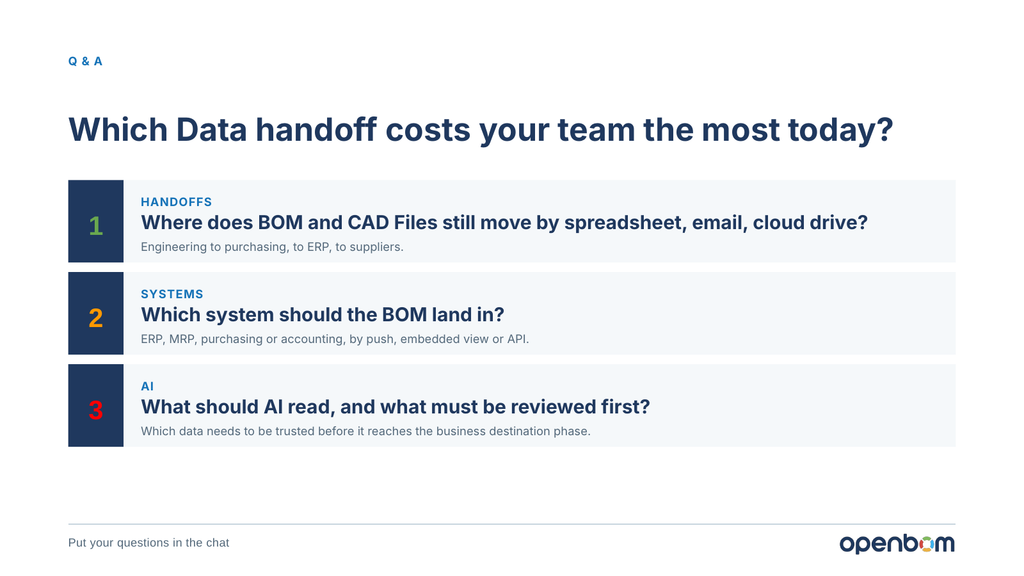
We closed with the question I would ask any engineering team: which data handoff costs you the most today? Not which feature sounds interesting, but where BOM and CAD files still move by spreadsheet, email or a shared cloud drive, and what that costs you in rework and delay.
The second question follows from the first. Which system should the BOM actually land in, and by which route: push, embedded view, or API. The third is the one everyone is thinking about now. What should AI read in your product data, and what has to be reviewed before it gets there. A review step is only as reliable as the BOM context underneath it, which is the whole argument for doing capture and review properly before pointing an agent at the result.
If you want to see this with your own data, bring a real BOM and the ERP or MRP system you run, and we will show you the route that fits rather than a generic one.
Thanks to Tanner Knight and Converge Design for hosting, and to Steve Hess for running the product end of the session. A recording will follow.
Register for free to OpenBOM to start, or book a demo with our team.
Best, Oleg
Join our newsletter to receive a weekly portion of news, articles, and tips about OpenBOM and our community.