A customer described reviewing every drawing before each release to me in four words: “Frankly, that’s a nightmare.” Brad Carpenter runs engineering at Spotlight Solar, and what struck me is that he was not describing a design problem. He was describing a trust problem.
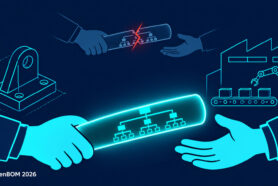
After 25 years around engineering software, I am convinced that product data rarely fails inside a single tool. It fails between people and between systems. A part moves from one engineer to another. A circuit board meets a mechanical assembly. Drawings go to manufacturing. Items move into ERP. Eventually someone asks whether the product can actually be built. Each of those moments is a handoff, and at each one the person receiving the data has to decide whether to trust it or check it again.
The verification tax is paid at every handoff
Most teams check it again. I call this the verification tax: the time engineers and buyers spend re-confirming data that should have been right when it was created. It does not appear on any project plan, but it shows up as half days lost before releases, spreadsheets merged by hand, and messages asking who has a file open.
The tax compounds because errors get more expensive the further they travel. Spotlight Solar’s story cites the classic 1-10-100 rule: a mistake caught at the engineer’s desk is cheap, the same mistake in manufacturing costs far more, and in the field it means delayed installations and replaced parts. Checking harder downstream does not fix this. Making data trustworthy where it is captured does.
Here is how that plays out across the five handoffs I see most often, with examples from OpenBOM customers and workflows.
Handoff 1, engineer to engineer: trust starts before the first save
The first handoff happens inside the engineering team, often between two people editing the same assembly. Shared folders full of files named “motor_mount_v3_final_FINAL” are the symptom. Nobody knows which copy is current, people ask in chat who is editing a part, and two saves to the same file can erase someone’s afternoon.
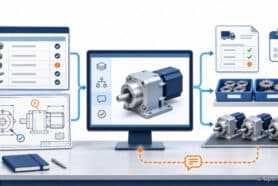
The fix is a lightweight routine, not a heavy PDM rollout. In OpenBOM you lock a part from the SOLIDWORKS panel before editing, and if the cloud copy is newer than yours, the lock check tells you before you start. Colleagues see who holds the lock, Smart Sync pushes saved work to the cloud, and the Versions panel shows every saved version with who saved it and when. I walk through it step by step in Who Overwrote My Part? Lock, Change and Track CAD Versions in OpenBOM.
The distinction that matters most for every later handoff is between versions and revisions. Versions record saved work in progress. Revisions record what has been approved for purchasing, manufacturing and suppliers. A part can go through many versions while its released revision stays the same, and downstream teams should only ever consume revisions.
Handoff 2, mechanical to electronics: a BOM without the board is half a product
The second handoff is between disciplines. A mechanical BOM can look complete while all of its electronics hide behind a single row, say “flight controller,” with nothing underneath. The real component list lives in Altium Designer on an engineer’s machine or in an exported spreadsheet. Buyers merge the files by hand, and the merged result goes stale the moment the board changes, which is how teams end up ordering parts for a previous design.
When Altium Designer is connected to OpenBOM, the board becomes an item with its own BOM, nested under the product next to the mechanical parts, with designators, quantities and manufacturer part numbers. Items are matched by part number, so a component used on several boards is one item and a sourcing change happens once. Mechanical and electronics engineers can each update the properties their tool owns, and teams on Altium 365 can build BOMs from released versions so purchasing is tied to an approved design. Details are in Is Your BOM Missing Half the Product? Connect Altium Designer to OpenBOM.
Handoff 3, engineering to manufacturing: correct at the source means no drawing-by-drawing review
The third handoff is the release. This is where Brad’s nightmare lived. Spotlight Solar builds solar trees, shelters and tables for campuses, ports and parks, and before every release he personally verified that drawings, revisions and the BOM matched. The work grew with every product and depended on one person’s attention.
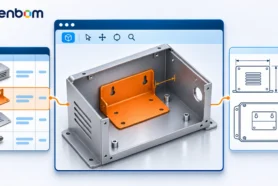
Today Spotlight Solar keeps parts, drawings and documents such as factory assembly and installation guides as items in one structured BOM, visible next to the model through the OpenBOM add-in for SolidWorks. Their workspace holds more than 1,350 items and 336 BOMs. Release verification starts from the maintained BOM instead of going drawing by drawing, and Brad reports saving roughly half a day every time he releases drawings for a full BOM. His summary is the best one-line version of this article I have heard: “If it’s correct where I start, it’s correct where it ends.” Read the full Spotlight Solar story.
Handoff 4, engineering to ERP: a small team should not be a data entry department
The fourth handoff is from engineering into operations. Ambient Biosciences makes room-temperature stabilization technology for biomolecules and manufactures its equipment and consumables in Ann Arbor, Michigan. Moving from lab work to commercial sales meant formal BOMs for every part, raw material and assembly. Local Excel files could not feed purchasing, inventory and production in NetSuite, and keying every engineered item into the ERP by hand would have consumed a small team.
Ambient now builds new BOMs and SKUs from a shared catalog in OpenBOM, so each part is defined once and stays consistent across BOMs and the ERP. An integration tailored to their NetSuite setup moves a full BOM, including vendors, in one click. The company does not quote a number for the time saved, but is clear about where the value is: engineering time goes back to design and manufacturing instead of data entry. Read the Ambient Biosciences story.
Handoff 5, BOM to build decision: a correct BOM is not yet a buildable one
The last handoff is a question rather than a file: “Can we build 10 units by December 15?” A complete, correct BOM cannot answer it alone. You also need supplier lead times, the drawings still missing, inventory already committed to other orders, and substitutes that have not been approved. Today that answer usually takes several people, several systems and a spreadsheet built for the occasion.
I want to be precise about what exists. BOM Review is available today as a collaborative space to check product structures, investigate findings such as missing properties, part-numbering problems, circular references and quantity inconsistencies, and assign corrections. Build-readiness assessment, under the working name Launch Master, is in development, together with a shared framework of checks both would use. The direction is to let a user pick a revision, enter a quantity and a date, and get back a supported quantity, blockers, missing information and stated assumptions, with the findings and decisions kept as Product Memory so the next team understands them instead of rebuilding them. I describe the thinking in From BOM Review to Build Readiness: Connecting Product Data and Decisions.
The pattern is the same at every handoff: fix the source, not the checkpoint
Look across the five handoffs and the failure mode repeats. Data is created in one place, copied to another, and re-verified by whoever receives it. The fix also repeats: one structured item per part, one product structure that every discipline contributes to, and a clear line between work in progress and approved data.
| Handoff | Where it breaks | What fixes it | Example |
|---|---|---|---|
| Engineer to engineer | Overwritten files, unclear current copy | File locking, version history, versions kept separate from revisions | OpenBOM cloud PDM with SOLIDWORKS |
| Mechanical to electronics | Board shown as one empty row, manual merges | Board as a nested BOM, one item per part number | Altium Designer and Altium 365 to OpenBOM |
| Engineering to manufacturing | Drawing-by-drawing release review | Drawings, documents and parts in one maintained BOM | Spotlight Solar, about half a day saved per release |
| Engineering to ERP | Items keyed into ERP one by one | Shared catalog and a one-click BOM transfer | Ambient Biosciences with NetSuite |
| BOM to build decision | Ad hoc spreadsheets and meetings | BOM Review today, build-readiness checks in development | BOM Review, Launch Master (working name) |
Where to start: find the handoff your team re-checks most
You do not need to fix all five at once. In my experience the fastest progress comes from this sequence:
- List the handoffs in your own product process, from first CAD save to build commitment.
- For each one, ask who re-checks or re-enters data after receiving it, and roughly how long it takes per release.
- Pick the handoff with the highest verification tax and move its data into one structured BOM where it is created.
- Separate approved revisions from work in progress, so downstream teams consume only released data.
- Move to the next handoff once the first one stops generating re-checks.
Try it with your own designs
Everything in this article, from file locking to Altium and SOLIDWORKS BOMs to BOM Review, can be tested with your own data. Register for free to OpenBOM and find out how much checking your team can stop doing.
Best, Oleg
Join our newsletter to receive a weekly portion of news, articles, and tips about OpenBOM and our community.