BOM Review Agent

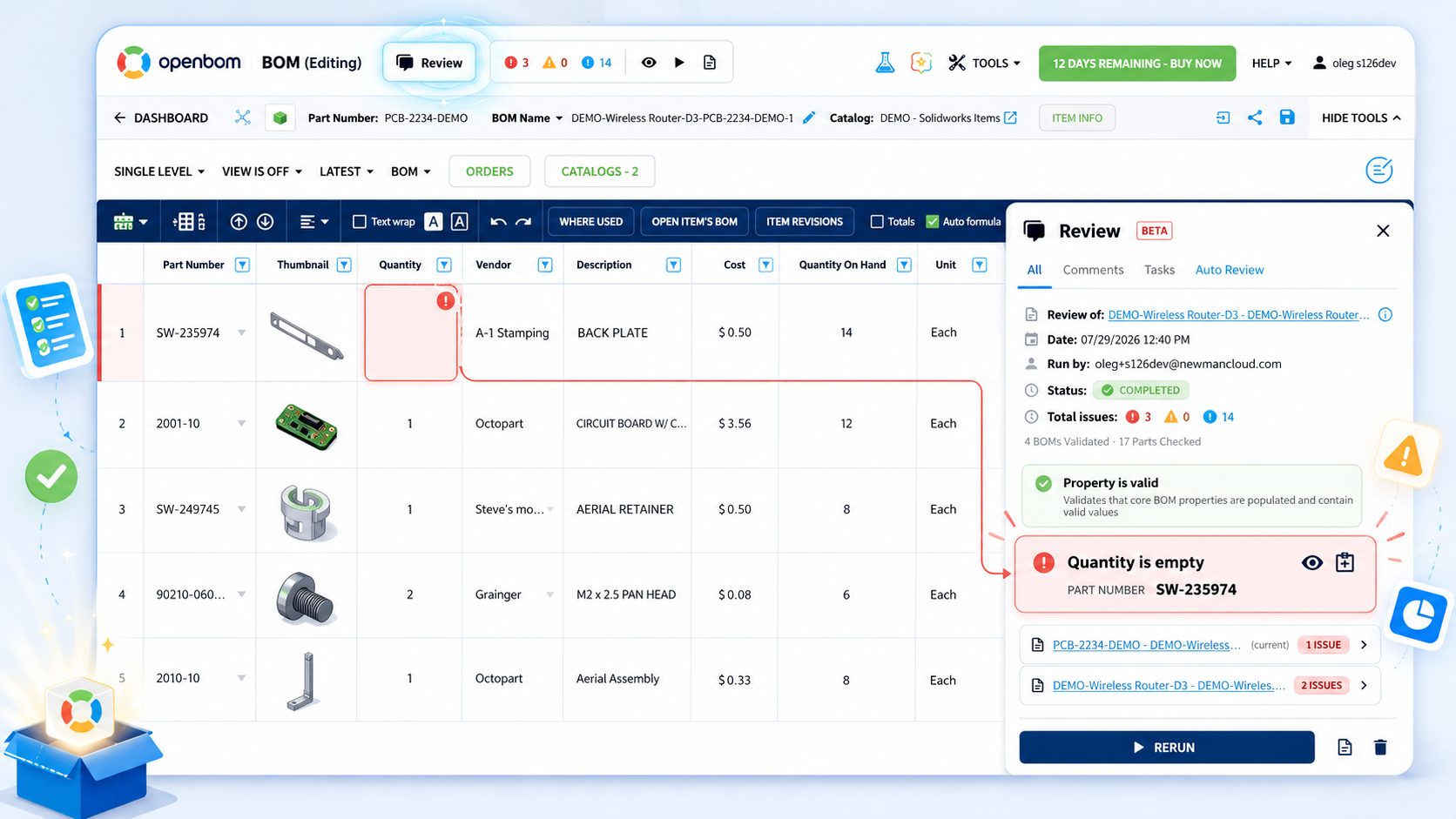
BOM Review Agent finds wrong quantities, empty properties, duplicate part numbers, and structural loops, and puts each issue on the exact line as a comment and an assigned task — collaboration where the problem is. The reasoning stays with the product: what was found, who decided, and why.
header_bg_1920

Every BOM ships with questions.

Are quantities right? Is every property populated? Any duplicate part numbers? A structural loop hiding three levels down? Is every vendor and cost defined?

Most teams still answer these with an Excel export, an email thread in three different colors, and a meeting. The review happens and the moment the meeting ends, the reasoning behind every fix disappears with it

Start Today!

The checks that catch the expensive mistakes.

  • Part Number

    Catches malformed or non-conforming identifiers

  • Quantity

    Confirms quantities match reference designators

  • Property

    Flags empty descriptions, costs, supplier fields

  • Structure

    Detects loops and circular references

  • AI BOM Health

    Analyze BOM using AI algorithms

Every review becomes part of your product's memory.

BOM Review is the missing middle of Capture → Review → Flow. Traditional systems record the outcome — approved, released. BOM Review keeps the reasoning too: what was found, who decided what, and why — a record that keeps paying off long after release.

Don't take our word for it — run it against your own BOM

Upload a spreadsheet, and BOM Review checks it the way your best reviewer would: missing approved sources, incomplete part records, prototype assemblies without test documents, options that shouldn't coexist. You get the findings in minutes, not after a review meeting. Free for two weeks. No credit card. Your own data.

Try BOM Review FREE

>
Frequently asked questions
What is OpenBOM BOM Review?
OpenBOM BOM Review is a collaborative BOM validation experience that allows engineering and manufacturing teams to check product data and structures using expandable validation check cards, discuss issues with comments, assign tasks, and release error-free BOMs while capturing the review history as part of Product Memory.
What do BOM validation check cards do?
Each check card performs a specific validation against the BOM. The initial out-of-the-box cards include Part Number validation (checking part numbers against your configured pattern), Property validation (finding empty or missing properties), Quantity validation (verifying quantities match reference designators), and Structure validation (detecting loops and circular references).
Who can use BOM Review?
BOM Review is available immediately to every OpenBOM customer. You can try it by registering for a free OpenBOM account.
Can BOM validation checks be customized?
Yes, the check card framework is designed to be extended and programmed using OpenBOM tools and APIs. OpenBOM is currently looking for design partners to develop AI-enabled validation cards customized to company-specific knowledge and validation rules.
How does BOM Review support Product Memory?
BOM Review captures what was reviewed, which issues were found, who participated, what decisions were made, and why the product data and structure changed. This information becomes part of a persistent Product Memory that supports future engineering work, compliance, supplier collaboration, and AI-assisted workflows.
What is the Product Memory Flywheel?
The Product Memory Flywheel connects three activities: Capture (bringing product information into OpenBOM from CAD, Excel, and other sources), Review (collaboratively validating and improving product data structures), and Flow (delivering validated information to ERP, MES, procurement, and back to CAD).
To the top