Getting started with engineering software should feel like starting work, not like starting a procurement process. Yet many teams still encounter delays before they can even begin. Emails, quotes, approvals, and manual setup slow things down. By the time access is granted, momentum is already lost.
OpenBOM 2026 takes a different approach. From the very first interaction, the platform is designed to let teams move from curiosity to real work immediately. Trial registration, purchasing, and license assignment all happen inside the product, without sales calls, waiting periods, or resets.
This article walks through the full self-checkout experience in OpenBOM 2026, from registering for a trial to assigning licenses to your team, and explains why removing friction at the start matters more than ever.
Starting Work Shouldn’t Be Complicated
Engineering and manufacturing teams rarely look for new tools out of curiosity alone. Most of the time, something is already broken or slowing them down. BOM inconsistencies, engineering change confusion, purchasing handoffs, or lack of visibility across teams are common triggers.
At that moment, speed matters.
Traditional enterprise onboarding often works against this reality. Trials are limited or disconnected from real workflows. Purchasing requires back and forth with sales and finance. Licenses arrive later, sometimes long after the team has already decided they want to move forward.
OpenBOM 2026 removes these barriers by making onboarding part of the product experience itself. The environment you use during a trial is the same environment you keep using after purchase. There is no migration, no reconfiguration, and no pause between evaluation and execution.
Everything starts with a trial, but not a disposable one.
Step One: Register for a Trial and Invite Your Team
Getting started with OpenBOM begins with a simple registration. Once complete, you are placed directly into a fully functional OpenBOM workspace. This is not a demo or a restricted sandbox. It is a real environment where you can start organizing items, building BOMs, and exploring workflows immediately.
From the beginning, OpenBOM assumes that real work is collaborative. Product data is rarely owned by a single person, and value emerges when engineering, purchasing, and project teams work from the same context.
That is why inviting team members is part of the initial experience. Engineers, buyers, project managers, and external collaborators can be invited right away. Everyone works in the same shared workspace, seeing the same data and changes as they happen.
This matters during evaluation. Instead of testing OpenBOM alone, teams experience how it behaves under real conditions. Multiple people edit, review, and discuss data in context. The trial becomes a realistic reflection of daily work, not a feature checklist.
And because the trial workspace is designed to become your production workspace, there is no pressure to experiment carefully. Anything created during the trial can remain part of ongoing work.
Step Two: Navigate to Billing and Select Subscriptions
As teams begin using OpenBOM, the decision to purchase usually comes naturally. Perhaps the trial is nearing its end. Perhaps additional team members need access. Or perhaps the value is already clear, and the team wants to continue without interruption.
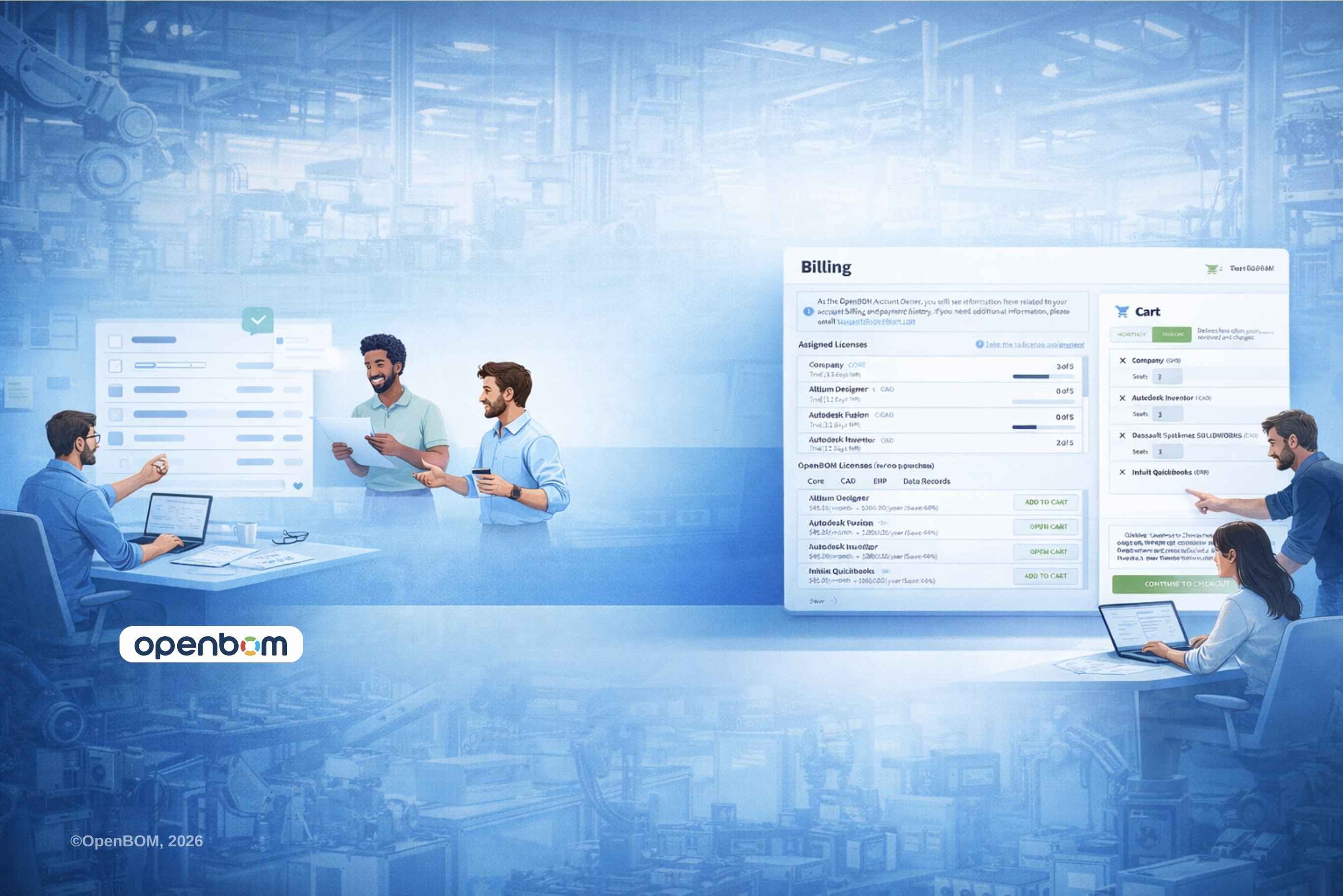
In OpenBOM 2026, purchasing does not require leaving the product or initiating a separate process. Billing is accessible directly inside the OpenBOM interface, alongside the tools teams are already using.
Subscription options are presented clearly and transparently. Teams select what they need based on how they are actually working, not based on assumptions made before using the product.
This is an important shift. Instead of purchasing software upfront and hoping it fits, teams make decisions with real usage and real data in mind. They already know who is involved, what workflows matter, and how OpenBOM fits into their process.
Purchasing becomes a continuation of work, not a disruption.
Step Three: Confirm Payment Securely with Stripe
Once subscriptions are selected, payment is completed directly inside OpenBOM using Stripe. Stripe provides a secure, familiar checkout experience that many organizations already trust for online transactions.
There is no manual invoicing and no waiting for confirmation emails. Payment is confirmed immediately, and the OpenBOM workspace reflects the updated subscription status right away.
This immediacy is intentional. Administrative delays add friction that has nothing to do with engineering value. By integrating secure online payments directly into the platform, OpenBOM ensures that procurement steps never block progress.
For finance teams, this approach brings clarity and traceability. For engineering teams, it means one thing. No waiting to keep working.
Step Four: Assign Licenses to Team Members Instantly
After payment is confirmed, licenses are available immediately. There is no separate activation step and no need to contact support.
Administrators can assign licenses to team members directly inside the OpenBOM workspace in seconds. New engineers can be onboarded right away. Purchasing or manufacturing stakeholders can be added as collaboration expands.
Crucially, assigning licenses does not interrupt work. BOMs, items, discussions, and history remain exactly as they were. Team members continue from the same shared context, now with the appropriate level of access.
This flexibility reflects how teams actually grow. Access needs change over time, and OpenBOM makes license management a lightweight, ongoing activity rather than a one-time setup decision.
From Trial to Production Without a Reset
One of the most important aspects of the OpenBOM 2026 experience is what does not happen after purchase. Nothing is reset.
In many tools, trials are isolated environments. Once a purchase is made, teams are asked to start over in a real system. Data must be re-entered, structures rebuilt, and early experimentation discarded.
OpenBOM avoids this entirely.
The trial workspace becomes the production workspace. When subscriptions are purchased, all existing data remains intact. BOMs, item histories, reviews, and decisions carry forward seamlessly.
This continuity sends a clear signal to teams. It is safe to start early. Effort invested during evaluation is never wasted.
Video Walkthrough: See the Full Flow in Action
This short walkthrough video shows the complete self-checkout flow in OpenBOM 2026, including trial registration, inviting team members, navigating to billing, selecting subscriptions, completing payment via Stripe, and assigning licenses instantly.
The video mirrors exactly what users will see in their own OpenBOM account.
Why Self-Checkout Matters for Engineering Teams
Self-checkout is often framed as a billing feature, but in OpenBOM 2026 it reflects a broader design philosophy. Engineering tools should respect how teams think and work.
When teams evaluate new software, they are already solving a problem. Every delay introduced by onboarding works against that momentum. By removing friction from the start, OpenBOM allows teams to stay focused on what matters. Organizing product data, collaborating across roles, and making informed decisions.
This approach also changes how teams evaluate software. Instead of relying on demos or promises, they experience the product in real contexts with real collaborators. Purchasing becomes a confirmation of value, not a leap of faith.
Conclusion: Respects Momentum
OpenBOM 2026 is built around a simple idea. Starting should be easy, and continuing should be effortless.
From instant trial registration to online purchasing and immediate license assignment, every step is designed to preserve momentum rather than interrupt it. Teams can move from exploration to execution in a single session, without waiting for approvals, emails, or manual setup.
The result is a more honest onboarding experience. Teams start using OpenBOM the way they intend to keep using it. Collaboratively, with real data, and without artificial barriers.
If you are exploring better ways to manage product data, collaborate across teams, and move faster without losing control, the next step is simple. Start a trial, invite your team, and begin working.
REGISTER FOR FREE and start using OpenBOM today.
FAQ: About Getting Started with OpenBOM 2026
Q: How do I start using OpenBOM?
You can start using OpenBOM by registering for an instant trial. Once registered, you get access to a full OpenBOM workspace where you can create items, build BOMs, and invite team members right away. No sales call or manual setup is required.
Q: Is the OpenBOM trial limited or separate from production?
No. The OpenBOM trial uses the same workspace that becomes your production environment after purchase. All data created during the trial, including BOMs, items, and history, remains intact when you move to a paid subscription.
Q: Can I invite my team during the trial?
Yes. You can invite engineers, purchasing team members, project managers, and other collaborators during the trial. OpenBOM is designed for collaborative evaluation so teams can test real workflows together.
Q: How does purchasing OpenBOM work?
Purchasing is done directly inside the OpenBOM application. You navigate to billing, select the subscriptions you need, and complete payment online. There is no separate procurement process or waiting period.
Q: What payment methods does OpenBOM use?
OpenBOM uses Stripe for secure online payments. This provides a familiar and trusted checkout experience and allows subscriptions to be activated immediately after payment is confirmed.
Q: When do licenses become available after payment?
Licenses are available immediately after payment confirmation. You can assign licenses to team members right away without waiting for activation or support intervention.
Q: Can I change or assign licenses later?
Yes. License assignment in OpenBOM is flexible. You can assign, adjust, or expand licenses over time as your team grows or collaboration needs change.
Q: Do I need to reconfigure OpenBOM after purchasing?
No. There is no reconfiguration or reset required. The same workspace you used during the trial continues as your production environment, with all data preserved.
Q: Is OpenBOM suitable for small teams and growing companies?
Yes. OpenBOM is designed to scale naturally. Teams can start small, invite collaborators as needed, and expand usage without changing systems or migrating data.
Q: Do I need to talk to sales to get started?
No. OpenBOM 2026 is designed for self-service onboarding. You can start a trial, purchase subscriptions, and assign licenses entirely online. Sales support is available if needed, but not required.
Best, Oleg
Join our newsletter to receive a weekly portion of news, articles, and tips about OpenBOM and our community.