Excel is a natural lifeblood of every organization. We have “love and hate” relationships with Excel at OpenBOM. While we know how inefficient spreadsheets could be, we also know how hard it is to change habits of any organization and humans.
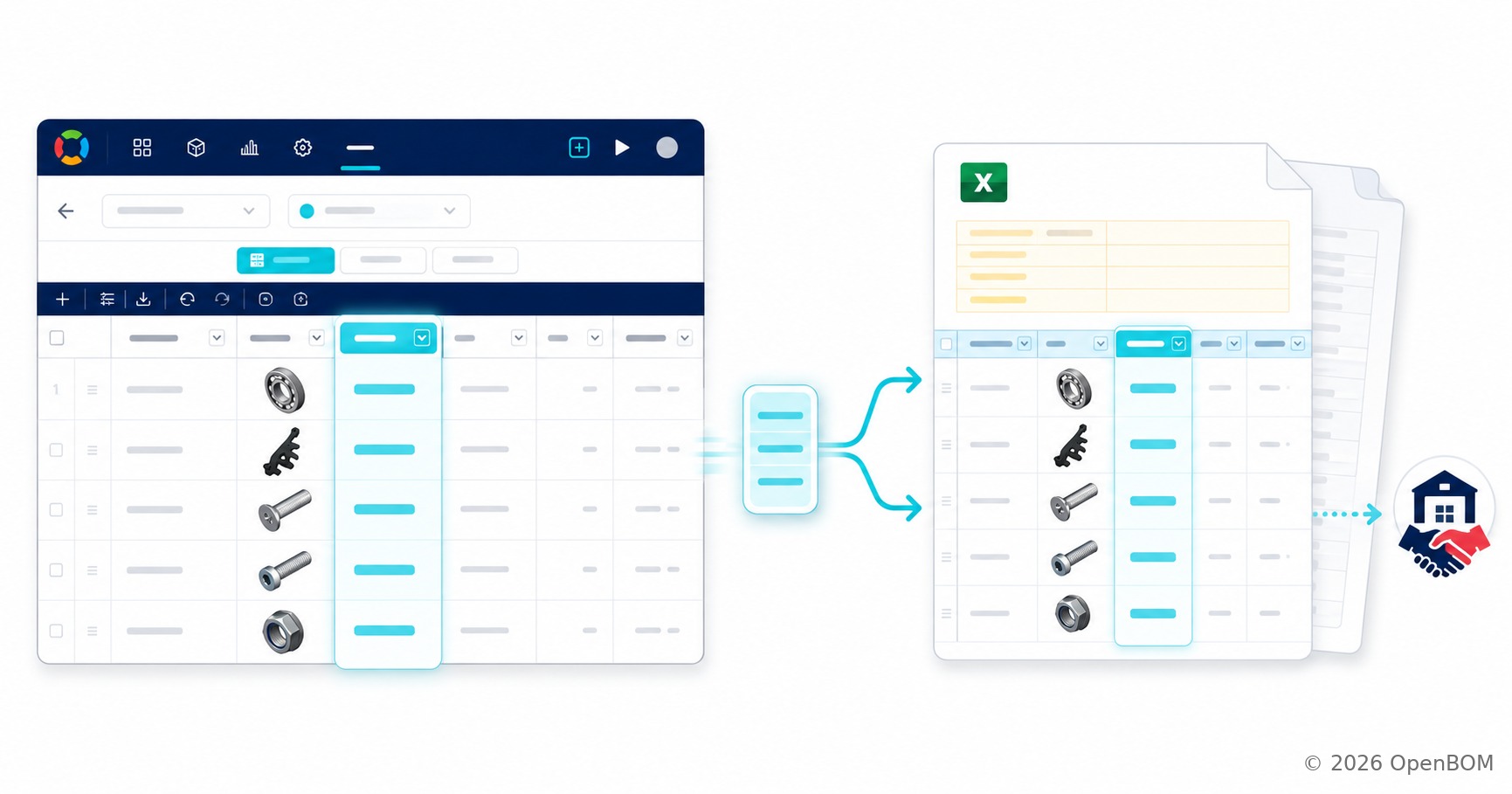
Therefore OpenBOM supports simple and easy out of the box export/import of any data in Excel and Google Sheets.
You can easily snap any data and send it to Excel to someone else. A supplier quoting parts. A contract manufacturer planning a build. A vendor confirming a shipment. For those readers, the header of the exported file is the first thing that tells them what this BOM actually is, and until now, that header defaulted to the BOM Name even when your team had configured the grid to show something more useful.
We are learning how to make it simpler and easier and more configurable.
With the August 2026 update, BOM exports include data from the BOM header rows, exactly as you configured them.
Watch the video of how it works.
The Export Header Matches Extends to Specific Item Attributes
When a BOM header is configured to display a selected item property, such as Description, the exported Excel file uses that displayed property instead of falling back to the BOM Name. If your grid shows “High-performance synthetic grease” as the header, the file your supplier opens says the same thing.
The improvement applies to regular BOM exports, and Flattened BOM Excel exports. The new configuration screen is here
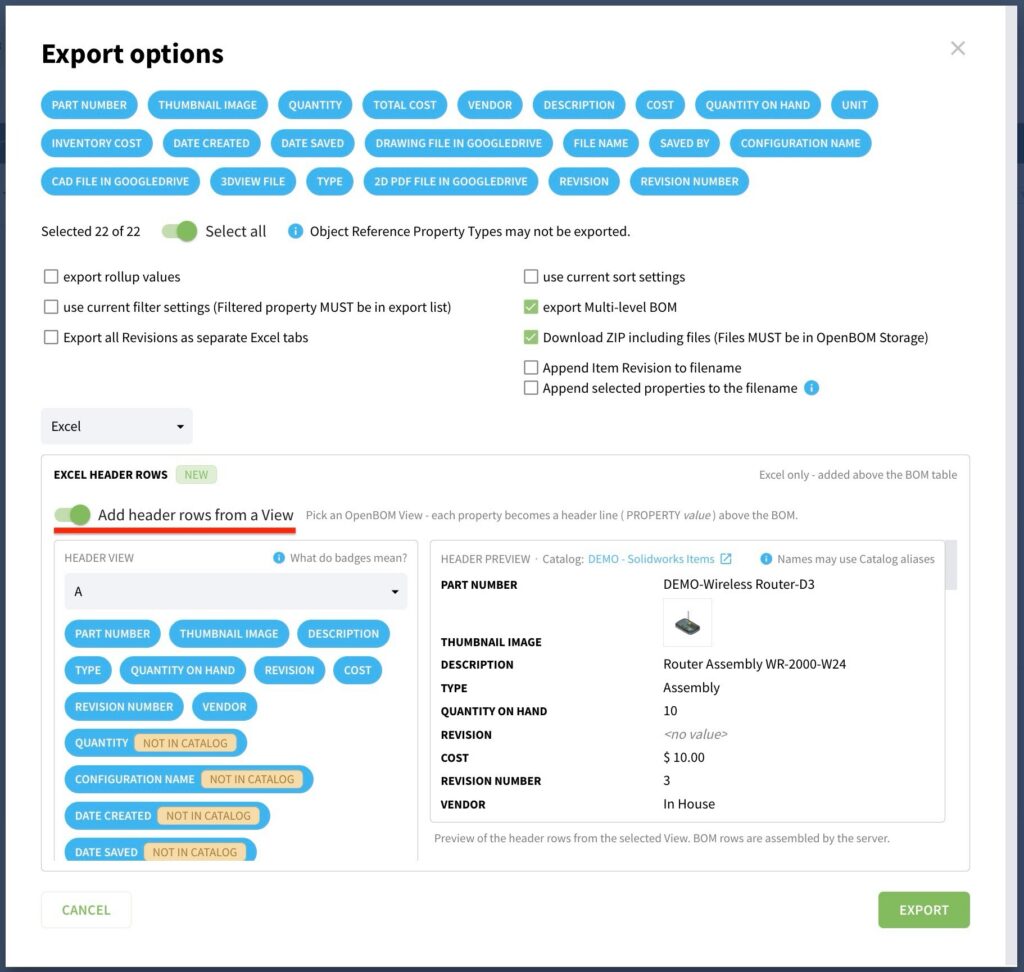
User “Add header row from a view” to enable the configuration settings. It shows the preview and support images too. The outcome is in the picture below
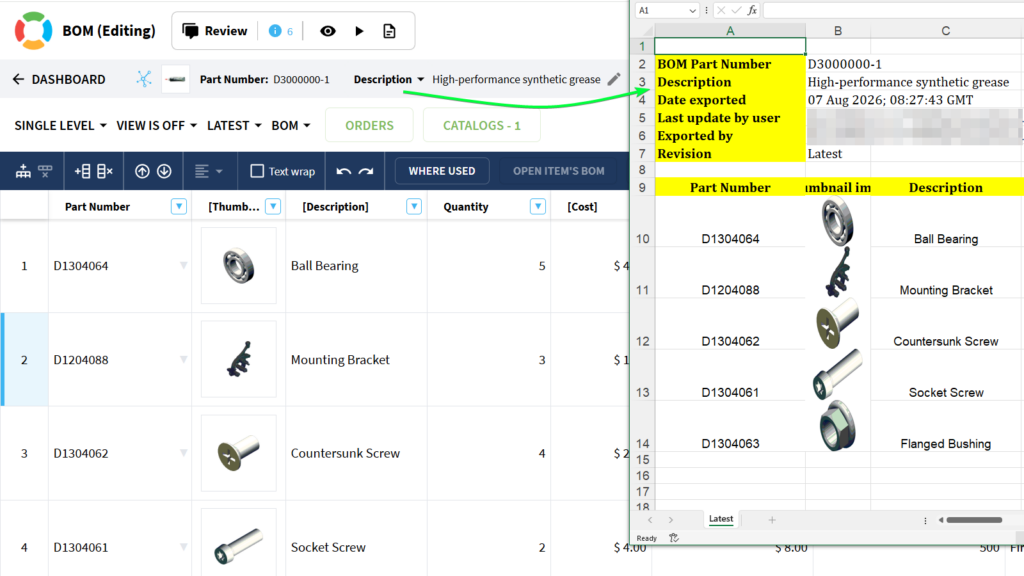
BOM header showing the Description property in OpenBOM, with the exported Excel file displaying the same header data side by side
Why We Did It
Internal identifiers and external communication are two different jobs, and a BOM Name is often built for the first one. A name like D3000000-1 is perfect inside your team, where everyone knows the numbering convention. It is meaningless to a supplier who needs to know they are quoting the grease assembly, not the bracket assembly.
That mismatch is why teams edit exported files by hand before sending them out, replacing internal names with descriptions the recipient will understand. Every one of those manual edits is wasted time, and worse, it is a moment where the exported file stops matching the system of record. Someone types a description slightly differently, the supplier quotes against it, and now there are two versions of the truth in circulation.
This improvement removes the manual step entirely. You choose the header property once in the grid, and every export carries it automatically. The exported BOM is more useful for suppliers, vendors, and other external partners, and it stays a faithful copy of what is in OpenBOM rather than a hand-edited derivative. Small change, but it sits exactly at the handoff point where BOM data most often gets mangled, and handoffs are where BOM quality is won or lost.
How It Works
- Open a BOM connected to a Catalog.
- In the BOM header row, choose which property to display, such as Description.
- Export the BOM to Excel
- The export uses the selected header property instead of the BOM Name.
- If the selected property is no longer available, the export falls back to the BOM Name.
Conclusion
Selected header properties in exports make every Excel you share carry the information your recipient actually needs, straight from the grid, with no manual cleanup and no drift between the file and the system of record. Your BOM exports now communicate as clearly outside your company as your BOMs do inside it.
REGISTER FOR FREE and check how OpenBOM can help: https://bom.openbom.com/sign-up
Best, Oleg
Join our newsletter to receive a weekly portion of news, articles, and tips about OpenBOM and our community.