Engineering work begins with design and… still with CAD files. Designs are created in CAD systems, simulations are performed in CAE tools, manufacturing preparation happens in CAM environments, and supporting documentation grows alongside the product. For decades, managing these files has been one of the most difficult parts of engineering organization. In this article, we explain how OpenBOM approaches CAD file management and version control as part of a modern, cloud-based PDM workflow.
This article is part of the Getting Started with OpenBOM 2026 series, where we walk step by step through how engineering teams move from disconnected tools and files to a connected digital workflow. Check – Three Simple Ways to Start Using OpenBOM.
Why Managing CAD Files Becomes a Problem
Why are CAD files still a problem? And in many ways, that is perfectly normal. Despite massive adoption of cloud technologies and browser-based applications, engineering work still relies heavily on desktop tools. CAD, CAM, and CAE systems remain the primary environment where engineers design, simulate, and validate products. These tools produce complex files that must be edited locally, stored safely, and shared reliably with others. Managing those files and making them accessible is an essential part of the digital transformation process in manufacturing.
Most engineering teams start with local folders, shared drives, or general-purpose cloud storage tools. This approach works well when the team is small and the product is simple. Over time, however, products grow, assemblies become larger, and more engineers begin working on the same data. Files get copied into multiple locations, versions become unclear, and teams gradually lose confidence in which file represents the latest state of the design.
Product Data Management, or PDM, exists to solve this problem. At its core, PDM is about organizing engineering work around files and versions, ensuring that product data evolves in a controlled and traceable way while allowing engineers to continue working in the tools they know best.
OpenBOM approaches PDM from a modern perspective. Instead of building complex infrastructure around file storage, OpenBOM combines centralized cloud access with workflows designed for distributed teams and real collaboration. The goal is simple: keep engineering files organized, accessible, and versioned without adding operational complexity.
Centralized Cloud Vault for Engineering Files
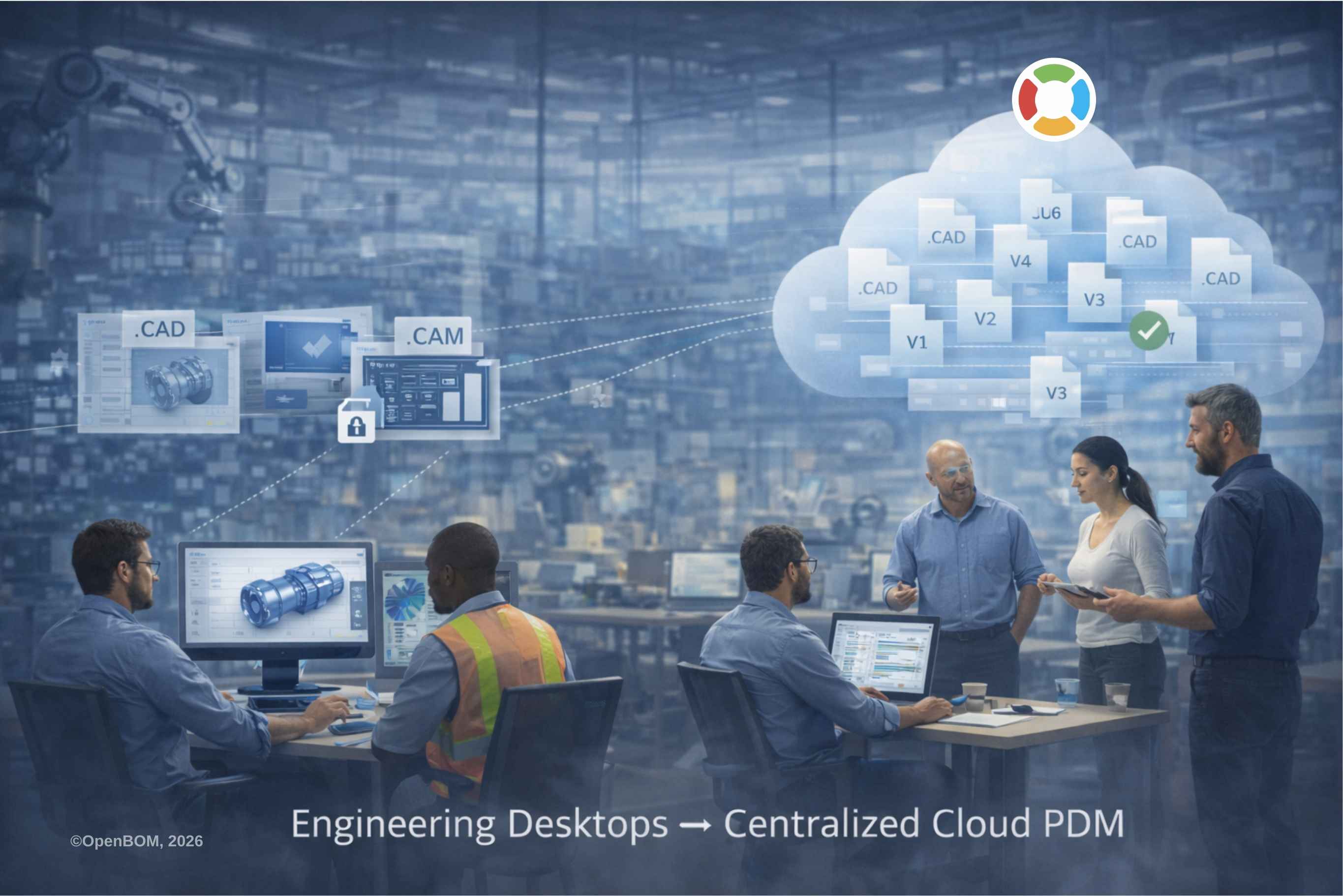
The foundation of OpenBOM’s PDM capability is centralized cloud storage for CAD and related files. All engineering files are stored in a single cloud vault, where access is controlled and data remains consistently organized.
This changes how teams interact with engineering data. Files are no longer tied to a specific office network or internal server. Engineers, purchasing teams, contractors, and other stakeholders can access files from anywhere using a web browser. There is no need for VPN connections or special network configuration.
Centralization also reduces one of the most common problems in engineering environments — uncontrolled file duplication. Instead of sending files by email or copying them between folders, teams work with a single authoritative source. Files remain connected to items and product structures, ensuring that engineering data stays aligned with the product definition.
Working with Desktop CAD Using Workspace Manager
While cloud technologies have transformed many business applications, engineering workflows still depend on powerful desktop tools. Engineers continue to use systems such as SolidWorks, PTC Creo, Autodesk Inventor, Revit, and other CAD applications that require local files.
OpenBOM supports this reality through Workspace Manager, which synchronizes files between the centralized cloud vault and the engineer’s local workstation. When engineers need to work on a design, files are brought locally to their computer. They continue working inside their native CAD environment without changing their normal workflow.
Once changes are complete, files are synchronized back to OpenBOM, where they become available to the rest of the team. This approach allows engineering teams to benefit from centralized cloud organization while preserving the performance and flexibility of desktop CAD tools.
Instead of forcing engineers into a new environment, OpenBOM connects existing tools into a unified data workflow.
Preventing Conflicts with Local and Unlock Workflow
As teams grow, one of the biggest risks in file-based engineering workflows is accidental overwriting. Multiple engineers may attempt to edit the same file at the same time, leading to lost work or conflicting versions.
OpenBOM addresses this through a Local and Unlock workflow designed for collaborative environments. When an engineer takes a file locally for editing, the system indicates that the file is being modified. Other team members can see its status and avoid making conflicting changes.
This approach provides the benefits of traditional check-in and check-out mechanisms without introducing rigid or heavy processes. Engineers retain flexibility while the system prevents common mistakes that occur when files are shared informally.
The result is a collaborative workflow where teams remain aware of ongoing work without slowing down engineering progress.
Automatic Versioning and File History
Engineering work is iterative by nature. Designs evolve through multiple revisions as problems are solved and improvements are introduced. Keeping track of these changes manually is difficult and error-prone.
OpenBOM automatically creates file versions as changes are synchronized back to the system. Versions are incremented sequentially, preserving the history of how the design evolved over time. Engineers no longer need to create duplicate files or manually rename versions to maintain history.
This version history becomes an important part of product knowledge. Teams can trace changes, understand decisions made during development, and return to earlier versions if necessary. Instead of losing information as files change, the engineering process becomes transparent and traceable.
Viewing CAD Files Online Without CAD Software
Engineering data is not used only by engineers. Purchasing teams, manufacturing, management, and external partners often need to review designs, but they may not have access to CAD software.
OpenBOM integrates online viewing capabilities that allow 3D models to be viewed directly in a web browser. Autodesk Viewer is provided by default, and other viewers can be configured when needed. This allows anyone with access permissions to review designs without installing specialized software.
The ability to view models online significantly reduces communication friction. Questions can be answered faster, design reviews become easier, and decisions can be made without waiting for exported files or screenshots.
Video: Managing CAD Files and Versions in OpenBOM
This video demonstrates the complete workflow, including file synchronization, local editing, unlock/check-in process, automatic version creation, and browser-based viewing.
Conclusion – Modern PDM Without Infrastructure Complexity
Managing CAD files and their versions has always been a foundational part of engineering work. OpenBOM approaches this problem by providing a flexible PDM service that organizes CAD and related files in centralized cloud storage, provides controlled access, supports engineering workflows through local synchronization, and automatically maintains file versions as designs evolve. Engineers continue working in familiar desktop tools, while teams gain confidence that files are organized, accessible, and traceable.
Modern PDM should reduce infrastructure complexity rather than introduce more of it. By removing the need for VPNs, file servers, and complex administration, OpenBOM allows teams to focus on engineering work while improving collaboration and trust in product data. Files become part of a connected environment where engineering decisions are preserved and accessible to everyone who needs them.
This is also where file management naturally connects to the next step in the digital workflow. Once CAD files and documents are organized and versioned, the next challenge is organizing product structure, quantities, and supply information around those files. In earlier articles, we introduced how Digital BOM connects engineering data into a structured product definition – read more here — Getting Started with OpenBOM 2026: Digital BOM Introduction]) and how collaboration workflows help teams resolve issues as products evolve – read more here – Getting Started with OpenBOM 2026: Collaboration and Reviews.
In the next step of the Getting Started journey, we move from managing files to managing product data itself — connecting BOMs, planning orders, purchasing, and inventory into a continuous digital thread that links engineering decisions with manufacturing and operations – Read more Getting Started with OpenBOM 2026: Managing BOMs and Inventory.
REGISTER FOR FREE and see how OpenBOM can help you organize CAD files, manage versions, and connect engineering data into a modern digital workflow.
Best, Oleg
Join our newsletter to receive a weekly portion of news, articles, and tips about OpenBOM and our community.