Customization has always been part of enterprise and manufacturing software, and it has always been the expensive part.
Every company works differently. Unique processes, specific reports, shop floor workflows, supplier interactions, data requirements that exist nowhere else. No standard product anticipates all of them, and no vendor should pretend otherwise.
Historically that last mile had two possible endings. You funded a development project, or you did not get the capability. APIs made the first ending possible, but someone still had to write the code, build the interface, deploy the application, and maintain it for years. The second ending usually produced a spreadsheet that outlived the person who created it.
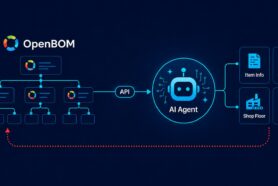
AI is changing that equation, and I want to show you an experiment our team ran that demonstrates where I think OpenBOM customization goes next: using AI development tools together with the OpenBOM platform and APIs to create your own applications.
We used Claude Code. There is nothing Claude specific about the concept. Any AI development tool that can work with source files, run terminal commands, call APIs, and deploy an application will do the same job.
Using Application Prompt and OpenBOM API Discovery
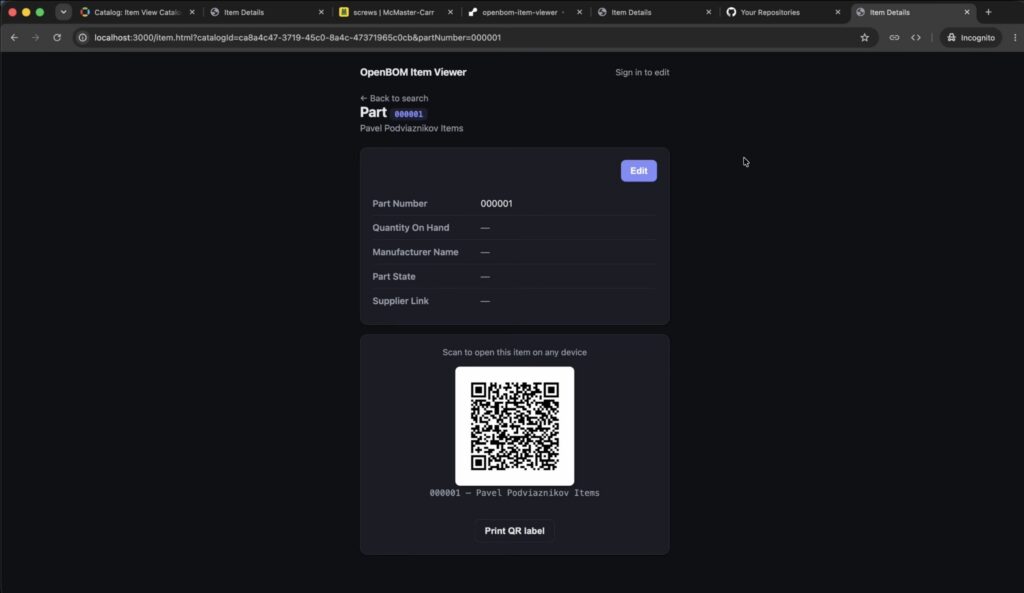
The starting point was deliberately small. I want an application that finds an OpenBOM Item, opens a clean Item Information page showing properties and image, and generates a QR code pointing back to that Item. Attach the code to a physical part, assembly, or container. Scan it from a phone and get the product information immediately.
That was essentially the whole specification.
From there the agent did something worth copying in your own work. Before writing anything, it investigated the OpenBOM public API and reported back what was actually possible and what was not.
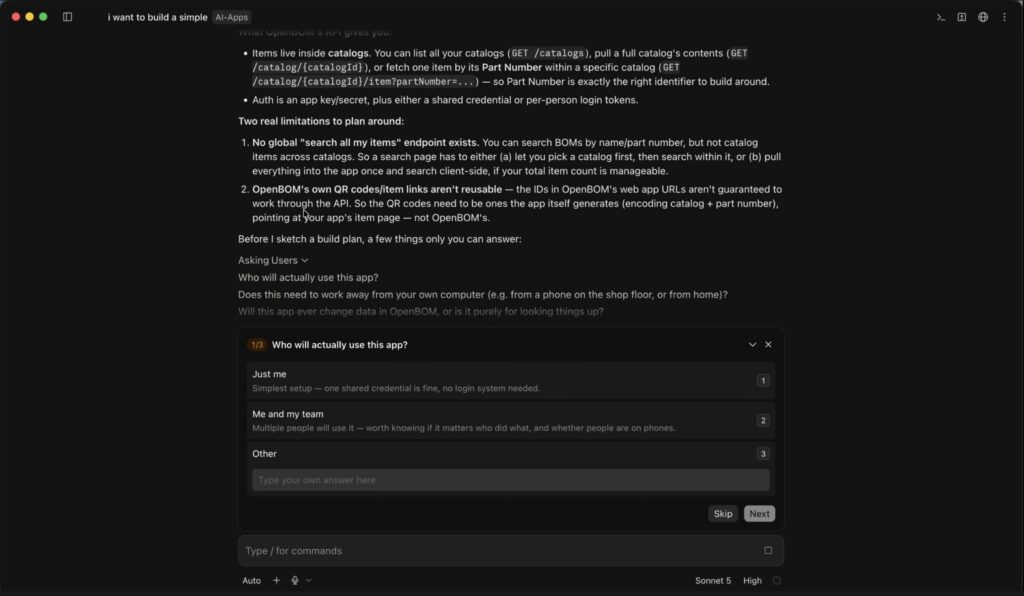
Two constraints came back. There is no global endpoint that searches every item across every catalog, so a search page has to let you pick a catalog first and search within it, or pull everything into the application once and search locally when the total item count is manageable. And the identifiers in OpenBOM web application URLs are not guaranteed to resolve through the API, which means the QR codes have to be ones the application generates itself, encoding catalog and part number and pointing at your own item page rather than at OpenBOM’s.
Those two constraints shaped the design, and we knew them in the first ten minutes instead of discovering them in week three and talking to OpenBOM support samples. Converting guesswork into a documented constraint before construction begins is not an AI trick. It is just good engineering that AI now makes cheap enough to always do.
The Application Was Built by Reacting to It, Not by Specifying It
Watch the video and you will see the application evolve through correction rather than from a specification.
The first working version was functional and looked poor. We asked for a better interface. Images and links were rendering as raw values, so we asked for proper display. Bare part numbers in a dropdown are useless to a human, so we added descriptions. We wanted editing, which required authentication. We wanted a faster way to reach an item, so we taught the application to accept a pasted OpenBOM item URL and resolve the catalog automatically.
Describe, generate, test, correct, extend. That loop is the actual development model here, and it is a genuinely different way to build software. You do not need a complete interface specification before you start. You need the ability to look at something and say precisely what is wrong with it.
The Code Was Automatic. Architecture Questions Needed Answers
I want to be careful about the phrase “no code,” because it gets abused and the abuse damages credibility with exactly the audience that should take this seriously.
Nobody typed application logic. But before sketching a build plan, the agent stopped and asked three questions, and the answers determined the entire architecture.
Who will actually use this app? Does this need to work away from your own computer, for example from a phone on the shop floor or from home? Will this app ever change data in OpenBOM, or is it purely for looking things up?
Look closely at the first question and you will see a fourth consideration folded inside it. The option for a team notes that it is worth knowing whether it matters who did what. That is the attribution question, and it is the one that decides your authentication model. We answered team, yes it must run remotely, and yes it edits. That combination produced a specific design: one application level key and secret for the application itself, plus per person OpenBOM login for the humans. Every edit lands in OpenBOM history under the individual’s email rather than under a shared service account.
AI wrote all the code. The judgment stayed with the person. That is the honest description of what happened, and it is a more useful message than pretending the decisions disappeared.
Example One: Item Info – a quick view/edit Item App
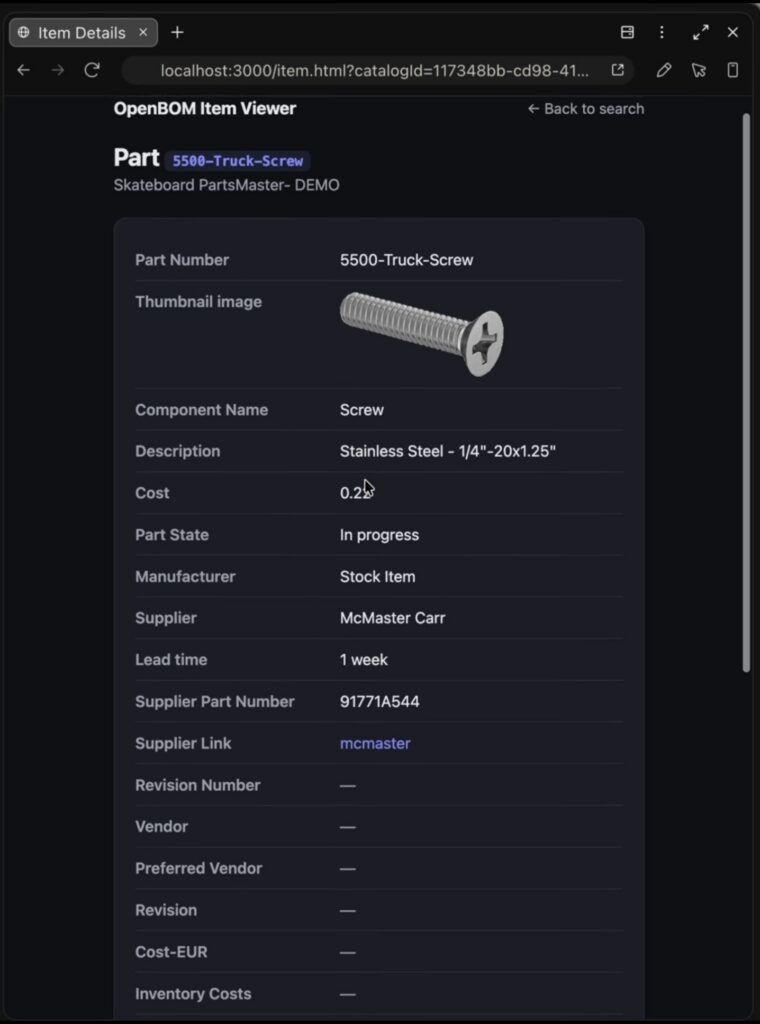
The first result is an Item Info application. Navigate OpenBOM catalogs, select an item, and see its information in a purpose built interface. It ended up including item properties, images and links, per person authentication, and editing of supported item data. The video shows a change made in the custom application appearing in OpenBOM, and a change made in OpenBOM appearing in the application after a refresh.
There is nothing revolutionary about an item information page. What matters is that it took an afternoon instead of a project, which changes which item information pages are worth having at all.
Example Two: QR Code Printing Turns the App Into Shop Floor Infrastructure
Once the item pages existed with stable URLs, the next idea was obvious. Generate a QR code pointing at the item page, print it, attach it to the physical object, and scan it later.
Item, QR code, physical object, scan, live OpenBOM information.
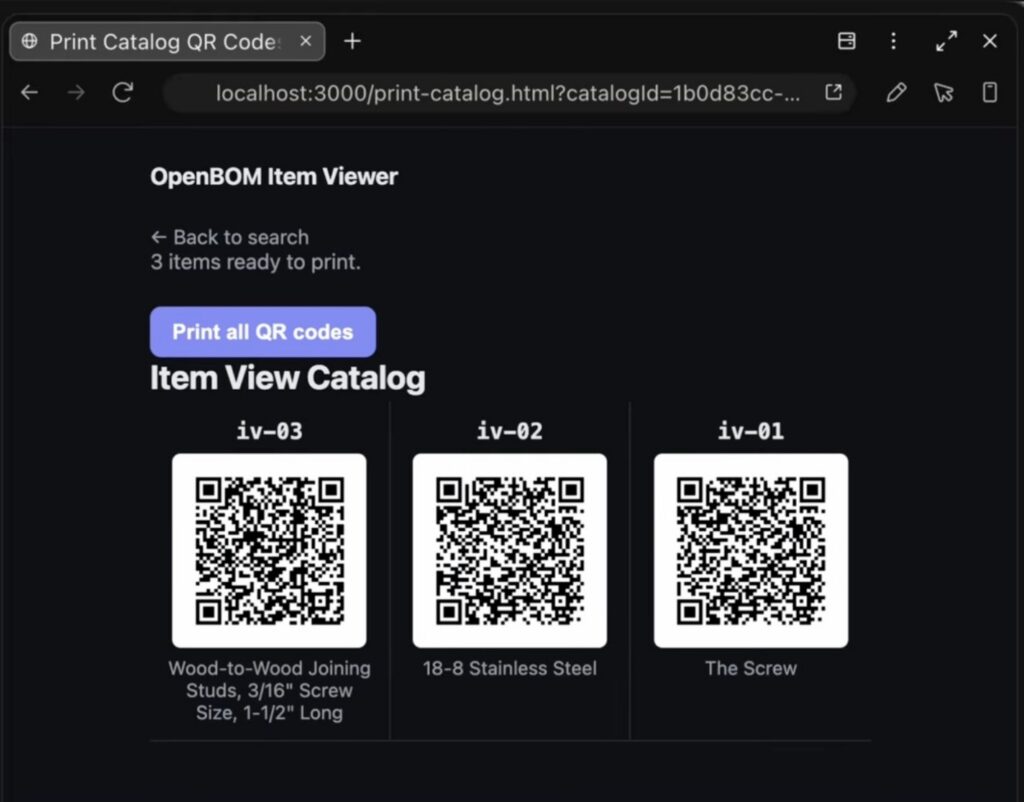
We asked for a print command and then adjusted the label layout, moving part number and catalog information around until it matched what we wanted. Then came the more interesting step. Printing one item at a time is fine for a few items and absurd for a catalog of hundreds. So we asked for QR codes for every item in a selected catalog on a printable page, and got it.
That is a real physical to digital bridge. It is also exactly the kind of utility that never justifies a formal development project and pays for itself the first week someone in receiving scans a bin instead of typing a part number.
OpenBOM Flexible Product Data Platform
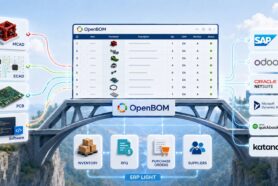
OpenBOM provides the product data and the platform APIs. An AI coding agent builds the application. A source repository stores it. A hosting service runs it.
We used Claude Code, GitHub, and Render. None of those are OpenBOM requirements. Substitute any agent, any repository, any stack, any hosting environment. That interchangeability is central to the idea. OpenBOM holds the product data and the governance around it, and you choose how to build the experience your process actually needs.
Total elapsed time from first prompt to a live, hosted, authenticated application working on a phone was roughly ninety minutes.
AI Lowers the Development Barrier and Security Warning
This deserves its own section because the failure mode is quiet.
API credentials should never be pasted into an AI conversation or embedded in client side source. In the demo, the agent itself refused the paste and created a local environment file instead. Credentials belong in that file locally and in your hosting platform’s environment configuration in production, never in the repository.
Authentication placement matters more than most people expect. A deployed application sits at a public URL, and anyone holding that URL can open it. In our demo, viewing data required no login and only editing was protected, which means item data was readable to anyone with the link. If your catalog information is not public, put login in front of everything rather than in front of the write operations only. Verify it by opening the URL in a private browser window where you are not signed in.
An obscure URL is not security. These considerations get more important, not less, as an experiment turns into something a team depends on.
Where This Goes Next: From External Application to OpenBOM Extension
Everything above works today with the OpenBOM public API. What follows is roadmap, and I am labeling it as roadmap because I would rather under promise.
Today you build an external application against OpenBOM APIs. But imagine launching that same application contextually from inside OpenBOM. You select an item and run a command:
Print QR Code. Open Manufacturing Instructions. Generate Inspection Report. Request Supplier Quote.
The application should not have to ask which item you are working on. OpenBOM already knows.
We are planning to evolve OpenBOM User Defined Commands so they can connect to external applications contextually and pass the relevant OpenBOM information to them. Longer term we see an opportunity to go further, providing deeper integration options and potentially allowing these applications to be hosted and executed as part of the OpenBOM environment itself.
The progression looks like this: OpenBOM API, then AI generated application, then contextual OpenBOM extension, then integrated OpenBOM application.
Neither the contextual commands nor the embedded hosting is available today. The direction is deliberate, and it is the part of this I find most interesting.
Not Every Extension Should Be a Feature We Build
The broader conclusion from this experiment is that we should stop assuming every specialized need has to become an OpenBOM feature.
A manufacturing engineer needs a shop floor lookup screen. A quality team wants an inspection interface shaped around their specific checks. Purchasing wants an RFQ preparation tool. A warehouse wants QR based item lookup. Each of those is legitimate, each is specific to one company’s process, and none of them belong in a product that has to serve everyone.
AI development agents combined with the OpenBOM API make it practical to build many small applications that solve very particular problems. These become your applications working with your OpenBOM data, limited mainly by what the platform APIs expose, and that surface keeps growing.
We are just getting started.
Watch It, Then Build Your Own
In the video, Pablo walks through the entire build, from the first prompt to a deployed application with authentication, item editing, QR generation, printing, and bulk QR creation.
Watch the full demo:
Download the step by step guide
You will need an AI development tool with file system and terminal access, an OpenBOM account with an API key you generate yourself under Administration, and about two hours. A browser based chat window will not work, because the tool has to write files and run commands on your machine.
Start smaller than you think you should. One screen answering one question is a better first project than a platform.
I would like to hear what you would build. What is the small, highly specific application your team needs that you would never expect to find in a standard PLM system? That is probably exactly the application AI can now help you build.
Join our newsletter to receive a weekly portion of news, articles, and tips about OpenBOM and our community.