To adopt OpenBOM, start with one product or assembly and one business problem. Organize the information, bring the team into a shared workspace, setup CAD add-in (s) and establish the change controls your work requires. Then extend the proven workflow into purchasing, ERP integration, and additional products as those needs develop.
After watching the OpenBOM Product Tour, you might recognize several things your company needs: CAD file management, better BOM organization, collaborative reviews, revision control, or a more reliable connection between engineering and purchasing.
The practical question is where to begin.
My recommendation is to choose a specific problem and use it to establish your first working process. Each successful step gives your team a reason to continue and a foundation for the next step. This article introduces an OpenBOM adoption map that we will develop into more detailed guides.

Choose your first problem, product, and team
Start with a product or assembly that matters to your business and is small enough for the team to understand. It should expose a real difficulty you want to resolve.
Perhaps an engineer spends too much time finding the correct CAD files, multiple engineers override each other’s work without establishing a single location for all CAD files. A buyer receives a BOM with incomplete part descriptions. Manufacturing needs a clear answer about which revision to build.
Choose one of these problems, identify the people involved, and define the result you want. A useful goal might be: “Engineering and purchasing can agree on the components needed for our next prototype build.” Name someone to coordinate the work and record how the task is handled today.
For an illustrative example, imagine a small manufacturer preparing an industrial inspection machine for a prototype build. Its product includes a mechanical frame, an optical sensor, a controller, wiring, and purchased components. We will follow this fictional team through the five adoption phases.
The OpenBOM adoption map
Start with one use case and expand as each workflow becomes useful. Teams with an existing ERP can move from controlled product data directly to a system handoff.
The map describes increasing scope. Your team can stay at a phase that meets its needs, revisit earlier work, or include several phases in the first project. Existing approval requirements should be included from the beginning. Progress depends on a working result and the next business need.
Phase 1: Establish your first product workspace
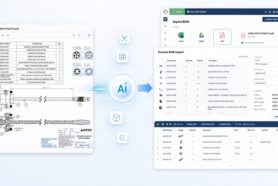
Bring in the information needed for your selected task. A team focused on CAD file control can begin with a project and its supporting files. A team focused on BOM accuracy can begin with an existing spreadsheet or a BOM extracted through its CAD integration.
OpenBOM’s Cloud PDM workflow supports file organization, local synchronization, and version history. Choose the starting workflow that matches the problem you selected.
For structured product information, learn a few basic concepts. Items identify parts and assemblies. Catalogs organize their properties. BOMs describe how Items are used together. For example, a sensor’s manufacturer part number describes the Item; the quantity needed in a machine describes its use in that assembly. These distinctions underpin OpenBOM’s data management approach.
Our example team starts with the machine’s assembly and checks part identities, descriptions, quantities, and relevant documents. It agrees who maintains engineering and sourcing information. Missing details become a defined set of tasks.
First milestone: the team can find and control the CAD files and BOMs needed for its first use case.
Phase 2: Make collaboration part of everyday work
Invite the colleagues who create, check, and use the information. Give them appropriate access and agree on their responsibilities.
The first useful exercise is a real review. Can purchasing identify the component engineering selected? Does the assembly include the required hardware? Is an unanswered question preventing the next decision?
In our inspection-machine example, engineering confirms the sensor specification while purchasing completes its sourcing information. A reviewer raises a question about the controller, and the team assigns the follow-up to the person who can resolve it.
OpenBOM BOM Review brings validation, comments, and tasks into this process. Available checks include missing properties, part-number patterns, quantity consistency with reference designators, and structural loops. The team evaluates findings, makes corrections, and checks the result.
First milestone: a real product question is resolved in the shared workspace, and the answer is available to the people who need it.
Phase 3: Establish a repeatable change and release process
As information becomes useful to more people, the team needs to identify which state is approved for a particular purpose.
OpenBOM distinguishes current working data (workspace), the history of its changes, and captured states such as versions and revisions. Working information can continue to evolve while a revision preserves the state selected for a milestone. The collaboration and change-control article explains these responsibilities.
Decide what requires approval, who is responsible, and when a change request or engineering change order (ECO) is needed. Connect these decisions to a real event, such as releasing a prototype for purchasing or a product for manufacturing.
Our example team approves the prototype baseline. Later, engineering proposes a replacement sensor. The team reviews the change and its implications for sourcing and assembly, while retaining an identifiable reference for the original build.
First milestone: the team can identify the approved state, explain subsequent changes, and determine which information applies to the build.
Phase 4: Extend into purchasing and production preparation
Once the product information is ready for a build, apply it to a concrete requirement: how many units are needed, which components are available, and what must be purchased?
For teams using OpenBOM purchasing, the inventory, RFQ, and PO workflow connects the BOM with planning orders, inventory gaps, requests for quotation, and purchase orders.
Our example team plans ten prototype machines. If each machine requires two sensors, it needs twenty sensors before allowances. The buyer checks available stock and incoming supply, then prepares the appropriate purchasing actions. This exercise also tests whether supplier information and quantities are complete enough for practical use.
Purchasing colleagues can participate in earlier phases. This phase adds execution of the purchasing process.
If your company already manages purchasing in an ERP, use the existing-ERP route shown on the map. Establish reliable product information and validate the handoff to that system.
First milestone: a real build or purchasing cycle uses the agreed product information successfully.
Phase 5: Connect systems and expand what works
An integration needs a clear agreement about the information being exchanged. Establish which system owns each field, how part identifiers correspond, what makes a record ready to transfer, and who handles exceptions.
OpenBOM provides an ERP connectivity framework for mapping product information into business systems. The details should match the selected connector and your operating process.
Begin with a representative handoff and check the received data. For our example team, this means confirming that the approved machine structure reaches the ERP with the intended part identities and quantities. Then repeat the process for a subsequent change.
Expansion can also mean another product, another engineering discipline, or another group of users. Reuse the decisions that worked and adjust what the next team needs. Add further BOM types or automation when the workflow calls for them.
First milestone: another product or team can repeat the process, and any selected system handoff works as intended.
Start with your first useful result
Choose one product or assembly, name the problem you want to solve, and bring together the people needed to solve it. Use the first result to decide where to expand next.
This adoption map will guide a series of practical articles covering data setup, collaboration, change control, purchasing, and integration. The next article will explore Your First OpenBOM Project: Choose the Data, the Team, and the First Win.
Watch the OpenBOM Product Tour, select the workflow closest to your need, and start your OpenBOM trial.
Best, Oleg
Frequently asked questions
How do I start using OpenBOM?
Choose one product or assembly and one problem to solve. Bring in the relevant CAD files or BOM, identify the essential properties, and invite the colleagues needed to complete the first task.
Do I need to use every OpenBOM capability immediately?
No. Begin with the capabilities your first workflow requires. Add purchasing, integrations, and additional processes as the need develops.
Use up and down arrow keys to resize the meta box pane.
Can I start with an Excel BOM?
Yes. The product tour includes starting with an existing Excel BOM. Check part identifiers, quantities, and property mapping, then review the imported result with your team.
When should I introduce revisions and approvals?
Include existing approval requirements in the first project. Establish a controlled baseline when another activity, such as purchasing or manufacturing, needs an approved product state.
Do I need to replace my ERP?
No. You can use OpenBOM to organize and review product information, then connect it to your existing ERP. Define ownership and mapping, and validate the selected handoff before expanding it.
Use up and down arrow keys to resize the meta box pane.
Join our newsletter to receive a weekly portion of news, articles, and tips about OpenBOM and our community.