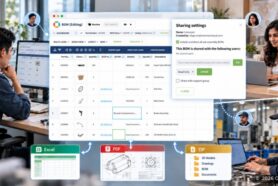
Importing product data has always been one of the most frustrating parts of engineering and manufacturing software. The reason is simple: product information rarely arrives in one clean format. It lives in Excel spreadsheets, CSV files, engineering drawings, PDFs, CAD files, supplier documents, ERP exports, ZIP archives, legacy databases, and many other sources. Every company has its own data structures, naming conventions, properties, and ways of organizing information.
Traditional import tools deal with this problem using mappings. You prepare the data, select columns, map attributes, adjust the source format, fix errors, and repeat the process again when the next file looks slightly different.
We think AI creates an opportunity to change this model.
The Future of Import Is Understanding Data
OpenBOM is developing a new AI-powered import strategy designed to move beyond traditional file mapping. Instead of requiring users to organize data exactly the way the software expects it, OpenBOM will increasingly use AI to analyze incoming information, understand what the data represents, and transform it into structured product information.
The idea is simple:
The future of import is not mapping files. It is understanding product data.
An engineering document contains much more than text. A drawing can contain a part number, description, revision, material, dimensions, manufacturer information, BOM tables, quantities, notes, and relationships between components. A spreadsheet can contain Items, BOM structures, suppliers, costs, and many other properties.
The challenge is to recognize this information and transform it into a usable product model. This is where we see AI becoming an important part of the OpenBOM architecture.
AI Understands the Data. OpenBOM Structures It.
Extracting information from documents is only one part of the problem. Once the information is understood, the system needs to know what to do with it. This is where OpenBOM’s real-time flexible data model becomes especially important.
OpenBOM was designed from the beginning to work with flexible product structures and user-defined data. Companies can create Items, properties, BOMs, relationships, catalogs, and other product information without being forced into a rigid predefined schema.
That creates an interesting combination:
AI understands the incoming data. OpenBOM structures it.
The AI layer can analyze a document or file and identify meaningful product information. The OpenBOM data model can then dynamically accommodate this information and transform it into structured objects that can be managed, reviewed, connected, and reused.
This combination is the foundation of our new import strategy.
From Dedicated Importers to Intelligent Product Data Ingestion
Historically, software applications have created a separate importer for every data source: an Excel importer, a CSV importer, a CAD importer, an ERP importer. Each one has its own rules, mappings, and limitations.
Our longer-term direction is different. We want OpenBOM to become increasingly capable of analyzing different forms of engineering and manufacturing information and determining how that information should be represented inside OpenBOM. This can include structured and unstructured sources such as spreadsheets and tabular data, engineering drawings, PDF documents, CAD-related information, supplier data, legacy system exports, manufacturing documents, packaged files and archives, and other engineering and product information.
The goal is not to claim that every possible file can be perfectly understood automatically today. The goal is to build an architecture where AI progressively removes the need to manually prepare and map every source before product data can be used.
And we are starting with one of the most common engineering documents: the PDF drawing.
A PDF Drawing Looks Like a Document, But It Is Product Data
Engineering drawings are a perfect example of why we believe imports need to become more intelligent.
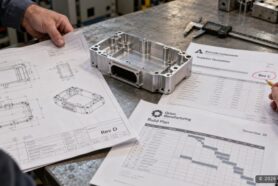
A PDF drawing looks like a document. But to an engineer, it is structured product information. The title block contains important Item attributes. The drawing contains engineering data. A BOM table can describe an entire product structure. Notes and tables contain additional information that often needs to be manually entered into another system.
Traditionally, getting this information into a PLM, PDM, or BOM system requires manual data entry or a carefully prepared conversion process.
The first implementation of our new AI-powered import strategy is designed to change that, and it ships this week as part of the OpenBOM September 2026 release. OpenBOM can analyze an engineering PDF drawing, recognize relevant information, and use it to create structured product data.
Watch a Drawing Become a Structured BOM
In our first demo, we start with a PDF drawing.
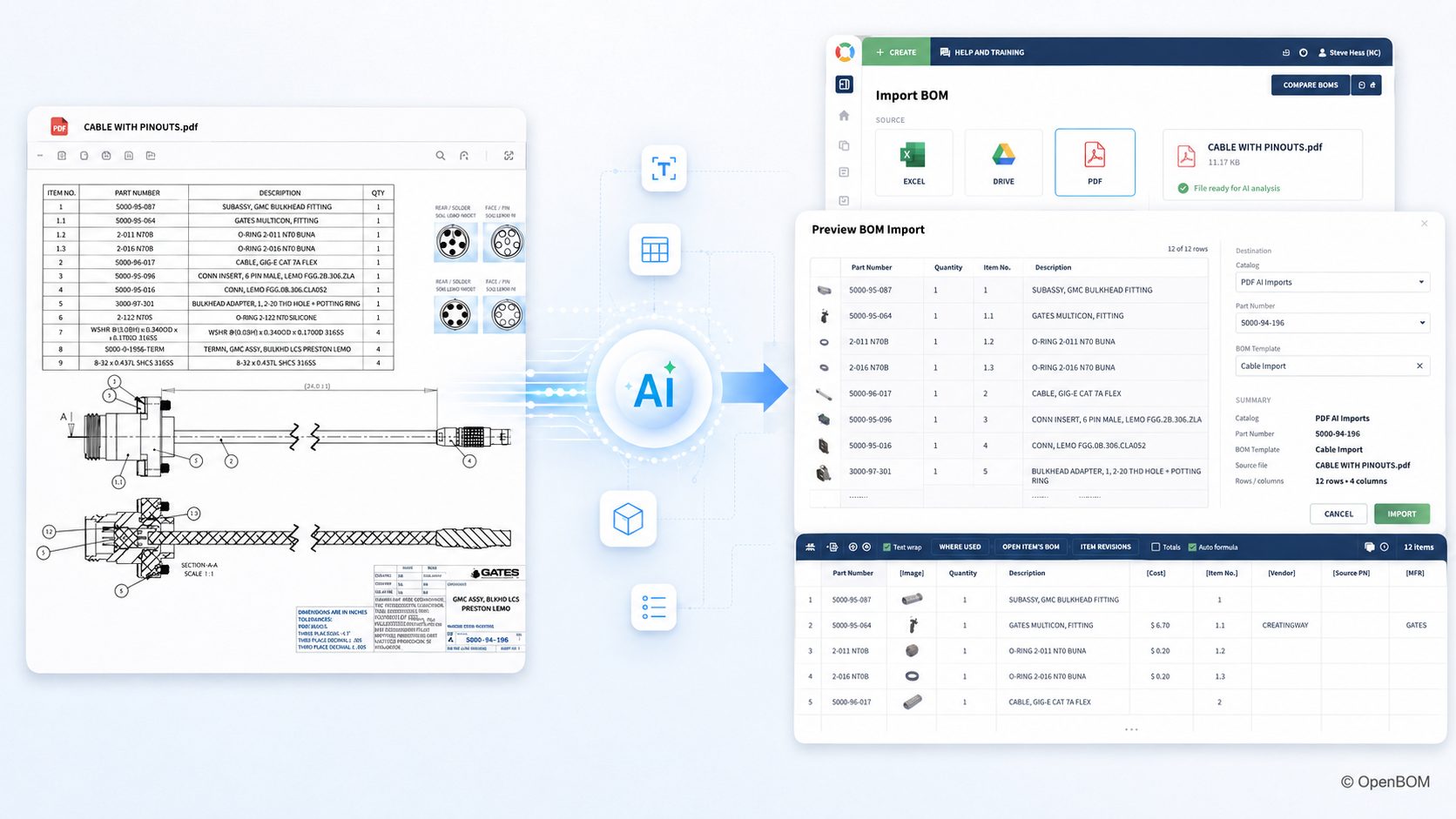
The process begins by providing the drawing to OpenBOM. Instead of asking the user to define a traditional import mapping, OpenBOM analyzes the document and identifies the engineering information contained in the drawing. The AI recognizes product information such as the Item data and the BOM structure represented in the document, and OpenBOM transforms the recognized information into its native data model.
The result is not simply extracted text. The information becomes structured product data inside OpenBOM.
Step 1: Upload the PDF Drawing
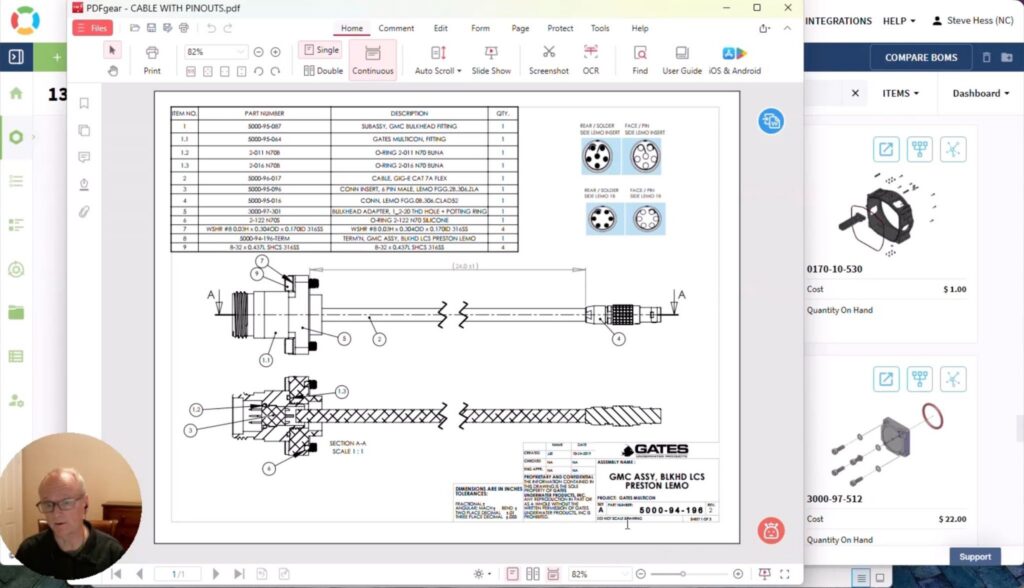
The starting point is a regular engineering drawing in PDF format. In this example, the PDF was generated from SolidWorks and contains the product information normally available in an engineering drawing, including drawing metadata and BOM information.
Step 2: AI Analyzes the Engineering Document
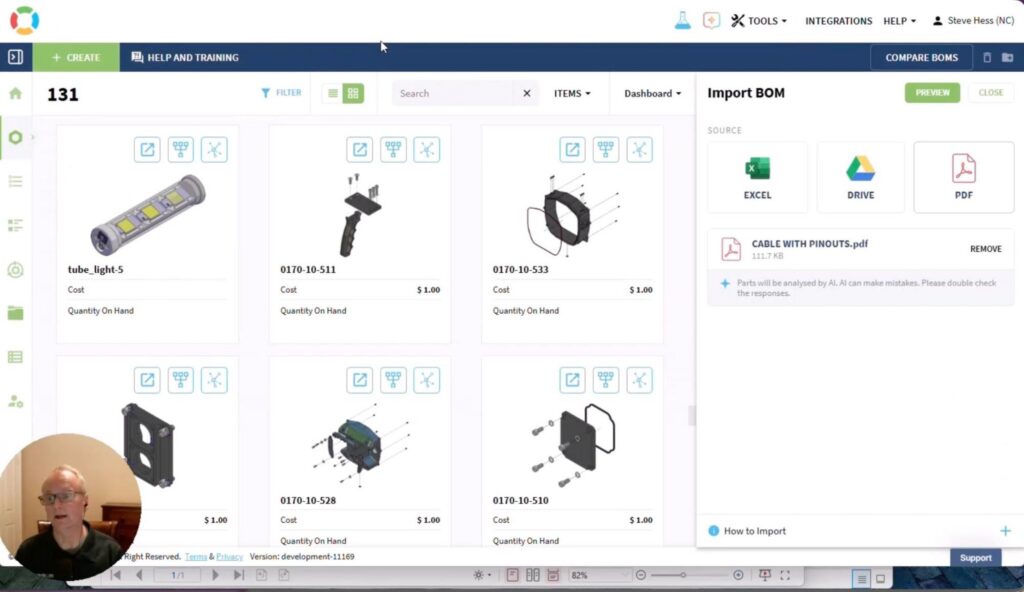
OpenBOM analyzes the content of the drawing and identifies the product information contained inside it. Instead of treating the PDF as a flat document, the system attempts to understand the engineering meaning of the information. For example, it can identify Item information and recognize a BOM table contained in the drawing.
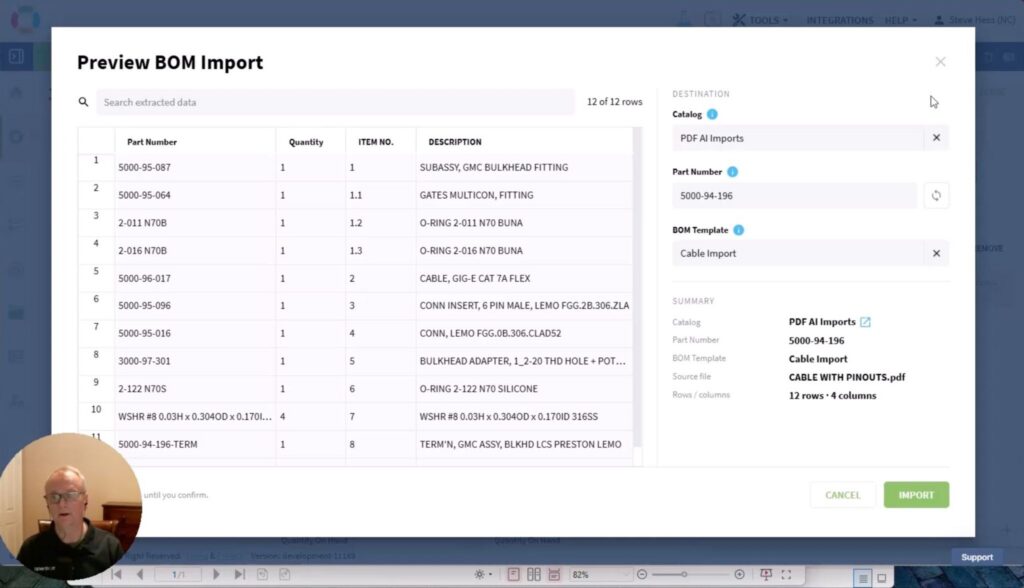
This is an important distinction. Traditional document extraction focuses primarily on reading text. Our objective is to connect document understanding with the product data model. The system needs to understand that a value is not just a piece of text, but potentially a part number, description, quantity, revision, or property belonging to an Item.
Step 3: Create Structured Items and BOM Information
Once the information is recognized, OpenBOM transforms it into structured data. Items can be created and the BOM structure represented in the drawing can be reconstructed in OpenBOM.
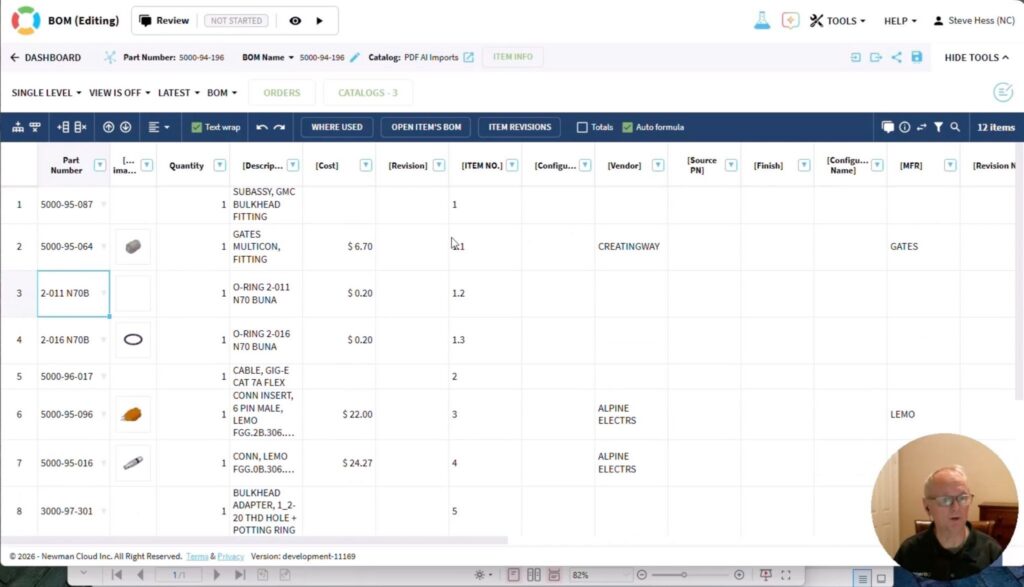
At this point, the information is no longer trapped inside a PDF. It becomes part of the OpenBOM environment where users can review it, modify it, collaborate around it, connect it to CAD and other product information, and use it in downstream processes.
Step 4: Continue Working With the Product Data
Import should not be the end of the process. It is the beginning.
Once the information exists as structured OpenBOM data, it can participate in the broader product lifecycle. Teams can review the BOM, manage revisions and changes, add properties, attach files, work with suppliers, manage purchasing information, connect the data to ERP systems, and use OpenBOM’s broader product information management capabilities.
This is why connecting AI-powered document understanding with OpenBOM’s data model is so important. The objective is not simply to read a drawing. It is to turn the drawing into usable product data.
Retyping Data Is the Hidden Tax on Manufacturing Companies
Manufacturing companies have enormous amounts of valuable product information trapped in documents. Some of it lives in old drawings, some in spreadsheets, some comes from suppliers, and some comes from acquired companies or legacy systems. Much of it is exchanged between engineering, manufacturing, and supply-chain teams as PDFs, because PDF remains one of the easiest universal formats for communicating technical information.
The information exists, but transforming it into structured digital product data is still expensive. People retype information. Engineers clean spreadsheets. Consultants build mappings. IT teams create custom import scripts. And companies delay moving information into modern systems because the migration process itself becomes a project.
AI has the potential to remove a significant portion of this friction.
Instead of asking:
How do I convert this file into the exact format required by the system?
we want users increasingly to be able to ask:
Can OpenBOM understand this information and turn it into product data?
PDF Is the Beginning, Not the Destination
PDF drawing import is our first step in this strategy. It gives us a practical engineering use case where AI document understanding, BOM recognition, Item extraction, and the OpenBOM flexible data model can work together.
But the larger direction goes much further. Our vision is to expand AI-powered ingestion across many types of engineering and manufacturing information. Different companies have different sources, different suppliers provide different formats, and different legacy systems export different data. Rather than creating an endless collection of rigid import rules, we believe AI can become the intelligence layer that helps OpenBOM understand this information and transform it into structured, connected product data.
The long-term flow is straightforward:
Any product data → AI understanding → OpenBOM flexible data model → structured product information
The first PDF drawing demo is an early example of that direction, and we are excited to continue expanding it.
Watch the demo, and let us know what engineering documents and data formats you would like OpenBOM AI to understand next.
REGISTER FOR FREE to OpenBOM and request to try the new AI-powered PDF drawing import after our September 2026 release.
Best, Oleg
Join our newsletter to receive a weekly portion of news, articles, and tips about OpenBOM and our community.