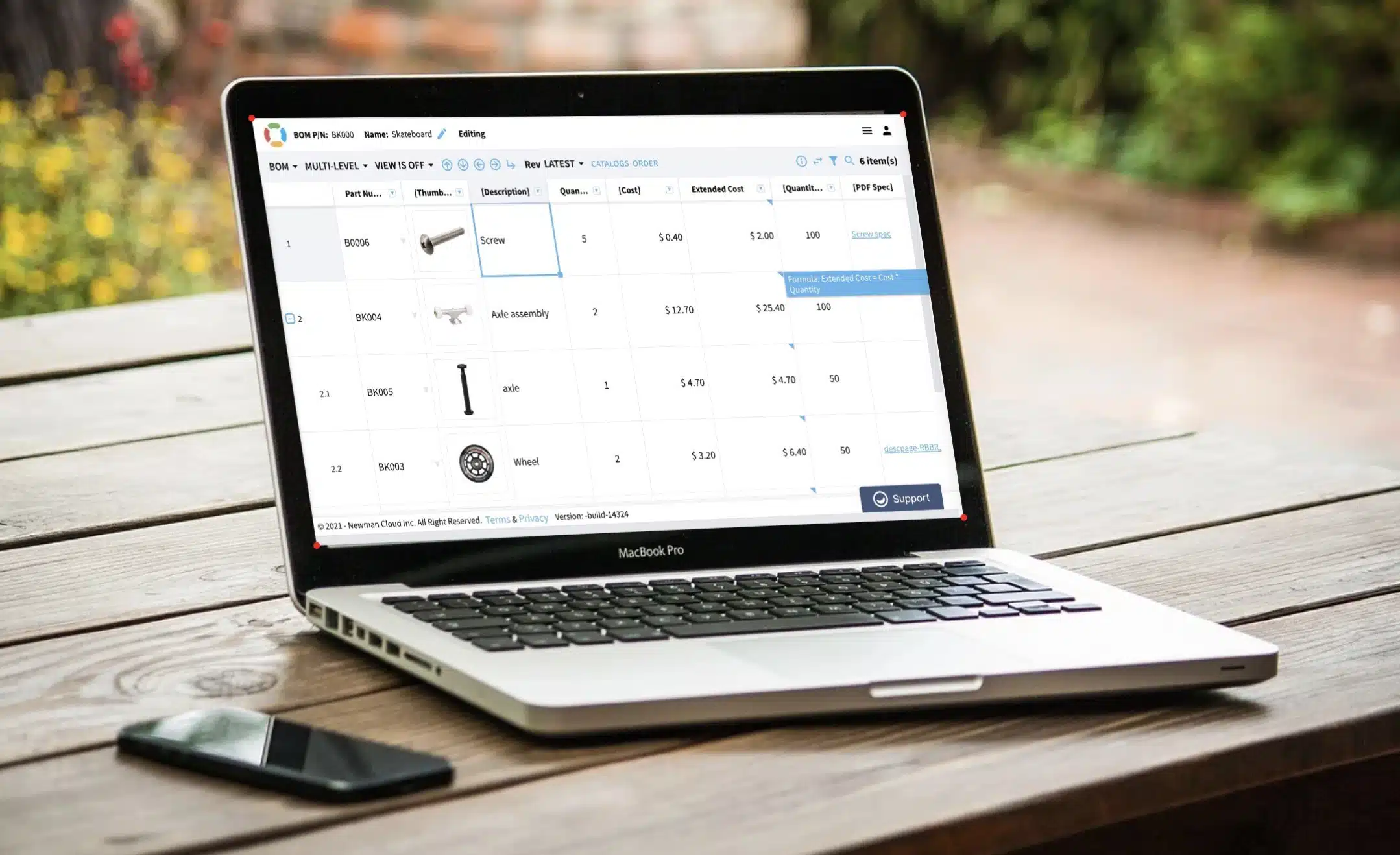
I’m passionate about creating a simple and intuitive user experience. Therefore, I’m super excited about the new BOM editing coming in the new OpenBOM release and want to give you a quick preview.
Simple Grid
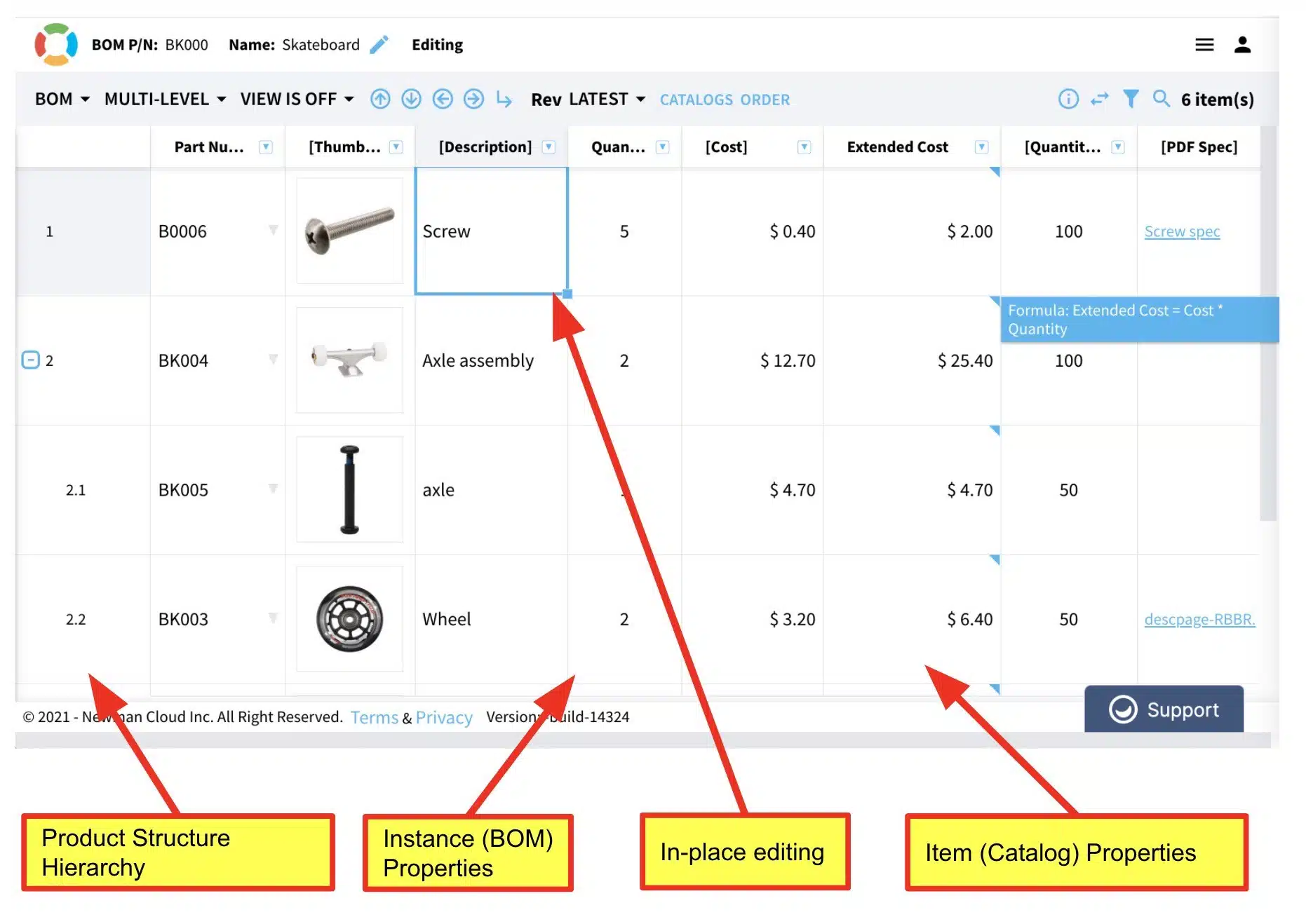
The idea of OpenBOM user experience was evolving over the course of the last few releases. We’ve been looking into how to combine basic elements of the OpenBOM data model with an easy and familiar spreadsheet user experience. Product structure data model includes (1) instance-reference model and (2) parent-child relationships. After several iterations, we decided to provide a transparent editing capability in the BOM grid, which provides seamless editing for the hierarchy of objects and also both types of data – item data and instance data.Instance and Item Attributes Editing
Transparent editing of both instance and item data is the biggest change we provided in this new release and it supposed to simplify the editing process and eliminate the need to navigate between the BOM grid, item info panel, and catalog user interface. Which should make the UI much more intuitive and easy to use.
The new user experience simplifies the editing process and reduces the number of clicks needed to change the data.
Watch the video
Conclusion
User experience matters. At OpenBOM we focus on how to simplify the process of product structure editing and making it simpler and more user friendly. The last improvement makes the OpenBOM Bill of Materials grid more functional and combines the data of both item and instance in a single editable grid.
Meantime, create your FREE OpenBOM account to be ready.
Best, Oleg
Want to learn more about PLM? Check out my Beyond PLM blog and PLM Book website. Read OpenBOM customer reviews on G2 Crowd to learn what customers are saying about OpenBOM.
Join our newsletter to receive a weekly portion of news, articles, and tips about OpenBOM and our community.