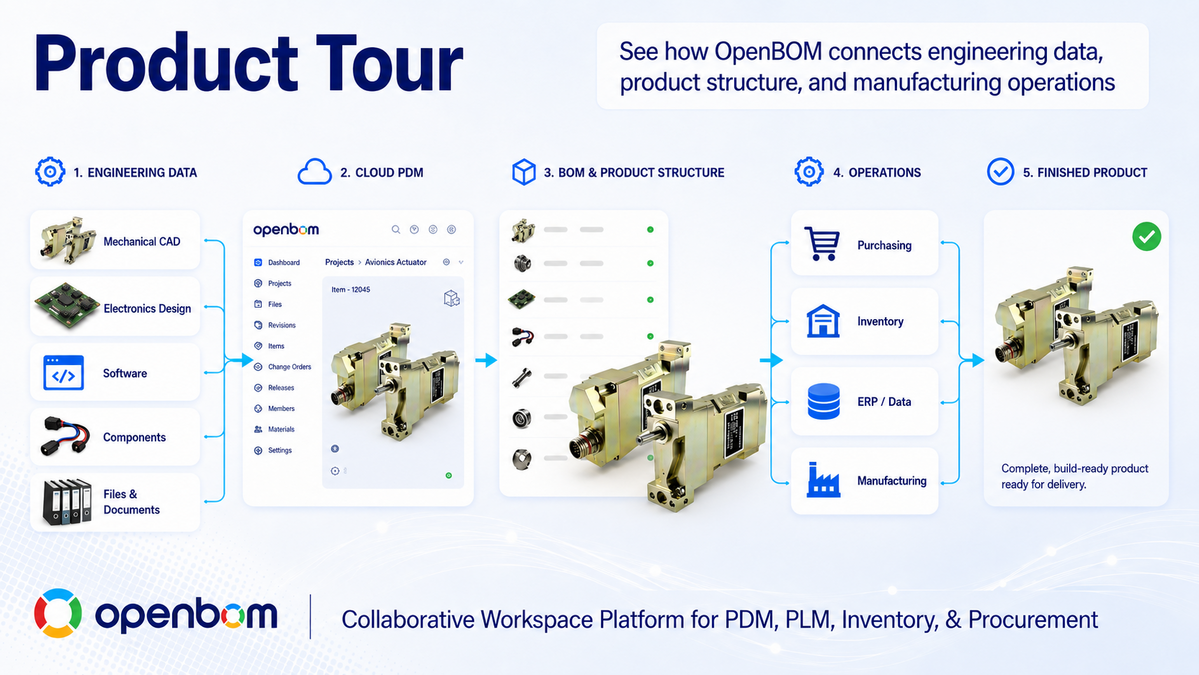
Over the last few years, OpenBOM has grown substantially. Many people first discover us because they need a better way to manage BOMs. Others come looking for cloud PDM, CAD integration, change management, procurement, or a way to connect engineering data with ERP. Each of those is a real entry point, but looking at capabilities one at a time makes it hard to see what OpenBOM actually is: a collaborative product data platform that connects the information and processes engineering and manufacturing teams use from the moment a product is designed to the moment it is released, purchased, and sent to production.
Today I’m excited to introduce the new OpenBOM Product Tour page and a completely new series of Product Tour videos designed to show how all these pieces work together. The videos are embedded in the page and also available as a playlist on YouTube.
Five minutes to understand OpenBOM
We wanted the new Product Tour to answer a simple question:
→ What does OpenBOM actually do for an engineering and manufacturing team?
Not with a 45-minute presentation and not with dozens of feature slides.
So the page starts with five short videos covering five problems almost every engineering team recognizes: creating a digital BOM directly from CAD, managing CAD files in cloud PDM, connecting engineering with purchasing and inventory, managing revisions, ECOs, comments, and tasks, and bringing MCAD, ECAD, PCB, and ERP information together. In about five minutes you can see the whole OpenBOM story. If you want to go deeper, the complete eight-part Product Tour series is waiting behind it.
The full tour follows how product data actually moves
The eight-part series is not organized as a feature catalog. It follows the natural flow of product development, from the first CAD file to the moment data reaches ERP.
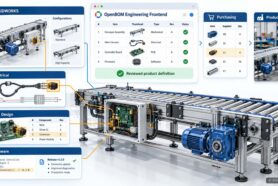
1. Manage CAD Files with OpenBOM Cloud PDM. Product information starts with design. The first video shows how OpenBOM Cloud PDM centralizes CAD files, prevents engineers from overwriting each other’s work, manages versions and revisions, and keeps local and cloud copies synchronized with SmartSync. Engineers should always know where the latest design is without becoming experts in a complicated PDM system.
2. Meet the CAD File Agent. Instead of navigating menus and commands, engineers get a ChatGPT-like interface directly inside their CAD environment to perform PDM operations: check-in, check-out, synchronization, revision management, and reference resolution. The CAD File Agent is available today for SOLIDWORKS, with additional CAD systems on the roadmap. It is an early example of where we see engineering software going: fewer complicated user interfaces and more intelligent assistance embedded directly in an engineer’s workflow.
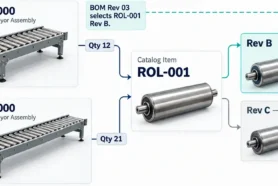
3. Move from CAD to a Digital xBOM. Files alone don’t describe the product. OpenBOM transforms CAD information into a structured digital BOM connected with catalogs and item masters, so teams can manage EBOM, MBOM, and other structures, calculate properties and costs, and maintain a live product model instead of exchanging static spreadsheet snapshots.
4. Build a Multi-Disciplinary Product Structure. Modern products are rarely purely mechanical. They contain mechanical components, electronics, PCBs, harnesses, and firmware created by different disciplines in different systems. The tour shows how OpenBOM brings MCAD, ECAD, and PCB data together into one multi-disciplinary structure, so teams can understand the entire product rather than individual design silos.
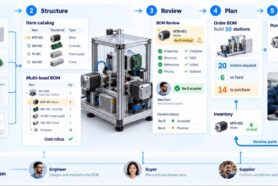
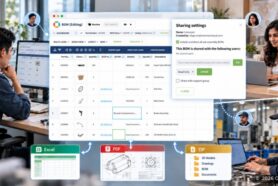
5. Review the BOM and Collaborate. Engineers, manufacturing, sourcing, project managers, and suppliers all need to review product information and resolve questions before release. OpenBOM brings those conversations directly to the product data with real-time collaboration, comments, tasks, and mentions, so the discussion stays connected to the items being reviewed instead of living in email threads and Slack messages nobody can reconstruct three months later. The BOM Review Agent, built on the same foundation as the CAD File Agent, is the next step on our agent roadmap and will review BOM changes automatically and flag issues for the team.
6. Manage Changes, Revisions, and ECOs. Products change constantly. The question is whether an organization can understand and control those changes. OpenBOM supports revisions, change requests, ECO processes, approvals, and complete change history, so anyone can see what changed, who changed it, when, and how it was approved.
7. Connect the BOM to RFQ, Purchasing, and Inventory. Once a design is ready, the next questions appear immediately: what do we have, what needs to be purchased, which suppliers, at what cost, and when can we build. OpenBOM connects product structures directly with inventory, RFQs, purchase orders, gap analysis, and supplier collaboration, with no need to recreate engineering data in another disconnected spreadsheet.
8. Connect Engineering Data with ERP. Released product information needs to reach downstream business systems. OpenBOM integrates with NetSuite, Microsoft Dynamics 365 Business Central, Odoo, QuickBooks, Xero, and Katana MRP. The principle matters: ERP should receive clean, controlled product information after the engineering workflow is working, rather than forcing engineers to work inside an ERP system.
Capture. Structure. Review. Flow.
The new Product Tour organizes the OpenBOM story around four simple ideas. Capture product information starting with CAD files and design data. Structure it into digital BOMs and multi-disciplinary product models. Review the product collaboratively and control revisions and changes. Flow released information into procurement, inventory, suppliers, and ERP.
If you follow our Product Memory work, you’ll recognize this as the Capture-Review-Flow flywheel with the Structure stage made explicit, because structuring data is exactly what turns captured files into something a team, or an AI agent, can reason about.
This is the bigger picture behind OpenBOM. It is not just a BOM tool, a PDM vault, an ECO application, or an ERP connector. These are pieces of the same product information lifecycle, and the value comes from connecting them.
You weren’t just watching demos. You were watching Product Memory being built.
Here is the observation the tour builds toward, and the part I care about most. Every file, BOM, revision, comment, supplier, cost, and change you see in those videos does double duty. It also builds Product Memory: a persistent layer of product context that explains what changed, why it changed, and how decisions connect across the lifecycle.
This is the foundation for everything we’re doing with AI agents. Agents are only as good as the context they can reason over, and Product Memory is that context. The CAD File Agent is the first shipped example, the BOM Review Agent is next, and the tour shows the data foundation that makes both possible. If you want the full picture, read the Product Memory Platform Vision.
Start small. Connect everything.
You don’t need to implement everything at once, and the tour is honest about that. Start with one CAD project or import an existing Excel BOM. Invite the team. Add change management, purchasing, inventory, and supplier collaboration as the process develops. Connect ERP when the engineering data and workflow are ready.
This incremental approach is very different from the traditional idea of spending months implementing a large PLM system before engineers see any value. Most teams import their first data and invite collaborators the same day.
Take the tour
If you haven’t looked at OpenBOM recently, visit the new Product Tour page. Start with the five-minute overview, then explore the capabilities most relevant to your team, or watch the complete video playlist on YouTube. Our goal was to make it possible to understand OpenBOM quickly, see the product working instead of looking at slideware, and go deeper wherever your product development challenges are.
We would love to hear what you think. What part of the product development process creates the biggest information gap in your organization today? That is usually the best place to start.
Best, Oleg
Join our newsletter to receive a weekly portion of news, articles, and tips about OpenBOM and our community.