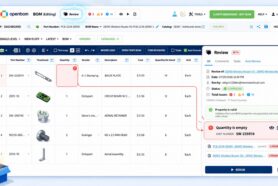
In this article, we continue to explore new OpenBOM change management features. Change management is a fundamental function that is needed for every company that is thinking of how to get product development under formal control. It is part of governance functions. Originally, it was very complicated and slowed engineers down. At OpenBOM we took the challenge to simplify change management functions, but yet keep it robust and powerful.
If you missed earlier articles, please check them out below:
- End-to-end change management process
- VIDEO: Introduction to change management process
- VIDEO: Change management – Revisions
- VIDEO: Change management – Configurations Settings
This is the third article in the series of publications about OpenBOM change management with video examples. Today, we will talk about Change Requests.
Controlling Save Revision Process
OpenBOM is a modern data management and collaboration tool which gives you a real-time collaboration and simultaneous editing tool. These capabilities allow you to make changes to items, BOMs and do it collaboratively with other users. The mechanism to support this collaboration is called the “Latest State’’ workspace. Which allows you to make changes and for OpenBOM to allow sharing it with editing permission with other users. OpenBOM will track change history respectfully to every user who will be making changes in this space.
Revision is available in that space if you have Change Management functionality disabled. The first step to control the process of revision creation is to block it by a Change Request that must be approved.
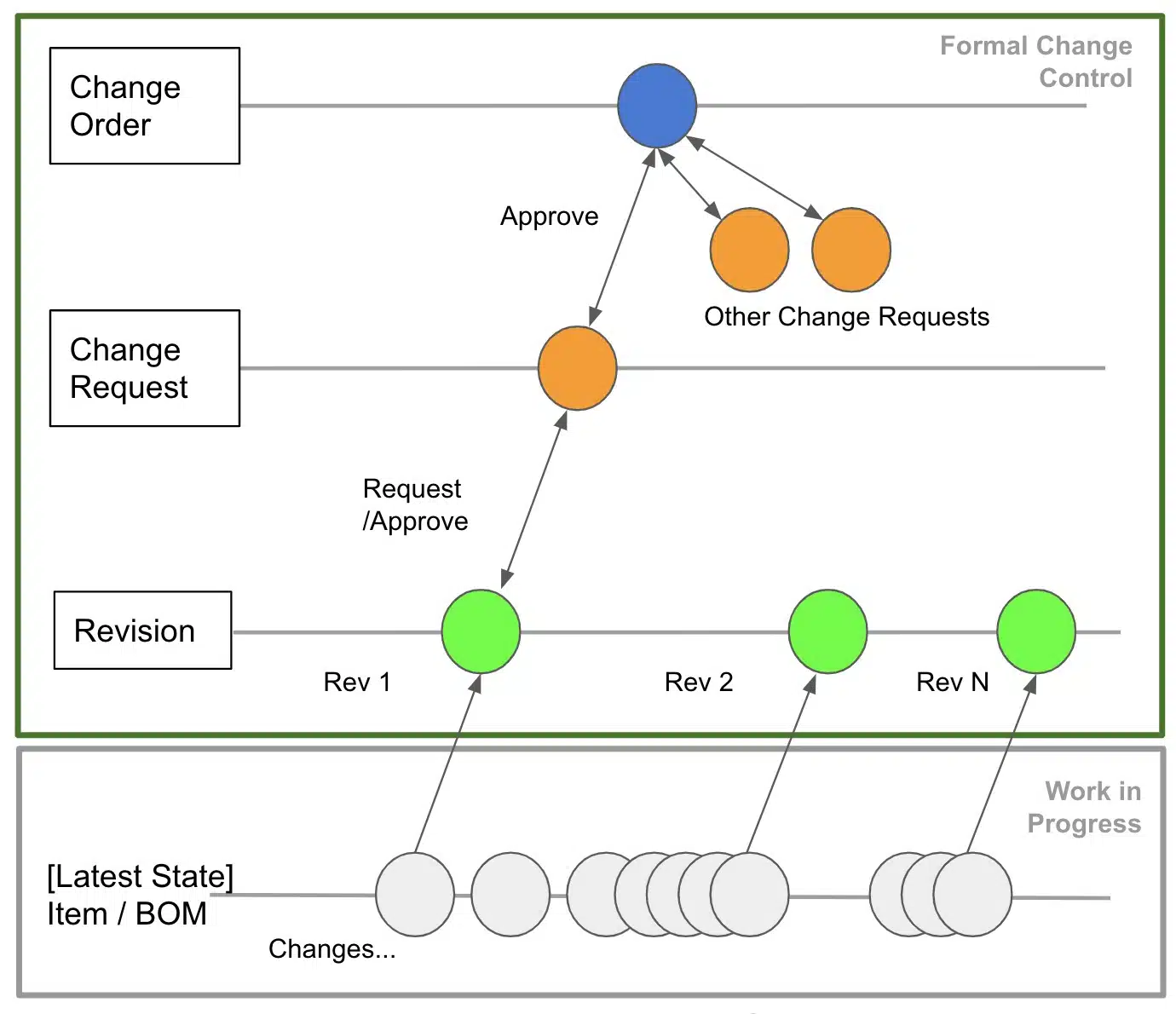
The picture below gives you an idea of OpenBOM revision and change management processes.
Create Change Request
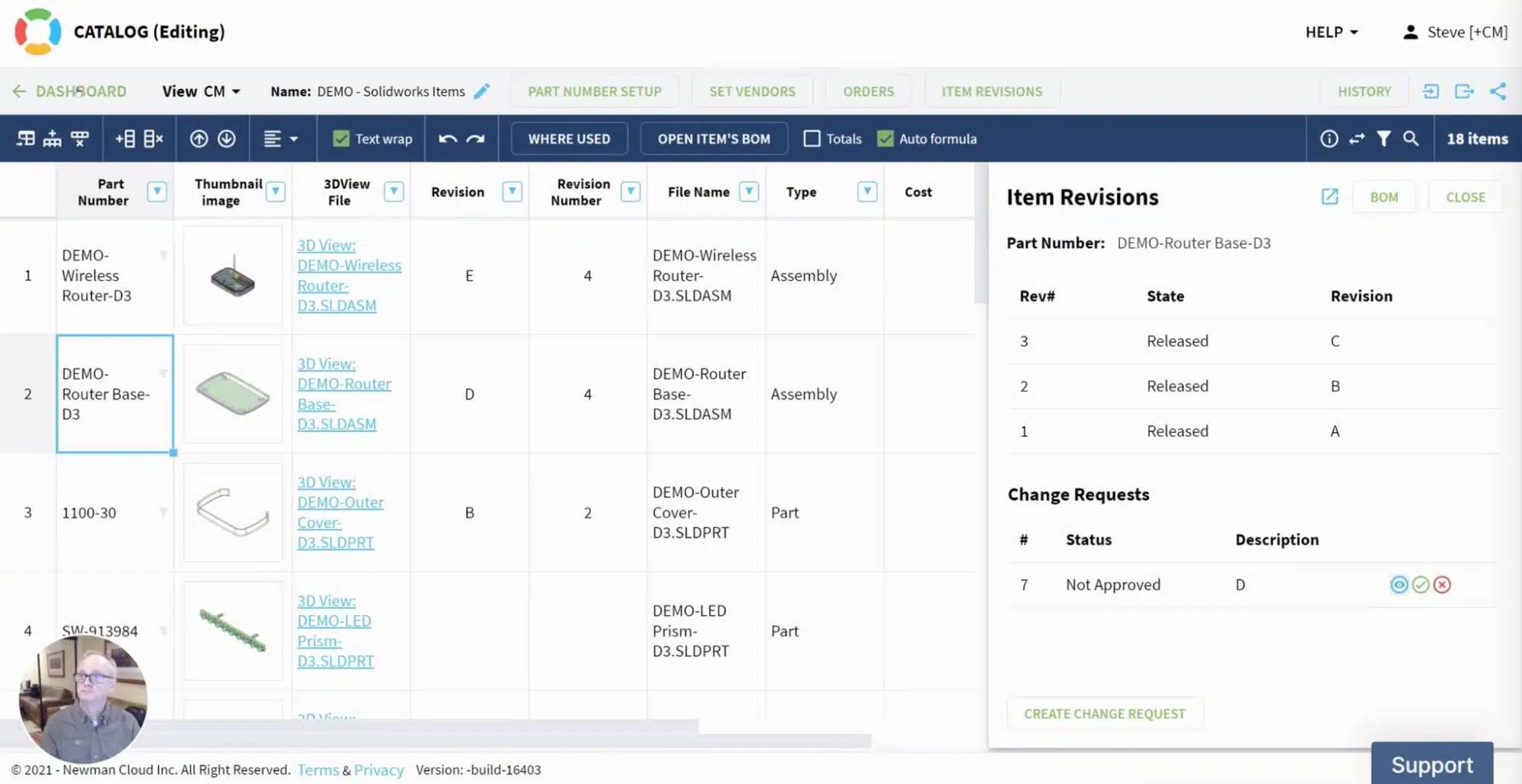
A change request is created either from Catalog for an item or directly in BOMs. The command creates a revision candidate and allows you to show the difference between the last revision and the “latest state” either for Item (when you create a change request for an item) or for a BOM (when you do a CR for BOM).
Here is an example of CRs for an Item in the catalog.
And here is an example of CRs for a BOM.


The logic of CR for an Item or BOM is the same – to create a candidate for a revision. Keep in mind that creating a CR for an Item which has a BOM is the same as creating a CR for a BOM.
Video demo
In the following video, you can see the 2 of 4 videos about OpenBOM Change Management – creating revisions.
Conclusion
The philosophy of Change Request (CR) is to be a “candidate for a revision” that can be approved or rejected. In general, CR is the smallest unit of changes that can be approved in OpenBOM change management features.
OpenBOM provides you with two groups of features. The first one is Work-in-progress changes, which is called “latest state” in OpenBOM. When you open a catalog or a BOM, by default you’re in a “Latest State”. You can make changes and OpenBOM will track it.
The second group is a formal change control. It includes three fundamental features – Change Request, Change Order with sign-offs, and notifications. CR is the first element in this group of functions.
REGISTER FOR FREE and check out how OpenBOM can help you today.
Best, Oleg
Join our newsletter to receive a weekly portion of news, articles, and tips about OpenBOM and our community.