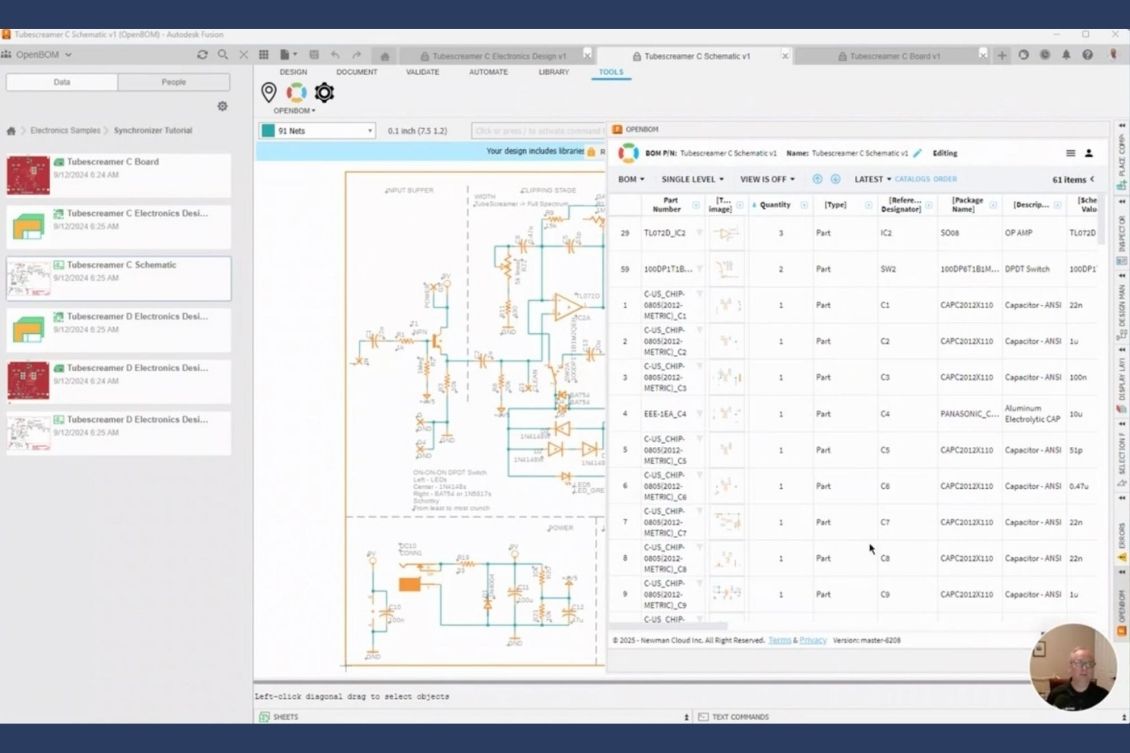
At OpenBOM, we believe seamless integration is the key to efficient product development. Engineering teams today work across mechanical and electronic domains, and the need to manage design data across multiple tools has never been more critical. That’s why OpenBOM continues to invest in building robust integrations with leading CAD tools — enabling teams to streamline data flow, improve accuracy, and accelerate decision-making.
We’re excited to announce OpenBOM for Autodesk Fusion PCB, the next step in our journey to bring modern BOM and product data management to PCB design teams. This new add-in is a continuation of our previous support for Autodesk Eagle, now reimagined for the Fusion ecosystem.

From Eagle to Fusion PCB – A New Generation Integration
As Autodesk transitions Eagle functionality into Fusion PCB, OpenBOM is moving forward with it. This new integration builds on our experience with Eagle and brings everything our users loved — and more — into the Fusion PCB environment. Whether you’re creating a simple board or managing a complex electronic design, OpenBOM gives you the tools to stay in control of your design data.
Built Right Into Fusion PCB
The new integration is seamlessly embedded into Fusion PCB. You’ll be able to access OpenBOM directly from the Fusion interface, configure what data you want to include in your BOM, and define custom attributes and properties that match your internal workflows or manufacturing requirements.
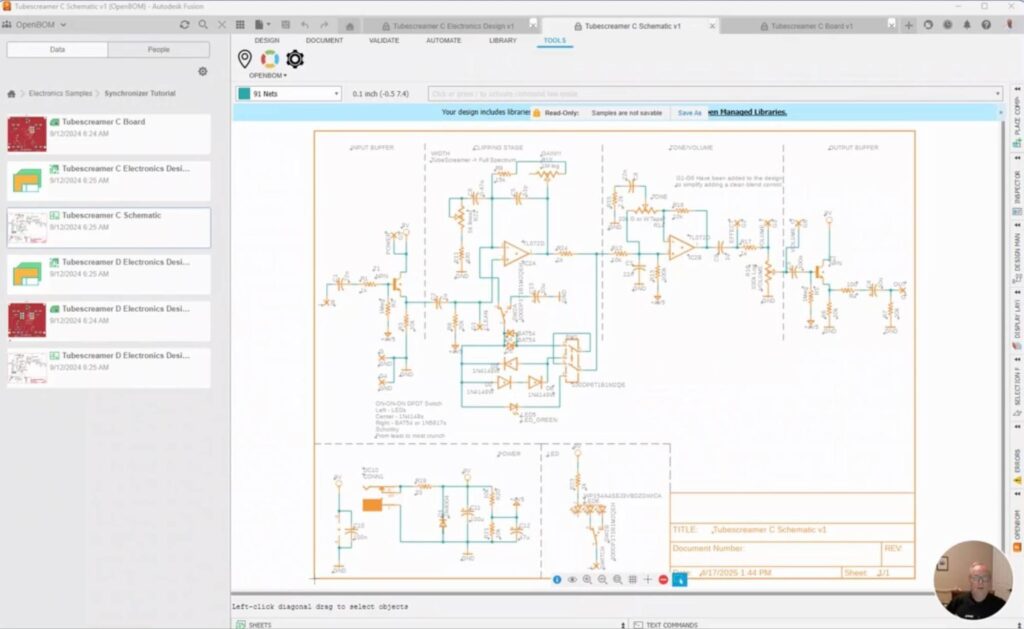
Whether you’re managing values, footprints, manufacturers, or sourcing information — OpenBOM adapts to your process.
Fast, Flexible BOM Generation with Images
Creating a Bill of Materials is just one click away. OpenBOM automatically extracts all components, including images, custom attributes, and metadata, and builds a structured BOM ready for procurement, manufacturing, or collaboration.
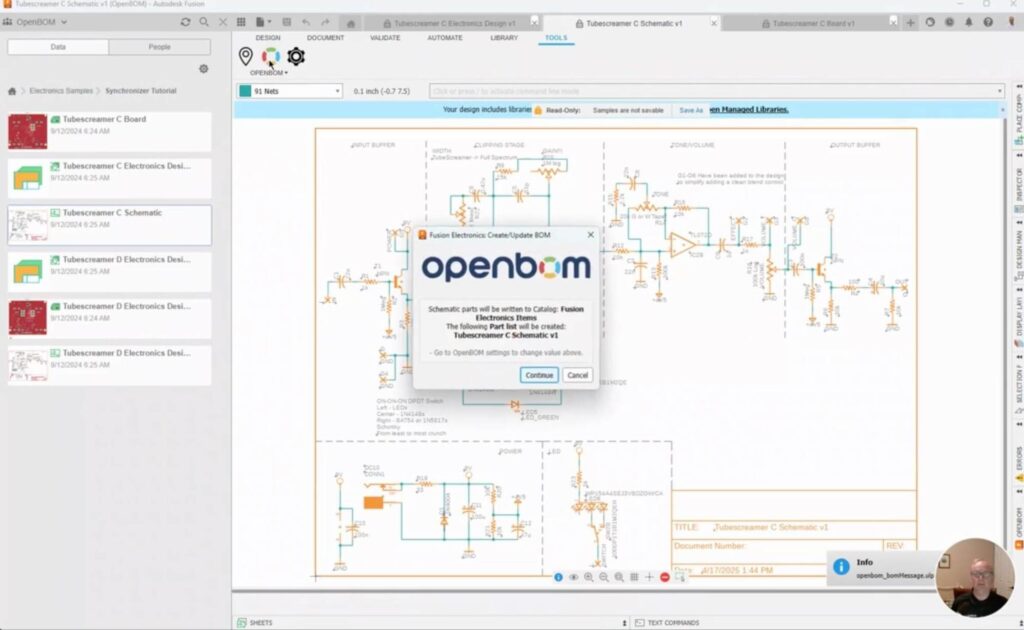
The process is fast, seamless, and highly configurable, ensuring every item in your design is captured accurately.
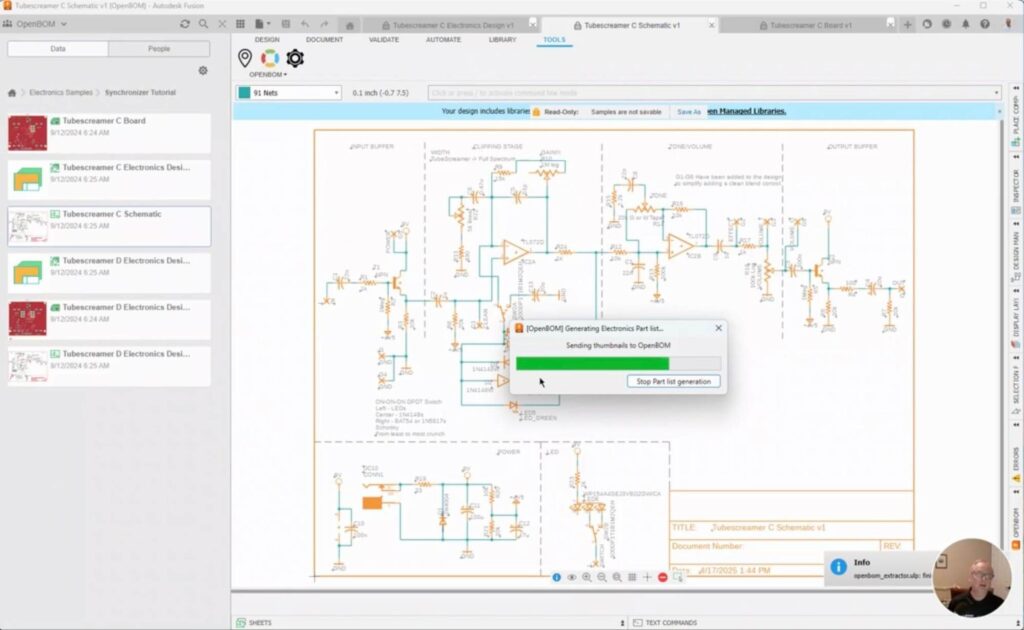
Watch the Demo
We’ve prepared a short demo video to show you how it works. You’ll see how easy it is to configure, generate, and manage your BOM from Fusion PCB. Watch the video here:
Conclusion:
We are building a growing ecosystem of CAD integrations. This is just the latest in our growing list of CAD integrations. From SolidWorks to Altium, Autodesk Fusion 360, Onshape, and now Fusion PCB — OpenBOM continues to expand its ecosystem, providing modern tools for agile engineering and manufacturing teams.💡 Fusion PCB integration will be available in the next release. And we’re not stopping here — more CAD add-ins are coming soon.
REGISTER FOR FREE to check how OpenBOM can help your team manage product data with ease.
Let us help you bring your electronics and mechanical design workflows together — in one digital thread.
Best, Oleg
Join our newsletter to receive a weekly portion of news, articles, and tips about OpenBOM and our community.