Where does your bill of materials live?
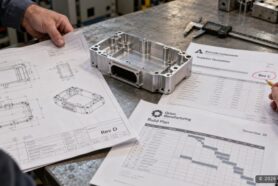
For many teams, the honest answer is “everywhere.” Part of it is in a spreadsheet, or in three spreadsheets. Part of it is in a CAD file. Some of it is in email threads between engineering and purchasing. Each copy was correct on the day someone saved it, and nobody is quite sure which one is correct today.
The problem is not that people use spreadsheets or CAD. It is that the information about one product is spread across disconnected copies, and every handoff means rebuilding it.
OpenBOM helps you bring that data together and manage it in one place. This is the first article in our Getting Started series. It explains what OpenBOM is, so the next steps make sense.
Everything in one place
OpenBOM puts your parts, your BOMs, and your CAD files in one place. All of it is connected and shared with everyone who needs it, from engineering to purchasing to production.
Connected is the important word. A part exists once in OpenBOM. Every BOM that uses it points to the same part, with its own quantity. When engineering updates the part, purchasing sees the same information instead of an older copy.

Parts and BOMs: every item and BOM, with its CAD thumbnail and drawing file.
Your CAD files live here too
OpenBOM is not just the bill of materials. Your design files are kept in Design, next to the BOMs built from them.
- Every version is kept. You can see how a design evolved and go back to earlier work.
- You check out a file while you work on it, so only you can make changes.
- There is no vault server to install. The design and the bill of materials live in one place.
If you have used a PDM system before, this will feel familiar, without the server to maintain.
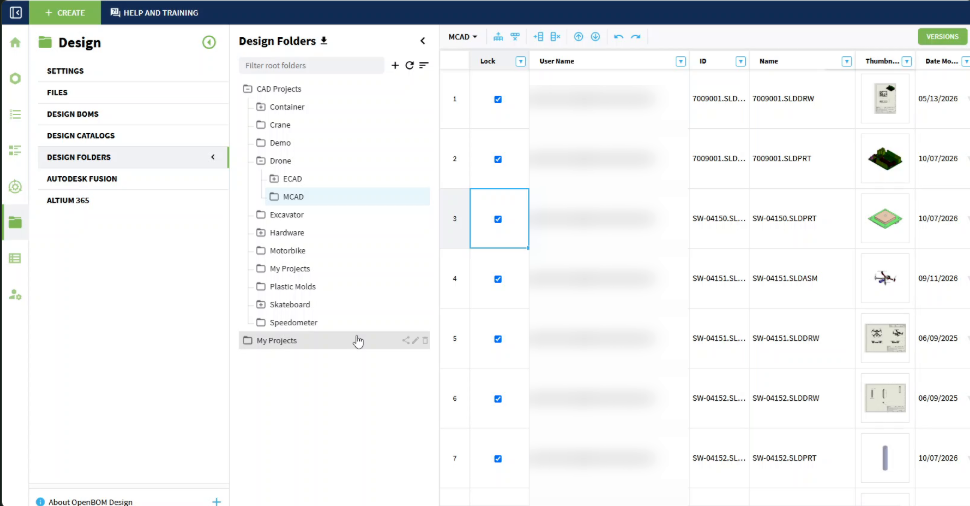
The drone’s SOLIDWORKS files in Design folders, each one checked out.
It remembers
OpenBOM records every change to your product data and who made it. That history is where a product memory starts.
Over time, the record of what changed and the reviews around it build up the context behind your product: not only what it is today, but how it got there. It becomes more useful the more your team works in OpenBOM.
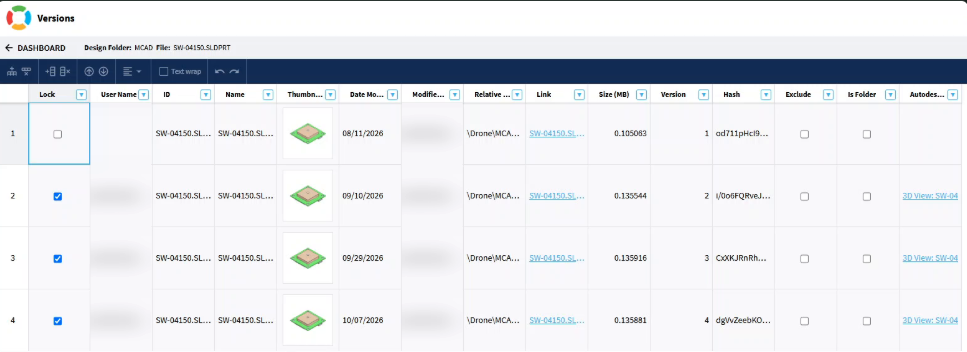
The version history of one CAD file: four versions, with the date each was saved.
Build your first BOM
Because everything is connected, the quickest way to understand OpenBOM is to build something with it. The rest of this series walks you through it:
- Start your free trial
- Create your first BOM
- Bring in your data from a spreadsheet and from CAD
You do not need to prepare anything first. Start the trial, and we will build the first bill of materials together.
Next: Start your free trial.
Best, Oleg
Join our newsletter to receive a weekly portion of news, articles, and tips about OpenBOM and our community.