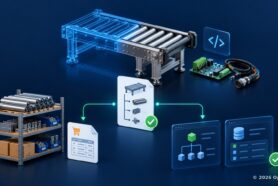
The complexity of the modern supply chain urges companies to be prepared for unexpected events of component shortage both for manufacturing and maintenance. Therefore, the creation of an accurate data model describing the possible replacement of components (both globally and specifically for each BOM and revision) is extremely important.
The ability to model alternate and substitute components is critical for efficient product development, procurement, and supply chain management. Whether due to availability issues, cost considerations, or performance optimizations, manufacturers often need flexibility in their component selections.
OpenBOM provides a powerful data model to manage this information, offering a robust way to capture and handle alternate and substitute components within your Bill of Materials (BOM) product lifecycle.
The Importance of Alternate and Substitute Components
Alternates and substitutes play a crucial role in product development and manufacturing processes. Ann alternate components are usually defined on the item and item revision level allowing to define a possible replacement of the component in all situations. At the same time, a substitute is a more specific replacement that can be done for a specific bill of material. The ability to manage these components effectively helps businesses minimize supply chain risks, avoid delays, reduce costs, and maintain production flexibility.
OpenBOM’s Flexible Data Model
OpenBOM’s platform is built on a flexible, graph-based data model that allows for the creation and management of product information with a high degree of customization and dependencies between components. Learn more about OpenBOM’s flexible data model in the following articles:

OpenBOM defines item properties and instance properties to offer flexibility in capturing different types of component relationships – alternates and substitutes.
- Item properties define attributes at the item level, including technical specifications, suppliers, pricing, and more. This is where alternate components can be defined, ensuring that interchangeable parts are clearly documented.
- Instance properties, on the other hand, apply to specific instances of items within a BOM, allowing for variation when an alternate part is not a direct replacement but still fulfills the necessary role as a substitute.
Recent Enhancement: Single Item Link with Item and Item Revision
OpenBOM recently introduced a powerful enhancement to the capability to create links to a single item and revision (including public URL and automatic QR code generation). This feature now enables users to create direct links between items and item revisions, providing clearer traceability and control over component relationships. By linking to both items and their revisions, you can maintain a detailed history of how each component evolved and easily track which revision of a part is being used in particular product BOMs.
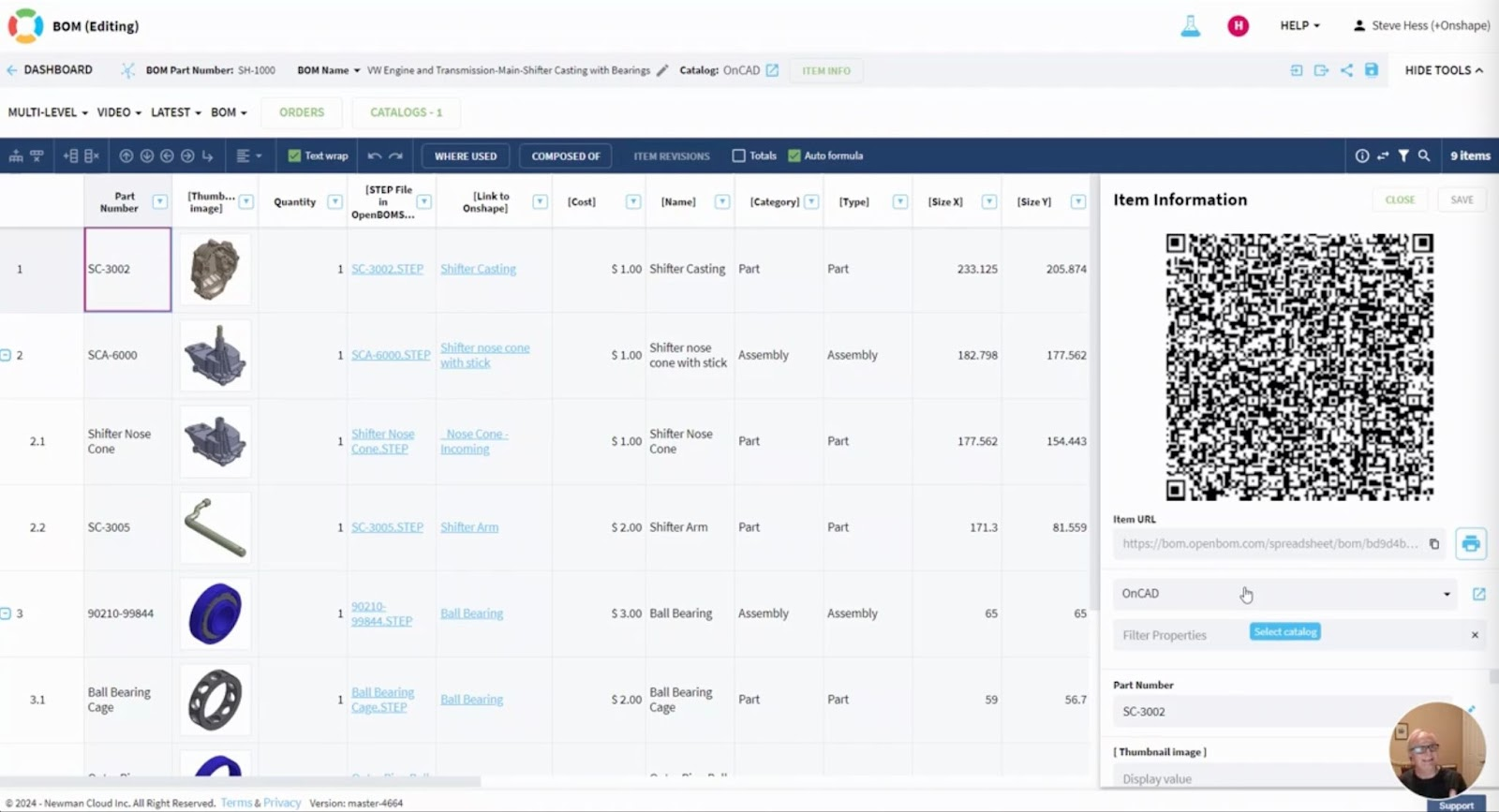
This becomes particularly valuable when managing alternates and substitutes, as it gives engineers and procurement teams a precise understanding of which options are available at any given time.
Managing Item and Instance Properties with Single Item Link
The true power of OpenBOM’s data model becomes apparent when combining these elements to manage alternates and substitutes.
- For alternates, you can use item properties to define a direct link between the primary item and its alternate. By placing an item property in the item link, you ensure that alternate components are clearly identified and available for quick substitution when needed, without altering the design or assembly process.
- For substitutes, the flexibility of instance properties allows you to account for slight variations in the component’s fit, form, or function. By placing an instance property in the item link, you can track and manage the use of substitute parts in specific instances within a BOM, ensuring that any necessary adjustments are captured and traceable.

This product modeling capability ensures that alternates and substitutes are seamlessly integrated into your product development and procurement workflows.
What’s on the Horizon? Object Reference Enhancements Coming Soon
OpenBOM is continuously expanding its capabilities. Earlier last year we introduced OpenBOM Custom Objects to allow customers to create any data types and full flexibility of data model. Check this out – Introducing OpenBOM custom objects and object reference.
A very soon-coming enhancement in OpenBOM’s data model will allow for the creation of direct links between all types of objects. This enhancement will provide even greater flexibility and enable users to model more complex relationships across various components, BOMs, and related objects. Stay tuned for more details as these exciting updates roll out!
Conclusion
OpenBOM continues to evolve and expand its flexible product knowledge graph model, allowing customers to capture, manage, and streamline product information. The ability to model alternate and substitute components within OpenBOM provides manufacturers with the tools they need to improve efficiency, reduce risk, and stay agile in today’s competitive market. By leveraging the platform’s unique data model and recent enhancements, users can confidently handle complex BOMs and product relationships.
Try OpenBOM today and experience the flexibility firsthand! Register for free.
Best, Oleg
Join our newsletter to receive a weekly portion of news, articles, and tips about OpenBOM and our community.