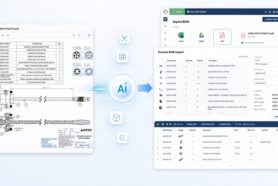
Connecting engineering systems with ERP has always been one of the most challenging and often costly aspects of PLM implementation and digital transformation. Traditional PLM-ERP integrations are complex, slow to implement, and rely heavily on consulting-heavy middleware. In a fast-moving, data-driven world, that model no longer works.
At OpenBOM, we’re thinking how to simplify the process of integration by focusing on three things – flexible data management platform (OpenBOM), simple and flexible REST API, delivering rapid ERP connectivity using low-code and custom integration services, and building toward a future where AI-powered BOM Agents make integrations smarter, faster, and autonomous.
OpenBOM delivers multiple integrations already today. Some of them are out of the box (eg. OpenBOM NetSuite, Quickbooks Online and some others) – you can learn more on the OpenBOM Integration page. However, we just opened a new offering to integrate OpenBOM with any ERP system using low code OpenBOM REST API integration services.
In my article today, I’d like to share some examples of what is available today and what is coming soon from OpenBOM.
OpenBOM REST API: A Foundation for ERP Integration
OpenBOM’s REST API provides a comprehensive interface to access and manipulate all key product data: parts, catalogs, BOMs, configurations, vendors, and more. It enables both data retrieval and event-driven interactions, making it possible to:
- Automatically extract released engineering BOMs for procurement
- Push item and supplier data to ERP or sourcing platforms
- Enable two-way sync for part updates or vendor assignments
OpenBOM’s flexible data model ensures that you can map and transform information easily, adapting to the structure of virtually any ERP system—whether you’re working with NetSuite, Odoo, SAP, Dynamics, Visma, or others.

Rapid Integration with Low-Code Tools and Custom Services
We know that no two ERP systems are identical. That’s why OpenBOM offers tailored integration services to connect your specific ERP workflows using a combination of:
- Low-code automation platforms like n8n, Make, Gumloop and others
- Direct REST-based adapters using Python, Node.js, or your language of choice
- Field mapping and transformation layers to ensure data quality and structural alignment
These integrations are often implemented in days, not months. Whether you’re pushing released BOMs to ERP, syncing part records, or connecting vendor data, we deliver fast, maintainable solutions with minimal overhead.
Integration Example: OpenBOM + Visma Business NXT
To demonstrate what this looks like in practice, consider our recent integration with Visma Business NXT, a modern ERP platform used across some regions of EU.
In this implementation, OpenBOM’s REST API was used to retrieve finalized engineering BOMs, complete with part metadata, quantities, and sourcing information. A lightweight integration layer mapped this data into Visma’s own REST interface, creating ERP-ready records and initiating procurement processes. The integration also supported bi-directional data updates, such as feeding selected vendors or item status changes back into OpenBOM. The entire solution was deployed quickly and required no ERP-side customization—just smart data orchestration between two REST-native systems.
Here are a few steps that highlight how OpenBOM-ERP integration tech stack works. In this example, we use a super simple REST API stack.
It all starts with seamless integration between OpenBOM and any CAD system. In the example below, I demonstrate how we use PTC Onshape (but it can be anything else – Dassault Systemes SOLIDWORKS, Autodesk Fusion, etc.)
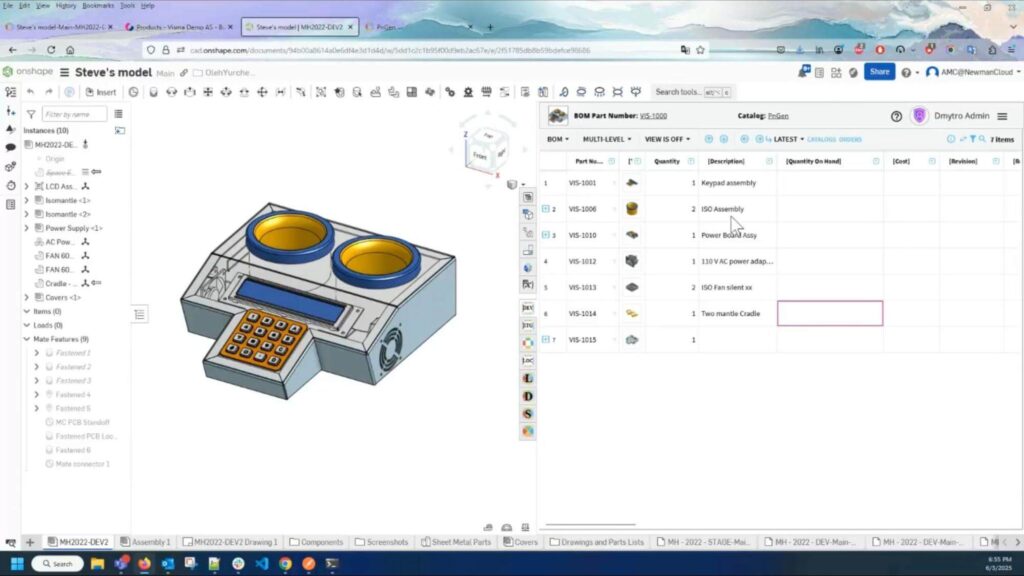
Once we get a BOM from the CAD system, it can be easily modified in OpenBOM, but you don’t have to. Just use OpenBOM Digital BOM (DAG) with files as a context for the integration workflow.
OpenBOM Integration API allows you to define mapping between systems in a flexible way.
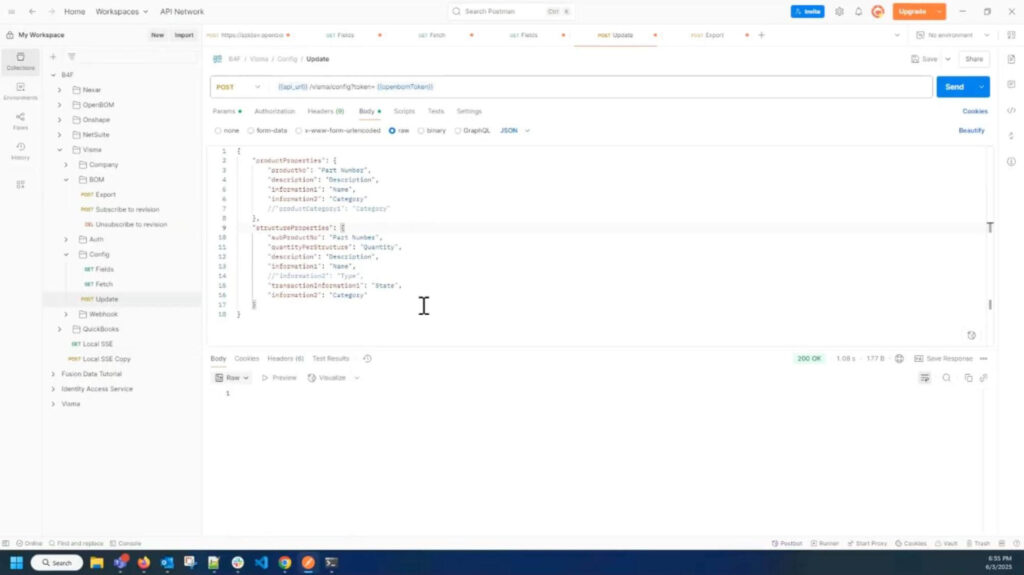
Once it is done, we can test REST API calls from OpenBOM (extracting data) to ERP (in our case VISMA Business NXT) used by one of our customers.
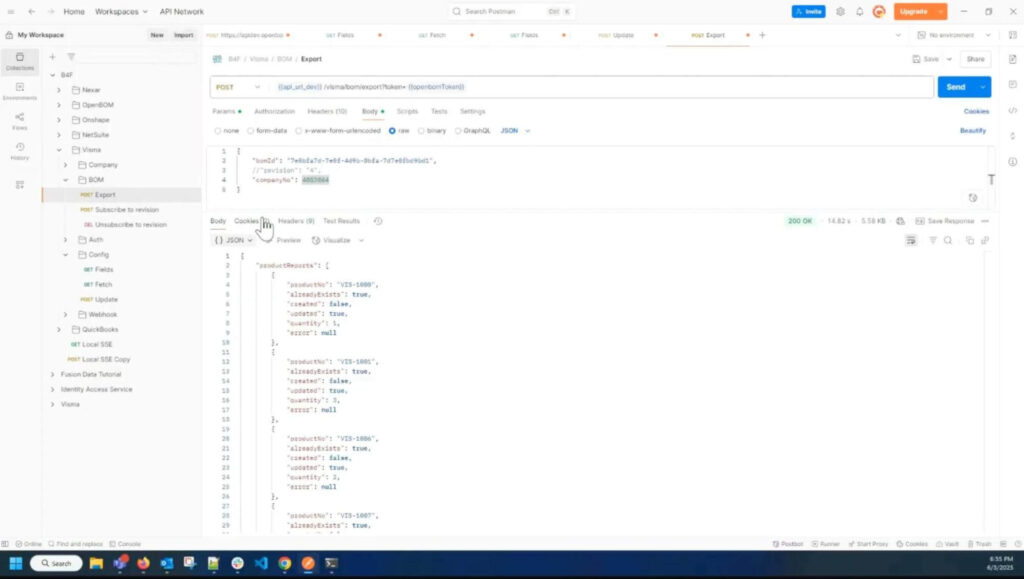
We triggered the operation with the OpenBOM release event. Once the data has been transferred, you can see the data (BOM) with all mapped attributes and a structure.
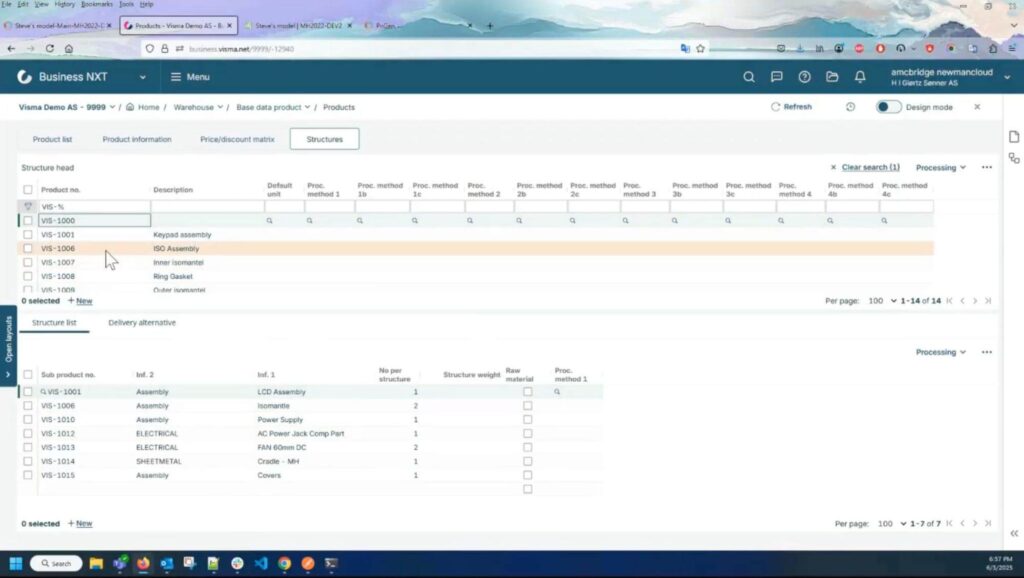
This project illustrates how OpenBOM can integrate with virtually any ERP system that supports modern APIs, without the need for long implementations or heavy middleware.
Looking Ahead: BOM Agents and the Model Context Protocol
While REST APIs are the engine powering today’s integrations, the future lies in intelligent automation—and that’s where OpenBOM BOM Agents and the Model Context Protocol (MCP) come in. Check our article from the past week – Rethinking engineering workflows and BOM agent that speaks files.
BOM Agents are intelligent software assistants designed to understand product data, monitor workflow events, and take action automatically. Unlike scripted connectors, BOM Agents use contextual awareness to decide when and how to interact with systems like ERP, CAD, or procurement tools. Powered by MCP, they can operate intelligently across multiple systems with a shared understanding of the product’s structure, lifecycle stage, and business rules defined by OpenBOM.
This architecture unlocks a range of new engineering workflows. For example, a BOM Agent can detect when a BOM reaches the “Released” status, extract the structured data using the REST API, and push it to the ERP system to create items or initiate purchasing—without any manual steps. When new components are introduced, the agent can generate RFQs, send them to suppliers, and track responses, all while feeding updated data back into OpenBOM.
If an engineer makes a change to a design, the agent can assess downstream impact, notify the appropriate teams, and validate sourcing rules. From design to manufacturing, agents can route data between tools like OpenBOM, ERP, MES, etc. with full traceability, while also validating compliance, supplier status, or cost targets in real time. In all these scenarios, OpenBOM’s REST API serves as the operational backbone, while BOM Agents bring intelligence, automation, and context-driven decision-making to the process.
Conclusion: From REST APIs to Intelligent Workflows
Today, OpenBOM empowers companies with a scalable, modern integration framework that connects engineering and ERP with ease. With our REST API, flexible data model, and rapid integration support, we enable real-time collaboration between design and operations.
Tomorrow, we’re going further—introducing intelligent BOM Agents and the Model Context Protocol to make integrations not just easier, but smarter. These technologies will allow engineering teams to automate decisions, streamline handoffs, and build connected workflows that span CAD, PLM, ERP, and beyond.
If you’re looking to integrate your product data, automate your processes, and prepare for a future of intelligent manufacturing workflows—OpenBOM is the platform to build on.
Let’s connect the dots. Let’s build the future—together.
REGISTER FOR FREE to check OpenBOM with ERP. We can help you build a future of connected systems. Feel free to contact us, we would be happy to help.
Best, Oleg
Join our newsletter to receive a weekly portion of news, articles, and tips about OpenBOM and our community.