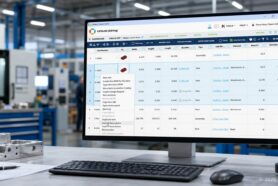
Cost is one of the most fundamental elements of any product and system design. Accurate cost assessment is critical for appropriate product design and planning. At OpenBOM, we have created a robust system for formula support that allows you to calculate various product criteria, including universal rollup formula support. Combined with a flexible data model, this enables you to roll up anything—cost, mass, regulation conformance, and more. But that’s not all. Today, I want to discuss how the newly introduced xBOM service can be used for modeling complex subsystems, along with formula and rollup support.

Modern Products Require Robust Data Modeling Capabilities
Modern products are increasingly complex, requiring robust data modeling capabilities to represent various subsystems. Consider the different systems involved in product development—electrical, mechanical, pneumatic, and so on. How can we organize this information to allow different groups of engineers to perform their tasks while accurately assessing the cost of each of these systems? This is where the xBOM service, combined with formula and calculation features, becomes invaluable.
xBOM Data Modeling for Engineering BOM and Subsystems
A fundamental principle of the xBOM service is the use of a graph model to build separate graphs that represent each “product structure” (also known as a product knowledge graph). These graphs describe the structure and dependencies between items. The beauty of xBOM is that these graphs can be interconnected, allowing the same items from catalogs to be used in different xBOM representations.
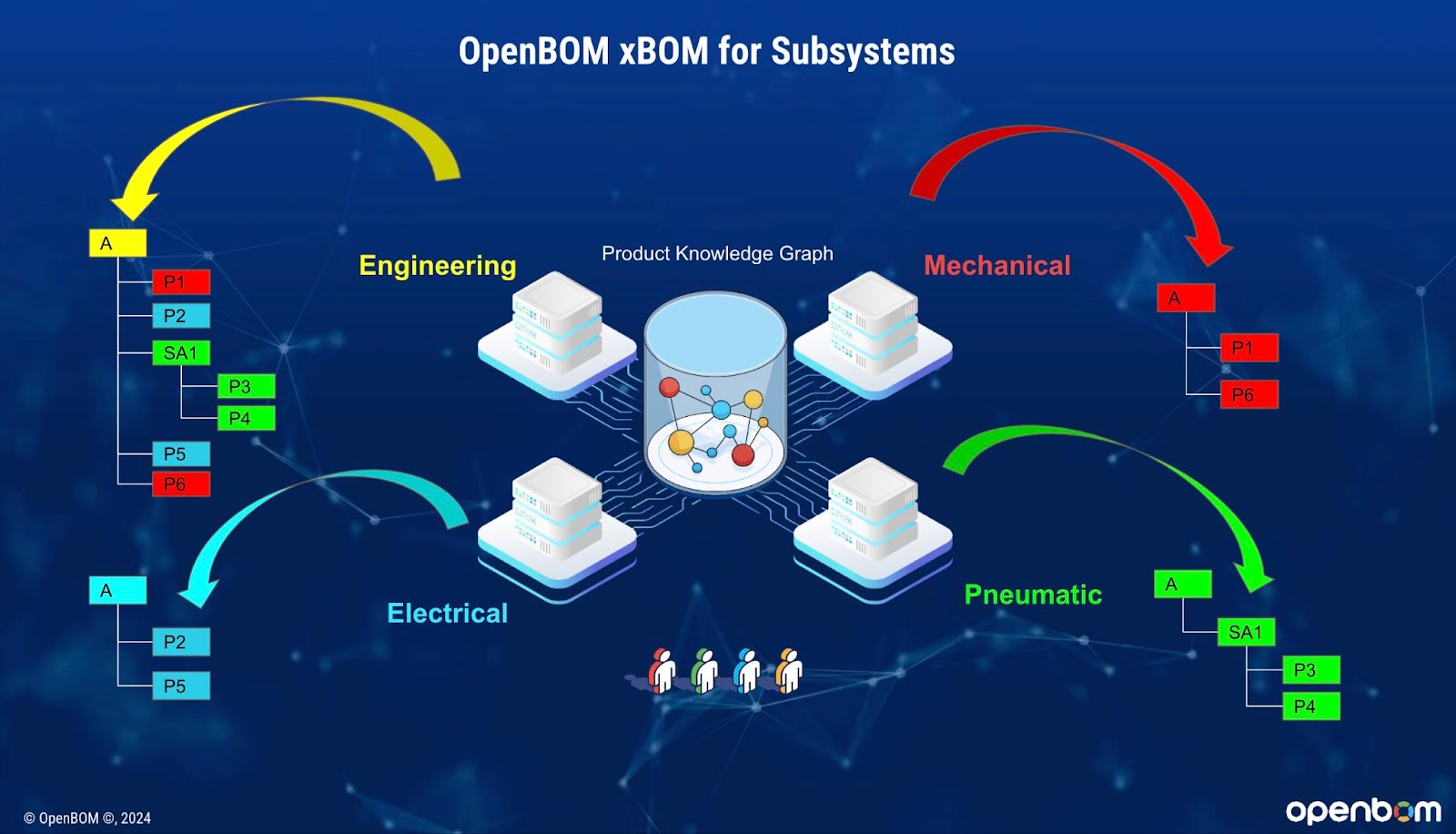
Here are three steps to organize data into subsystems:
- Create xBOM Types for Each Subsystem: Define xBOM types for each subsystem, such as mechanical, electrical, and pneumatic.
- Create BOM for Each Type: Develop a BOM for each subsystem type, specifying the required items and their relationships.
- Add Items to Organize Subsystem Structures: Utilize items from catalogs to structure each of these systems. Additionally, you can use these same items to organize an overall product structure as an engineering BOM, just as you would in traditional OpenBOM.
Calculation and Rollups
Let’s say you want to assess the cost of each subsystem. Once you have separate xBOM representations for each system, you can create formulas for cost rollup. For instance, you might add a “Calculated Cost” formula using xBOM quantities multiplied by item costs from the catalog(s). This results in a separate cost calculation for each xBOM. Importantly, because the items used across all xBOM catalogs are consistent, any changes in item costs in the catalog will automatically update all xBOM-specific cost calculations.
I recommend you to check the OpenBOM Cost Calculation Live Demo to learn more about how to manage formulas and rollup.
Conclusion
Modeling complex systems is no simple task, and modern products demand a robust data management service that can control data, assess costs, and support product design and manufacturing. While many engineering teams continue to struggle with managing data and making calculations using Excel, OpenBOM’s xBOM service—combined with its powerful formula and calculation features—offers a modern solution. It’s time to say goodbye to old-fashioned spreadsheets.
Register for free, start a trial, and discover how OpenBOM can help you.
Best,
Oleg
Join our newsletter to receive a weekly portion of news, articles, and tips about OpenBOM and our community.