


I’m super excited to share the news – we are starting to provide a free 14-days free trial for OpenBOM. To get your 14-days trial, please contact OpenBOM support and we will enable the OpenBOM Drive trial license for you.

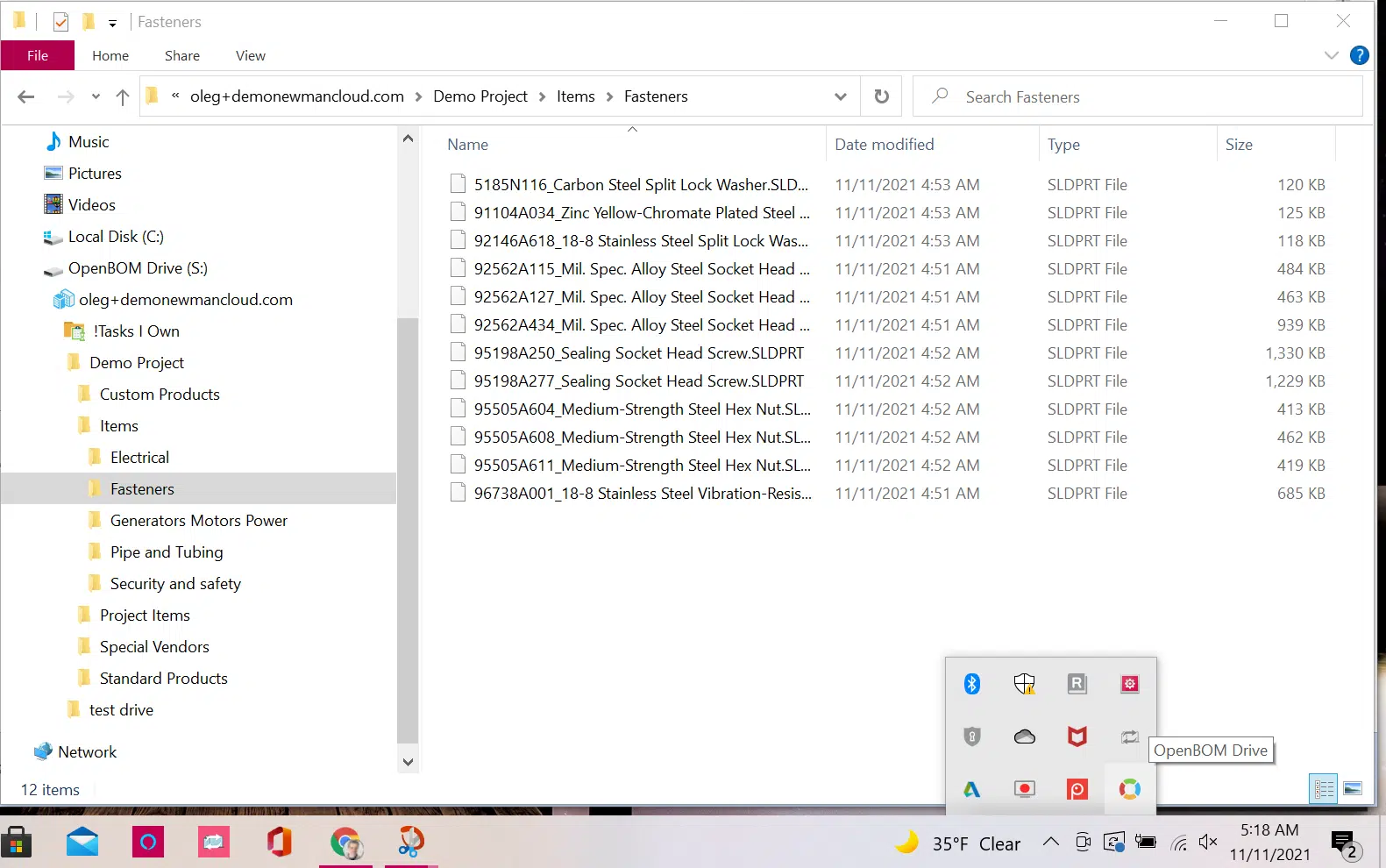
The goal of the OpenBOM Drive service is to provide a mechanism for design collaboration and file storage for your CAD files and other documents you’re working on. You can use OpenBOM Drive as you start your design, share the file with your team and access it simultaneously. We provide three interfaces with OpenBOM Drive
- File Explorer
- Web Browser
- CAD Add-in (at this point available for SolidWorks)
Collaboration and File Locking – OpenBOM Drive Difference
One of the biggest challenges of collaboration using all PDM systems is to enable locking and simultaneous access to the files by a group of users. These two goals are conflicting and they created many problems and challenges for legacy PDM systems. Old PDM systems keep files in the central storage and copy files to a working directory after check-out. When the file is updated it must be copied to a central location and become available to other users (that also need to copy this file to their local folders).
OpenBOM Drive solves the problem I described above by completely automating the process and making it seamless and instant. OpenBOM is a virtual drive available to you via Microsoft Windows File Explorer. The files are instantly updated for all users that are sharing Drive folders. The mechanism of locking and check-out prevents other users from updating a file that is under your changes, but each time the file is saved, it is updated automatically for all other users.
Check out the following article for more information about how OpenBOM Drive is different from existing PDM systems.
Web Access To All Users
Drive is available via OpenBOM Dashboard to all users when you log in to OpenBOM via the browser user interface. Which makes all files (eg. Solidworks files) available to all engineers and other users in the organization, design contractors, and suppliers.

Drive viewer supports hundreds of formats including all popular CAD files. Check for more information here.

Drive Subscriptions
OpenBOM Drive is available via subscription. Drive subscriptions are aligned with OpenBOM User, Team, and Company Subscriptions. You can buy Drive in addition to a user subscription or you can buy Drive for Team and Company (starting with 5 users that can use it in File Explorer) and unlimited user access in the OpenBOM dashboard via browser. Additional users beyond the initial five can be purchased. Check out details on the OpenBOM pricing page.
User Experience – Solidworks
OpenBOM Drive user experience is seamless and does not require you to change your normal design workflow when you use desktop CAD. The last is extremely useful as you can introduce OpenBOM Drive to your organization in a seamless way just by copying and pasting all your files to Drive via File Explorer and continuing your work. OpenBOM CAD Add-in user experience for BOM management, saving Items to catalogs, and releasing Bill of Materials is not changing as well.
Check out the following video, which demonstrates an entire user experience for SolidWorks users starting with copy files to Drive via File Explorer, then capturing BOM using one-click BOM and creating a bill of materials, automatically attaching files, exporting zips for contractors with PDF and STEP files and making cost rollup.
Conclusion
From now, you can get a free 14-days trial for OpenBOM Drive. To start a trial, please contact OpenBOM support and your trial will be enabled immediately.
At OpenBOM, we believe in first-hand experience. OpenBOM is a cloud-native SaaS platform that gives you PDM, PLM, and ERP functions with unique collaboration capabilities and user experience tuned for SMEs and divisions of large enterprises focused on New Product Development and NPI.
REGISTER FOR FREE to check how OpenBOM can help. If you have any questions about OpenBOM, please contact OpenBOM.
Best, Oleg
Join our newsletter to receive a weekly portion of news, articles, and tips about OpenBOM and our community.








