SOLIDWORKS models can be complex and configurations are one of the most often used patterns to create complex models and differentiate between multiple assembly types. For the last year, we learned many patterns of usage SOLIDWORKS configurations and listened to the recent requests of our customers.
Until now, OpenBOM was capturing SOLIDWORKS configurations and creating multiple BOMs for each configuration used in the assembly. OpenBOM was capturing an active configuration and uses Part Numbers to differentiate between structures.
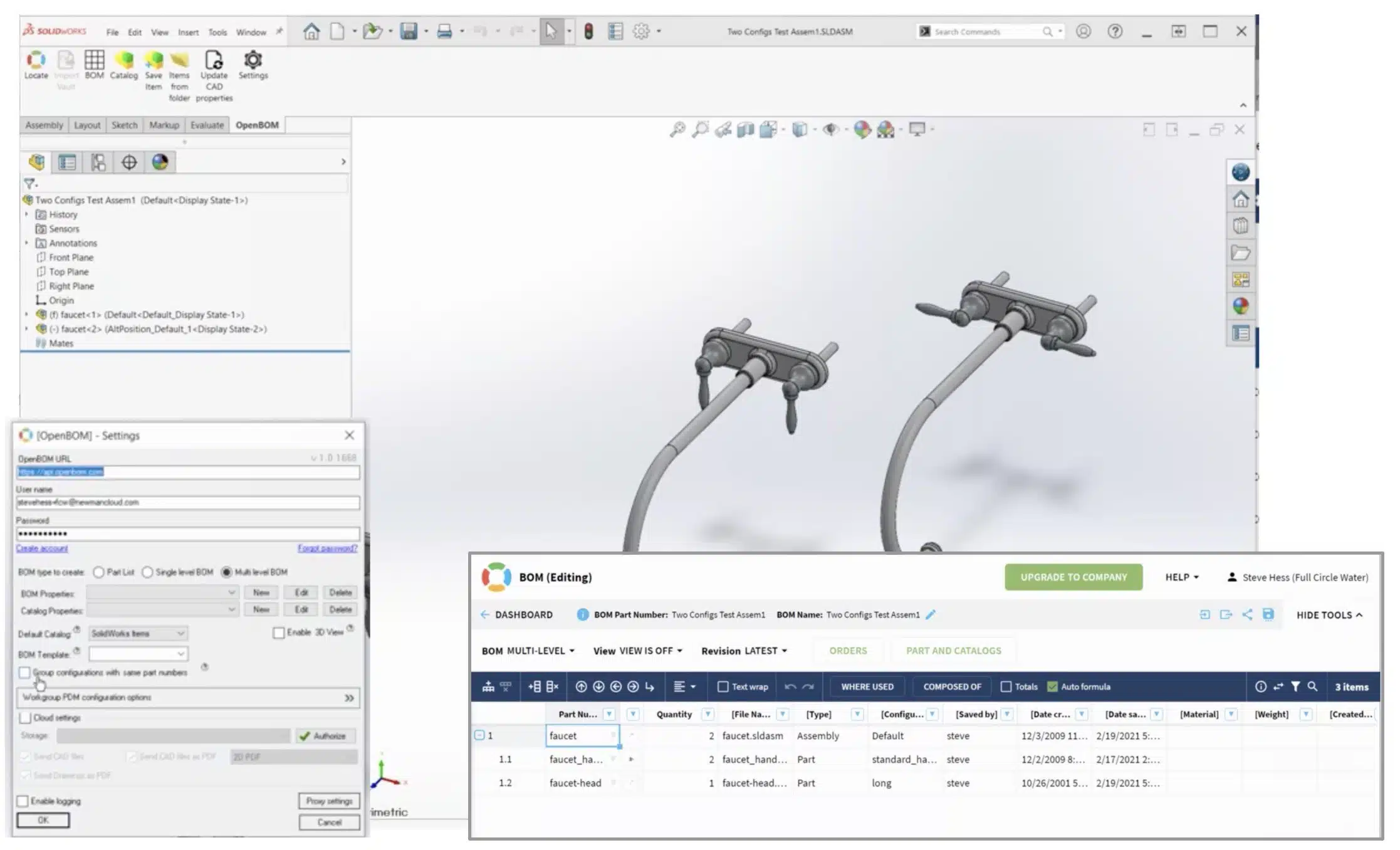
However, we learned about the pattern of usage SOLIDWORKS configurations to differentiate between visualizations of the same assembly. One of the top requirements was to support the aggregation of different assembly visualizations of SOLIDWORKS assembly in the same BOM.
I’m excited to share that we just made it in the last OpenBOM February 2021 release. Yay!!! You can use OpenBOM settings to configure this option. Please watch the following video to learn more about it.
Conclusion
OpenBOM provides a robust and powerful add-in for SOLIDWORKS allowing to user to extract the data and use it outside of SOLIDWORKS for costing, planning, and collaboration. The value of seamless integration is huge. The data can be integrated and shared in downstream processes using the OpenBOM SaaS application.
Register to OpenBOM to try SOLIDWORKS Add-in.
Best, Oleg
Want to learn more about PLM? Check out my Beyond PLM blog and PLM Book website. Read OpenBOM customer reviews on G2 Crowd to learn what customers are saying about OpenBOM.
Join our newsletter to receive a weekly portion of news, articles, and tips about OpenBOM and our community.