Sharing data is one of the most important and critical elements of the product development process. Design and manufacturing is teamwork and keeping everyone o the same page are absolutely important to ensure the process is flowing, designers are sharing data with planners and procurement team, support and customers have access to product information, people on the shop floor have access to documentation and more.
OpenBOM makes the sharing of data very easy. The first element of the process is to create the information from the design (CAD) and make it available online. OpenBOM supports integrations with all major CAD systems and also capable of integration with CAD systems using custom integrations. Learn more about it here.
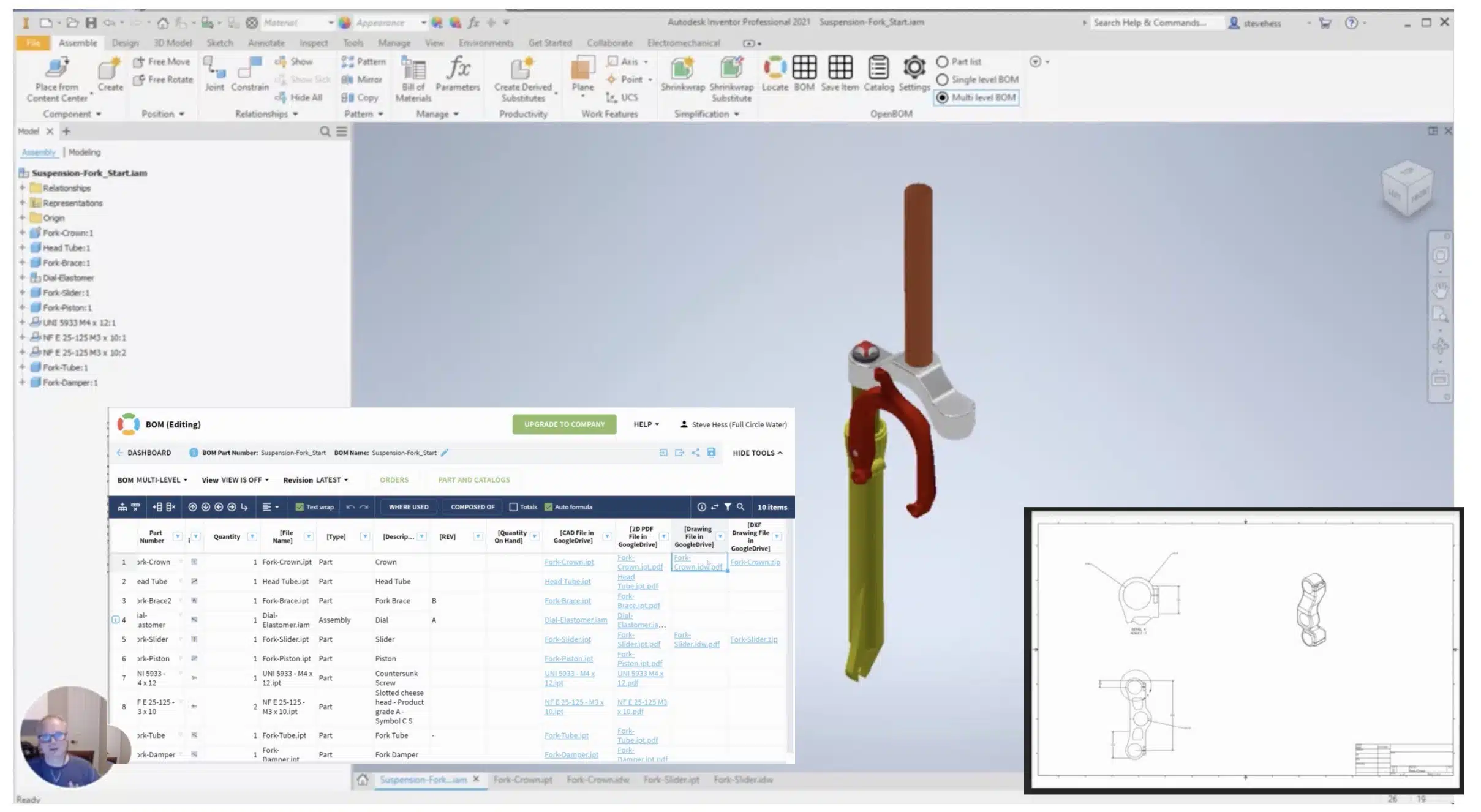
We are always listening to customer needs. One of our recent customer work was to enhance OpenBOM Add-in for Autodesk Inventor to support Inventor Drawings and to allow to share them in the way of PDF and DXF files that automatically uploaded to OpenBOM connected data storage (Eg. Dropbox, Google Drive) and provide live links to this storage directly from OpenBOM bill of materials.
Watch the video to learn more about it.
Conclusion
Data sharing is super important. Therefore, OpenBOM provides a seamless way to integrate design data upload to the cloud storage and live connect to Bill of Materials and Items managed by OpenBOM. Our support is dedicated to each system – Autodesk Inventor is one of them. Learn more about how OpenBOM allows importing data from different CAD systems.
Register to OpenBOM to try SOLIDWORKS Add-in.
Best, Oleg
Want to learn more about PLM? Check out my Beyond PLM blog and PLM Book website. Read OpenBOM customer reviews on G2 Crowd to learn what customers are saying about OpenBOM.
Join our newsletter to receive a weekly portion of news, articles, and tips about OpenBOM and our community.