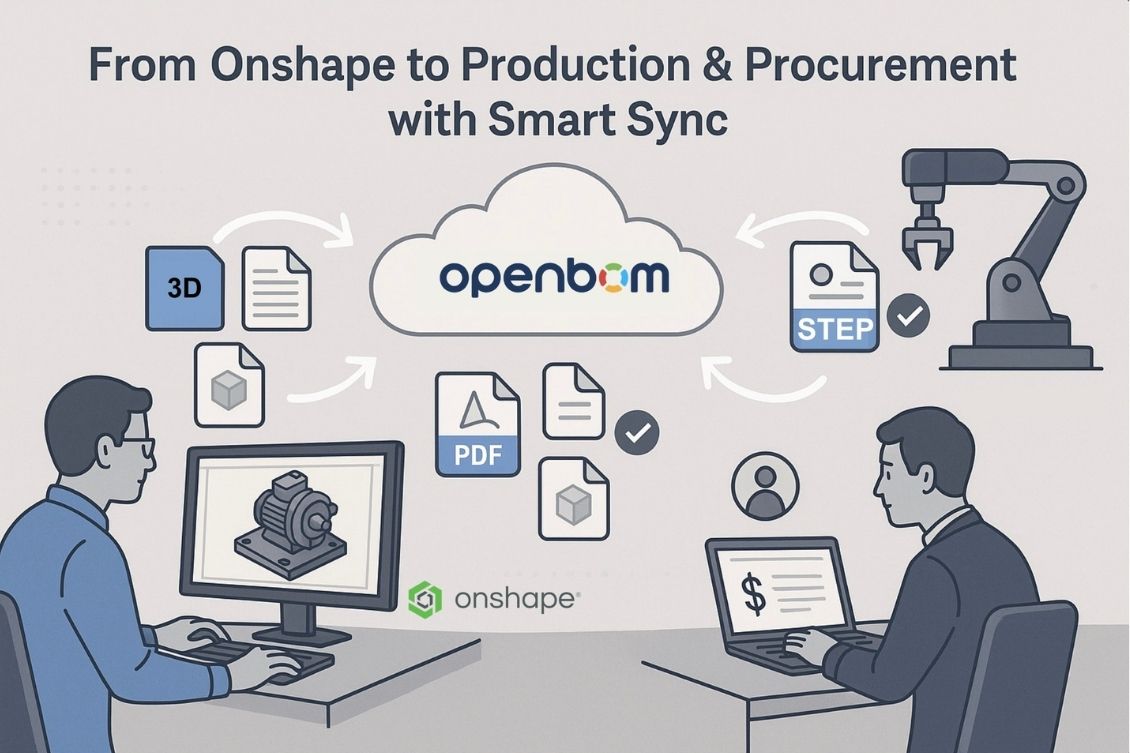
If you work in manufacturing or procurement, you already know the struggle. You need STEP files for CNC programming, PDF drawings for the shop floor, or neutral models to share with suppliers. But getting these derivative files out of Onshape isn’t as simple as clicking a button – especially when you’re dealing with large, complex assemblies that change every day.
Here is the challenge – how to keep derivative files up to date? Imagine sending a supplier an outdated STEP file or putting an old drawing on the shop floor. Mistakes like these cost time, money, and damage trust with customers. Keeping derivative files up to date is essential to streamline purchasing, ensure smooth production, and keep everyone aligned across engineering, procurement, and manufacturing

The Real Problem
Here’s the catch. Manually exporting and managing all these files takes forever. When you have hundreds or thousands of parts, how do you even know what has changed since yesterday? Downloading everything every time feels like a never-ending task, wasting valuable engineering and IT resources and delaying procurement and production workflows.
How OpenBOM Solves This
At OpenBOM, we built a solution to make this problem go away. Our new Smart Sync feature for Onshape makes managing derivative files effortless.
Here’s how it works. You set up your Onshape derivative outputs in OpenBOM, selecting the STEP files, PDFs, or other outputs you need.
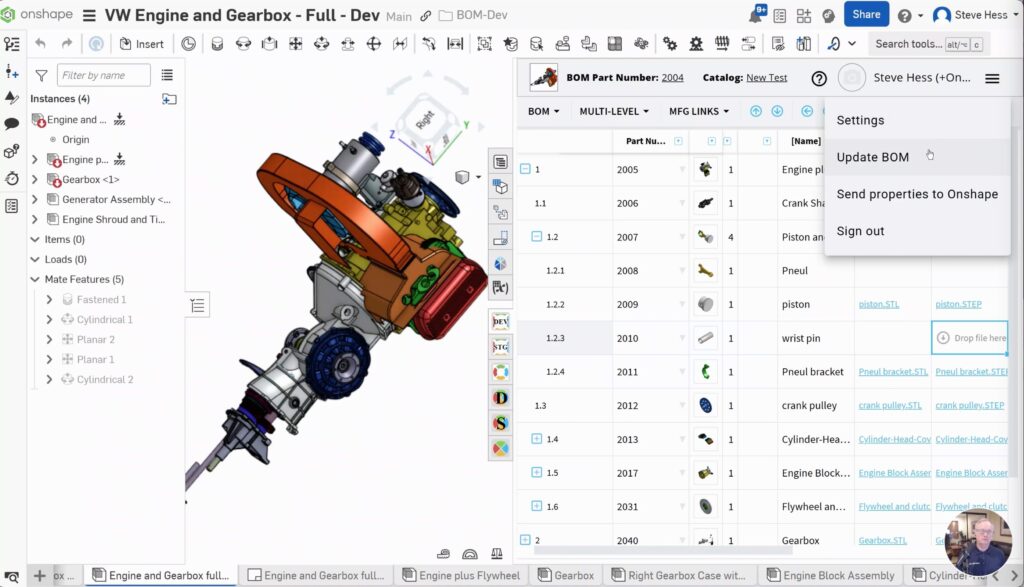
OpenBOM then pulls these files directly from Onshape into your secure OpenBOM cloud storage, where you can organize and use them in BOMs, catalogs, orders, and procurement workflows.
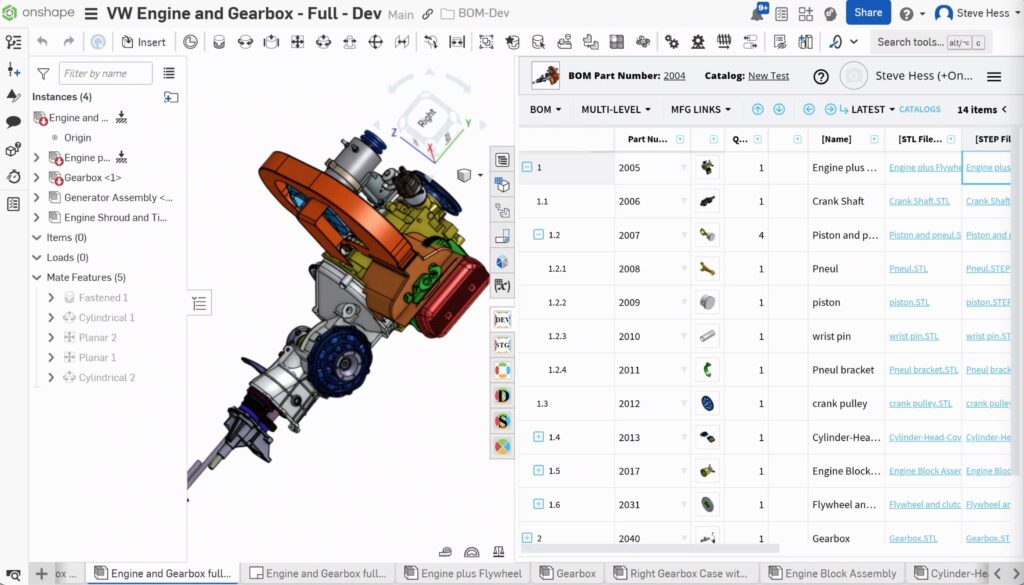
But the best part is Smart Sync itself. Instead of downloading every file every time, Smart Sync intelligently checks which files have changed and only syncs those updated files. No more wasted time downloading files you don’t need.
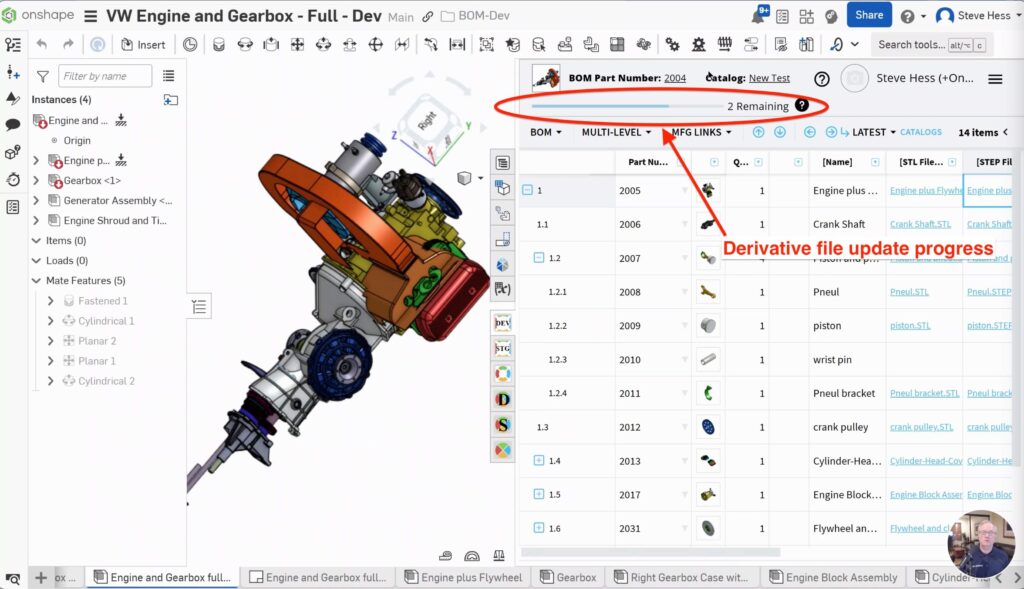
No more wondering if you’re working with the latest version. Everything is up to date, fast, and reliable.
Why Is It Critical Improvement?
With Smart Sync, your procurement and production teams always have the most current files without waiting hours for manual exports. Your ERP and procurement systems stay in sync automatically. And your entire team can work confidently, knowing they’re using the right data every time. This means your processes become faster, your teams more productive, and your business runs smoother from engineering to purchasing to the shop floor.
🎥 Watch It in Action
We recorded a quick demo to show you exactly how Smart Sync works with Onshape. See how simple it is to keep your derivative files in sync and your workflows moving at full speed.
👉 Watch the demo video here
Conclusion
At OpenBOM, we’re focused on optimizing data exchange across engineering, production, and procurement to build a true digital thread. Smart Sync for Onshape derivative files is just one example of how we make your processes faster and your teams more productive.
Ready to give it a try?
Register for your free 14-day trial of OpenBOM – no credit card required.
Best, Oleg
Join our newsletter to receive a weekly portion of news, articles, and tips about OpenBOM and our community.