In the fast-paced world of electronics design, managing content and integrating it with existing data is critical for efficiency and accuracy. At OpenBOM, we’ve listened to feedback from our prospects and customers about the importance and popularity of DBLibs (thank you all for your insights), and we’re excited to announce our new capability: Altium Designer DBLib support.
Why Altium Designer DBLib Integration Matters
DBLib, or Database Library, is a vital resource for many engineers using Altium Designer. It allows for the management of component libraries in a centralized database, providing a robust and flexible way to handle component data. Recognizing its significance, we’ve integrated DBLib with OpenBOM catalogs, ensuring seamless content management and enhanced collaboration across your teams.

Key Features of OpenBOM’s DBLib Support
Data Model Integration:
Seamless Integration: The DBLib, which serves as a component library, is now integrated with OpenBOM catalogs.
Organized Structure: You can set up a category for each catalog, providing an organized structure for your components. This categorization helps in managing and locating components efficiently within OpenBOM.
One-Way Data Import:
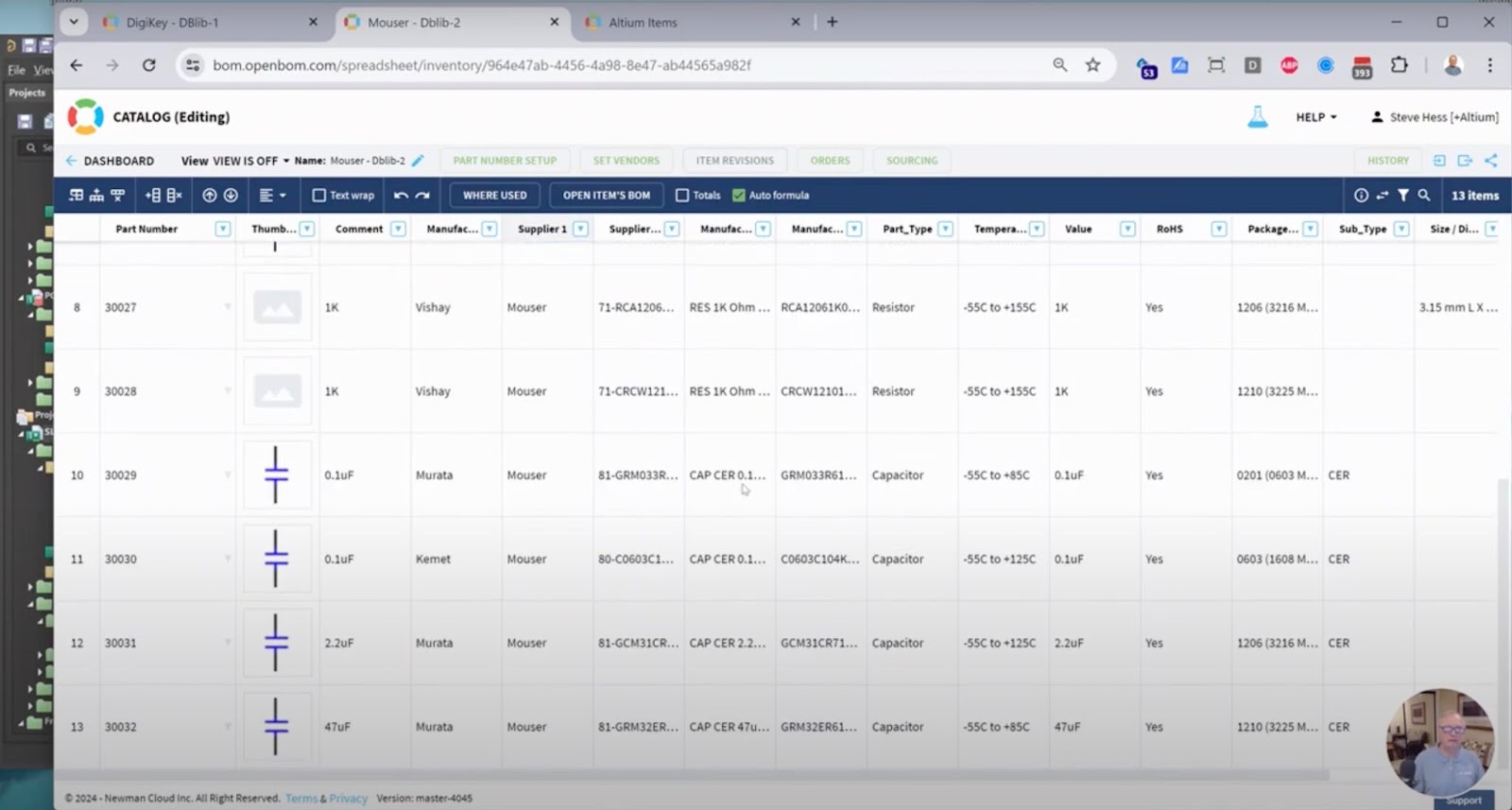
Master Data Source: Data import is unidirectional, from DBLib to OpenBOM. This means your DBLib acts as the master data source for Altium components.
Enhanced Flexibility: After importing your DBLib data into OpenBOM, you can further enhance and modify this data within OpenBOM. This allows for more flexibility in managing your component data and ensures that any enhancements or additional details can be included.

Enhanced Settings:
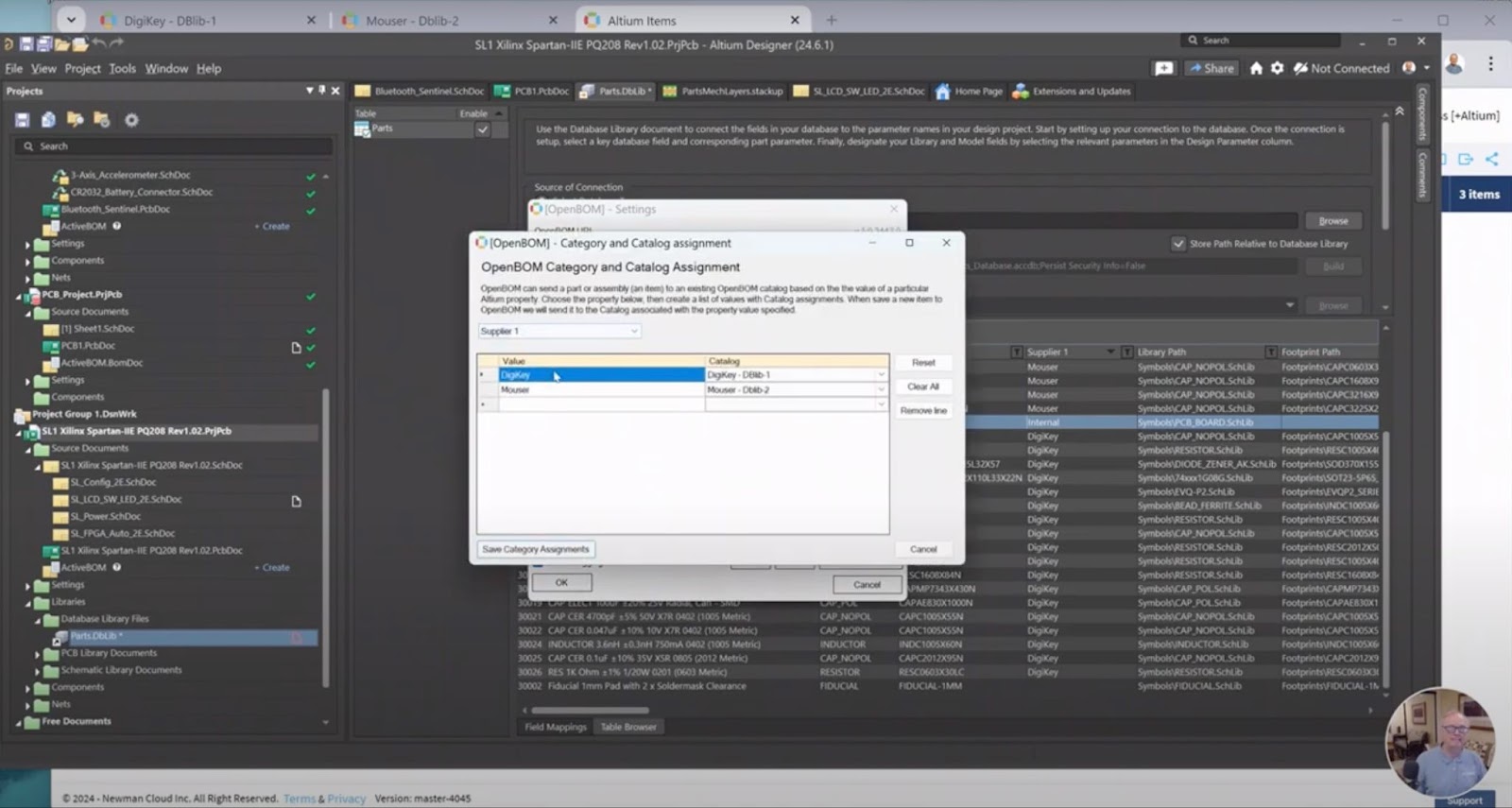
Expanded Settings: The settings for this feature align with the expanded settings of the OpenBOM Add-in. You can create mappings, configure various settings, and even map categories to different catalogs.
Customizable Mapping: The ability to map categories to different catalogs allows for greater customization and ensures that your component data is organized in a way that suits your specific needs.
Seamless Data Import:
Effortless Import: Importing DBLib data into OpenBOM is straightforward, bringing all necessary information into your catalogs. This process is designed to be user-friendly and efficient, minimizing the time and effort required.
BOM Integration: Once imported, you can effortlessly use this data in your Bill of Materials (BOM) imports. This ensures that your BOMs are accurate and up-to-date, reflecting the latest component data.
Watch the Video:
Detailed Walkthrough: For a detailed walkthrough of this new feature, watch our demo video here. The video provides step-by-step instructions on how to set up and use the DBLib support, making it easy for you to get started.
Conclusion
Our support for Altium DBLib is a significant step towards enhancing PCB integrations with Altium Designer. This new feature is designed to streamline your workflow, improve data management, and facilitate better collaboration. A big thank you to all our customers who contributed to the development of this feature. We’re committed to continually improving and expanding our capabilities to meet your needs.
REGISTER FOR FREE and try this out.
Best,
Oleg
Join our newsletter to receive a weekly portion of news, articles, and tips about OpenBOM and our community.