In today’s digital manufacturing landscape, connections between applications are no longer optional – they are essential. Manufacturing companies are adopting dozens of specialized tools to manage everything from design to procurement to inventory. But these tools are only as powerful as their ability to work together.
That’s why PLM–ERP integration is one of the top priorities for companies building a digital thread—the connected flow of information across all stages of the product lifecycle. One of the most read articles on the subject, How To Solve PLM & ERP? from Beyond PLM, highlights how critical it is to connect engineering to manufacturing, enabling real-time coordination, streamlined procurement, and improved decision-making.
Another article, Why CAD to ERP Integration is Not Enough, explains why a richer connection—one that captures item data, BOMs, revisions, and attached files—is needed to support modern manufacturing processes.
Introducing OpenBOM Integration with Odoo ERP
OpenBOM’s new out-of-the-box integration with Odoo, a popular open-source ERP system, is now available to all OpenBOM enterprise subscribers—with customization options also available.
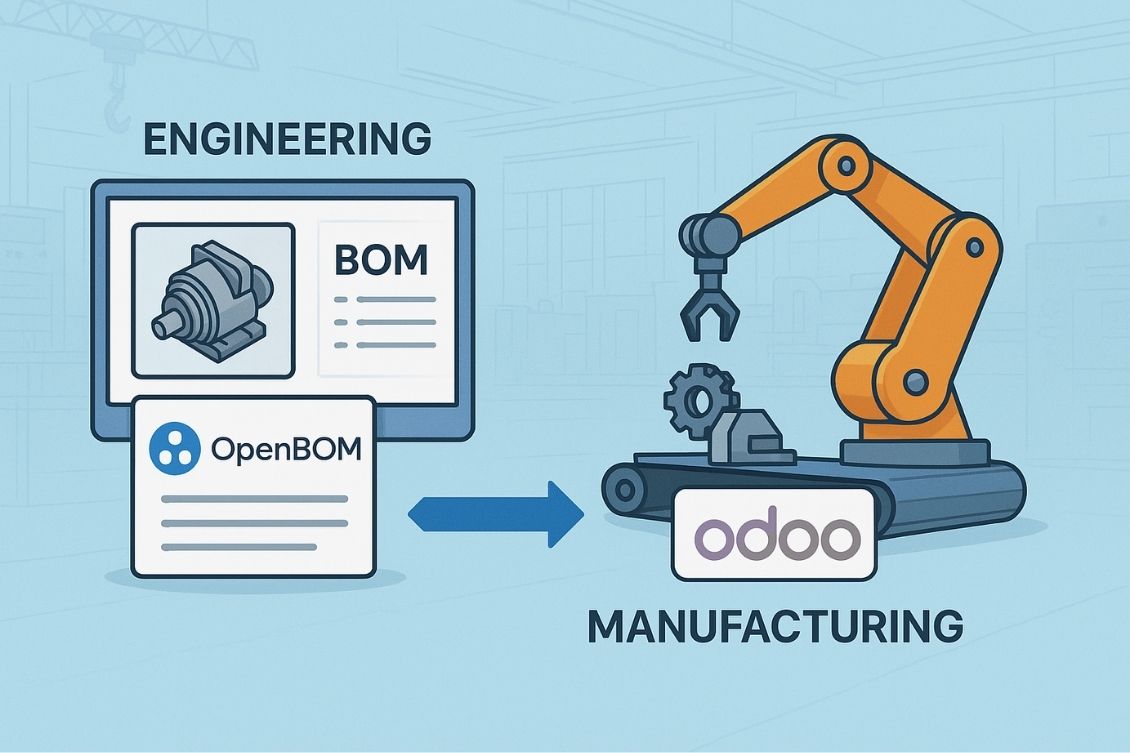
This integration is designed to seamlessly connect engineering and manufacturing, making it easy to push digital product data (including item records and multi-level BOMs) from OpenBOM into your Odoo ERP environment.
What Does the Integration Do?
The OpenBOM–Odoo integration supports bi-directional data synchronization for key manufacturing data:
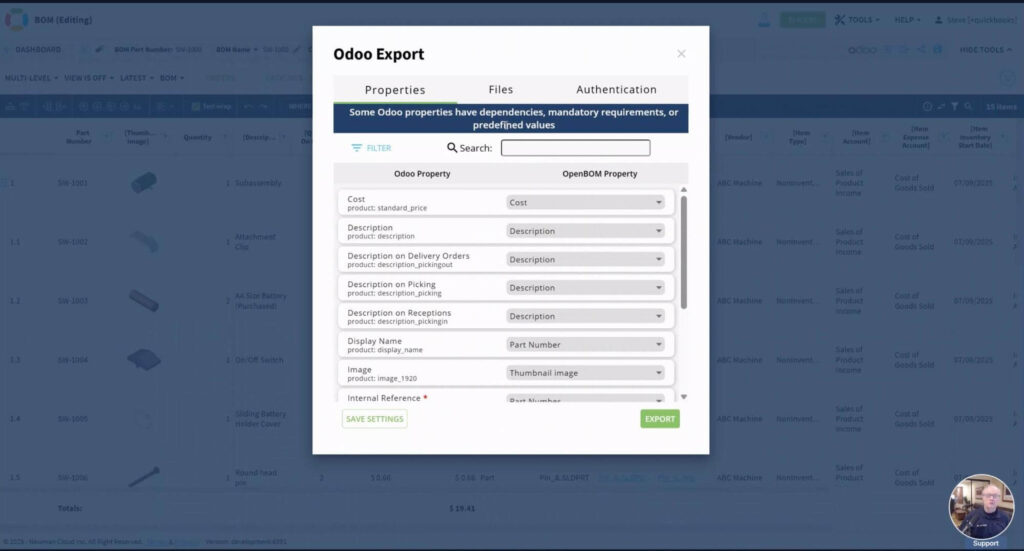
The first step is to configure the application connection
The source of the information – a digital BOM:
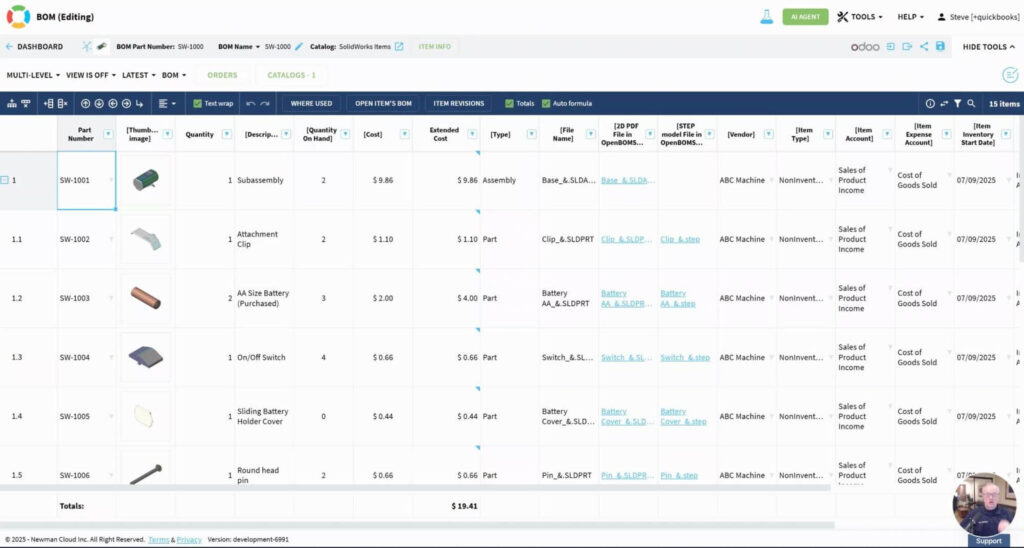
OpenBOM performs the following actions:
✅ Sync Items – Transfer item definitions, part numbers, descriptions, properties, and associated files from OpenBOM to Odoo.
✅ Sync BOMs – Push complete multi-level BOM structures, including nested components, quantities, and units of measure.
✅ Transfer Files – Send associated files such as PDFs, STEP, and native CAD files along with your BOM and item data.
The outcome is a natural representation of BOM and Items in Odoo
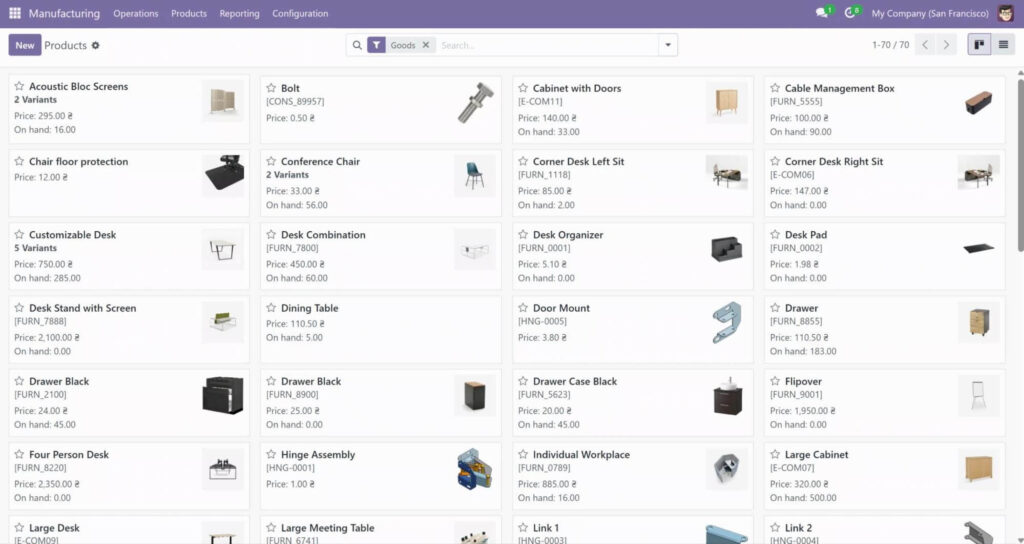
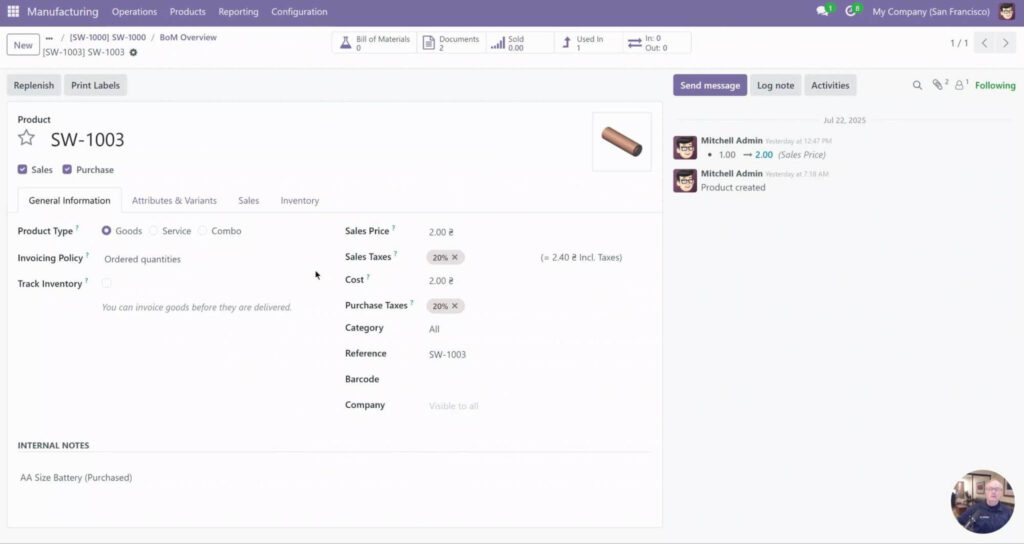
This means you can create a comprehensive digital BOM in OpenBOM—complete with structure, visuals, and derivative files—and send it straight to Odoo for planning, inventory, and manufacturing operations.
Watch the Demo: OpenBOM + Odoo in Action
Want to see it in action? Here’s a short demo showing how OpenBOM syncs data directly to Odoo ERP.
👉 Watch Now:
In this video, we walk through:
- How to configure OpenBOM to Odoo Sync
- How to select items and BOMs in OpenBOM
- How to trigger the sync process
- What data looks like once it arrives in Odoo
- Transferring files (STEP, PDF) directly into Odoo
Why It Matters: The Digital Thread in Action
This integration closes the gap between engineering and manufacturing, which has historically been a major pain point for companies managing complex products.
Now, with OpenBOM and Odoo working together, your product data flows in a connected, traceable, and actionable way—from CAD to BOM to ERP.
It’s a key part of delivering on the promise of the digital thread, as discussed in this recent blog post, where OpenBOM lays out the foundations for connecting all phases of the product lifecycle through structured, real-time data.
Frequently Asked Questions (F.A.Q)
Q: What functions are supported in the OpenBOM to Odoo sync?
A: The integration supports two main functions: Save Items and Save BOM from OpenBOM to Odoo.
Q: Can it transfer files such as PDFs or STEP files?
A: Yes. The integration supports file transfer for any attachments saved in OpenBOM, including CAD, STEP, PDF, and others.
Q: What subscriptions include the Odoo integration?
A: The integration is available out-of-the-box for Enterprise subscribers, with additional customization options available depending on your implementation needs.
Conclusion
The OpenBOM integration with Odoo joins a growing ecosystem of connectors that includes QuickBooks, Autodesk, SolidWorks, Onshape, Altium, and more. Learn more about all available integrations here:
👉 www.openbom.com/integrations
✅ REGISTER FOR FREE to explore OpenBOM’s trial and start building your own connected digital thread from design to delivery:
Let’s connect your product data—from engineering to ERP, from BOM to production.
Best, Oleg
Join our newsletter to receive a weekly portion of news, articles, and tips about OpenBOM and our community.