Sheet metal design has a manufacturing reality that solid parts do not. The 3D model is only the beginning. Before a part can be fabricated, someone needs to produce the DXF flat pattern — the unfolded geometry that tells a CNC or laser cutter exactly what to cut. Without it, the design is not ready for manufacturing.
A DXF flat pattern is the unfolded 2D geometry of a sheet metal part, exported as a DXF file, and used by fabricators for CNC cutting, laser cutting, and nesting. Every sheet metal part requires one before it can be manufactured.
For engineering teams working in Autodesk Fusion, creating those flat patterns is not the hard part. Fusion handles that well. The hard part is everything that comes after: naming the files correctly, attaching them to the right BOM items, packaging them for contractors, and keeping all of it synchronized when the design changes.
This article describes how OpenBOM’s Sheet Metal option for Fusion solves that problem. The video demonstration below shows it working.
Why Fusion Sheet Metal Design Requires DXF Flat Patterns
Sheet metal parts are designed in 3D but manufactured from flat stock. A fabricator or CNC operator needs the flat pattern — not the 3D model — to cut and form the part correctly.
This is why DXF flat patterns are a required deliverable, not an optional export. They are used for laser cutting, nesting, supplier quoting, and production planning. They need to exist, be correctly named, be connected to the right part number, and reflect the current revision.
When that information is managed manually — exported one at a time, saved to a folder, attached to a spreadsheet row, emailed to a contractor — it works until it doesn’t. A revision changes one part. Someone forgets to re-export. A supplier uses the old file. The problem is not that the manual process is hard. It is that it is fragile.
The Packaging Problem No One Enjoys Solving
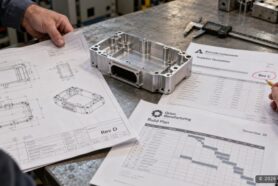
Every engineering team that does sheet metal work knows this task. Prepare a manufacturing package for the contractor or production floor. It needs the BOM, the part metadata, and the DXF files — all matched to each other, all reflecting the correct revision.
Doing this once takes time. Keeping it accurate across revisions takes discipline that most teams cannot sustain manually. Files drift. BOM rows get updated but the DXF folder does not. A contractor gets the right part number but the wrong file.
This is not a CAD problem. It is a data management problem. The design is correct. The connection between the design and the manufacturing deliverables breaks down.
How OpenBOM’s Sheet Metal Option Automates the BOM and DXF Workflow
OpenBOM’s Sheet Metal option for Autodesk Fusion addresses this directly by combining two things.
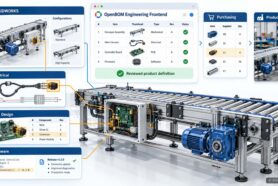
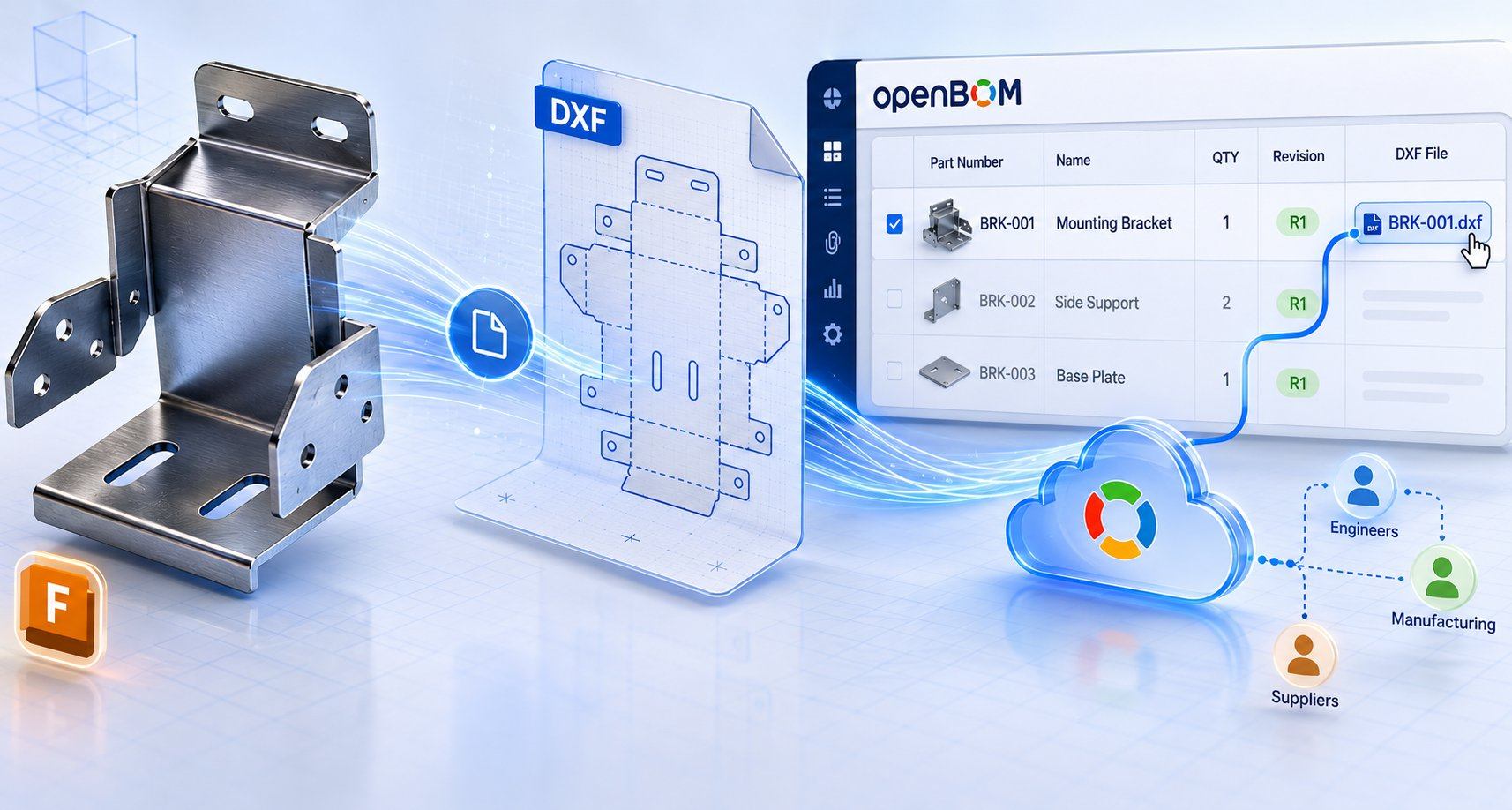
The first is OpenBOM’s integration with Autodesk Fusion. OpenBOM connects to Fusion design data and captures the BOM structure from the model. For sheet metal parts, it uses Fusion’s built-in flat pattern capability to generate DXF files as part of that process — not as a separate manual step, but as part of creating the BOM.
The second is OpenBOM’s cloud-native data platform. The generated DXF files are stored in OpenBOM and connected to the corresponding BOM items automatically. The result is a BOM where each sheet metal part carries its flat pattern file as an attached manufacturing deliverable — revision-tracked, cloud-stored, and accessible to anyone who needs it.
Engineers get a one-click path from Fusion model to complete manufacturing package. Procurement teams and contractors get access to the right files in a shared workspace, without having to ask for them or trust that an email attachment is current.
How It Works: From Fusion Sheet Metal Design to Manufacturing Package
The video below walks through the complete workflow with a real Fusion sheet metal assembly.
Here is what the workflow covers, step by step:
- Connect to an Autodesk Fusion sheet metal design. OpenBOM links directly to the Fusion model without requiring manual file export.
- Capture the BOM structure from the model. OpenBOM reads the design hierarchy and builds the BOM automatically, including part numbers and metadata.
- Generate DXF flat patterns for sheet metal parts. OpenBOM uses Fusion’s built-in flat pattern capability to produce DXF files for each sheet metal component.
- OpenBOM attaches each DXF file to the correct BOM item. Files are connected to their corresponding BOM rows automatically — no manual linking required.
- OpenBOM stores the complete package in a BOM collaborative workspace. The BOM and all associated DXF files are available in one place via the link, revision-tracked and accessible.
- Share the manufacturing package with your team, suppliers, or contractors. Anyone with access can view the BOM and download the correct files without requesting them separately.

The workflow takes a process that previously required multiple manual steps — export, rename, organize, attach, verify, share — and reduces it to a single action from within Fusion.
Beyond the One-Click Workflow
The practical value goes beyond saving time on individual exports.
Because the DXF files are stored in OpenBOM and connected to BOM items, they stay synchronized with the product structure. When a part changes, the engineer runs the process again and the new flat pattern replaces the old one in the correct place. There is no folder to update separately, no spreadsheet row to check, no contractor email to remember.
Because OpenBOM is cloud-native, the manufacturing package is available in a shared workspace. Procurement teams and suppliers can access what they need without being dependent on someone sending files. The BOM and the manufacturing files live in one place.
And because OpenBOM supports APIs, this workflow can be extended. Teams that want to trigger BOM creation and DXF generation automatically — as part of a release process or a PLM integration — have a path to do that without rebuilding the logic from scratch.
Conclusion
Preparing DXF flat patterns is a required step in sheet metal manufacturing, not an optional one. The engineering work is in Fusion. The manufacturing work depends on those files being correct, connected, and accessible.
OpenBOM’s Sheet Metal option for Fusion closes that gap. It connects the design environment to the manufacturing package and keeps them synchronized — without requiring engineers to manage the connection manually.
Watch the video to see how it works in practice.
Start your free OpenBOM trial and explore how the Sheet Metal option can fit into your Fusion workflow.
Frequently Asked Questions
What is a DXF flat pattern and why is it required for sheet metal manufacturing? A DXF flat pattern is the unfolded 2D geometry of a sheet metal part, saved as a DXF file. Fabricators need it to program CNC cutters, laser cutters, and nesting software. The 3D CAD model alone is not sufficient — manufacturing requires the flat pattern to know exactly what to cut from flat sheet stock.
How does OpenBOM generate DXF flat patterns from Autodesk Fusion? OpenBOM’s Sheet Metal option connects directly to Autodesk Fusion and uses Fusion’s built-in flat pattern capability to produce DXF files. The files are generated as part of the BOM creation process — not as a separate export step. Each DXF is automatically attached to its corresponding BOM item in OpenBOM.
Can OpenBOM keep DXF files synchronized with design revisions in Fusion? Yes. When a sheet metal part changes in Fusion, the engineer reruns the OpenBOM Sheet Metal workflow and the updated DXF flat pattern replaces the previous version in the correct BOM row. There is no need to manually track which files belong to which revision.
Who can access the manufacturing package once it is in OpenBOM? Anyone with access to the OpenBOM workspace — engineers, procurement teams, suppliers, or contractors — can view the BOM and download the associated DXF files directly. No file transfer or email attachment is required.
Does OpenBOM support API access for sheet metal BOM and DXF workflows? Yes. OpenBOM provides API access, which means the sheet metal BOM and DXF generation workflow can be integrated into larger automated processes — such as engineering release workflows or PLM system integrations — without rebuilding the underlying logic.
REGISTER FOR FREE to check out how OpenBOM can help?
Best, Oleg
Join our newsletter to receive a weekly portion of news, articles, and tips about OpenBOM and our community.