

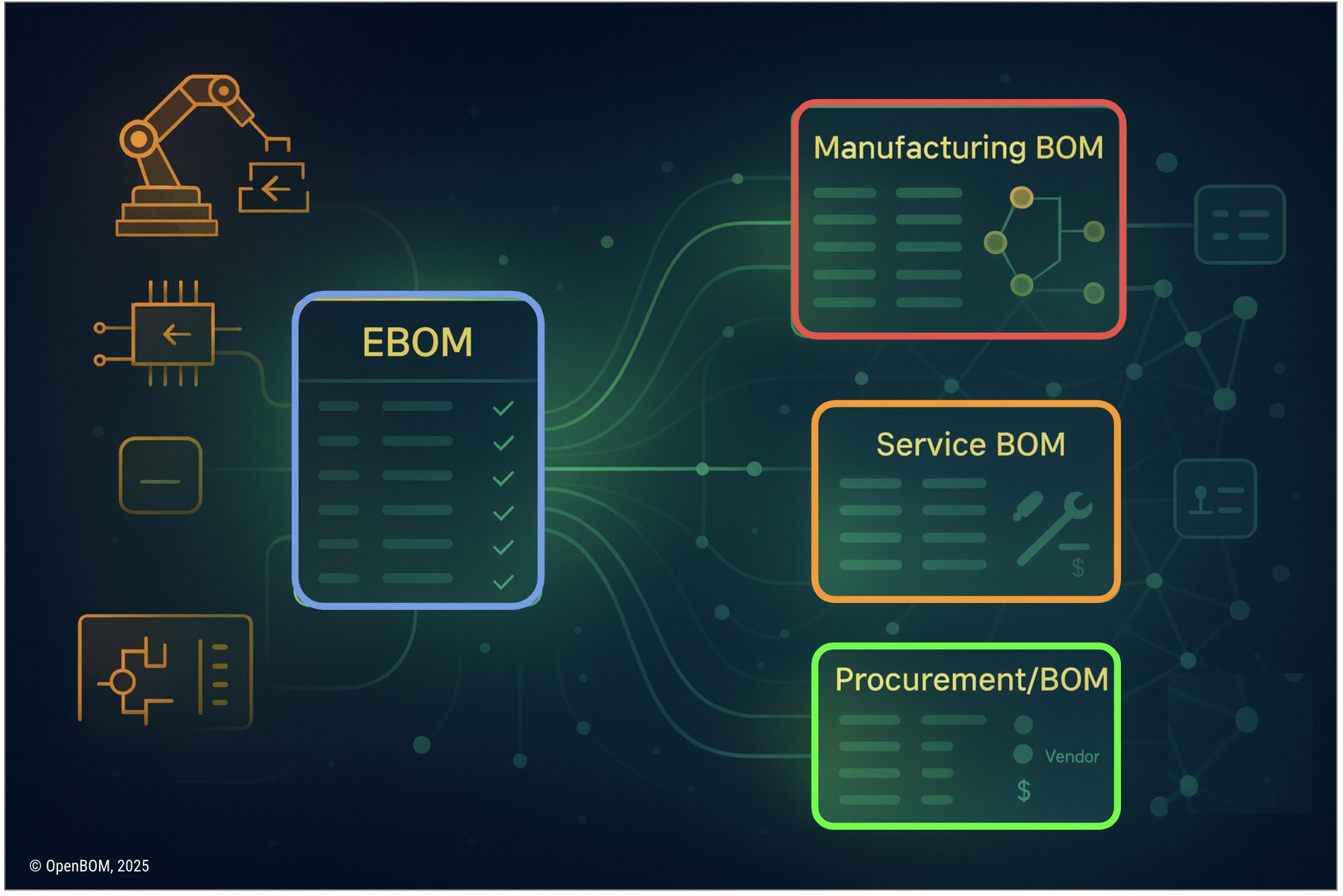
Digital thread is often described in vague and futuristic terms. Many companies imagine it as something that requires a large PLM program or a multi-year transformation. In reality, a digital thread can start with something very simple. In OpenBOM, it begins with a straightforward engineering BOM created from your CAD tools and then expands gradually as you link BOM structures, vendors, RFQs, POs, and other lifecycle elements. The building block is the object reference, a mechanism that allows any object in OpenBOM to be connected in a meaningful and traceable way. This article explains how these pieces come together to form a practical, working digital thread.
Introduction: The Digital Thread as a Practical Workflow
Digital thread is a phrase that appears everywhere in modern manufacturing. It is used in presentations, vendor roadmaps, and industry discussions. Often the definition varies depending on who you ask. Some view it as a single database that holds everything. Others imagine it as a set of integrations between enterprise systems. Many companies hear the term and assume it is too complicated or too abstract to apply to their environment.
My experience is very different. If you look closely at the work engineers, buyers, planners, and suppliers do every day, you can see the shape of a digital thread already. People export BOMs from CAD, add cost and vendor information, send RFQs to suppliers, generate purchase orders, and release revisions. These steps naturally form relationships. The problem is that they are scattered across many tools and emails, so the connections disappear.
What OpenBOM does is not create a new process. Instead, it captures the relationships that already exist in engineering and procurement workflows. By connecting EBOMs, MBOMs, vendor catalogs, RFQs, and POs using the xBOM model and object references, OpenBOM builds a digital thread incrementally. You do the same work you always do. The system makes the connections visible, searchable, and traceable.
This is why I describe OpenBOM’s approach as practical. The thread grows as you work, not as a separate project.
Starting Point: Generating the EBOM from Engineering Tools
Every digital thread begins with engineering data. If you cannot extract a clean and structured engineering BOM, nothing else will sit on top of it. That is why EBOM generation is the first and most important step.
OpenBOM connects directly to a broad set of design tools. Mechanical assemblies from tools such as SolidWorks, Autodesk Fusion, Onshape, Solid Edge, Inventor, and others can be exported with complete structure and properties. Electronic design tools such as Altium, OrCAD, and KiCad provide component lists, reference designators, and PCB information. Even software items or configuration modules can be represented as catalog items and linked into the structure.
The important point is that an EBOM in OpenBOM is not a spreadsheet. It is a structured object that captures hierarchy, item identity, properties, and references. This is the first consistent extraction of the product’s definition. Once this structure exists inside OpenBOM, it becomes the base of the digital thread.
Engineering is the source of truth. The EBOM is the first thread connection. Learn more about how to generate EBOMs from CAD systems using OpenBOM in this video.
Understanding the Structure: Views and Navigation
Once an EBOM is created, the next challenge is to understand the product structure. Different roles need different views, and at different times.
The single level view is the clearest way to begin. It shows only the direct children of an assembly. Engineers use this view to check immediate relationships, completeness, and correctness.
The multi-level view reveals the entire hierarchy. It is useful when you want to examine the nested structure, understand how parts are reused, or explore deep assemblies.
The flattened view removes the hierarchy and focuses on quantities. Manufacturing planners and procurement teams rely on this to summarize how many bolts, electronic components, or purchased parts are required. Flattened views also support cost analysis and readiness checks.
Finally, OpenBOM provides graph navigation. This is a more dynamic way to inspect relationships. Instead of reading a table, you can visually move through the product graph. You can see where a part is used, view its connections to subassemblies and catalogs, and understand how everything fits together. Engineers often describe this as the first time they have truly seen their product as a network rather than a list.
All of these views are different lenses on the same underlying data. This makes the EBOM an active part of the digital thread, not a static report.
Learn more about OpenBOM in our YouTube “How to…” channel where we share best practices and guide you how to use the product.
Creating Multiple BOM Types Using the xBOM Model
Engineering BOMs rarely match what manufacturing needs. Procurement needs different data. Service teams need their own structure. Sales operations need configuration-level information.
In traditional tools, each of these views becomes a separate spreadsheet or a separate copy of data. This leads to inconsistencies because updates must be synchronized manually.
OpenBOM’s xBOM model solves this by treating all BOM types as views of the same product graph. You can create a manufacturing BOM by reorganizing the EBOM according to operations or assembly sequences. You can create a procurement BOM by filtering or grouping items by vendor, cost, or purchased status. You can create a service BOM by selecting only items that require maintenance or replacement. You can create a sales BOM based on configuration choices or sold variants.
None of these BOM types require duplication. They are alternative representations of the same underlying objects. In this way, the product model expands naturally without disconnecting data.
This is the beginning of a multi-view digital thread. Learn more about how to use xBOM in the following video demo.
Object References: The Linking Mechanism
The object reference is the central mechanism that allows OpenBOM to connect every piece of product information. Almost anything inside OpenBOM can be an object. An item in a catalog is an object. A BOM is an object. A vendor catalog entry is an object. An RFQ or PO is an object. A revision record is an object. A drawing is an object. Any of these can be linked to one another.
These references are not attachments or comments. They are structured connections stored in the product graph. Each reference has a direction and a meaning. This allows OpenBOM to understand not only that two things are connected but how they are connected. The system can tell whether a vendor is linked as a primary supplier, a secondary supplier, or an alternate. It knows whether a BOM is linked as an engineering view or a manufacturing view.
As you work, these references accumulate. They do not require special configuration or dedicated integration projects. They form relationships naturally as part of engineering and procurement activity. Over time, they become what I call product memory. The product begins to remember how each part fits, how it was sourced, which revision was used, and what decisions were tied to it.
This is one of the most powerful ideas in OpenBOM. Product memory emerges from linking objects as you work.
Connecting EBOM to MBOM to Vendors to RFQs to POs
A practical digital thread follows the lifecycle of the product. It does not jump from engineering to manufacturing in a single leap. It moves through steps that reflect actual work.
The EBOM is created in design tools and exported into OpenBOM. Engineers adjust properties and verify structure. They may split subassemblies or reorganize levels. Manufacturing then creates an MBOM by grouping items according to production steps or outsourcing decisions. Vendors are assigned in catalogs and linked to items. Procurement generates RFQs directly from filtered or flattened BOMs. When a supplier responds, the purchasing team can compare the quotes and turn accepted quotes into purchase orders directly in OpenBOM.
Each of these steps adds new nodes and new connections to the product graph. The EBOM is linked to the MBOM. The MBOM is linked to supplier items. Supplier items are linked to RFQs. RFQs are linked to POs. Service BOMs link back to the MBOM and EBOM. None of these require data movement or duplication. They are relationships between objects in the same network.
This is the practical thread, and it follows the real sequence of work.
How Product Memory Grows Naturally
One of the most interesting outcomes of using object references is that the digital thread grows without explicit effort. Teams do not need to plan a digital thread project. They simply use OpenBOM in their daily workflows.
As engineers create revisions, the system links old and new versions. As designers assign vendors, new relationships form. When buyers request quotes, the RFQs link to specific items and specific BOMs. When POs are created, the product graph gains another layer of lifecycle context. When service creates maintenance structures, those views connect back to manufacturing and engineering.
In each case, someone is not building a digital thread. They are doing their normal job. The thread forms by capturing these actions.
This is why the concept of product memory is so important. It describes the accumulation of linked data over time, creating a multidimensional view of the product. This view is not built artificially. It is the byproduct of connected work.
Traceability as a Built-in Outcome
Traceability is usually presented as something that must be enforced through rigid workflows and strict documentation. In practice, traceability is much more useful when it emerges automatically from connected data.
OpenBOM’s graph structure makes this possible. If a part changes, the system can show every BOM where it is used. If a vendor becomes unavailable, users can see which assemblies depend on supplies from that vendor. If cost increases for a purchased item, the impact can be traced across all connected structures. If a service incident occurs, maintenance teams can follow links from the service BOM back to the original engineering definition.
This is possible because objects are not isolated. Their relationships are stored, tracked, and navigable. Traceability is no longer a special process. It is an inherent property of the digital thread.
Learn more about OpenBOM Product Memory concept in this article.
Conclusion:
A digital thread does not need to be a major initiative or a complicated program. It can grow naturally from everyday engineering and procurement processes. OpenBOM provides the building blocks: EBOMs from design tools, multiple BOM types through the xBOM model, catalogs, vendors, RFQs, POs, revisions, and object references.
When these pieces are connected, the result is a product graph that reflects the real lifecycle. The thread is not a diagram. It is the structure of the product itself.
Day 25 shows how this thread begins and how it grows. In the next article, we will move into the next logical area: how RFQs, ordering, and procurement accelerate product launch and how OpenBOM links engineering to supply chain decisions.
REGISTER FOR FREE and check how OpenBOM can help.
Best, Oleg
Join our newsletter to receive a weekly portion of news, articles, and tips about OpenBOM and our community.








