Do you remember when we paid extra for international and long-distance calls? That model eventually disappeared because technology changed. Pricing shifted from distance and minutes to something more aligned with how people actually communicate.
Engineering software is going through a similar shift.
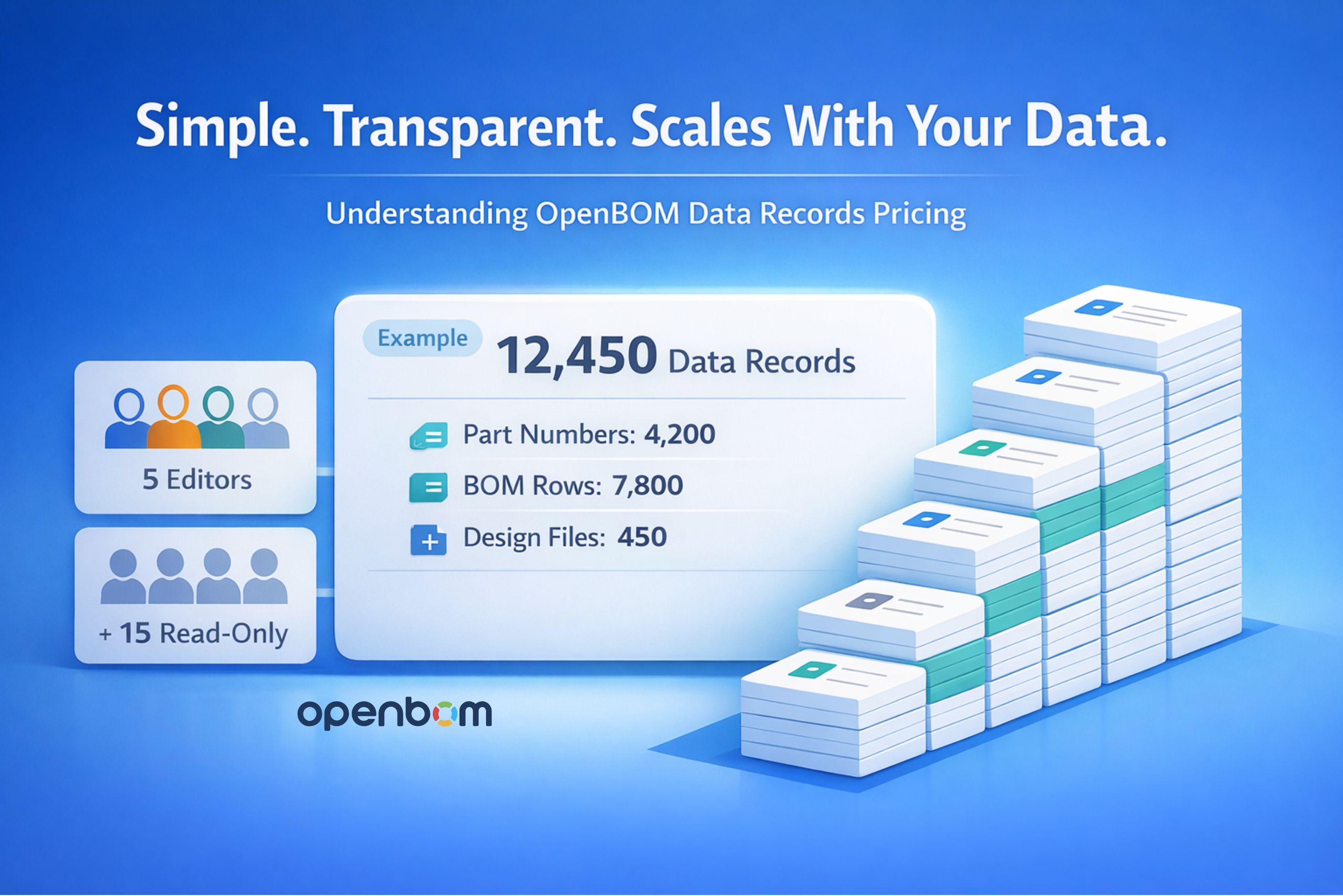
In 2026, OpenBOM transformed its pricing model — moving the focus from seats to Data Records. We believe the real long-term asset is structured product data, not the number of people logging in. With our 2026 pricing update, we made a strategic shift — moving the focus from charging primarily for seats to charging based on Data Records.
In this article, I’ll explain how Data Records are calculated and how the new model works.
We believe that, strategically, data is the primary asset of the future — not the number of people who access it. Engineering organizations grow through product knowledge, structured information, and digital continuity. That growth is reflected in data, not just in headcount.
As part of this shift, we:
- Switched to charging based on Data Records
- Made read-only users free
- Significantly reduced the price of editing seats
We understand that pricing changes can raise questions. That is why we prepared this article — to clearly explain how Data Records are calculated and how the model works in practice.
As engineering organizations grow, their product data grows with them — more parts, more BOMs, more revisions, more files.
Traditional pricing models that charge only per user often fail to reflect how modern engineering systems are actually used. In many companies, a relatively small number of engineers manage a continuously expanding product dataset.
That is why OpenBOM introduced a Data Records pricing model.
In this article, I will clearly explain:
- What a Data Record is
- How it is calculated
- What counts — and what does not
- How it works together with role (seat) pricing
- How you can monitor it in your account
For full pricing details, visit:
👉 https://www.openbom.com/pricing
What Is a Data Record?
A Data Record is a structured object stored in OpenBOM.
There are three primary categories of records that count toward your total:
- Part Numbers (Items)
- BOM records (rows in BOMs)
- Design Project file records (PDM)
The key principle is simple:
A record represents a structured data object — not a quantity.
For example:
If your BOM contains a screw with Part Number PN-123 and Quantity = 5, that is one BOM record, not five.
Quantity is a property of the record. It does not multiply the number of records.
Part Numbers (Catalog Records)
Part Numbers represent the unique items you manage in OpenBOM.Every unique part number created across all Catalogs counts as one Data Record. It does not matter how many times the part appears in BOMs — the item itself is counted once in the Catalog layer.
The system totals all catalogs.
- Multiple part number revisions are counted as a single record (Part Number 123 with 5 revisions is still one record).
- Adding more properties to an item does not increase the record count.
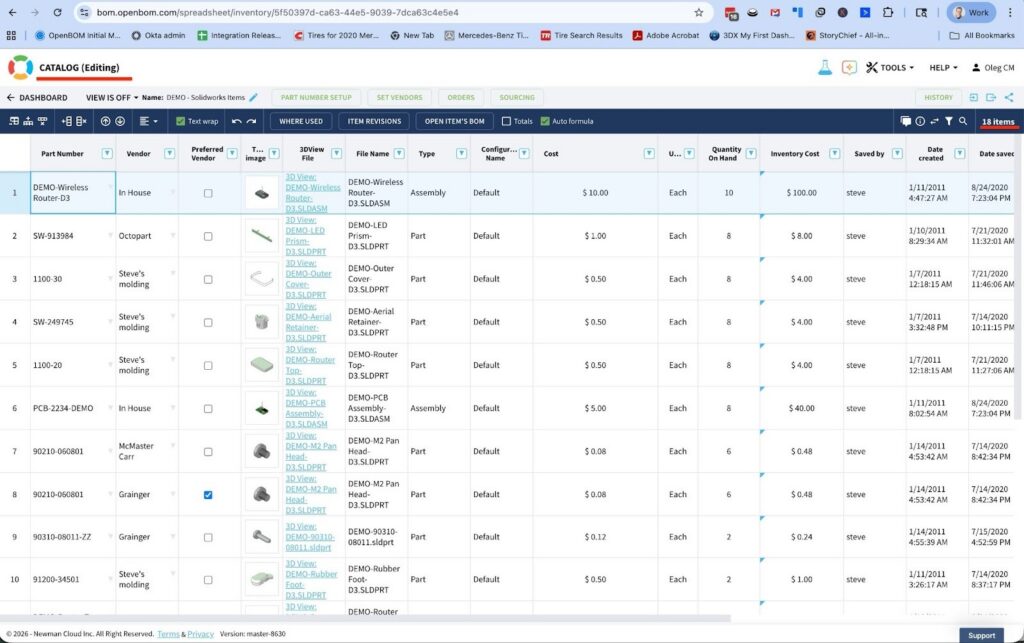
This keeps the model simple and predictable. You are charged for unique items — not for metadata complexity or revision depth.
BOM Records
Every row in every BOM counts as one Data Record.This includes:
- Single-level BOMs
- Multi-level BOMs
- All rows across all BOM structures
In a multi-level BOM, every visible row represents one record.
Important clarification. If a BOM contains:
- PN-123
- Quantity = 5
That is still one BOM record.
If the same part appears in a different BOM, that is another BOM record — because it represents a different parent-child relationship.
Why? Because a BOM row is not just an item — it represents a structured relationship between a parent and a component. That relationship is a separate data object and therefore a separate record.

This distinction is important: BOM records represent structure, not part inventory.
Design Project (PDM) Records
If you use OpenBOM Design Projects (PDM functionality), file records are also included in Data Records. Each unique file managed inside Design Projects counts as one Data Record. This includes:
- Assemblies
- Parts
- Documents
- Other CAD files
If a file is reused in multiple assemblies, it is still counted once as a unique file record. The system aggregates file records across all projects in your account.
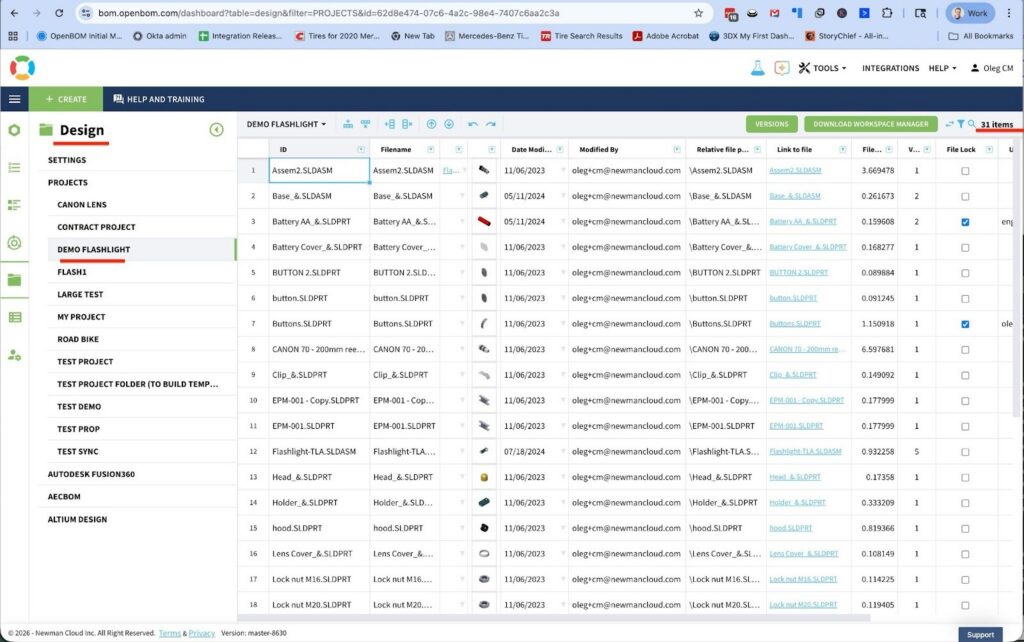
This ensures that your PDM usage is reflected in the same structured data model.
How OpenBOM Calculates Data Records
The OpenBOM system continuously calculates:
- Total unique part numbers
- Total BOM records
- Total Design Project file records
These totals are aggregated automatically across your entire account.
You do not need to manually calculate anything.
The number of records is continuously updated and presented in your billing system report. As your product data grows, your record count reflects that growth in real time.
This approach ensures transparency and predictability.
How Data Records Work Together With Role Pricing
OpenBOM pricing combines two dimensions:
- Role-based pricing (editing seats)
- Data Records pricing
These serve different purposes.
Role pricing reflects:
- Who can edit and manage data
- Collaboration and workflow capabilities
- Operational access
Data Records pricing reflects:
- The size of your structured product dataset
- The amount of managed engineering information
For example, a company may have:
- 5 editing engineers
- 15 read-only stakeholders
- 30,000 Data Records
In this case:
- You pay for editing seats
- You pay for the Data Records tier that matches your dataset
- Read-only users do not increase Data Record counts
Integrations (CAD, ERP, API) operate on the same data foundation. They do not multiply records unless new structured data objects are created.
This keeps pricing aligned with actual data growth — not with system access volume.
Ordering and Transparent Scaling
OpenBOM now provides an integrated online ordering system. You can:
- Review your plan
- Monitor Data Record usage
- Upgrade tiers
- Purchase online
This makes scaling straightforward and predictable as your product data expands.
Conclusion: Predictable and Efficient Pricing Model for an Entire Organization
OpenBOM Data Records pricing is built on a simple principle: You pay based on the structured product data you manage and not just on the number of users (although edit users still have a license, the price has been decreased significantly at this stage).
Data Records include:
- Unique Part Numbers across all catalogs
- BOM rows across all BOMs
- Unique file records in Design Projects
The system continuously calculates and reports your totals, providing full visibility into your usage.
To explore detailed pricing tiers and examples, visit – OpenBOM Pricing online.
If you have any questions, please contact OpenBOM support.
Best, Oleg
Frequently Asked Questions (FAQ)
Q1: What exactly counts as a Data Record?
A Data Record is a structured object stored in OpenBOM. It includes:
- Unique Part Numbers across all catalogs
- BOM rows across all BOMs
- Unique file records in Design Projects (PDM)
Each structured object counts once. Quantity fields do not multiply record counts.
Q2: If a part appears in multiple BOMs, is it counted multiple times?
Yes — but in different ways.
- The Part Number itself is counted once in the Catalog layer.
- Each BOM row where that part appears counts as a separate BOM record because it represents a different parent-child relationship.
This reflects the structure of your product, not inventory quantity.
Q3: Do part revisions increase Data Records?
No.
Multiple revisions of the same Part Number are counted as a single record.
For example:
Part Number 123 with five revisions is still one Catalog record.
Q4: Does changing properties or adding custom fields increase record count?
No.
Adding properties, classifications, or custom fields does not increase the number of Data Records. You are not charged for metadata complexity.
Q5: If quantity changes from 1 to 100, does that increase records?
No.
Quantity is a property of a BOM record. Whether the quantity is 1 or 100, it remains one BOM record.
Q6: Do read-only users increase Data Records?
No.
Read-only users are free and do not impact your Data Record count. The pricing model separates access from data volume.
Q7: Do integrations (CAD, ERP, API) increase record count?
Integrations do not automatically increase record counts.
However, if an integration creates new structured data objects (new part numbers, new BOM rows, new files), those new objects will count as Data Records — just like if they were created manually.
Note: CAD integrations (Eg. SolidWorks, Onshape, Fusion, etc) come with the price per user per integration. Only users that use the integrations pay for them (not all users). ERP integrations are priced per integration per company (eg. NetSuite, Odoo, etc)
Q8: How can I monitor my Data Record usage?
OpenBOM continuously calculates:
- Total unique part numbers
- Total BOM records
- Total Design Project file records
Your current usage is visible in the billing system report and updates automatically as your data grows.
There is no need for manual tracking.
Q9: What happens if I exceed my Data Record tier?
If your Data Records grow beyond your current tier, you can upgrade to the next tier through the online ordering system. This allows your system to scale predictably with your product growth.
Q10: Why did OpenBOM move to Data Records pricing?
Because we believe data — not user count — is the real long-term asset in engineering organizations.
Modern teams often:
- Have few editors
- Share data widely
- Grow product complexity faster than headcount
Our pricing model reflects that reality and supports scalable collaboration.
Join our newsletter to receive a weekly portion of news, articles, and tips about OpenBOM and our community.