The modern product development environment creates many challenges for product development and manufacturing teams. Increased competition, supply chain conditions, global customers, and competition are just a few of the challenges faced by manufacturing teams. At OpenBOM we work with manufacturers, contractors, and suppliers helping them to organize data and product development processes to sustain these challenging conditions of the new manufacturing environment.
System Model and Product Development Trends
There are two major trends in product development these days – (1) increased complexity of products and (2) Digital transformation. Both trends create many challenges in front of the manufacturing companies engineers and product organizations. So how do you manage the complexity and shift away from traditional document-oriented workflows? These are questions that I’m hearing a lot from our customers these days. Traditionally, organizations were very much focused on CAD file structures as a basic data representation of everything they do. This is especially true for smaller organizations and companies. The new trend in product development is to switch from document representation to system models capable to represent a diverse and comprehensive information model about products and related information. Check out more about these trends in the recent Martin Eigner book – System Lifecycle Management.

OpenBOM Data Management Enhancements
In the last release OpenBOM made multiple enhancements allowing for the creation of flexible and complex data models for multi-disciplinary products, revisions, and file representations. Check out some of our articles and documentation.
- OpenBOM – what’s new in September 2021 release
- Using OpenBOM storage to manage CAD data revisions
- Moving from BOM to Bill of Information
- Software BOM and Data Traceability
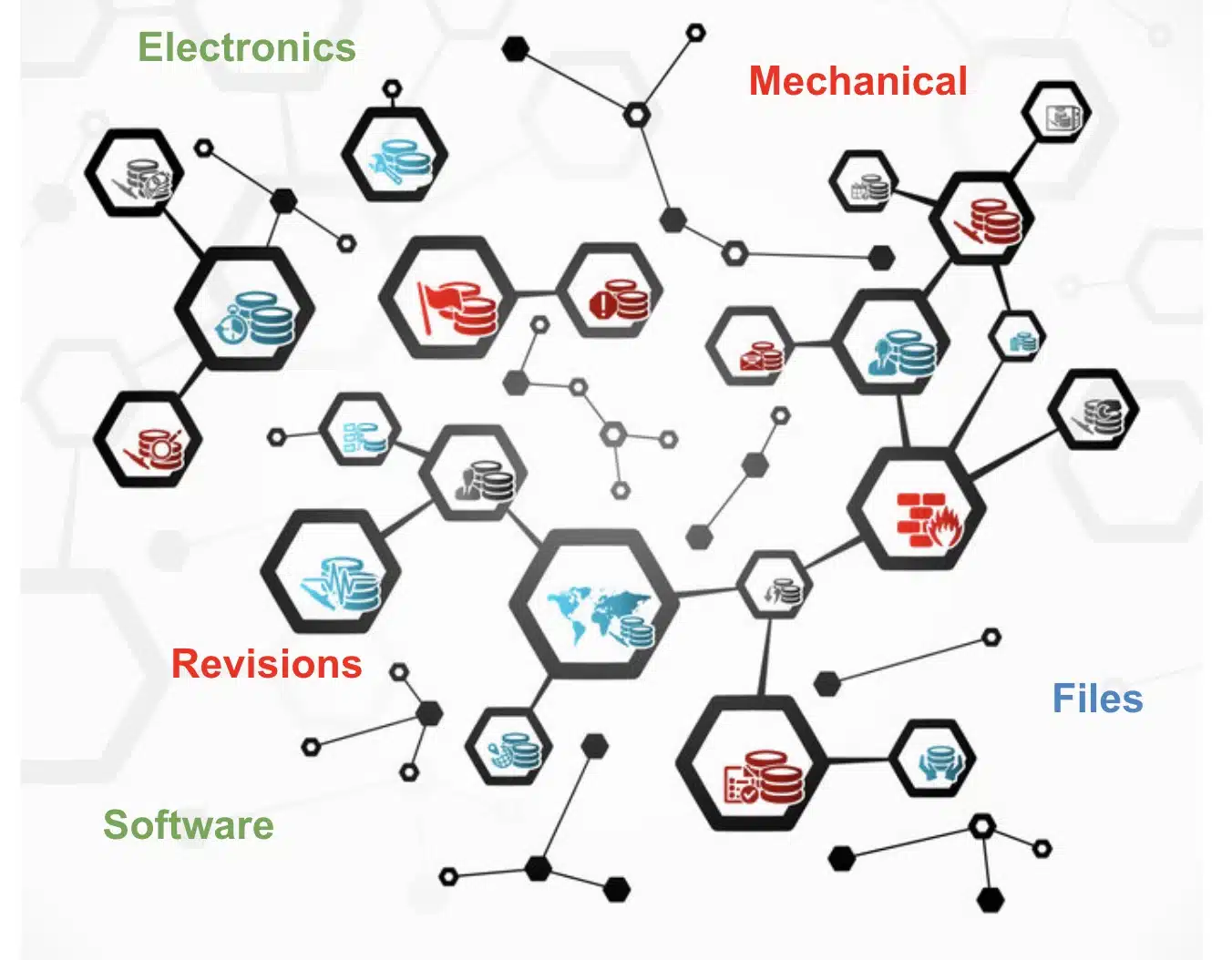
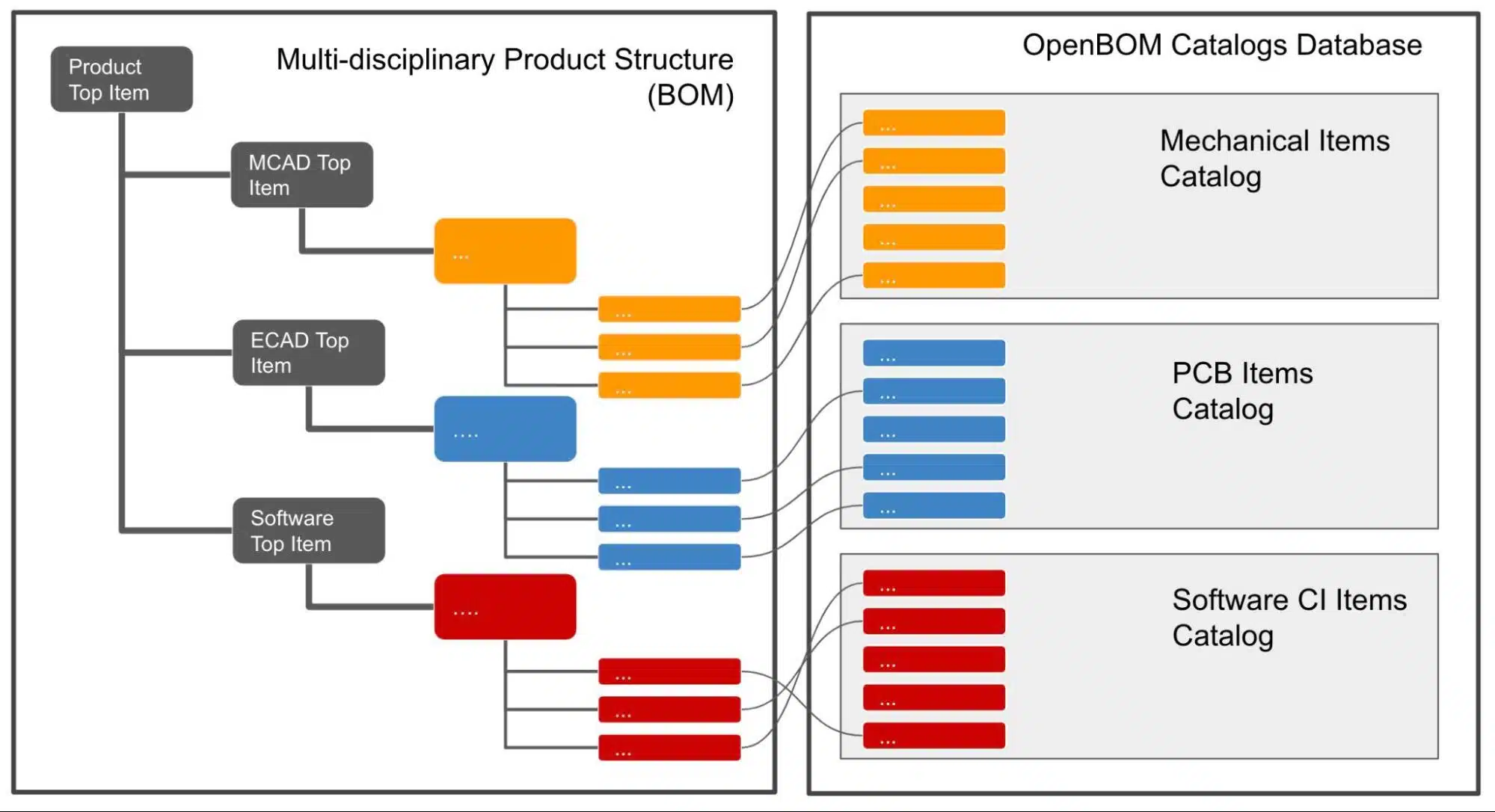
OpenBOM provides a comprehensive and flexible data model that allows you to create an independent product information representation covering multiple aspects of products structure including specific discipline-oriented BOM structures – mechanical, electronics, software. A very flexible data modeling and on-demand product structure management system allows you to create an infinite structure covering specific design disciplines and building relationships between pieces of information defined in the catalogs items and different BOMs.
Data Model and Multi-Disciplinary Data
OpenBOM Flexible Data Model is a foundation of product data representation in OpenBOM. The diagram below illustrates key elements of OpenBOM product structure modeling and access control.

The following picture gives you an idea of how OpenBOM allows organizing complex structures of information. The blocks of information allow you to organize specific design disciplines and have a comprehensive representation of data connected by semantic relationships.Design To OpenBOM Data Transformation
The top-level structure view is very important, but the details of each discipline data transformation are not less important. OpenBOM allows you to continue using all conventional CAD design tools and create a flexible and seamless data structure transformation from CAD file structure to OpenBOM digital model representation.
The following image shows a granular representation of how OpenBOM saves individual CAD files (eg. Solidworks Parts) and turns them into catalog items including storage of CAD files and also all derivative formats (eg. STEP, PDF, DXF, DWG, etc.).

Check out the following videos, which will give you an idea of how OpenBOM can seamlessly save the data from the CAD system and turn it into fully independent product representation, which is in full sync with CAD data.
Conclusion
Product complexity and demand for the connected digital environment creates the need to move from document-oriented workflows to digitally connected systems representing full information model about products, their systems, components, functions and to connect this information to multi-disciplinary design data sets.
OpenBOM gives you support in both functions – allows you to create a comprehensive system structure and also allows you to create a derivative model from CAD System to represent a specific design (mechanical, electronics, etc.) and transform and store files in both CAD formats as well as derivative vendor-neutral representations.
Check out what OpenBOM can do for you today – REGISTER FOR FREE and start your 14-day trial to explore what you can do with OpenBOM.
Best, Oleg
Join our newsletter to receive a weekly portion of news, articles, and tips about OpenBOM and our community.