Most engineering teams do not start with a product data problem. They start with a design problem. They need to model parts, build assemblies, generate drawings, and ship products. SOLIDWORKS handles that work exceptionally well. It was built for exactly that job.
The problem appears later, and it rarely announces itself clearly.
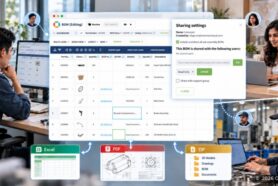
Someone exports a BOM to Excel so procurement can work with it. Someone else packages a ZIP file of drawings and STEP files to send to a contract manufacturer. Procurement modifies the spreadsheet to add vendor data. Manufacturing asks which revision is up to date. A supplier quotes from a drawing that engineering updated two weeks ago. Eventually, nobody is entirely sure whether the CAD file, the spreadsheet, the drawing package, or the ERP item represents the real product record. Each team is working from the version that reached them last.
This is not a SOLIDWORKS problem. It is not even a process failure in the usual sense. It is what happens when a company grows to the point where product data must be used by people outside the design team, but the infrastructure for sharing that data was never formally built. It accumulated instead, one workaround at a time.
When SOLIDWORKS Files and Engineering Workflows Are Two Different Things
SolidWorks is a MCAD tool. It captures geometry, assemblies, configurations, simulations, and drawings with a level of fidelity that few tools can match. But a design tool was never meant to carry the full product record for the business.
Product data — the complete, connected record of what the product is — includes more than geometry. It includes BOMs, part properties, revision history, supplier data, costs, derivative files, change rationale, and the relationships between all of these things across time. That is the information procurement, manufacturing, suppliers, and operations need after design moves forward. And it is the information that CAD files, shared drives, and spreadsheets can approximate for a while, but cannot sustain as the product and the company grow more complex.
The transition happens gradually. Engineering teams rarely decide to outgrow their file-based process. It happens because the product gets more complex, more people depend on engineering data, and the manual coordination work that filled the gaps starts to cost more than it should. Outgrowing spreadsheets and shared drives is not a sign that the team did something wrong. It is usually a sign that the company is growing.
Where Does Your Product Data Actually Live?
This is a question worth asking directly. In most manufacturing companies, the honest answer looks something like this: partially in SOLIDWORKS files, partially in a PDM vault, partially in Excel BOMs, partially in ERP line items, partially in supplier folders, some in the email and slack threads, and partially in the human memory of senior engineers who have been around long enough to know what to do and how to process all these files.
That fragmentation is not unusual. It is the default state for companies that built their product data practices incrementally as the business grew. The problem is that fragmentation has a compounding cost. Every handoff between teams becomes a reconciliation exercise. Every supplier question requires someone to find, verify, and package the right files manually. Every change requires manual tracking to understand what else it affects. Every cost rollup requires someone to rebuild formulas from a stale export.
The question is not whether this is happening. For most teams past a certain size and product complexity, it is. The question is how much it is costing in time, errors, and release risk.
The 8-Point SolidWorks Product Data Checklist
The following eight questions identify where disconnected product data creates the most friction in SOLIDWORKS related workflows. They are organized around three areas: product data consistency, release and change control, and operational readiness. Answer them honestly and the picture becomes clear quickly.
Product Data Consistency
Point 1: Can everyone see the same current BOM without asking engineering for a fresh export?
If procurement, suppliers, and operations are working from snapshots, every handoff increases the chance that someone buys, builds, or quotes from stale data. A connected product record means the BOM is live — not a point-in-time document that starts drifting the moment it leaves CAD. This is the most common first symptom teams report, and it compounds quickly as the supplier base grows.
Point 2: Are part numbers, descriptions, and custom properties consistent across CAD, BOM, and shared data?
When these fields drift — and they drift easily when maintained separately in SolidWorks, in a spreadsheet, and in ERP — nobody fully trusts the record. Teams end up cleaning data repeatedly instead of reusing it. That is expensive and error-prone, and it compounds across every downstream team that touches the same parts. Property consistency is the foundation that every other downstream process depends on.
Point 3: Are CAD files stored on shared drives or local folders without revision visibility or version management?
Folders feel like a reasonable solution until the team grows. At that point, shared drives create version confusion rather than control. The wrong person edits the wrong file. The wrong revision gets released. The history of what changed and when becomes difficult to reconstruct. Shared drive file management is not a version control strategy — it is a delay on the moment when something goes wrong.
Release and Change Control
Point 4: Can buyers, suppliers, and manufacturing partners get the right files and derivatives directly from the BOM context?
Without this, teams end up assembling drawings, PDFs, STEP files, and DXF outputs by hand at the worst possible moment — right before release or right before an order needs to go out. Manual packaging is one of the most consistent time drains in SolidWorks engineering workflows. When files are linked to BOM items, the package assembles itself and the right version goes to the right partner without engineering becoming the bottleneck.
Point 5: When a part changes, can you quickly see where it is used and what release or order will be affected?
Without this visibility, change management becomes a memory test. Engineers know something moved, but the downstream impact — across assemblies, suppliers, open orders, and parallel revisions — is slow and painful to reconstruct. Where-used queries and graph navigation across connected product data answer that question in seconds rather than hours. This is where release risk accumulates fastest, and where disconnected data causes the most expensive mistakes.
Operational Readiness
Point 6: Can you roll up cost, quantity, and mass without fragile spreadsheet formulas?
If not, every design review turns into a manual reconciliation exercise. Simple questions — what does this component change do to total product cost, or what is the total mass of this assembly variant — take far longer to answer than they should. Single- and multi-level rollups on connected product data make those answers immediate and reliable, and they stay current as the design evolves rather than requiring a rebuild after every export.
Point 7: Can procurement turn your engineering BOM into ordering work without retyping or restructuring the data?
If the downstream process starts over from scratch after engineering is done, the workflow is slow, error-prone, and hard to audit. The engineering BOM and the order BOM should share the same data foundation, with vendor lists, quantities on hand, and supplier context already attached to the items engineering has already defined. Every time procurement rewrites what engineering already knows, the process is paying twice for the same data.
Point 8: Is your product data structured enough to support products that combine mechanical design, electronics, and software?
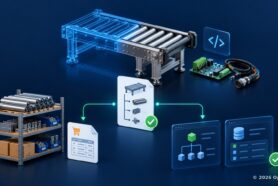
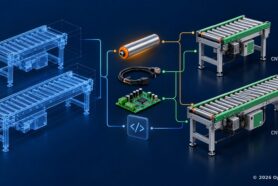
As products become more interconnected across disciplines, a product record that lives primarily in CAD files becomes a bottleneck. Mechanical, electrical, and software data need to be part of the same traceable structure — not maintained in separate tools with no formal relationship between them. This is also the question that determines whether the product data will be usable for search, analytics, and AI-assisted engineering workflows going forward. Structured, connected data enables those capabilities. Fragmented files do not.
What PDM and PLM Were Never Designed to Capture
Even if you deployed a PDM system, you’re not done. There is a category of product knowledge and information that falls outside every traditional PDM and PLM system — not because vendors forgot to build it, but because the design assumption excluded it from the start.
PDM manages files. PLM manages formal records: released revisions, approved documents, structured change orders, and the artifacts that pass through a defined workflow. Both systems are built around the idea that product data is what engineers deliberately save and formally approve. That is a reasonable assumption for a document-control system. This is where we come to the next level – we call it product memory.
Consider what actually happens during a product development cycle. An engineer notices a tolerance issue and flags it in a comment. A supplier raises a concern about component lead time that causes a last-minute substitution. A task gets created to evaluate an alternate vendor. A decision gets made in a meeting that changes a key parameter, with the rationale buried in a Slack thread that nobody will find six months later. A revision gets saved, but the intermediate states that preceded it — and the specific reasons each one was rejected — are gone.
Traditional systems capture the outcome. Product memory captures the path.
This matters more than it might initially seem. When a similar design question comes up eighteen months later, the formal record tells the team what was decided. It does not tell them why, what alternatives were considered, what constraints drove the choice, or what tradeoffs were accepted. That context lives in email threads, Slack channels, meeting notes, and the institutional knowledge of whoever was in the room. When those people leave or the threads get archived, the context disappears with them.
Product memory needs to hold more than revised files and released BOMs. It needs to capture comments tied to specific BOM items and components, tasks and decisions linked to the parts and assemblies they affect, the full change trail including intermediate states not formally saved as revisions, and the supplier and procurement context that influenced engineering choices. This is not PDM extended with a comments field. It is a different scope of what counts as product data — one that treats the history of how decisions were made as part of the product record, not as informal noise happening outside the system.
The gap this creates is visible in how teams actually work today. Engineering decisions live in SolidWorks. File history lives in PDM. BOMs live in spreadsheets. Supplier conversations live in email. Tasks live in Jira or a shared doc. Change rationale lives in Slack or in nobody’s memory. Each of these is a fragment of product knowledge. None of them, alone or assembled manually, constitutes a product memory.
PDM/PLM vs. Product Memory: Addressing the Objections
Are you ready to think about Product Memory? Two objections come up reliably in this conversation.
The first is: “We already have SolidWorks PDM.” PDM is the right tool for file control — check-in, check-out, revision history at the file level, access permissions. That problem is real and PDM solves it well. But file control and product memory are not the same scope. PDM manages what engineers formally save. Product memory includes the full trail of what changed, why it changed, who raised a concern, what was decided as a result, and what supplier or procurement context surrounded that decision. Those layers sit above file control, and they are where most of the institutional knowledge actually lives. PDM and product memory are complementary, not competing.
The second objection is that product memory is simply PLM with a different name. That is worth addressing directly. PLM systems manage formal processes: structured change orders, approval workflows, document release cycles. That formality is appropriate for regulated industries and large enterprises with complex compliance requirements. But it also means PLM draws a hard boundary around what counts as managed data. Anything that does not pass through a formal workflow — comments, tasks, intermediate states, supplier conversations, decision rationale — falls outside the system by design. Product memory does not draw that boundary in the same place.
PLM tells you what was approved. Product memory tells you what was learned.
If you grew up with the idea of Single Source of Truth (SSOT) in mind, you’re not wrong. Product Memory doesn’t replace that level, but adds the next one. Check this article – PLM Single Source of Truth: Why It Was Never the Final Answer (And What Comes Next).
Start With the 8-Point Checklist
The checklist linked below is designed as a self-assessment, not a sales pitch. It is built specifically for SolidWorks teams in the middle ground: past spreadsheets and shared drives, but not ready or willing to begin with a heavyweight PLM rollout. It takes about ten minutes to work through and maps each question directly to the capabilities that close that specific gap.
I am curious where this friction appears first in your company. Is it BOM exports that drift? Part numbers losing consistency? Supplier packages assembled by hand at the last moment? Revision confusion at release? Procurement asking engineering to reformat data that already exists?
The answer tends to vary by team size and product complexity. I would be interested to hear where it starts for you.
Download an 8-point checklist for engineering teams that have outgrown spreadsheets, shared drives, and disconnected product data
REGISTER FOR FREE to check how OpenBOM can help.
Best, Oleg
Join our newsletter to receive a weekly portion of news, articles, and tips about OpenBOM and our community.