In today’s fast-evolving business landscape, the importance of serialization is growing. Companies are increasingly shifting from a traditional model of manufacturing and selling products to a more service-oriented approach, where products are rented or leased. This shift necessitates a robust system for managing Serial Numbers (S/N) and Maintenance Bills of Materials (BOMs), as it ensures precise tracking, maintenance, and overall management of these products over their lifecycle.
Why Serialization is Getting More Important
Recently, we have seen an increased interest in managing “as-maintained” information by manufacturing companies. Maintenance is becoming critical and important for several reasons:
- Enhanced Maintenance Management: As products are rented out, companies need to ensure they can track each individual unit for maintenance purposes.
- Improved Traceability: Serialization allows for detailed tracking of each product, ensuring that any issues can be traced back to their source.
- Service and Rental Business Models: With the rise of service-based business models, managing the lifecycle of each product unit becomes essential for efficiency and customer satisfaction.
Managing Serialization in OpenBOM
Previously, I have discussed various methods to manage serialization within OpenBOM. Check some of the articles here. For those interested, I recommend checking out those articles for a deeper understanding of these links.
Maintenance Model and Manufacturing Services Business Model
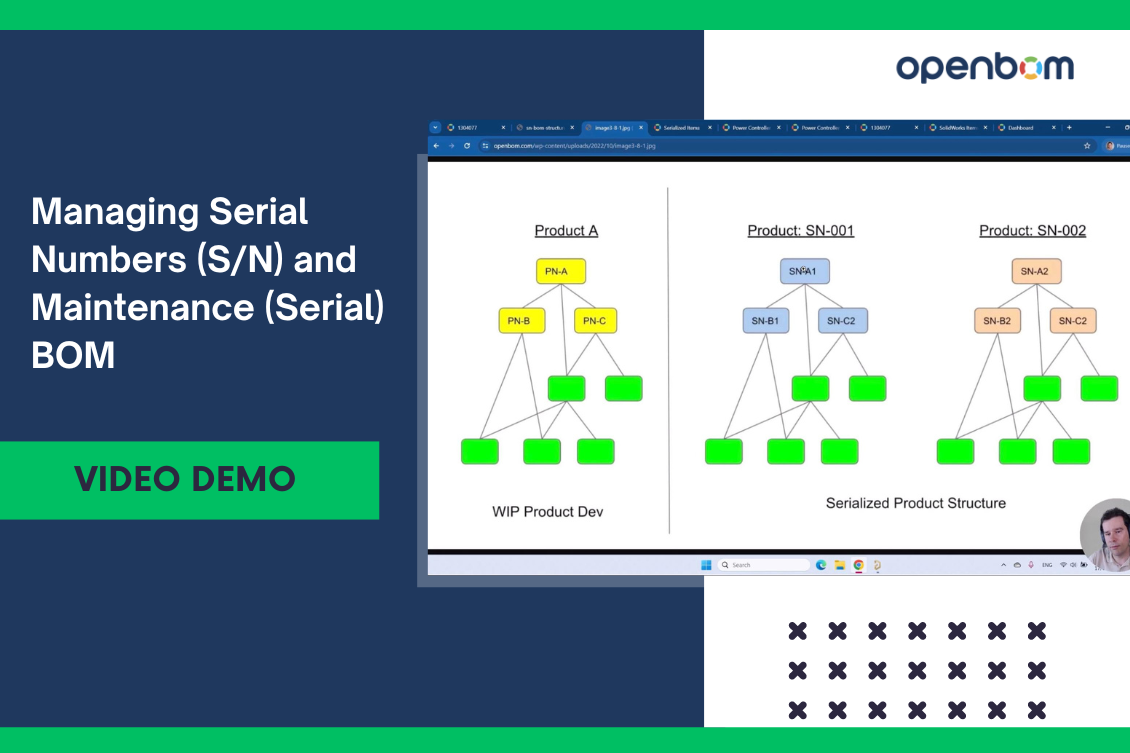
Managing BOMs with Serial Numbers
How to manage catalogs with Serial Numbers
Today, I want to highlight how OpenBOM’s data management architecture can assist in managing serial numbers and serialized BOMs.
Key Technical Capabilities
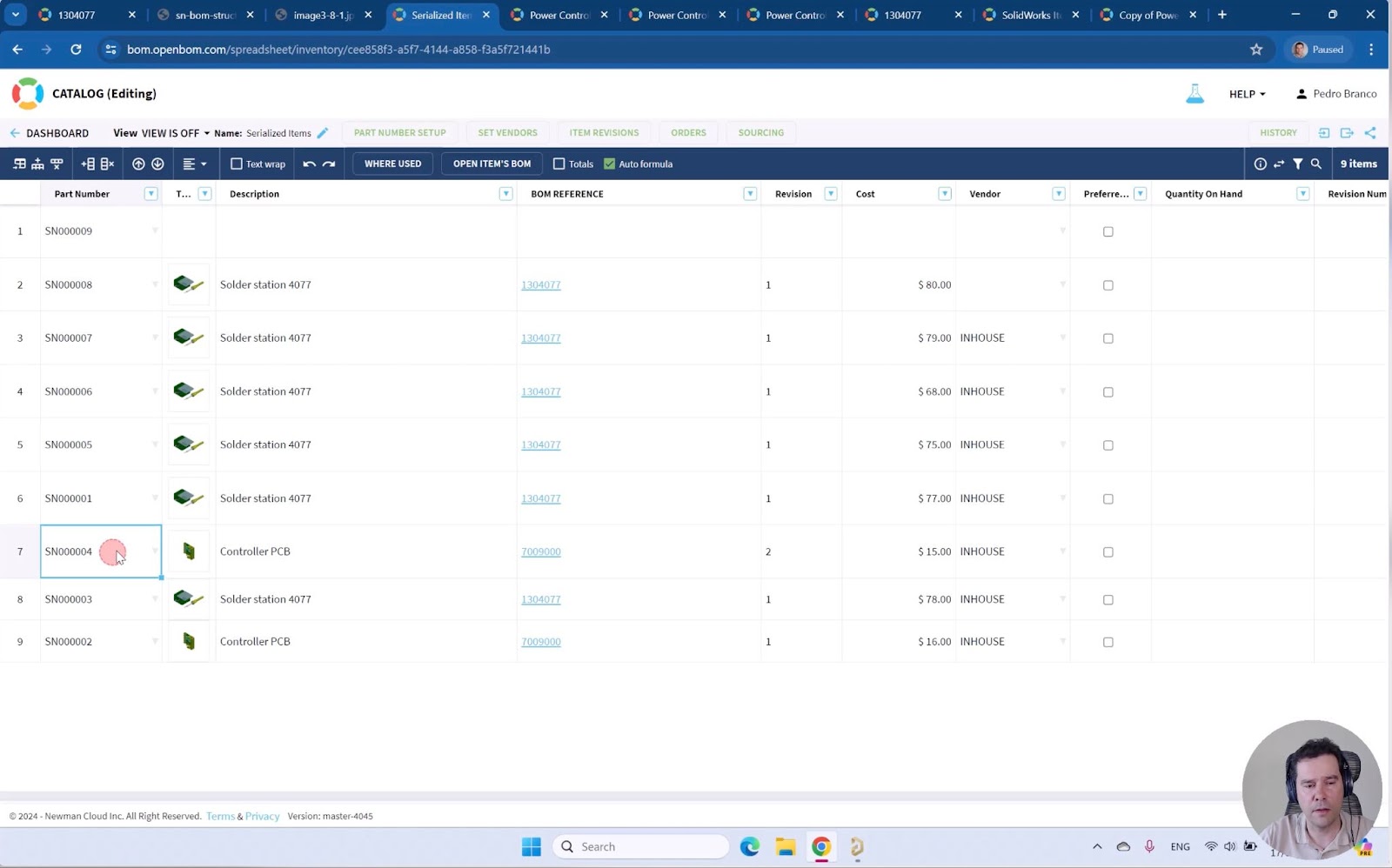
Catalogs for Serial P/N: OpenBOM’s catalogs allow you to manage all serial numbers and the corresponding information, including references to engineering data, BOM releases, and more.
Copy BOM Command: This feature enables you to create a serial clone of a BOM, effectively replacing the top-level part number (P/N) with a serial number (S/N).
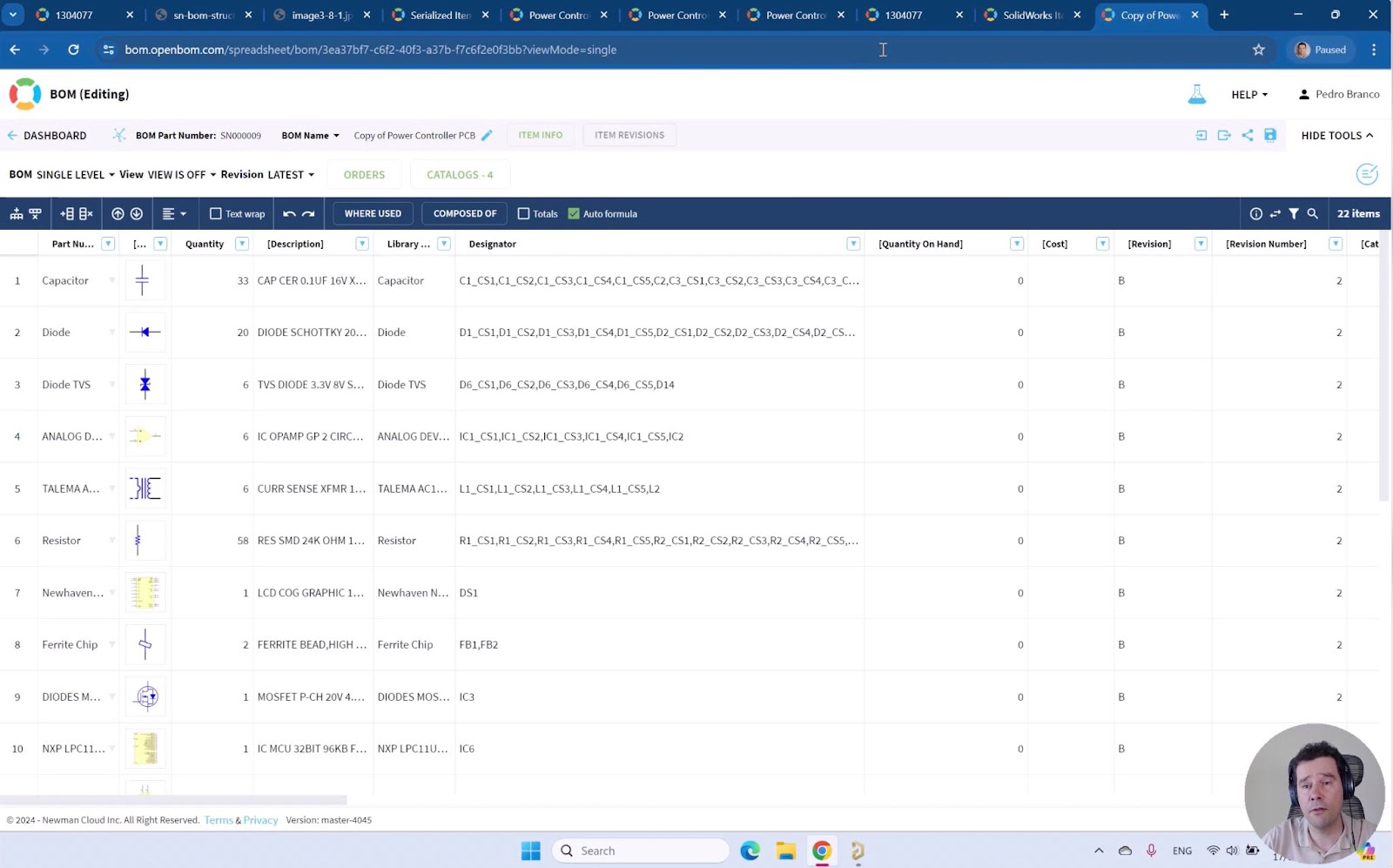
Reference Properties: These properties can hold links to engineering BOMs and relevant item information, providing a comprehensive view of the serialized components.
Video Demo
To better illustrate these capabilities, I invite you to watch the video demo presented by Pedro Branco. In this video, you’ll see:
- How to create a catalog for serial numbers.
- How to place references to an engineering BOM.
- How to clone a BOM with a serial number.
This step-by-step guide will show you all the necessary steps to create and manage a serial BOM effectively.
OpenBOM Future Plans for As-Maintained Product Structures
OpenBOM is continuously evolving, and our future plans include extending product structure modeling and BOM type support. This will include support for multiple BOM types, such as Engineering BOM (EBOM), Manufacturing BOM (MBOM), and Service BOM (SBOM). These enhancements will significantly expand our ability to manage “As Maintained” BOMs, offering even more robust solutions for your serialization needs.
For more details on our upcoming features, check out our previous articles on multiple BOM types.
Coming Soon: Product Structures and BOM Types
OpenBOM Graph-Based Architecture For xBOM types
Conclusion
OpenBOM provides robust and flexible data modeling tools to manage serial numbers and serialized BOMs effectively. Our near-term development roadmap includes further enhancements to support SBOM management. Stay tuned for more updates, and register for free to test OpenBOM today.
Stay tuned for more updates and detailed insights into how OpenBOM continues to innovate in the field of product data management and serialization.
Best, Oleg
Join our newsletter to receive a weekly portion of news, articles, and tips about OpenBOM and our community.