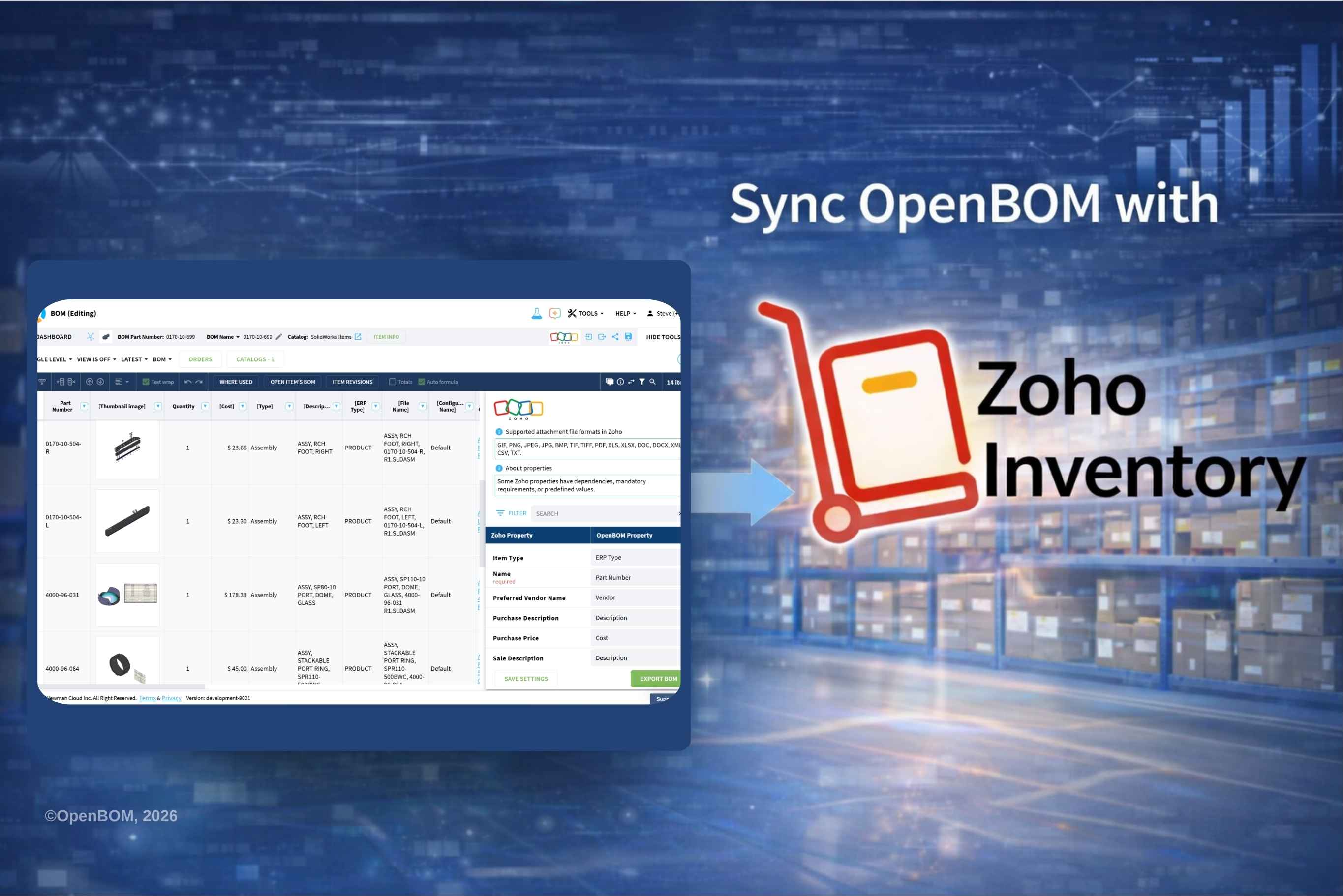
Connecting Engineering BOMs with Inventory and Order Management
OpenBOM continues to expand the scope of its integrations, helping companies connect engineering data with downstream business processes.
Following integrations with platforms such as Xero and Odoo, we’re introducing a new integration with Zoho Inventory. The goal is simple: bring product structure and inventory operations closer together without adding complexity.
If you’ve worked in a growing manufacturing company, you’ve probably seen how engineering and operations slowly drift apart.
Engineering defines the product.What it is supposed to be.
Inventory and operations deal with what actually exists—what’s in stock, what needs to be ordered, what gets shipped.
At the beginning, the gap between these two worlds is small. A spreadsheet, a quick export, a manual update,it all works.
But over time, as products evolve and the number of parts grows, that gap becomes harder to manage.
That’s where this integration comes in.
The Challenge: Engineering and Inventory Are Out of Sync
Most companies don’t start with a perfectly connected system landscape.
Engineering tools come first. Inventory tools come later. Each solves a real problem, but they are not naturally connected.
So teams do what they can.
A BOM gets exported and emailed.
Someone re-enters parts into the inventory system.
A change is communicated in a message or a meeting.
It works—until it doesn’t.
At some point, inventory is no longer aligned with the latest product definition. A new part is missing. A quantity is outdated. A revision has changed, but the system hasn’t caught up.
What’s important here is that none of this happens because people are careless. It happens because the systems are disconnected.
The Solution: OpenBOM + Zoho Inventory
OpenBOM and Zoho Inventory solve different problems, but they complement each other naturally.
OpenBOM focuses on product data: items, structures, and BOMs. It is where the product is defined and evolves over time.
Zoho Inventory focuses on execution: stock levels, orders, and fulfillment. It is where the product becomes operational.
The integration connects these two worlds.
Instead of moving data manually between systems, the connection allows product information to flow from engineering into inventory in a consistent way.
The goal is not to create another layer of complexity, but to remove one.
How the Integration Works
The workflow is intentionally straightforward.
Engineering teams continue to define products in OpenBOM, building item catalogs and BOM structures the way they already do.
From there, items can be synchronized into Zoho Inventory. This ensures that when operations need a part, it already exists in the system with the correct information.
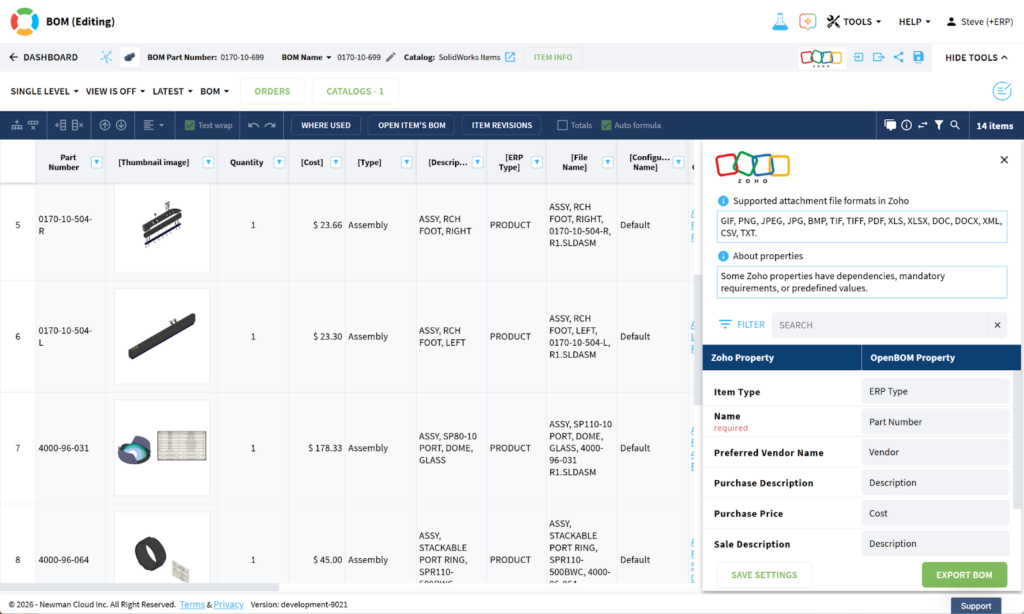
BOM structures provide context for how these items relate to each other, supporting purchasing and planning decisions.
And as changes happen—which they always do—the integration keeps both systems aligned. New parts, updated quantities, revisions… they don’t stay isolated in engineering. They flow into operations.
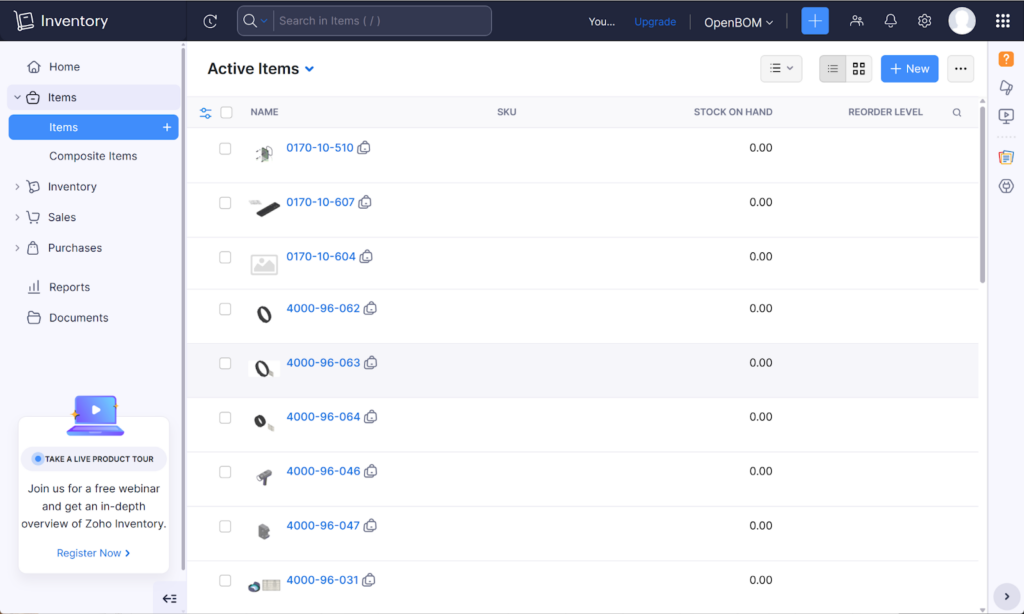
What used to require manual coordination becomes part of the system behavior.
Typical Use Cases and Integration Flow
You can see this integration working in a variety of environments. A hardware startup designing products in OpenBOM and managing fulfillment in Zoho Inventory. A small manufacturing company trying to keep purchasing and stock aligned with engineering changes.
A distributed team where engineering and operations are not in the same place, but still need to work from the same product definition.
In each case, the challenge is similar, and so is the benefit of connecting the systems. At a high level, the integration follows a simple path.

But what matters is the continuity.
- The product is defined once.
- That definition is reused.
- Operations act on the same information engineering created.
There is less translation, fewer assumptions, and fewer opportunities for errors.
What Changes in Practice
The impact of the integration shows up in small, everyday moments. There is no need to re-enter parts into the inventory system. Purchasing teams don’t have to double-check whether they are using the latest version of a BOM.
Inventory reflects what the product actually is—not what it used to be at some earlier point. Engineering and operations don’t need constant coordination to stay aligned. The systems take care of that alignment.
It doesn’t feel like a big transformation. But over time, it removes a lot of friction.
Why Zoho Inventory?
Zoho Inventory is often chosen by small and mid-sized companies because it strikes a balance: it’s powerful enough to manage operations, but not overly complex. For many teams, it becomes the operational backbone before they consider a full ERP system.
At the same time, these companies often lack a structured way to manage product data. That’s where OpenBOM fits in. The integration allows both systems to do what they do best, while staying connected.
From Manual Work to Connected Systems
Most companies don’t plan to operate with disconnected systems. It just happens over time. Tools are added. Processes evolve. The gaps appear gradually. The OpenBOM and Zoho Inventory integration is a way to close one of those gaps.
Instead of moving data back and forth, the systems stay aligned.
Instead of fixing inconsistencies later, teams work with consistent data from the start.
It’s a small shift in how systems interact, but it changes how teams experience their daily work.
Conclusion
The integration between OpenBOM and Zoho Inventory is not about adding another feature.
It’s about connecting two parts of the business that were never meant to operate separately, product definition and inventory execution.
By creating a continuous flow between them, companies can reduce errors, simplify processes, and build a more reliable operational foundation.
And as products and teams grow, that reliability becomes increasingly important.
REGISTER FOR FREE to check how OpenBOM can help you.
Best, Oleg
FAQ
Q: What data is synchronized between OpenBOM and Zoho Inventory?
Items, part catalogs, and BOM-related information can be shared between systems to keep engineering and inventory aligned.
Q: Does this integration support multi-level BOMs?
Yes, OpenBOM supports multi-level BOMs, and this structure can be used to support inventory and purchasing workflows.
Q: Is this integration suitable for small businesses?
Yes, it is designed for small and mid-sized companies using Zoho Inventory to manage operations.
Q: How does this reduce errors?
By removing manual data entry and keeping systems synchronized, the integration helps avoid inconsistencies.
Join our newsletter to receive a weekly portion of news, articles, and tips about OpenBOM and our community.