A manufacturing bill of materials (BOM) is a structured list of the Items, quantities, relationships, and product information needed to define a product. It shows what belongs in a product and how parts and subassemblies relate. A BOM supports engineering, manufacturing, purchasing, and supplier communication, but it is not by itself a production schedule or a full MRP plan.
The useful question is not only “Which parts are in the product?” It is also “Which reusable Item is being used, how many are used in this BOM, and which approved revision applies to this build?” Keeping those facts connected but distinct makes a BOM more reliable than a parts list copied between spreadsheets.
What is a manufacturing bill of materials?
A manufacturing BOM describes the product as it must be assembled, purchased, reviewed, or maintained for a particular manufacturing context. It can include finished products, assemblies, subassemblies, purchased parts, raw materials, documents, supplier information, and other attributes that the team needs to interpret the product structure.
The word “manufacturing” does not make every BOM a production plan. A BOM defines product content and quantity. Production planning also considers operations, work centers, capacity, lead times, inventory, dates, and constraints. Those inputs may be connected to a BOM through configured or integrated workflows, but they are not the same record.
What information belongs in a BOM?
A practical BOM normally gives each contributor enough information to identify an Item and understand its use in the structure:
- Item identity and part number: the reusable engineering or purchasing identity, with the appropriate internal, manufacturer, supplier, or ERP identifier.
- Description and attributes: the properties needed to distinguish the Item from similar Items.
- Usage quantity and unit: how many of that Item this particular BOM uses. Quantity belongs to the use in the BOM, not to the reusable Item itself.
- Parent-child relationship: where the Item sits in the product structure and which assembly uses it.
- Revision and approval state: which state applies to the build. A file version, a revision, and an approval are different events.
- Source and procurement information: whether the Item is made or bought, along with supplier or manufacturer details when relevant.
- References and notes: documents, reference designators, effectivity or configuration information, and instructions that the team has decided belong with the product data.
Teams can expose many of these fields in a BOM view, while keeping the underlying Item identity, usage quantity, and revision connected to the records that own them. For a focused explanation of reusable Items and their role in product data, see Item Master Management for Growing Manufacturers.
Which BOM types are used in manufacturing?
Different BOM views answer different questions. They should not be treated as interchangeable structures.
Single-level BOM
A single-level BOM lists the immediate components of one assembly. It is useful when a team needs a short view of the next level of a product structure.
Multi-level BOM
A multi-level BOM preserves assemblies and subassemblies. It helps engineering and manufacturing teams see how components roll into a finished product and where a change sits in the hierarchy.
Flattened BOM
A flattened BOM presents the Items from multiple levels in one list, often with quantities rolled up for a specific view or purpose. It is useful for analysis and purchasing, but it is a presentation of the structure rather than a replacement for the parent-child relationships.
For a longer explanation of these views and their formats, read Bill of Materials Types, Formats, and Examples.
How do EBOM and MBOM views differ?
An engineering BOM (EBOM) describes the product from the design perspective. A manufacturing BOM (MBOM) organizes product information for the manufacturing process. They can contain overlapping Items while serving different users and decisions.
An MBOM is not created merely by hiding columns or flattening an EBOM. The relationship between the views depends on the product, the manufacturing method, and the team’s operating rules. Review which Items, assemblies, operations, and references the manufacturing team actually needs before treating one view as the other.
For the distinction and transition questions, see EBOM vs. MBOM: A Practical Guide.
Worked example: keep Item identity, quantity, and revision separate
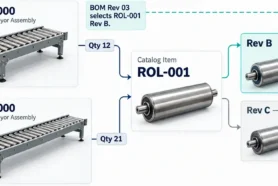
The following is an illustrative example, not a customer result. A team builds a conveyor called CNV-1000. Engineering creates the reusable Item ROL-001 for a roller. The Item stores its identity, description, unit, and identifiers. It does not store one universal quantity for every product.
The CNV-1000 BOM uses 16 of ROL-001. A different conveyor, CNV-2000, uses 24. Both uses can be correct on the same day because quantity belongs to the Item’s use in each BOM. If someone edits a spreadsheet row that treats the Item and its quantity as one fact, the count for one conveyor can be mistaken for the count for another.
After a fit review, the team releases the revision applicable to the CNV-1000 build. A later file save or a newer revision for a prototype does not automatically become the revision for the three-machine order. The purchasing decision should name the applicable revision, then create an Order BOM or equivalent purchasing view from that selected state and verify the receiving result.
How does a BOM support production planning?
A BOM gives production planning a dependable product definition: the Items, quantities, and structure that a plan must account for. It can help a team identify purchasing needs, roll up costs using configured formulas, review changes, and communicate the product definition to suppliers.
It does not answer every planning question. A production plan may still need routing steps, capacity, work-center calendars, lead times, demand, inventory policy, and schedule dates. If you are evaluating production planning software, check whether it owns those planning records or connects to a product-data platform that does.
How to prepare and maintain a BOM
- Gather the sources. Bring together design information, requirements, manufacturing input, and supplier information. Identify which source owns each fact.
- Create or confirm Item identities. Do not create a new Item just because the same reusable part appears in another BOM. Check identifiers and descriptions before adding duplicates.
- Build the relationships. Place Items in the correct parent-child structure and record the quantity and unit for each use.
- Review the structure. Check part numbers, required properties, quantities, and parent-child relationships. Use a checklist or BOM review process rather than relying on a visual scan.
- Manage revisions and approvals. Record the state that applies to the build. Do not use “latest” as a substitute for a named revision or approval decision.
- Share the result and verify downstream use. Give the right users access to the BOM or Order BOM, publish mapped data to connected systems when needed, and verify what the receiving system or supplier received.
How OpenBOM supports BOM management
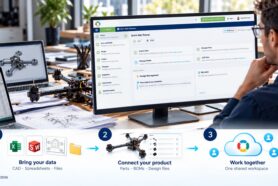
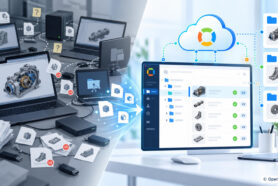
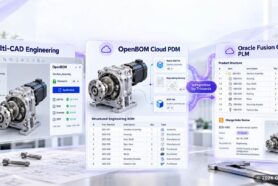
OpenBOM is a cloud-native product data platform for engineering and manufacturing teams. Its product model connects Items and catalogs with BOM and xBOM views, revisions, change requests, collaboration, procurement information, supplier workflows, and configurable or integrated downstream processes.
OpenBOM can support BOM work with formula-based cost rollups, simple inventory fields, Order BOMs from a released revision, and shared access for suppliers or other contributors. The exact workflow depends on the team’s data model and connected systems. OpenBOM is not a replacement for an ERP, a full MRP engine, or a production-scheduling system.
See OpenBOM’s BOM management capability
Refresh note: October 23, 2026
This page refresh addresses the missed search “manufacturing bill of materials” and adds a clearer path for readers comparing BOM information with production planning software. The recorded before baseline was 13 clicks, 63,870 impressions, a 0.02% click-through rate, and an average position of 37.6.
The next measurement window is the first 28 full days after the change is live: October 24 through November 20, 2026. Compare clicks, impressions, click-through rate, and average position for “manufacturing bill of materials” and related BOM queries with the before baseline.
Join our newsletter to receive a weekly portion of news, articles, and tips about OpenBOM and our community.