Training is an important part of the OpenBOM user experience. We invest a lot in the materials that can be used by everyone who is interested to use OpenBOM, using OpenBOM during the free trial and starting to implement OpenBOM. We are continuously investing in multiple ways we can improve the OpenBOM learning experience. The OpenBOM team is dedicated to providing high-quality, relevant, and up-to-date learning materials to our users.
I’m super excited to announce a significant update to our OpenBOM Training Library – the new ‘Getting Started‘ section.
Getting Started
The new ‘Getting Started’ section serves as a comprehensive introduction to OpenBOM, offering valuable resources for both newcomers and existing users. This section covers the crucial materials that new users need to understand more about OpenBOM and to get started with ease. In this part, you can access essential materials and quick links that will help you navigate your OpenBOM journey more effectively.
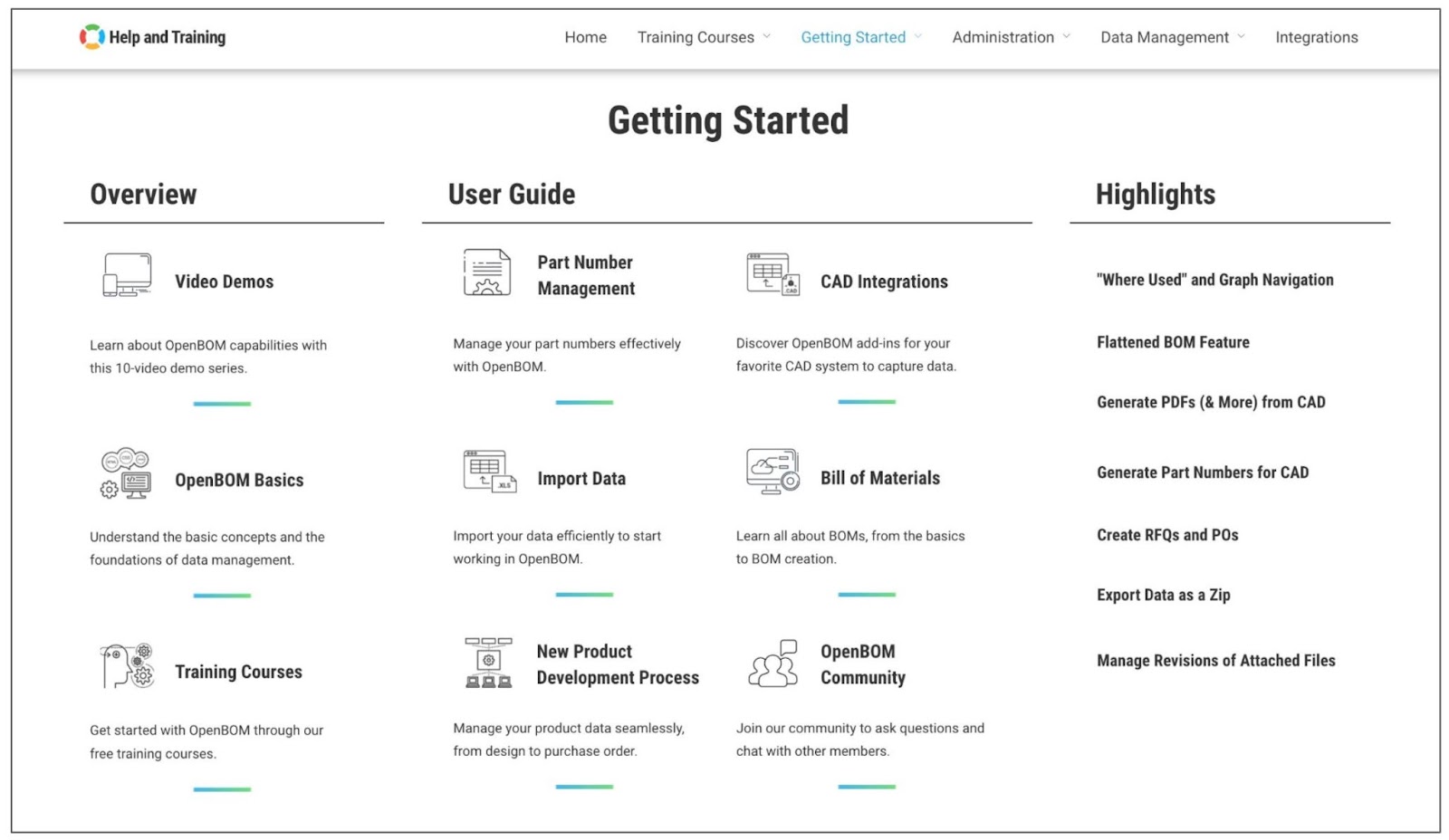
Overview
The ‘Overview’ section has been expanded to include 10 new instructional videos, offering a total of 30 minutes of introductory content covering all facets of OpenBOM.
This digestible visual guide is designed to help users to get a grip on the different aspects of our system. The ‘Basics’ sub-section offers key information about OpenBOM, necessary for any new user to start with. Furthermore, the ‘Training’ link provides easy access to all free training courses available for OpenBOM.
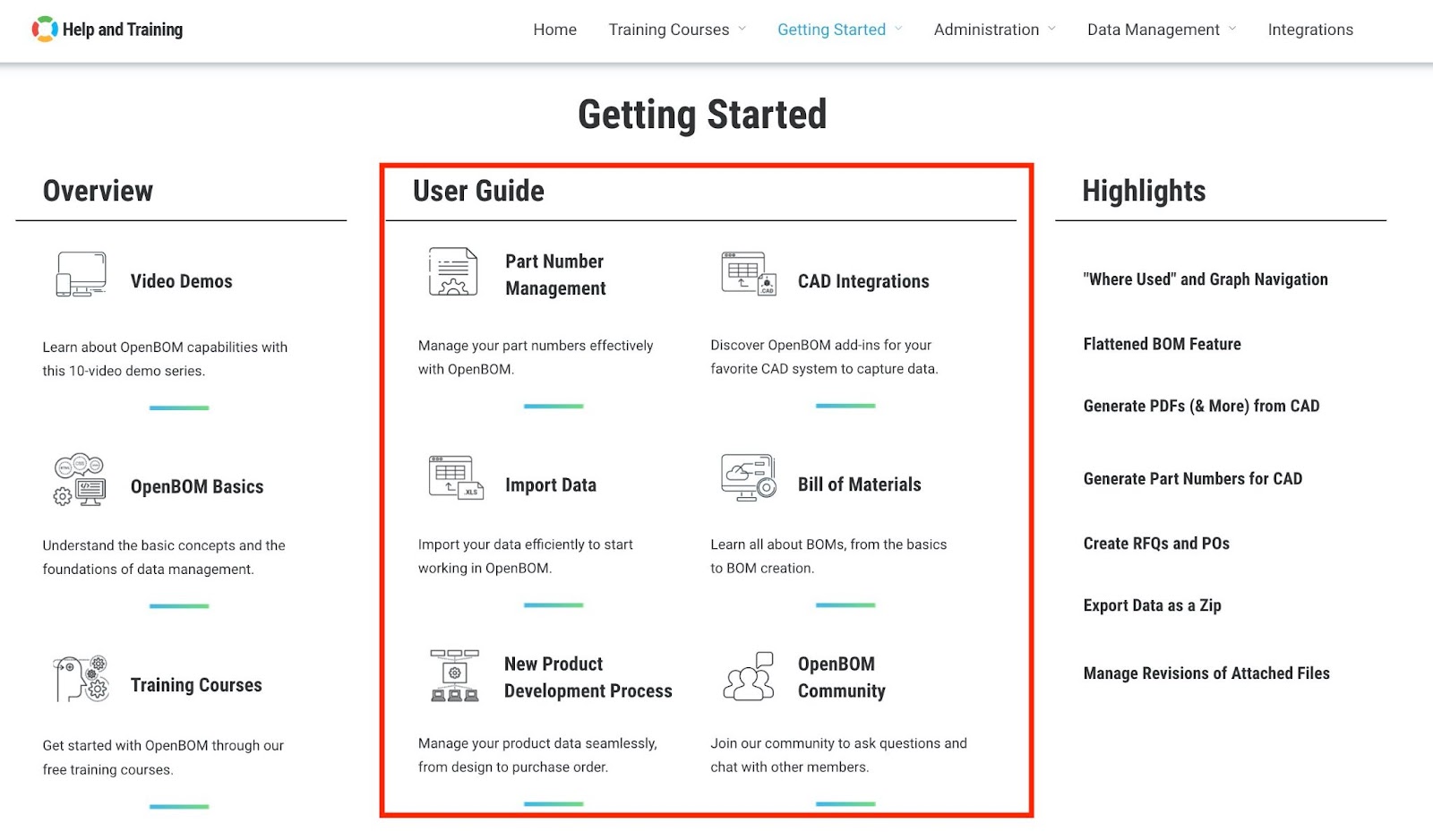
User Guide
The ‘User Guide’ section has been designed to provide users with a set of essential materials to familiarize themselves with OpenBOM functionality. It covers key aspects such as Part Numbering, New Product Development processes including Inventory control, BOM Management, CAD Integrations, and Data Import. Moreover, we’ve also included a quick link to the OpenBOM Community, providing an interactive platform where users can exchange ideas, ask questions, and share experiences.
Highlights
Lastly, the ‘Highlights’ section offers a way to quickly access popular topics frequently queried by new users. It covers areas like ‘Where used’ queries, Graph Navigation, Part Number Generations, Reports, Data Exports, and others. This section allows users to dive deep into particular topics of interest or necessity, thereby enhancing their understanding and practical knowledge of OpenBOM.
Conclusion
The new Getting Started training is a concentrated source of all the information you need to know about OpenBOM. With quick links to other sections, training courses, and instructional videos, it’s never been easier to become a proficient OpenBOM user.
Take advantage of these new updates to accelerate your OpenBOM mastery. Register for free with OpenBOM today, and explore our newly updated training resources. Don’t miss out on the chance to optimize your understanding and usage of one of the most comprehensive BOM management systems available.
REGISTER FOR FREE and start a 14 day trial of OpenBOM.
Best, Oleg
Join our newsletter to receive a weekly portion of news, articles, and tips about OpenBOM and our community.