There is a button in every CAD system that engineers know well: export BOM to Excel. It feels productive. In a few seconds, the product structure that lives inside the assembly becomes a table anyone can open. The file gets emailed to purchasing, saved to a shared drive, and copied into a quote request before lunch.
Here is the uncomfortable truth: that spreadsheet was accurate for about as long as it took to export it. What growing engineering teams need instead is a digital BOM. A digital BOM, or digital bill of materials, is a connected data structure where items, properties, quantities, revisions, suppliers, costs, and CAD files are linked together as one live source of product data, instead of a static export that starts going out of date the moment it is created.
Yesterday we called this the product data flow problem. Today’s chapter is about the first structural fix: turning CAD data into a digital BOM instead of a static export.
The Workflow Everyone Knows
The pattern is the same in almost every engineering team. Export the CAD BOM to Excel. Add columns for suppliers and costs by hand. Email it to whoever needs it. When the design changes, export again, and then try to remember which manual edits need to be reapplied to the new file. Multiply that by every revision, every product configuration, and every person who keeps their own copy.
Why Spreadsheet BOMs Break Down
Spreadsheet BOMs fail at BOM management for predictable reasons. There is no single version: every copy is its own fork, and nobody can prove which one is current. Duplicates multiply, because the same part gets typed in three slightly different ways across three files. Context is missing: a row in Excel does not know which CAD file it came from, which revision it reflects, or which drawing defines the part. And every manual edit is invisible: no history, no accountability, no way to explain six months later why a quantity changed.
None of this is a discipline problem. It is a data model problem. A spreadsheet is a picture of a BOM, not the BOM itself.
What Makes a BOM Digital
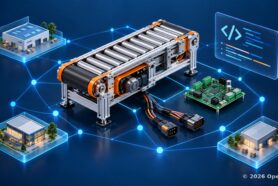
A digital BOM is not a spreadsheet stored in the cloud. It is a connected data structure where every element knows what it is and what it relates to. Items exist once, with their own identity, instead of being retyped in every file. Properties, quantities, and costs live on those items and follow them everywhere they are used. Revisions are captured, so the bill of materials has history instead of overwrites. Suppliers and costs attach to the same items purchasing already sees. And CAD files stay linked to the items they define, so the geometry and the data never lose each other.
That word, connected, is the whole difference. In a spreadsheet, a cell is just a value. In a digital BOM, every value is a relationship.
How OpenBOM Creates a Digital BOM from CAD
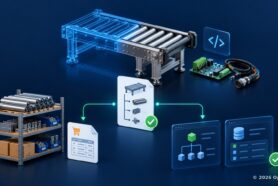
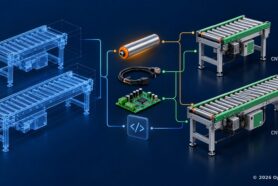
OpenBOM turns CAD to BOM into a single step. It connects to the CAD system and extracts the product structure directly from the assembly: items, quantities, and properties, with the CAD files attached to the items they describe. The BOM is not a copy of the CAD data; it stays connected to it. When the design changes, the BOM updates from CAD without losing the data the team added on top, such as suppliers, costs, and lead times.
The result is one source of product data that engineering, purchasing, and production all look at, instead of five spreadsheets that agree with each other only on the day they were exported. Teams like Contromax and Tomcar rebuilt their BOM process around exactly this shift.
Why This Foundation Matters
Everything downstream depends on the quality of the BOM. Purchasing can only order what the BOM actually says. Change management only works if changes land in a structure with history. ERP is only as good as the data fed into it. A digital BOM created from CAD, and kept connected to it, is the foundation all of those stand on. Over time, that connected record becomes something bigger than a BOM, and we will get to that at the end of this week.
Watch the short video below to see OpenBOM create a BOM from CAD in one step, and follow the series. At the end of the week, we will bring all five parts together.
Frequently Asked Questions
What is a digital BOM?
A digital BOM is a connected data structure that represents a product’s bill of materials as live, linked data rather than a static file. Items exist once with their own identity, and properties, quantities, revisions, suppliers, costs, and CAD files are connected to those items. Unlike a spreadsheet export, a digital BOM keeps its history and stays connected to the CAD data it came from.
Why do spreadsheet BOMs fail for BOM management?
Spreadsheet BOMs fail because every copy becomes its own version, duplicate part entries multiply across files, rows lose their connection to CAD files and revisions, and manual edits leave no history. A spreadsheet is a snapshot of a BOM at the moment of export, so it starts drifting from the actual design as soon as the design changes.
How does OpenBOM create a BOM from CAD?
OpenBOM connects to the CAD system and extracts the product structure directly from the assembly, creating items, quantities, and properties with CAD files attached to the items they describe. The BOM stays connected to the CAD data, so when the design changes, the BOM updates from CAD without losing data the team added, such as suppliers, costs, and lead times.
What is the difference between a spreadsheet BOM and a digital BOM?
A spreadsheet BOM is a static copy of product data that must be maintained by hand, while a digital BOM is connected data where every item, revision, file, and cost is linked and kept up to date from CAD. The practical difference is one source of product data shared by engineering, purchasing, and production, instead of multiple spreadsheet copies that disagree.
Series footer: This is part 2 of A 5-Minute Tour of OpenBOM: From CAD Files to Product Memory. Read part 1: Nobody Has a BOM Problem
REGISTER FOR FREE and check how OpenBOM can help you for 14 days.
Best, Oleg
Join our newsletter to receive a weekly portion of news, articles, and tips about OpenBOM and our community.