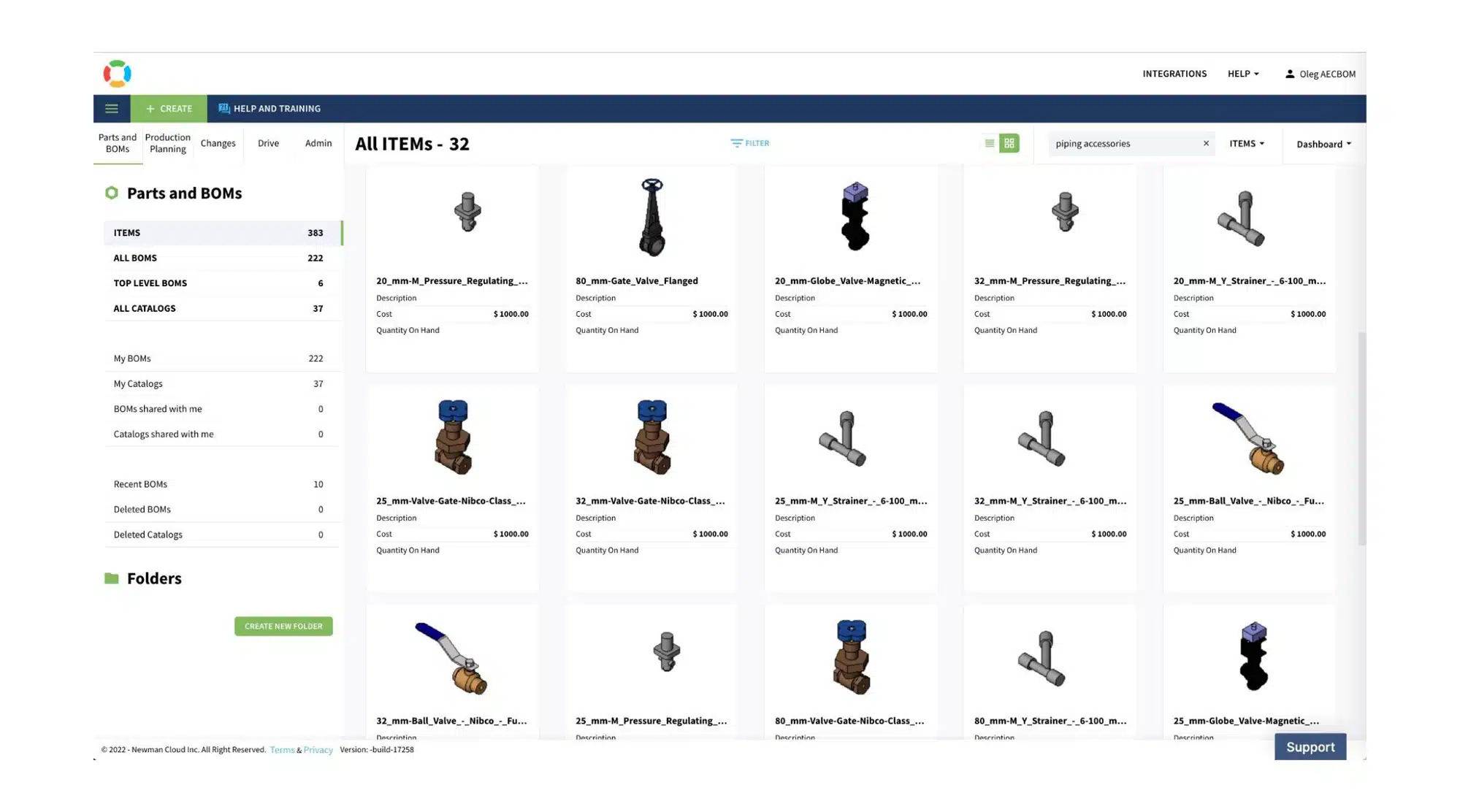
AEC value chain is disconnected. How to connect workflows, teams, and data at every stage of a construction project? At OpenBOM, we are looking at how to help engineers, architects, project managers, and contractors build a full data model about their projects and improve the way they coordinate their activities. OpenBOM provides a simple way to do planning and prepare online 3D takeoff that later can be communicated with the manufacturers and manufacturer representatives.

I’m super excited to share a preview of a new OpenBOM function for Autodesk Revit. We’ve been working on how to optimize the process of data extraction and today, I’m going to give a quick video on how it works. From now, no matter what the complexity is with your Revit project, OpenBOM will help you to navigate and find what you need.
Automatic 3D Takeoff from BIM model
The new capabilities of OpenBOM for Autodesk Revit, allows you to automatically identify what data needs to be extracted and bring this data online that can be merged with purchasing catalogs and communicated to contractors and manufacturer reps.
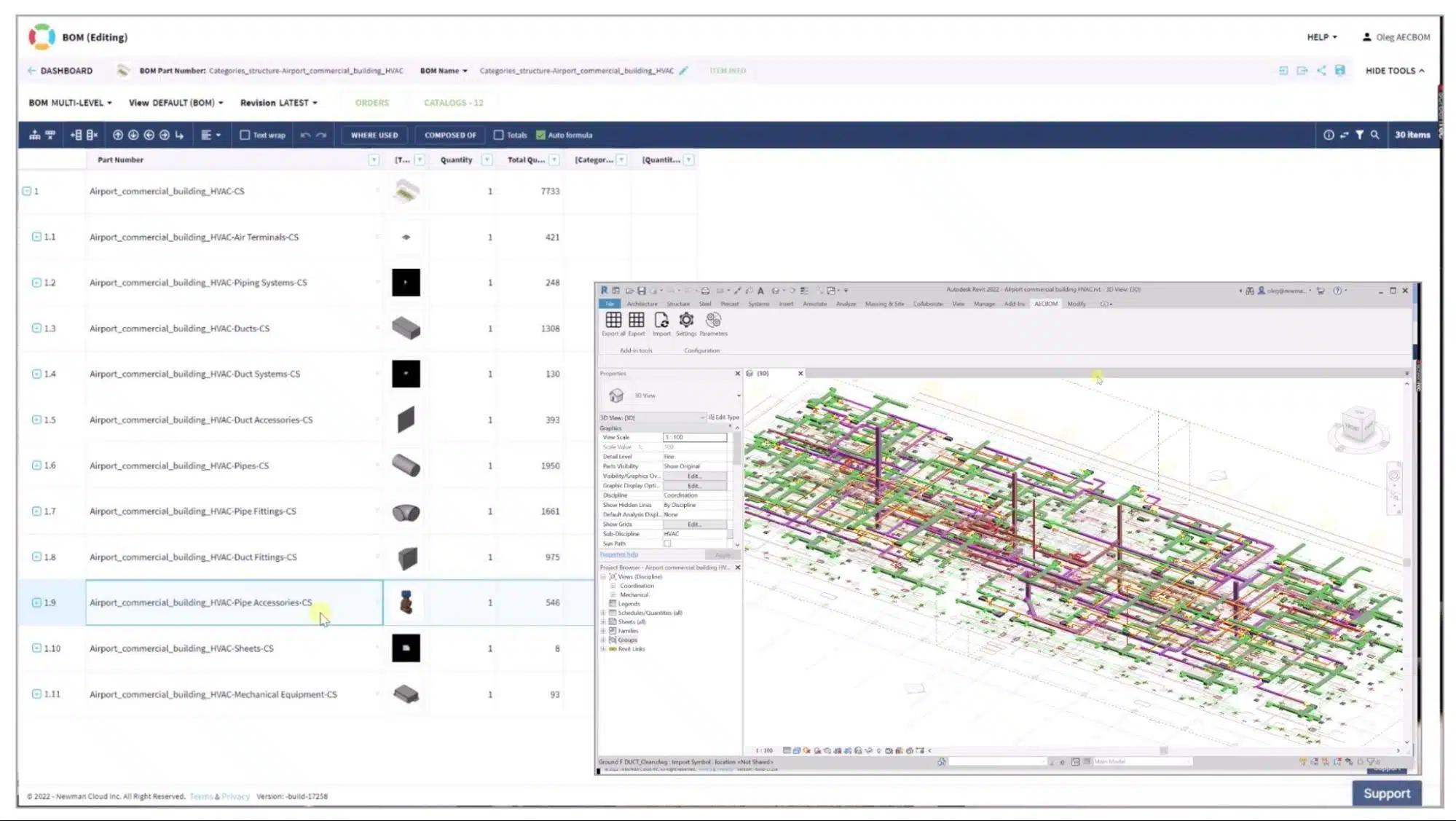
Here is an example of how 3D online takeoff works. Think about your HVAC contractor that needs to create an estimation and plan to purchase a piece of equipment for a project. In the video below, I’m using a sample project of an airport terminal with HVAC equipment. I will demo how you can quickly create an online 3D takeoff for Autodesk Revit. Watch the video.
The data is extracted directly from Revit BIM objects. OpenBOM automatically detects the most useful properties. All categories are automatically mapped to OpenBOM catalogs. Results can be shared online or exported to CSV, Excel, or PDF formats.
5 Type of Structured 3D Takeoffs (BOMs)
Another enhancement of OpenBOM for Revit is to provide a way to generate multiple types of BOMs from Revit BIM data. With the latest update, we support five different types of BOM outcome structures.
- Item (flat) – this is a simple report that creates a total list of all Revit objects
- Level Structure – this is a structure that organizes the project “levels” first and then goes with the report of component types.
- Categories – this is a basic structure that defines all objects by categories.
- Groups (NEW) – this is a structure that shows Revit groups and then a categories list.
- Assembly (NEW) – this is a structure that shows Revit assemblies and then items.
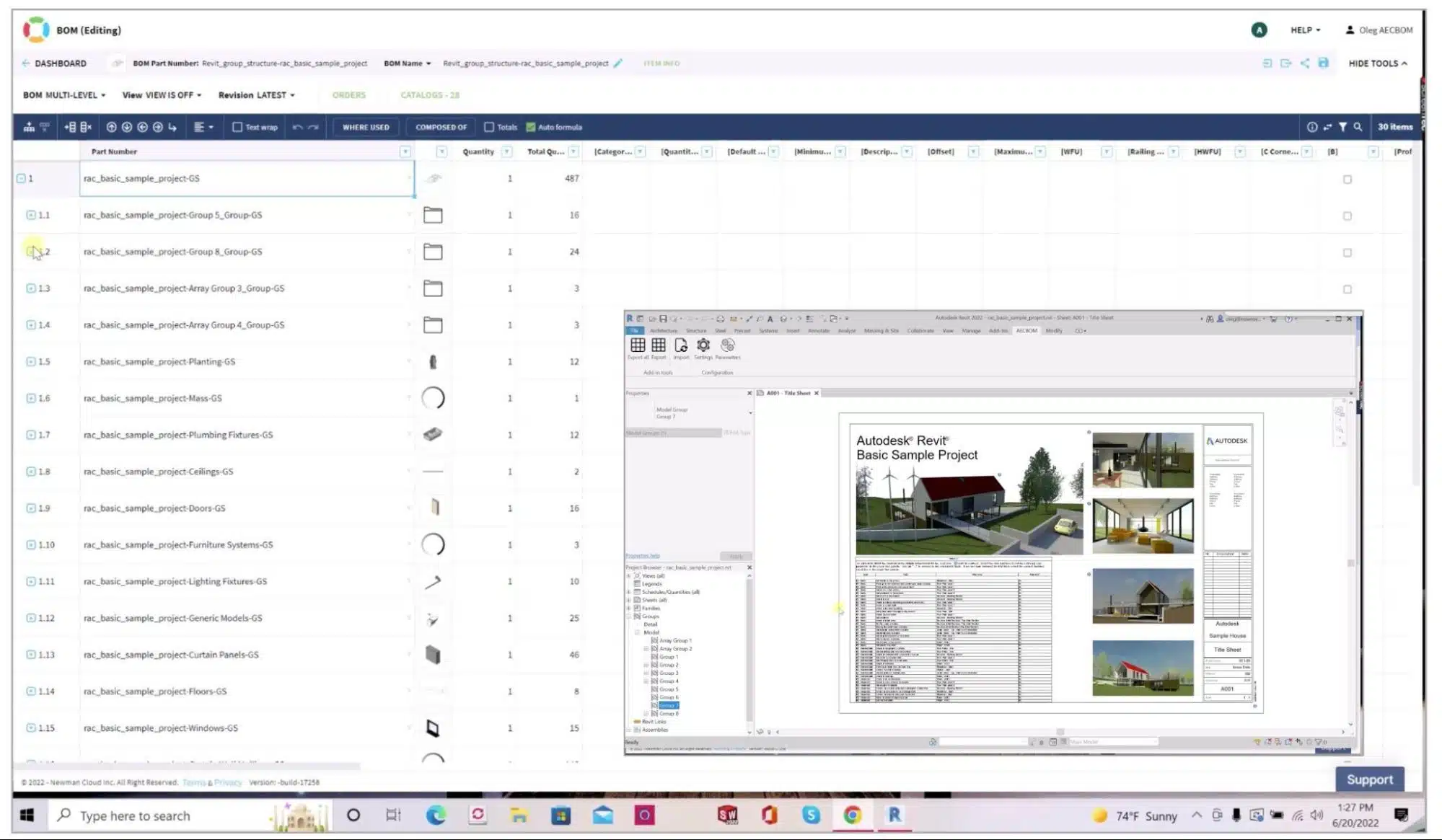
As you can see, the new three structures we added support in the last update – Assembly and Groups. OpenBOM supports multiple BOM structures to be extracted. There are 5 types supported:
Here is the video:
Conclusion
OpenBOM updates for Autodesk Revit increase the robustness of Revit integration and provides an easy and simple way to extract information from Revit, automatically align the data and prepare it for the organized outcome including multiple structured options – levels, categories, groups, and assemblies.
What to check out how OpenBOM can help? REGISTER FOR FREE and chose OpenBOM Add-Revit (beta) to see how it can help.
Best, Oleg
Join our newsletter to receive a weekly portion of news, articles, and tips about OpenBOM and our community.