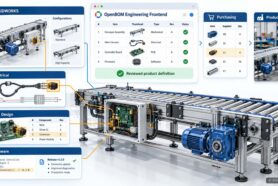
Manufacturing companies are up in the digital race. Many companies realized that this is the only way to survive in the modern manufacturing business with fierce competition, complex supply chain networks, and short time allocated to development and production. To make this change happen, manufacturing businesses need to “retool” their digital infrastructure and move from old-fashioned legacy PLM software suites to modern network-based connected environments. The core elements of this environment are built using federated data networks and total connectivity between design and production systems.

Design Digital Thread
One of the innovations offered by OpenBOM is support for designing digital threads allowing to connect multiple design sources into a single multi-disciplinary connected data set. It is becoming possible because of flexible OpenBOM data modeling and seamless integrations between engineering (CAD) systems and the OpenBOM platform.

Managing CAD revisions in BOMs
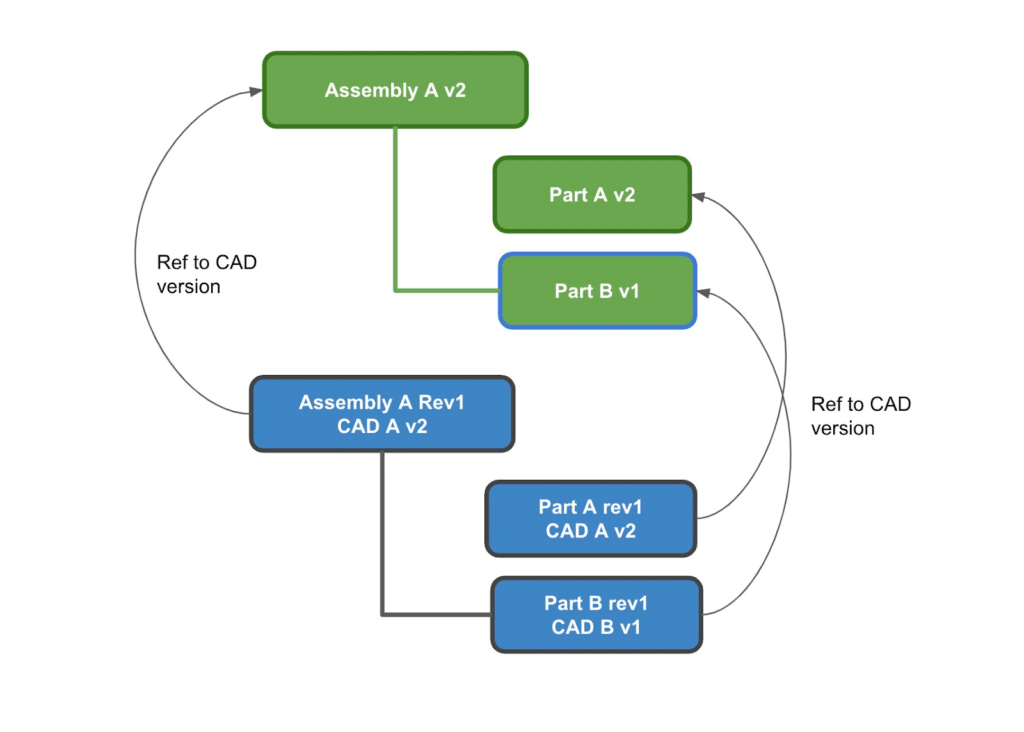
In my earlier article about Best Practices for CAD, Items, and BOMs, I discussed why it is important to track both CAD revision and Item revision simultaneously. Managing changes in both CAD design and Item/BOMs is a complex process. The complexity is increasing in modern products because of the multidisciplinary nature of the products (mechanical, electrical, software components) as well as because of the work done in parallel by engineering and manufacturing planning teams. To maintain changes and revision traceability we recommend using CAD version/revision reference in Items. OpenBOM flexibility data model allows you to organize these reference fields. Updates coming in all CAD add-ins will provide automatic support for these data fields.
This is the picture that demonstrates the data model and relationships between CAD data and Items/BOMs.
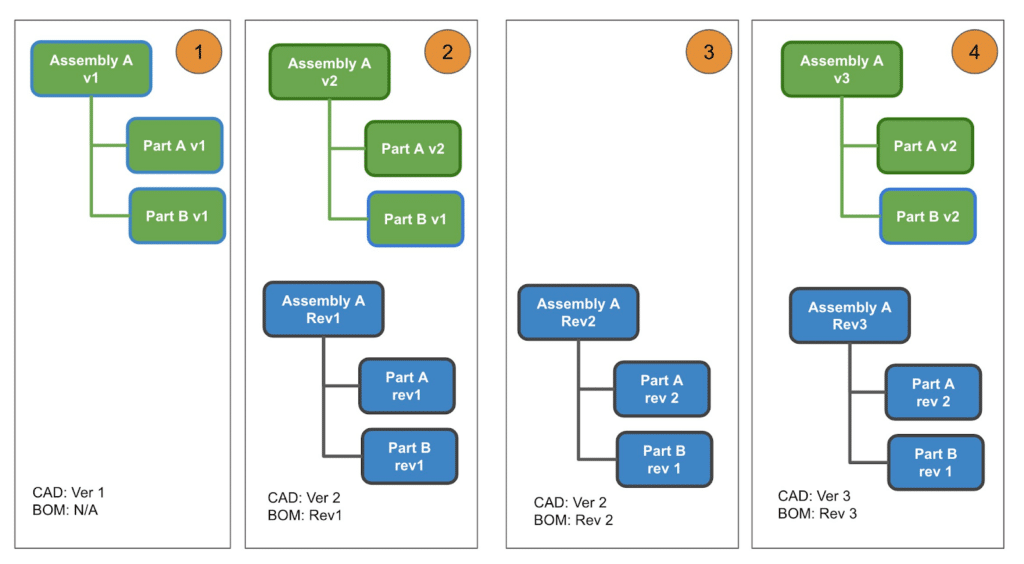
The following picture demonstrates a simplified diagram of how changes can happen in parallel in both design and engineering structures. You can see steps 1-4 and during these steps, changes are happening in parallel in design and EBOM.
CAD Revision support in PTC Creo add-in
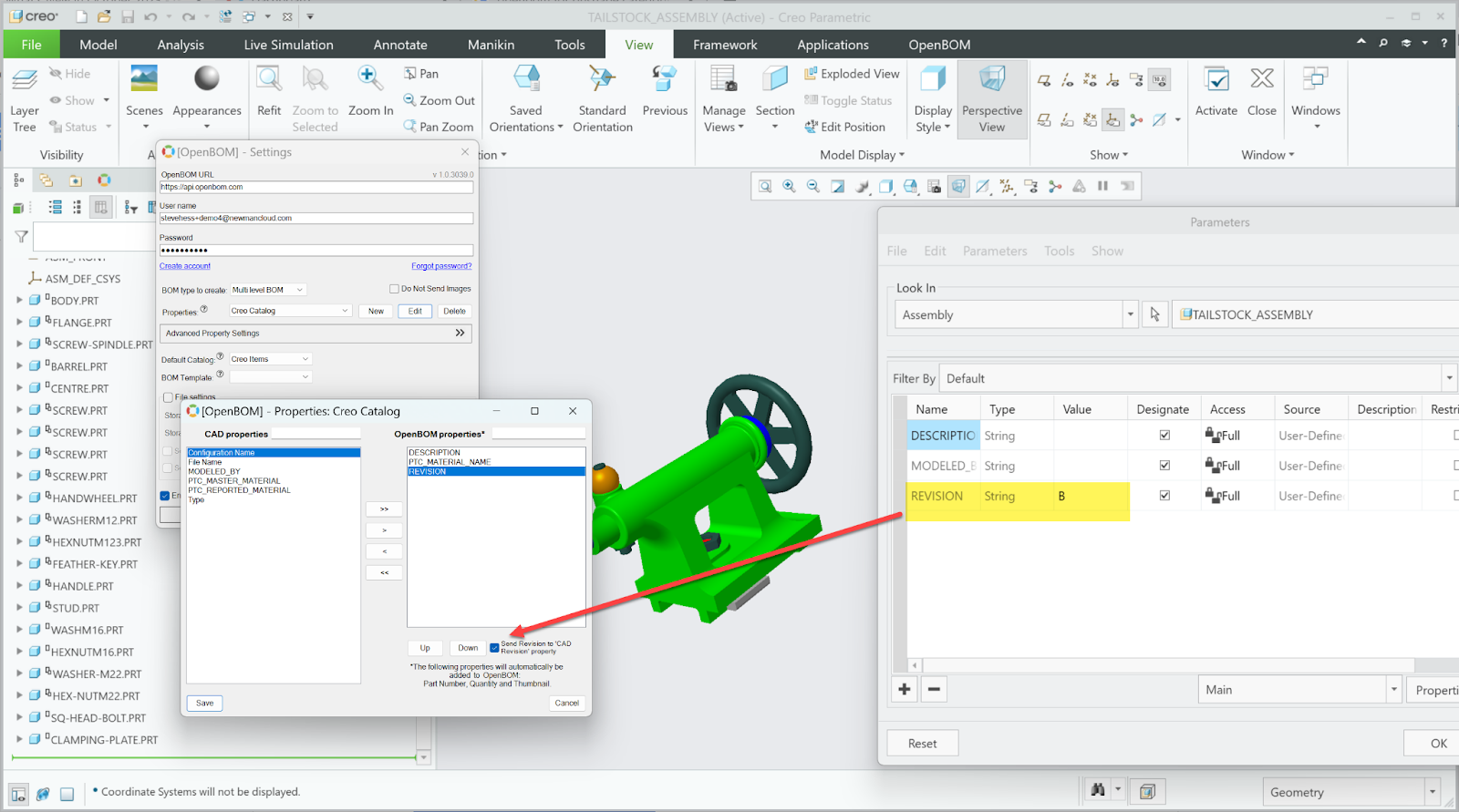
In my article today, I want to demonstrate recent enhancements to the OpenBOM Add-in for PTC Creo that enable the management of CAD revisions in BOMs. This means you can now manage the revision value for your individual CAD files much more easily in OpenBOM. The value of Revision from Creo may optionally be saved to the “CAD_Revision” property in OpenBOM.
You can watch the video of how it works here:
Conclusion:
Managing revisions in CAD and BOMs is a critical aspect of the product development process. It creates a connection between a formal revision control system in CAD with the Item/BOM management system. It supports traceability and connectivity between systems and processes. OpenBOM for PTC Creo Add-in supports CAD Revision logic. By implementing these best practices, manufacturers can ensure that their products are of the highest quality and meet all customer requirements.
REGISTER FOR FREE to start a 14-day trial and explore how OpenBOM can help.
Best, Oleg
Join our newsletter to receive a weekly portion of news, articles, and tips about OpenBOM and our community.