A long time ago, manufacturing was only associated with large companies, big buildings, and production lines. Not anymore. Today, new manufacturing technologies, such as 3D printing, contract manufacturing, and many others are changing the world of manufacturing and democratizing an entire engineering and manufacturing discipline.
We also live longer which allows people to pursue their passion in building things after they retire. Many people start their hobbies and then come back to discover a new interest in their lives.
At OpenBOM, we created a platform that can help everyone to simplify their data management and production planning experience to everyone – from a person who builds their home furniture and creates their first drone with their kids to Fortune 500 global electronic manufacturing enterprise. OpenBOM for personal use is a great piece of software service that can help you tremendously in this process.
Many of our users – custom woodworkers, machinists, Arduino Makers, and non-commercial users are benefiting from the OpenBOM non-commercial subscription, which is available for free, as long as they are engaged in not-for-profit activities. All you need to do is ask – navigate to this link to see how to qualify. We’ve been talking with several OpenBOM users about it and want to share their stories.
Autodesk Fusion 360 evangelist Kevin Kennedy’s published a video showing how OpenBOM significantly improves the parts lists capabilities of Fusion 360 with detailed measurements and other material properties not available in the out-of-the-box Fusion 360 application.
According to Kevin, “Fusion 360’s native tools include very limited Parts Lists and Cut Lists that require a lot of manual input. OpenBOM is a necessary add-in that allows you to extract more data and automate your Parts List with ease. Best of all, OpenBOM offers a 100% free license to non-commercial users.”
To read more about Kevin’s compelling parts list workflow please visit our blog.
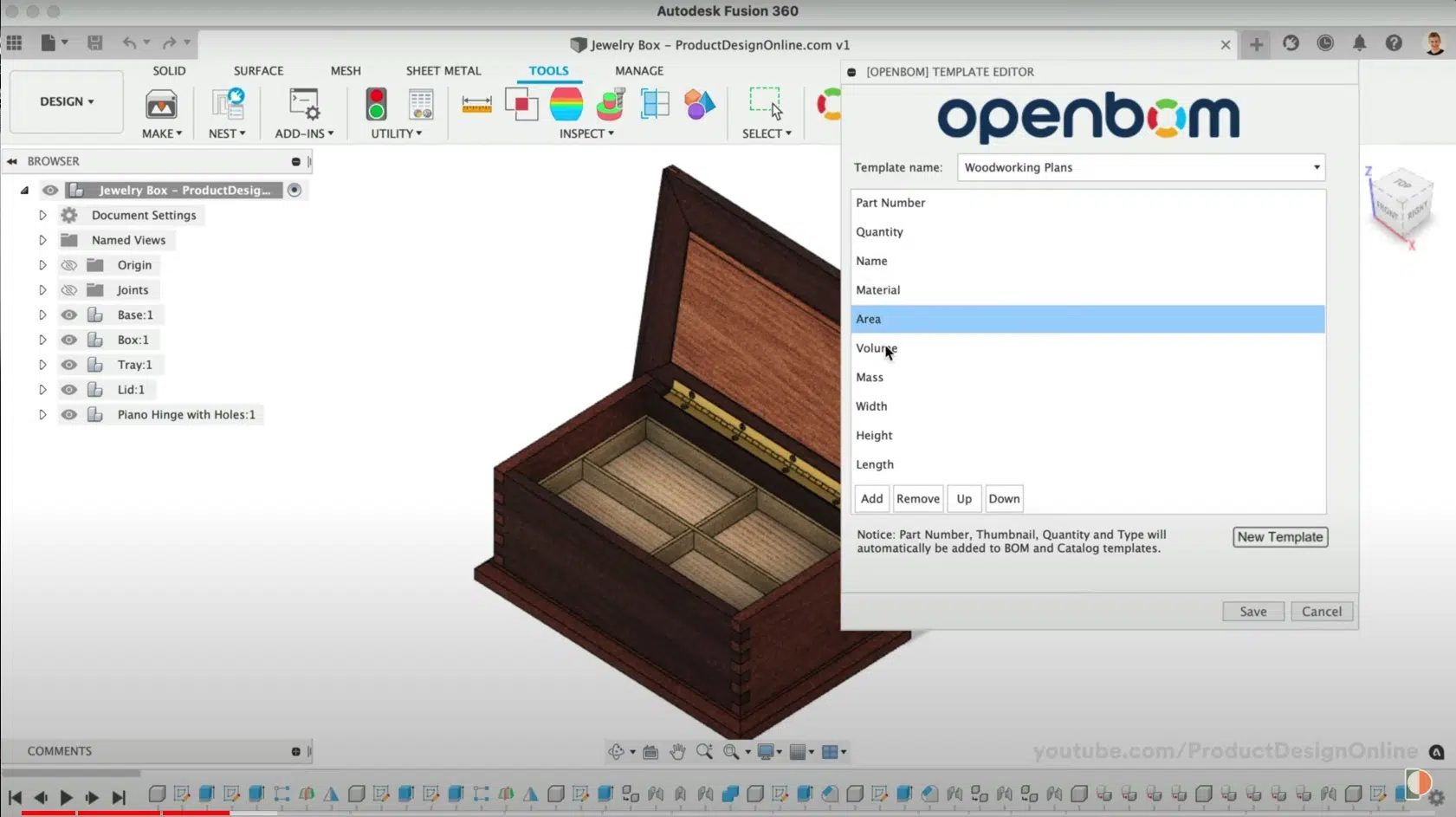
To learn more about Kevin Kennedy please visit ProductDesignOnline.com
Another Autodesk Fusion 360 user and cabinet maker Mark Byrd was impressed with OpenBOM from the get-go.
“Honestly, I can say I’ve only scratched the surface of OpenBOM. The trial and hobby license has let me explore and I find two things… One is it’s way more capable than Fusion 360 for making parts lists, AND, two, my years of thinking that ERP/MRP was too much for my business was a mistake!”
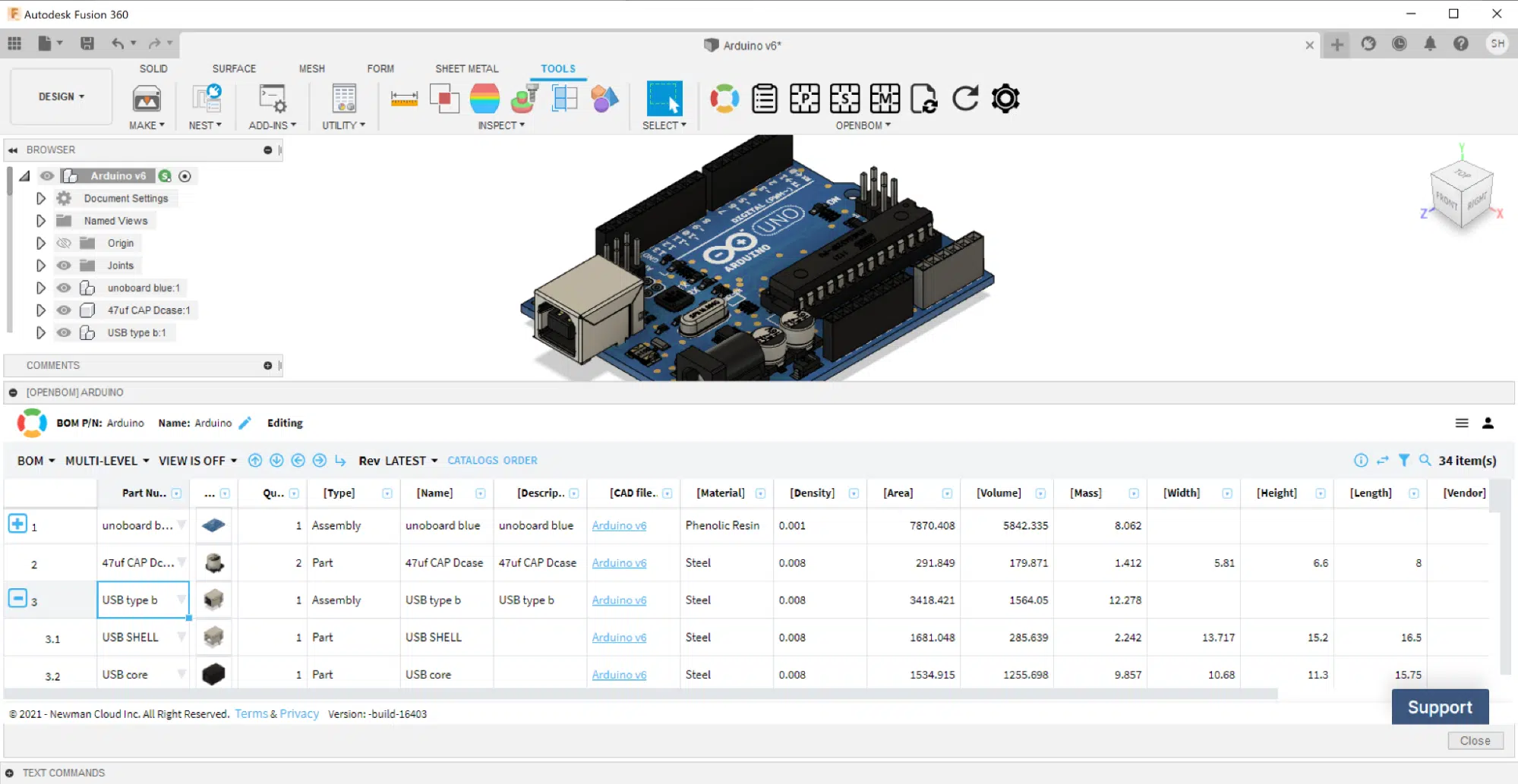
Visit our blog to learn more about why Mark likes the ERP/MRP features of OpenBOM.
Finally, another non-commercial user Justin James is a woodworker using OpenBOM to create detailed accurate part dimensions to build his customer designs.
“As a woodworker, OpenBOM is a fantastic tool that saves me time by breaking my models into individual parts and calculating the length, width, and height. I no longer have to measure each part manually. I can build my model, connect OpenBOM to my modeling software, export the cut list, and I’m on my way to building what I’ve designed.”

To learn more about why OpenBOM is a great solution for all makers, education, and non-profits hobbyist users please visit the OpenBOM website page – Request Non-commercial Subscription. OpenBOM also offers a 90% discount for Team and Company subscriptions to all educational organizations (schools and colleges).
Join our newsletter to receive a weekly portion of news, articles, and tips about OpenBOM and our community.