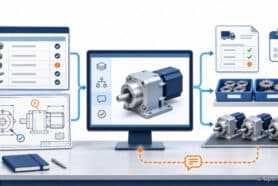
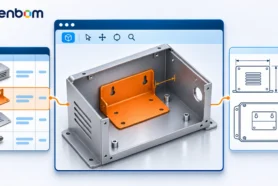
Contract manufacturer collaboration works best when both companies work from the same product definition. Before you compare suppliers, define the applicable BOM revision, the information the supplier must quote, and how questions or changes will be reviewed. OpenBOM connects product data, BOMs, revisions, approvals, and supplier-facing collaboration so an engineering-led manufacturer can coordinate this work without treating an email attachment as the system of record.

What should you prepare before contacting a contract manufacturer?
Start with the decision the contract manufacturer must make: can it build the product to the required specification, quantity, timing, and acceptance criteria? Assemble the product information needed for that decision, including the relevant BOM, drawings or models, specifications, identifiers, quantities, revision or release context, and known questions. Keep internal, manufacturer, supplier, and ERP identifiers distinct so a quoted part can be traced back to the correct Item and BOM use.
An illustrative example makes the handoff concrete. Lena, an engineering lead, is preparing a control-enclosure assembly for a contract manufacturer. Her package identifies the enclosure BOM, the applicable drawing revision, the connector Item and its quantity in that BOM, and the acceptance notes the supplier must review. Procurement can then request a quote against a defined package instead of asking the supplier to infer the build from several unrelated files.
For a deeper technical-data-package workflow, see How to create a contractor and supplier tech package.
Five steps for reliable contract manufacturer collaboration
Step 1: Define the product, scope, and acceptance criteria
Write down what the supplier is being asked to build, quote, source, or review. Identify the product structure, required quantities, delivery assumptions, quality or compliance requirements that apply to the work, and the evidence needed for acceptance. Do not describe a complete BOM as production readiness by itself; the people responsible for the build still need to confirm suitability.
Step 2: Prepare a controlled technical data package
Bring the BOM, drawings, specifications, and supporting documents together with clear revision context. An export can be useful for a handoff, but an Excel, PDF, or ZIP export is a snapshot, not a live product record. Check that the package contains the intended Items, quantities, identifiers, and revision before sending it. If the supplier finds a discrepancy, record the question against the product definition rather than silently replacing a file in an email thread.
Step 3: Run an RFQ and supplier evaluation against the same information
Use the same product definition and evaluation criteria for each supplier. Ask for the assumptions that affect the quote, including substitutions, tooling, minimum quantities, lead times, supplied components, and exclusions. Then review capability, capacity, communication, intellectual-property handling, and references as appropriate to the engagement. A quote is not evidence that the supplier received or accepted every part of the technical package.
For the purchasing handoff, see RFQ and Purchasing process. For common product-data mistakes in an RFQ, see Top RFQ mistakes when sending product data to your supplier.
Step 4: Release the applicable revision before production work
Separate a file version, a product revision, and an approval or release decision. In Lena’s example, the supplier should quote and build against the revision approved for the engagement, not an undefined “latest” file. If a connector changes after the quote, create a reviewable change request, assess its effect, and approve the new revision before asking the supplier to use it. OpenBOM can provide BOM, revision, change-request, and sign-off context; the receiving team must still verify the result in its own process.
Step 5: Keep supplier questions and decisions connected to the product data
Use a repeatable review path for questions, clarifications, substitutions, and changes. Name the Item, BOM use, document, or revision involved; assign an owner; record the decision; and make the resulting release context visible to the people who need it. This is the practical difference between supplier collaboration and forwarding a chain of attachments. For broader supplier onboarding and connected work, see Vendor collaboration software: connected work without breaking existing processes.
How do you keep the collaboration tied to the right revision?
Make revision context part of every handoff. A supplier request should identify the affected Item or BOM use, the revision under review, the requested action, and the evidence needed before acceptance. When an approved change is released, send the new package or mapped data through the agreed process and verify that the supplier received the intended result. Do not assume that an integration or export is bidirectional or that a receiving system updated itself without checking.
Where does product data management software fit?
Product data management software is useful here when it keeps the product definition understandable and reviewable across engineering, procurement, and supplier conversations. OpenBOM is a cloud-native PDM, PLM, and product data platform with BOM and xBOM views, revision and release context, change requests, item catalogs, cost rollups, procurement workflows, and collaboration. The exact role depends on the team’s existing systems and which system owns each record. The OpenBOM supply-chain collaboration page provides the related product context.
What should happen after the RFQ?
Do not stop at supplier selection. Confirm the accepted scope, applicable revision, responsibilities, review cadence, and change path. Then measure the next 28 days of search performance against this page’s before baseline: 2 clicks, 39,770 impressions, and average position 22.4. A second review at 56 days can separate normal search fluctuation from a durable improvement.
Change note — October 2026: This page was refreshed to answer contract manufacturer collaboration, product-data handoff, supplier onboarding, RFQ, and revision-control questions. The before baseline was 2 clicks, 39,770 impressions, and average position 22.4; the next measurement window begins after the refreshed page is published.
Start a Free Trial: See how OpenBOM can connect product data and collaboration workflows.
Join our newsletter to receive a weekly portion of news, articles, and tips about OpenBOM and our community.