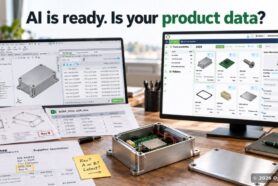
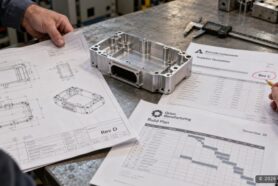
CAD and PDM represent the most mature of part of engineering software business. Most of manufacturing companies are using CAD systems to design your products and many of them are using PDM system to manage CAD files and design release process. While these systems are powerful and essential for design processes, these tools are not enough to run your manufacturing business.

Manufacturing companies are experiencing a substantial number of challenges in a modern business environment such as growing competition, cost pressure, supply chain turbulence, and many others. To stay competitive manufacturing companies need to bring new tools and organize business processes to run their business beyond the scope that was covered by existing systems.
Here is the challenge. Most of these existing systems are capable to provide a good value for their customer and, although they are limited, doesn’t require a complete replacement. Actually, quite opposite, industrial companies spent their resources on purchasing licenses and doing implementations to tailor usages of these CAD and PDM applications to the needs of their customers. In other words, customers are happy about these solutions. The question of how to extend these tools is one that I’m hearing very often from engineers and manufacturing companies contacting the OpenBOM team. These questions are coming from customers, partners and resellers.
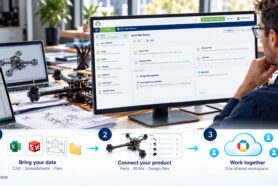
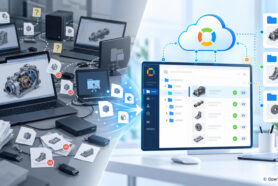
OpenBOM is a powerful, cloud-native platform that helps you manage product information such as Parts, Documents, Bill of Materials, and Orders, and it can extend and complement your existing CAD and PDM systems. OpenBOM provides a centralized repository for managing all of your product data, including parts, bills of materials (BOMs), and drawings. It also includes features for collaboration and communication, allowing you to work effectively with team members around the world. In this article, we will explore three ways OpenBOM can help you extend your existing product design and data management environment and use data more efficiently.
Desktop CAD Integrations
OpenBOM provides out-of-the-box integrations with all mainstream CAD systems, both MCAD, ECAD, and PCB design tools. These integrations allow you to build bridges with existing data sets and make the data available to downstream and upstream processes.
A typical OpenBOM integration includes the ability to capture metadata, and files and also set up a super easy and seamless data capture, including all updates and changes. Capturing design data is a super complex process. Even most CAD systems have Excel export, to do it continuously, support updates, and also upload CAD files and the derivative file is a complex process.
OpenBOM’s one-click BOM process allows you to get the right data and digitalize your process, making the data available to everyone – production planning, procurement, contractors, suppliers, and contract manufacturer. The data is available for real-time sharing, but also can be exported in Excel and ZIP packages including all files and BOMs.
The following video can give you an idea of how OpenBOM integrates with Solidworks to capture BOM and all related data, manage items, revisions, and share information downstream.
Multi-Disciplinary BOM and Analysis
Modern products contain multi-disciplinary data sets – mechanical, electronics, software, etc. To get them all together you need to extract them from multiple sources, combine them, add all non-CAD data and ensure it is reviewed by all team members and approved. It is a complex process and to make it work using inefficient Excel spreadsheets is hard.
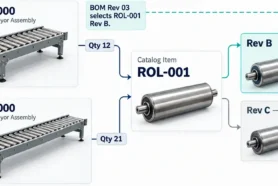
OpenBOM allows the connection of multiple BOMs together and forms a single multi-disciplinary BOM. You can combine multiple CAD assemblies from Solidworks or other CAD systems. The flexibility of OpenBOM is superior and you can eliminate a very painful data management problem.
Once it is down, you can run many analytic functions using OpenBOM. One of them is the rollup process. Cost is a top concern for many companies. OpenBOM gives you out-of-the-box rollup functions that can be tuned using formulas and a flexible data model.
Global Access and Collaborations
Product development is “teamwork”. In a modern manufacturing environment, you need to get people involved from multiple teams, multiple geographies, skills, and tools. How to bring them “on the same BOM” and allow them to review the data and also make adjustments in real-time?
This is what OpenBOM does with a patented real-time collaboration model. Check out the following video which explains how OpenBOM allows you to share data in the global teams.
Conclusion
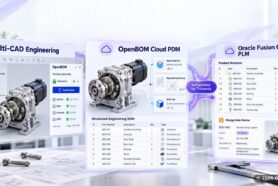
OpenBOM unique cloud data management and collaboration platform allow you to complement your existing desktop CAD tools and PDM system, to extend it with a patented collaboration mechanism, flexible multi-tenant data model, data sharing, analytics, and data management to provide a solution for BOM management, change management and approval and many others. By doing so, OpenBOM allows you to preserve the investment in your existing system and focus on solving your urgent business problems.
REGISTER FOR FREE and check out how OpenBOM can help you today.
Best, Oleg
Join our newsletter to receive a weekly portion of news, articles, and tips about OpenBOM and our community.