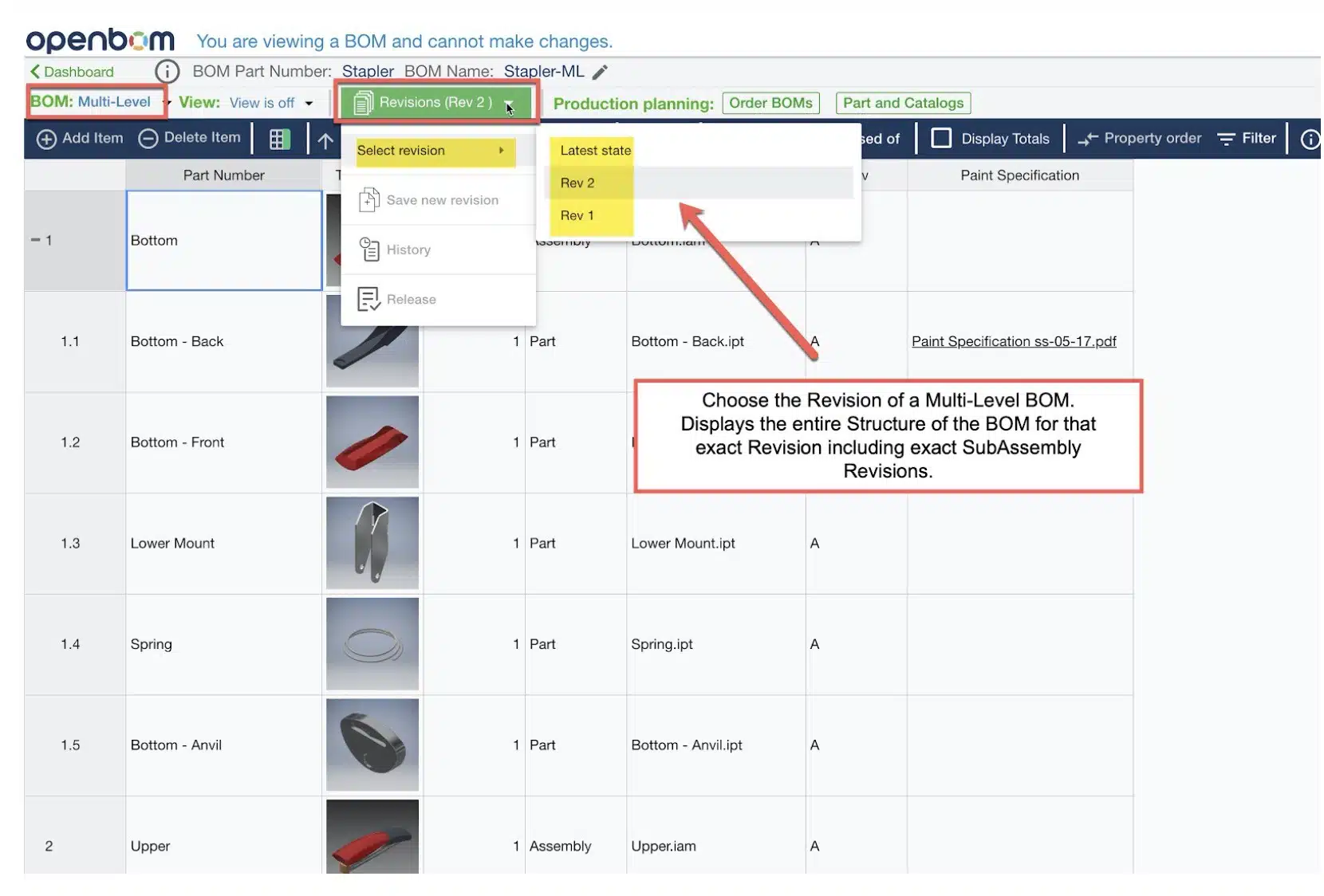
The March 2020 release of OpenBOM introduces two new and exciting features, 1) Multi-Level Revisions and, 2) OpenBOM storage. Both are designed to take your BOMs to the next level allowing you to track exactly which revision of a sub-assembly BOM is present in a particular top-level assembly BOM and to enable reference file storage without the need for sharing through a 3rd party cloud application.
OpenBOM has had the ability to Save and View a SIngle Level BOM in a particular Revision for quite some time. This release extends the ability to “View” a Multi-Level BOM with the sub-levels at their appropriate revisions. So exactly what does that mean” It means, if SubAssy is at Revision 1 and you save it’s upper level assy (TLA) as Revision 2, when you open TLA in Rev 2 you will “see” SubAssy at Revision 1.
This is a big deal. It lets you answer the question “What Revision of SubAssy is used in Revision 3 of TLA?”
The schema below can give you an idea of the OpenBOM revision mechanism. Besides keeping a history of all changes, each assembly Part Number is associated with the full list of immutable snapshots representing “revision” states of the BOM. These immutable objects can be individually connected in a graph of relationships. As a result, OpenBOM keeps a full graph of parent-child relationships between assemblies, their revisions, and history.
When the user is saving a new revision for each assembly, OpenBOM is connecting their sub-levels with the latest available revision of sub-assemblies.
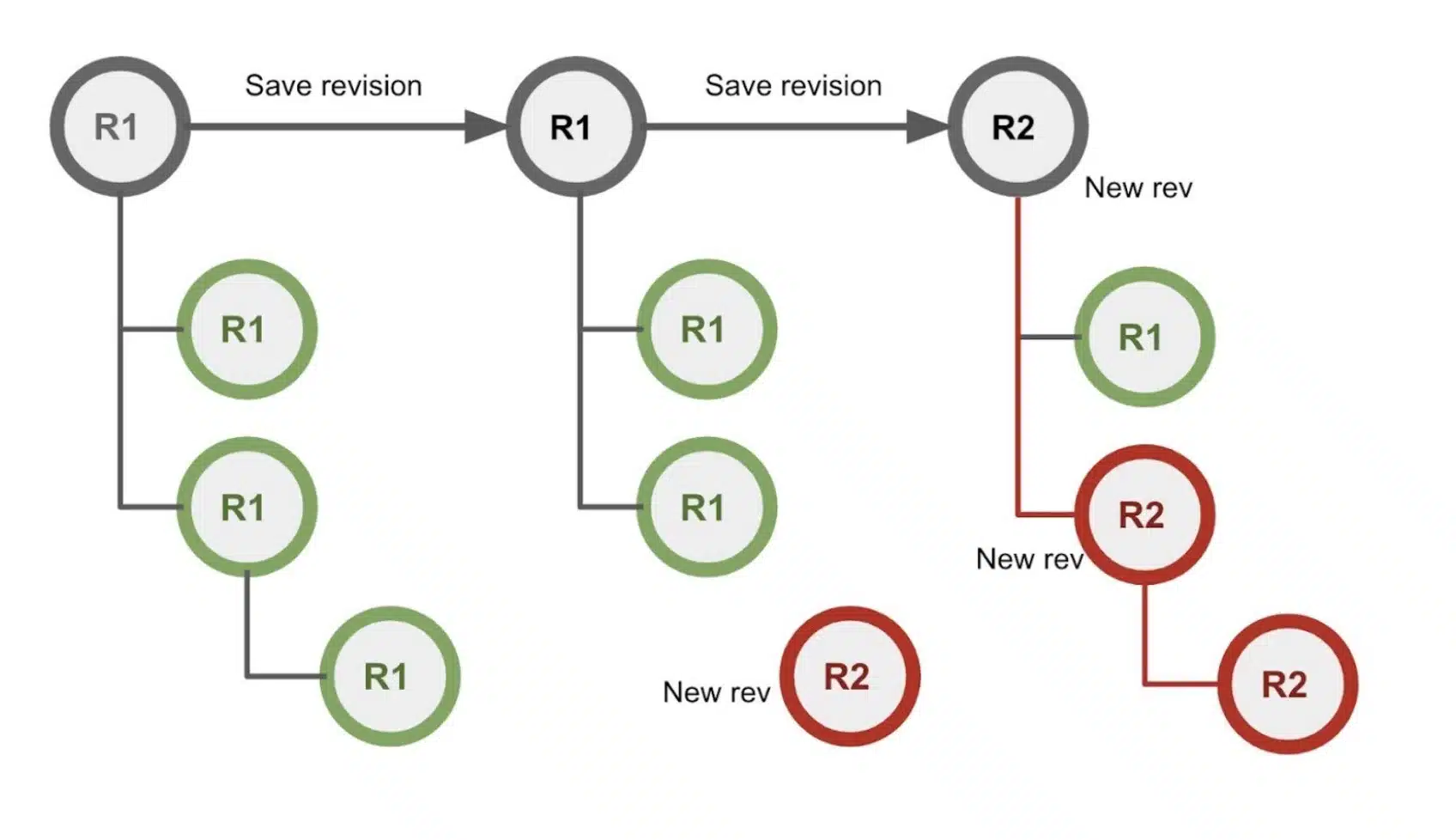
This mechanism allows you to create a multi-level structure reflecting revisions of assemblies (BOMs).
The following video gives you an idea of how it can work.
Conclusion
This is the first demo of the OpenBOM multi-level revision mechanism. It is a big step forward allowing OpenBOM to go beyond interchangeable revision management to models supporting revision relationships. Such models are extremely important in different product development scenarios such as engineering to order and contract manufacturings.
More demos and examples will be coming. Also… shhh… the change management mechanism will be coming soon.
Check what OpenBOM can do today subscribing to OpenBOM here or request a trial version.
Best, Oleg @ openbom dot com.
Let’s get to know each other better. If you live in the Greater Boston area, I invite you for a coffee together (coffee is on me). If not nearby, let’s have a virtual coffee session — I will figure out how to send you a real coffee.
Want to learn more about PLM? Check out my Beyond PLM blog and PLM Book website
Read OpenBOM customer reviews on G2 Crowd to learn what customers are saying about OpenBOM.
Join our newsletter to receive a weekly portion of news, articles, and tips about OpenBOM and our community.