

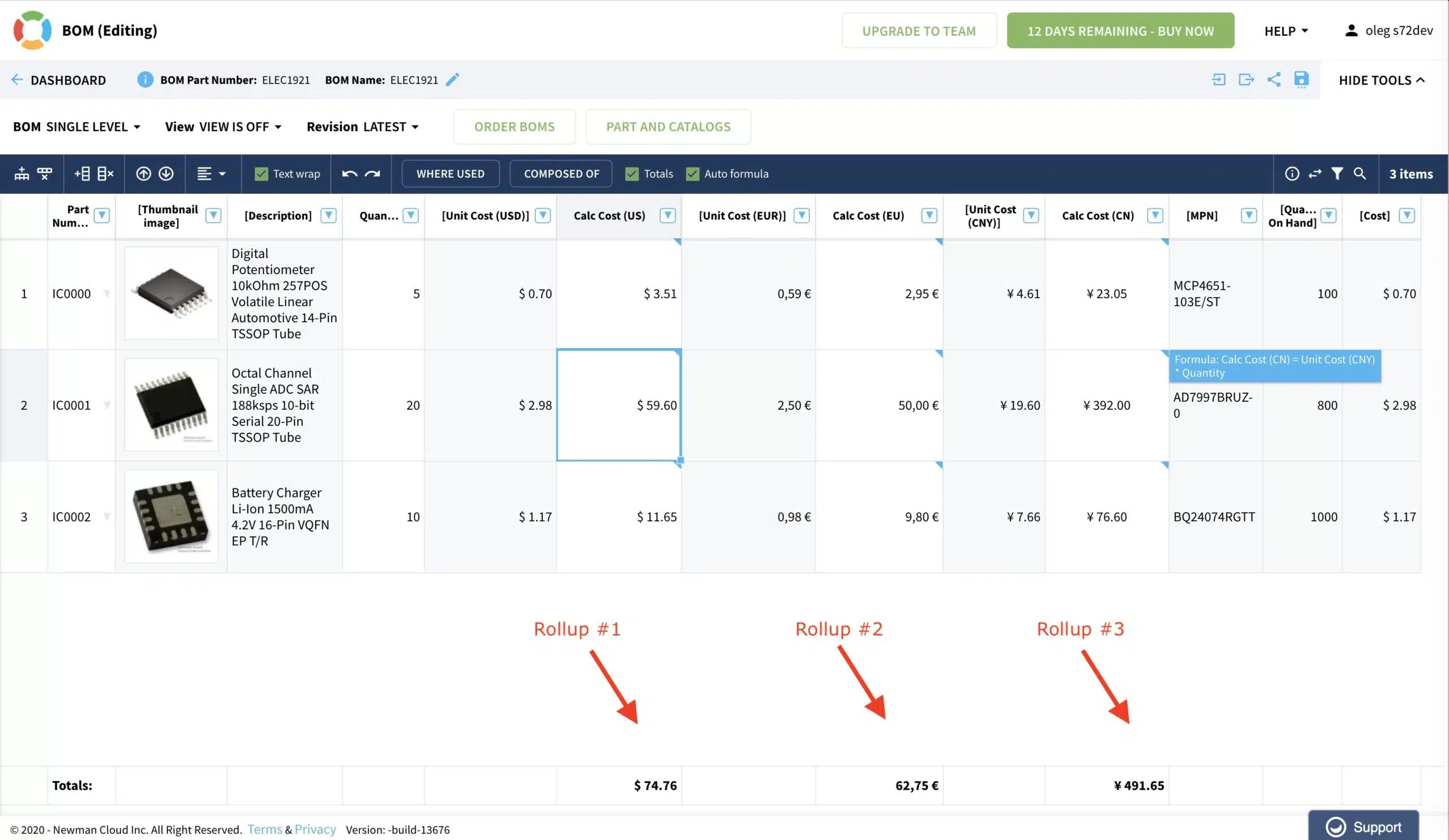
Happy message to everyone who is using calculations and rollups in OpenBOM. Actually, who doesn’t? If you’re new to OpenBOM, check our online documentation for formulas and rollups. The way OpenBOM calculation works is that you can apply formulas to specific columns (or cells), so they will perform as calculated fields. For example, Calculated Cost = Quantity * Cost. It is very similar to Excel, but you operate with property names and not cell numbers. Which makes it much easier to use. Also, OpenBOM makes it easier to apply to rows. In every BOM, a row is associated with an item (part), and by automatically apply it row by row, you can calculate the cost of an entire BOM.
The last thing is rollups, In a nutshell, a rollup is summing up the values for an entire column. This is easy. But in addition to that OpenBOM can apply rollups to the structures. This is actually tricky because it cannot be done in Excel or Google Spreadsheets. OpenBOM rolling up totals between levels and apply it to the “unit cost” on the upper level.
Now, the good news! Until very recently, OpenBOM has limitations to the number of simultaneous rollups in a single BOM (max limit was 2). That was fine for many cases, but it created many limitations to different types of calculations needed multiple times rollup. One of the examples – cost rollup with multiple currencies. In my example above, I want to have a cost rollup in US dollars, Euros, and Chines Yuan. Until now, it was impossible, and (tada) in the coming new release, this limitation will be lifted.
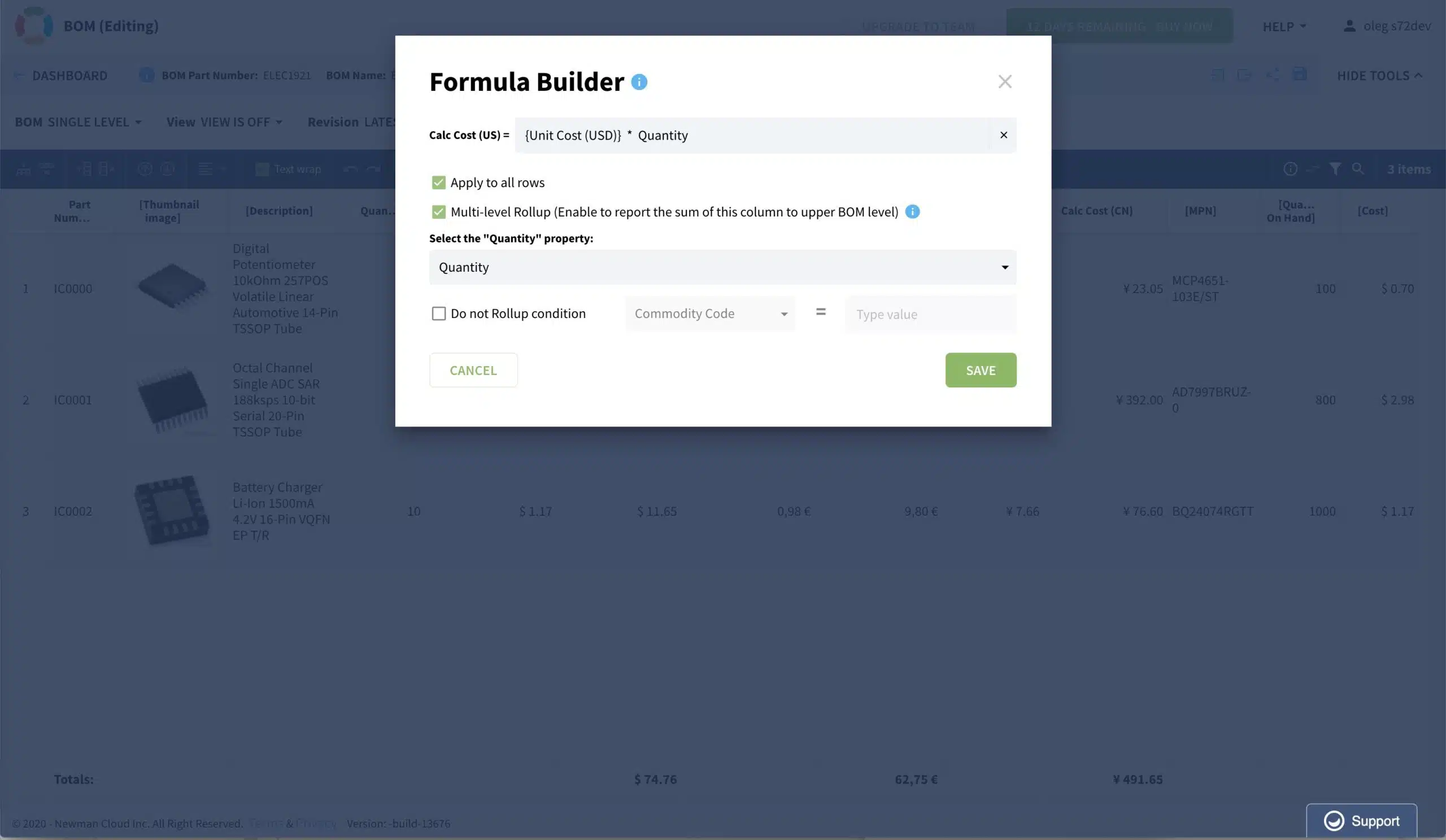
Nothing changed in the formula builder to make it happen – you just define more rollups.
Conclusion
We are building OpenBOM to be flexible and powerful. Lifting the limits of the number of rollups makes it better and open up many useful business scenarios related to calculations – rollup of mass, cost, inventory, and other planning numbers.
Want to use OpenBOM? Register for FREE and created a 14-days free professional trial using this link.
Best, Oleg @ openbom dot com.
Want to learn more about PLM? Check out my Beyond PLM blog and PLM Book website. Read OpenBOM customer reviews on G2 Crowd to learn what customers are saying about OpenBOM.
Join our newsletter to receive a weekly portion of news, articles, and tips about OpenBOM and our community.








