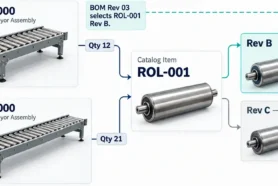
In my article today, I’d like to continue my early preview of the new item revision functionality of OpenBOM and explain how you can manage files and item revisions together in OpenBOM Catalogs.
OpenBOM Catalog – A Database of Item Records
Catalog is a flexible database you can use to store any item information. You can define an unlimited number of catalogs and customize their records by adding properties. This is a basic functionality of OpenBOM. You can learn more about it from the OpenBOM documentation – catalogs.
What is changing – Item Revisions
A new embedded mechanism to manage item revisions is being added to OpenBOM catalogs. It enhances the existing history track for the catalog and allows you to manage granular and separate records for each item in the catalog and maintain the history of item revisions in the catalog.
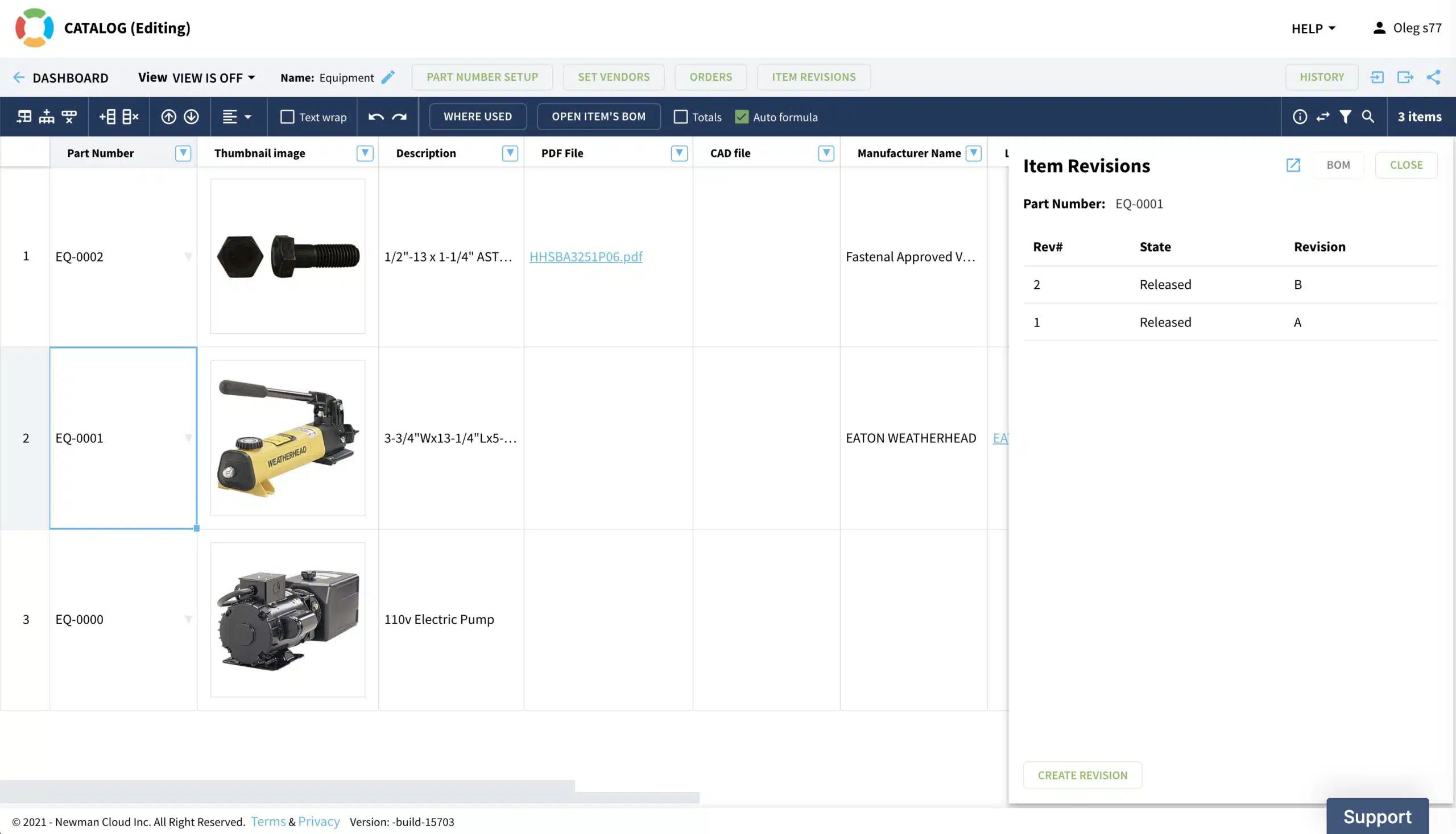
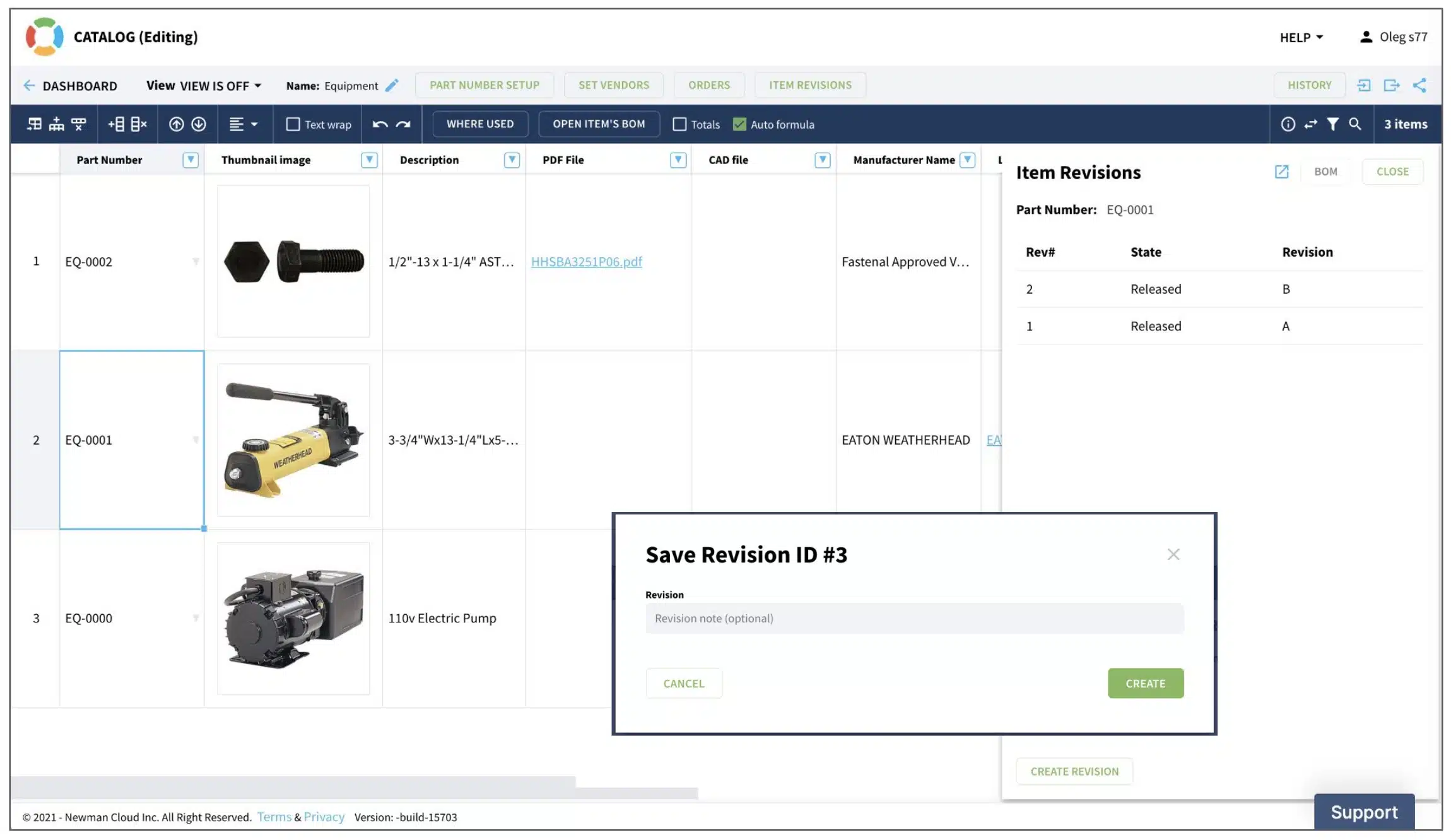
You can save an item revision using the Save Revision command, similar to what you were able to do before in Bill of Materials. OpenBOM will maintain an immutable record for each revision including all property values.Item Revisions and File Management
You can store files in OpenBOM catalogs item records by adding a reference property. The function was there before, but now it includes a new OpenBOM integrated file storage, which is moving from the Beta stage to production level support.
You can add as many files as you need to each item record by simply adding as many reference properties as you need and uploading files to store in each catalog reference property. So, you have a full data model flexibility to define files you need to manage (eg. CAD files, specs, Quality inspection reports, etc.)

The files then become available via click, which is a small, but very important behavior. OpenBOM will preview the file in the browser if the file type can be natively viewed by the browser. Otherwise, the file will be downloaded to your computer.
The feature will work extremely nicely with PDF files (you don’t need to download them anymore, which is very convenient)

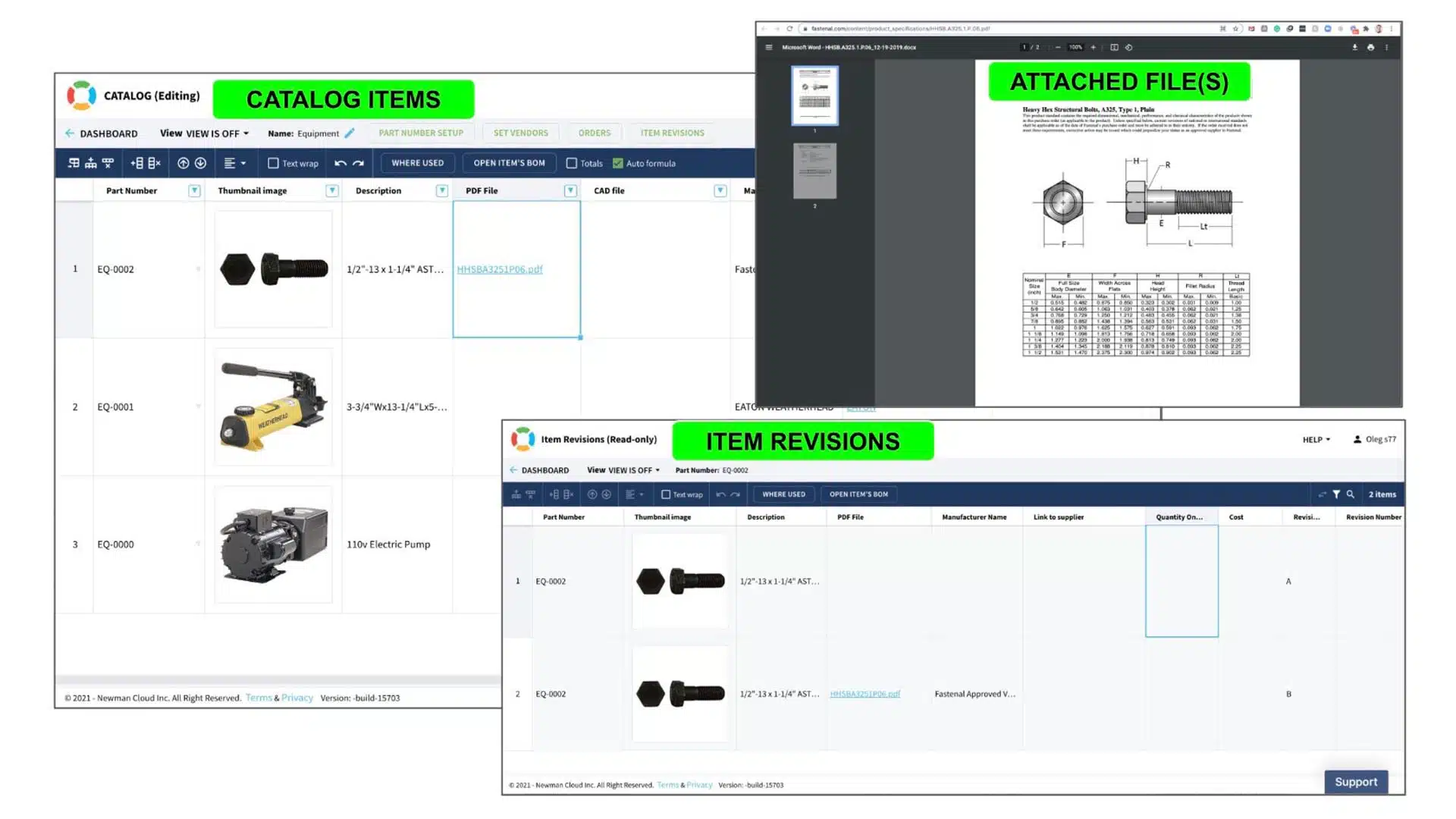
Item revision history preserves immutable records for all property values including files stored in the OpenBOM file storage.
So, by preserving the history of revisions, you can also manage revisions of the attached files (CAD files, PDF, etc.)
Here is a screenshot of the revision history


And attached filesVIDEO Demo
In the following video, you can see a quick demo of the functionality – catalog, items, item revisions, file storage, and how it will all work.
Conclusion
OpenBOM’s new item revision mechanism integrated with file storage provides a flexible and powerful way to keep track of item records combined with associated files.
OpenBOM catalogs can be used to manage components, materials, assemblies, associated CAD files, specifications, and other documents. A flexible database gives you a record of all information produced. The integrated BOM revision mechanism allows you to integrate this information into the product’s structure lifecycle.
For a more hands-on look REGISTER FOR FREE and start a 14-day free trial to test all OpenBOM professional, team, and company subscription functions.
Best, Oleg
Join our newsletter to receive a weekly portion of news, articles, and tips about OpenBOM and our community.