Part numbers are the foundation of product data management in any engineering or manufacturing organization. Every component, subassembly, raw material, and finished good needs a unique identifier: one that works consistently across your CAD system, PLM, ERP, and supply chain.
Choosing the right part numbering system early is one of the most consequential decisions a product team makes, because part numbers are not just labels. They are the primary key connecting every downstream system and workflow to the right component.
The challenge is that part numbers are easy to get wrong and hard to fix. Changing a part numbering scheme after thousands of parts exist is extremely costly and disruptive.
Every CAD file, BOM, ERP record, purchase order, and supplier communication references existing part numbers. A renumbering effort touches everything, and frequently causes data mismatches, traceability gaps, and production errors along the way.
Getting the approach right from the start, or migrating to a better system before you scale, is far less painful than trying to undo a flawed schema years later.
This article covers the key part numbering approaches, best practices and common mistakes to avoid, how to handle revision control, and how OpenBOM supports flexible, scalable part number management. For additional context on data quality in CAD data imports, a common source of duplicate part numbers, see our related post.
REGISTER FOR FREE to explore how OpenBOM helps you build and govern a part numbering system that scales.
Why Part Numbers Matter Across the Organization
Before choosing a part numbering scheme, it helps to understand exactly what a part number has to do. A part number is a unique identifier assigned to a specific component or assembly so that every system, and every person, in the organization can refer to the same item without ambiguity.
Part numbers serve as the primary key connecting CAD, PLM, ERP, and MRP systems. When a design engineer references part PN-100042, the procurement team, the shop floor, and the supplier should all be looking at exactly the same thing.
The schema you choose affects several areas of your business:
- Data searchability and organization: how quickly teams can find and filter components in a catalog
- Collaboration: whether engineering, manufacturing, and procurement speak a common language
- System integrations: how cleanly part numbers move between PLM, ERP, and PDM systems
- Traceability: the ability to track a component across its full product lifecycle
- Scalability: whether the scheme holds up as your product line and supplier base grow
Part numbers also underpin your bill of materials. Every row in a BOM is anchored to a part number. If part identification is inconsistent or duplicate parts exist in the catalog, BOM accuracy suffers, and BOM errors propagate into procurement, production, and quality management.
For a deeper look at how part and item semantics work in OpenBOM’s data model, see our post on part item vs instance in OpenBOM.
The Three Part Numbering Approaches
There are three main philosophies when it comes to part numbering systems, sometimes called numbering disciplines. Each has real trade-offs, and the right choice depends on your organization’s size, complexity, and how disciplined you can be about governance.
Most manufacturers eventually settle into one of these approaches, or a deliberate hybrid, based on how their business processes and engineering team workflows have evolved.
Intelligent (Smart) Part Numbers
In this approach, the part number itself encodes meaningful information about the component. A number like MECH-AL-0012 tells you the part is mechanical (MECH), made of aluminum (AL), and is the twelfth item in that category.
A more detailed example might be EE-CAP-100NF-0805, encoding the discipline (electrical engineering), component type (capacitor), value (100nF), and package size (0805).
Pros:
- Enables quick part identification at a glance
- Allows manual filtering by category, material, or department without opening a database
- Useful in environments with limited software infrastructure
Cons:
- Becomes difficult to maintain as the schema grows more complex
- Product lines evolve, categories change, and encoded attributes can become outdated or incorrect
- The logic must be consistently applied, a challenge at scale or when multiple teams create parts independently
- Long intelligent numbers increase data entry errors and are harder to communicate verbally
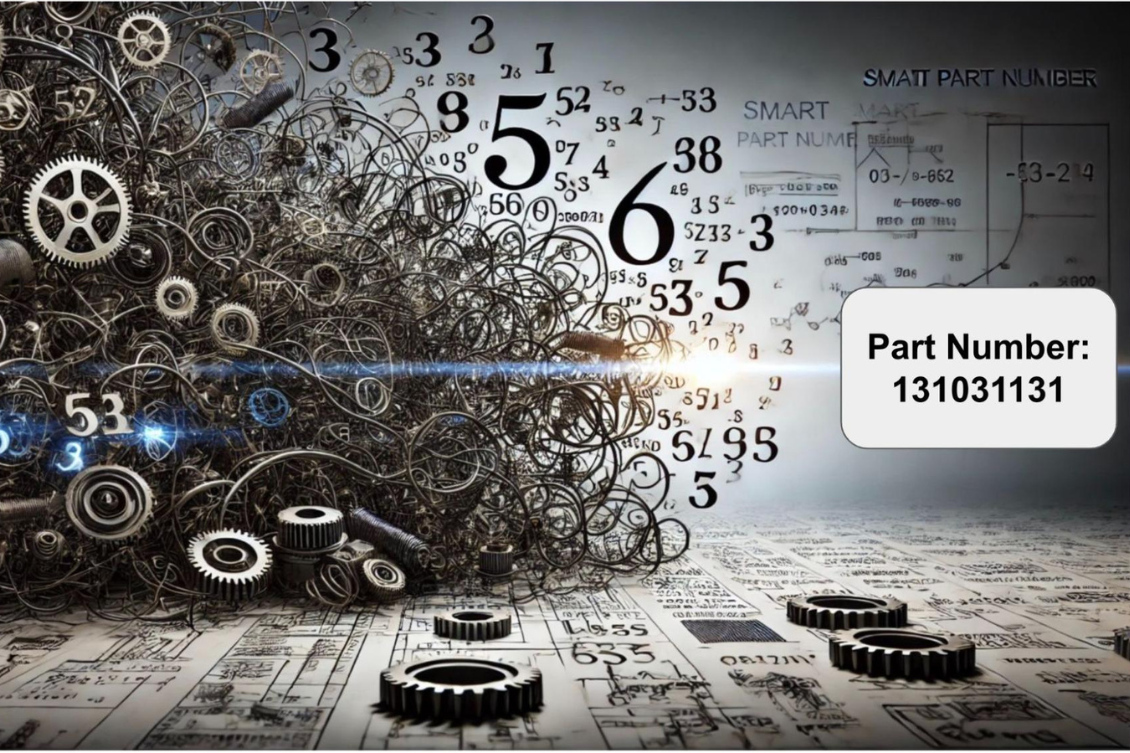
The deeper problem with intelligent part numbers is that they try to do two jobs at once: serve as a unique identifier and carry descriptive metadata. As your organization scales, those two jobs are better separated: the part number stays stable as an identifier, and the metadata lives in your system’s attributes and properties.
For a thorough comparison of smart versus plain numbering, see our post intelligent or just numbers.
Sequential (Non-Significant) Part Numbers
Sequential part numbers, also called non-significant or non-intelligent part numbers, are plain incrementing identifiers: PN-100001, PN-100002, PN-100003. They carry no embedded meaning. All information about the part (category, material, supplier, make vs. buy status, etc.) is stored as metadata in the database, not encoded into the number itself.
Most manufacturers who have scaled past a few hundred part numbers eventually migrate toward non-significant numbering, even if they started with an intelligent scheme. The reason is simple: a non-intelligent part number never becomes wrong.
The number PN-100042 doesn’t care what material the part is made of or which department owns it. The attributes in your system carry those details, and when they change, only the attribute changes. The part number stays stable.
Non-significant numbering also improves efficient data entry. When the numbering process is automatic, the system generates the next available number, there is no room for manual entry errors, inconsistent formatting, or conflicting numbers created by more than one person working simultaneously.
In organizations where a single person used to manually track the next available number in a spreadsheet, moving to auto-generated non-significant numbers saves time and eliminates a common source of conflicts.
Pros:
- Simple to generate and maintain; the system assigns the next number automatically
- No consistency problems as the business scales or changes its product line
- Ideal for system integrations where the part number is just a key and attributes handle the rest
- Simple enough for anyone in the organization to use without a training manual
Cons:
- Not human-readable without a system lookup; the number alone gives no descriptive and informative details about the part
- Requires good software discipline to keep attributes accurate and complete
- Can feel unfamiliar for teams accustomed to reading meaning from part numbers
Sequential non-intelligent systems work best when paired with a strong PDM or PLM system that makes searching and filtering by attribute fast and reliable. The number is just a handle; the system carries the meaning.
Semi-Intelligent Part Numbers
Semi-intelligent part numbers are the practical middle ground that many mid-sized manufacturing companies adopt. They use a short category prefix, typically two to four characters representing number classes like mechanical, electrical, or purchased, combined with a sequential counter. Examples: MECH-10001, ELEC-20001, PCB-30001.
This approach gives teams just enough context to orient themselves without overloading the part number with fragile encoded data. The prefix identifies the broad category; the serialized suffix keeps things simple and scalable. When a new part category is introduced, you add a new prefix rather than redesigning the entire schema.
Here are part number examples across the three approaches to illustrate the difference in practice:
| Approach | Example | What it tells you |
|---|---|---|
| Intelligent | EE-CAP-100NF-0805 | Electrical, capacitor, 100nF, 0805 package |
| Semi-intelligent | ELEC-20042 | Electrical category, item #42 |
| Sequential | PN-100042 | Item #42 in the catalog, nothing else |
Semi-intelligent significant numbering systems are a reasonable compromise for companies that want some human-readability without committing to a complex intelligent scheme. The key is keeping the prefix short, well-defined, and governed, so it doesn’t gradually expand into the same problems as a fully intelligent system.

Part Numbering Best Practices
Regardless of which approach you choose, the following principles apply universally. These are the areas where companies most often make mistakes, especially during early growth when the urgency feels low and the consequences feel distant.
Keep Part Numbers Short and Consistent in Length
Aim for 8–15 characters. Shorter numbers are faster to type, easier to communicate verbally, and less prone to transcription errors during manual data entry. Numbers shorter than 8 characters may not provide enough uniqueness range as your catalog grows. Numbers longer than 15 characters create friction in ERP fields, make verbal communication error-prone, and increase data entry errors on the shop floor.
Beyond maximum length, consistent part number length across a category matters for system compatibility and cross-functional collaboration. When every number in a class follows the same length, for example, all mechanical parts are always 10 characters, sorting works correctly in numerical order, Excel imports don’t reformat values unexpectedly, and ERP fields don’t truncate or misalign part data.
Inconsistent part number lengths are a common and underappreciated source of data mismatches when information moves between tools.
Most companies also find that consistent length reduces errors when more than one person is reading, typing, or verbally communicating part numbers across shifts or sites.
A part number that is always the same length is also far less likely to get corrupted in Microsoft Excel, which has a well-documented habit of stripping leading zeros and reformatting numeric strings into scientific notation, a particular problem for teams that still manage part data in spreadsheets before moving to a dedicated system.
Ensure Uniqueness Across the Organization
Each part number must be unique across the entire organization, not just within a single project, product line, or department. A component used in multiple products should have one part number.
Duplicate parts are one of the most common and damaging problems in product data management, especially when multiple CAD tools or multiple sites generate numbers independently. For guidance on data management best practices for BOMs and catalogs, see our related post.
Avoid Leading Zeros
Avoid leading zeros in part numbers (e.g., 00012345). Different systems interpret them differently. Excel strips leading zeros when importing data, and some ERP systems do the same, creating mismatches between the number in your PLM and the number that appears in your ERP. If you need zero-padded numbers, test how every system in your stack handles them before committing.
Avoid Ambiguous Characters
Avoid characters that look similar in certain fonts: O (letter) and 0 (number), I (letter) and 1 (number), S and 5, Z and 2. These cause human error during manual entry, verbal communication, and printed work instructions on the shop floor.
If you use letters in your part numbering convention, restrict them to characters that are visually unambiguous, or use all-numeric sequential portions.
| Character | Confused With | Recommendation |
|---|---|---|
| O (letter) | 0 (zero) | Avoid the letter O entirely in part numbers |
| I (letter) | 1 (one) | Avoid the letter I entirely in part numbers |
| S | 5 | Use only when context makes the distinction obvious |
| Z | 2 | Use only when context makes the distinction obvious |
Avoid Underscores as Separators
Underscores (_) are visually ambiguous in many fonts and difficult to communicate verbally. Use hyphens (-) as separators if needed. Better still, minimize separators altogether: a short prefix followed directly by a sequential number is cleaner and easier to work with across systems.
Define Make vs. Buy Conventions
Parts for manufactured (make) items and purchased (buy) items may follow different numbering conventions. Some organizations use separate prefix ranges or catalogs for each.
Defining this distinction up front prevents confusion between internally produced components and off-the-shelf purchased parts, and makes procurement and manufacturing planning more efficient.
Document Your Numbering Policy
A part numbering policy document should define format rules, who can create part numbers, how exceptions are handled, and what happens when a new part family or category is introduced.
Without governance, part numbers drift. Teams start improvising, prefixes multiply, and the schema gradually becomes inconsistent. Good governance is what separates a part numbering system that scales from one that becomes a legacy system problem in three years.
See our post on governance improvements for Creo customers for an example of how governance can be enforced at the CAD integration level.
Revision Control and Part Numbers
One of the most important, and most often mishandled, aspects of part numbering is the relationship between part numbers and revisions. The key principle: revision letters or numbers should be tracked separately from the base part number.
A part number identifies a component. A revision tracks changes to that component over time. Embedding revision information into the part number itself (e.g., changing from PN-100042 to PN-100042-B) creates confusion and makes it difficult for systems to track design history cleanly. The base part number should remain stable; the revision suffix is managed as a separate attribute.
The question of when to create a new part number versus a new revision is important for engineering change management:
- Use a new revision when the change is minor and the updated part remains interchangeable with the previous version: same form, fit, and function.
- Create a new part number when form, fit, or function changes and the new version is NOT interchangeable with the old one. At this point you have a genuinely different part, and it needs its own unique identifier.
This distinction matters enormously for traceability, warranty management, and BOM accuracy. If a rev B part is not interchangeable with rev A and you don’t create a new part number, you risk building products with the wrong component, a mistake that can be extremely difficult to trace in the field.
For a deeper treatment of how revisions interact with part numbers in practice, see our post on revision control in part numbers.
Part Classification and Part Families
Part classification is the practice of grouping components into categories: mechanical, electrical, fasteners, raw materials, purchased components, so they can be searched, filtered, and managed efficiently.
In an intelligent or semi-intelligent part numbering scheme, classification is partially encoded in the prefix. In a sequential scheme, it is managed entirely through metadata attributes.
Part families group related components under a common base number with variant suffixes. For example, a base fastener might be FAST-10001, with variants FAST-10001-01 (stainless steel) and FAST-10001-02 (zinc-plated). This is sometimes called a “dash number” system. It keeps related parts visually grouped while preserving unique identifiers for each variant.
Part families are especially useful when managing components that come in multiple materials, finishes, colors, or configurations. Our post on managing colored parts in bill of materials covers a common real-world example of this challenge.
What Is the Best Approach for Managing Part Numbers with OpenBOM?
OpenBOM offers a flexible, property-based approach to part number management that helps teams avoid the pitfalls of overly complex intelligent schemas.
The key insight behind OpenBOM’s approach is that the need to embed information in the part number itself is greatly reduced when you have a cloud-native PLM system that makes attributes fast and easy to manage, one that improves efficiency and saves time across every team that touches part data.
As a business scales from a handful of engineers to cross-functional teams spanning engineering, procurement, manufacturing, and quality, the part numbering process needs to work reliably for everyone, not just the single person who originally designed the schema. OpenBOM’s approach supports that cross-functional collaboration by making part data accessible, consistent, and governed across the organization.
Flexible properties
OpenBOM allows you to define a rich set of properties for each item master: material, manufacturer, supplier, make vs. buy status, part family, and more. This means all critical information about a component is managed through attributes rather than encoded into the part number.
A simple sequential number like 123456 becomes fully descriptive once its properties are populated. This makes the part catalog far more scalable and easier to maintain than a schema that tries to carry all that information in the number itself.
Uniqueness enforcement
OpenBOM ensures the uniqueness of part numbers across catalogs and alerts you immediately if a duplicate is detected. This prevents the catalog sprawl that occurs when multiple teams or CAD tools generate numbers independently, a common source of duplicate parts and data inconsistencies.
Automatic part number generation
OpenBOM generates the next available part number automatically, whether you are adding parts through the web editor or through a CAD integration. This removes the manual step of checking for the next available number and eliminates the risk of human error in part number assignment.
Upcoming: centralized multi-catalog part number setup
A forthcoming OpenBOM update will introduce centralized part number management across multiple catalogs, allowing organizations to govern part numbers at the global level rather than catalog by catalog. This will be particularly valuable for companies with multiple product lines or multiple sites that need consistent part identification across the entire organization.
Upcoming: part number duplication report
OpenBOM will also introduce a dedicated duplication report to identify cases where data from CAD systems has inadvertently created duplicate part numbers, for example when multiple configurations or assembly versions reference the same number. This report will give administrators visibility into data quality issues before they propagate into BOMs and production records.
Want to set up a part numbering system that scales? Register for free and explore OpenBOM’s flexible, property-based part management.
Frequently Asked Questions
What is a part numbering system?
A part numbering system is a structured method for assigning unique identifiers to every component, assembly, and raw material in an organization. The system defines the format, rules, and governance for creating and managing these identifiers across engineering, manufacturing, and procurement, ensuring that every team and every connected system refers to the same item by the same name.
What is the difference between intelligent and sequential part numbers?
Intelligent (smart) part numbers embed meaning, like category, material, or department, directly into the number itself (e.g., MECH-AL-0012). Sequential part numbers are plain counters with no embedded meaning (e.g., PN-100001), with all attributes stored as database metadata. Intelligent numbers are easier to read at a glance; sequential numbers are simpler to maintain at scale and less prone to becoming outdated as the product line evolves.
How long should a part number be?
Aim for 8–15 characters. Shorter numbers may not provide enough uniqueness range as your part catalog grows. Longer numbers increase data entry errors, are harder to communicate verbally, and create friction in ERP and PDM system fields. Keep it as short as possible while still supporting the uniqueness and structure your organization needs.
Should I use letters or numbers in part numbers?
Both can work, but be deliberate. If you use letters, avoid characters that look alike in certain fonts: O/0, I/1, S/5, Z/2. If you use a category prefix, keep it short, two to four characters. The sequential portion of the number should be numeric for reliable sorting and system compatibility.
When should I create a new part number vs. a new revision?
Create a new part number when form, fit, or function changes and the updated part is NOT interchangeable with the previous version. Use a new revision when the change is minor and the part remains interchangeable. This distinction is critical for BOM accuracy, traceability, and engineering change management.
What are some examples of part numbers?
Part number formats vary by approach. An intelligent number like EE-CAP-100NF-0805 encodes discipline, type, value, and package. A semi-intelligent number like MECH-10001 uses a category prefix with a sequential counter. A non-significant number like PN-100042 is a plain identifier with all descriptive details stored as attributes in the system. Most manufacturers find that seeing concrete part number examples side by side makes the trade-offs between approaches much clearer.
Can I change my part numbering system later?
Technically yes, but it is extremely costly and disruptive. Every CAD file, BOM, ERP record, purchase order, and supplier communication references existing part numbers. Migrating to a new system means touching all of those records, and the risk of introducing errors into your manufacturing processes and business processes along the way is significant. Plan your scheme carefully from the start. If you need to improve efficiency and move to a better approach, a system like OpenBOM makes it easier to adapt your schema settings and properties without a full renumbering exercise across every catalog.
What is a semi-intelligent part numbering system?
A semi-intelligent system uses a short category prefix (two to four characters) combined with a sequential counter, for example, MECH-10001 or PCB-30001. It provides just enough human-readable context to orient teams without overloading the part number with fragile encoded data. Many mid-sized manufacturing companies adopt this approach as a practical compromise between readability and maintainability.
How do I handle part numbers from suppliers?
Maintain your own internal part number as the primary identifier and store supplier part numbers as a cross-reference attribute. Never use a supplier part number as your internal identifier, suppliers change catalogs, discontinue parts, and update their numbering, and if your BOM is anchored to their numbers you inherit all of that instability. Your internal number stays stable regardless of what changes in the supply chain.
Conclusion
Part numbering is a subject of ongoing debate in engineering and manufacturing organizations because it touches so many areas of daily operations, from CAD and BOM management to procurement, production planning, and quality control.
There is no single correct answer, but there are clear principles: keep numbers simple, enforce uniqueness, separate revision control from base part identification, and govern the scheme before it grows beyond your control.
Whether you adopt an intelligent, sequential, or semi-intelligent part numbering system, the most important factor is having a platform that makes your scheme easy to enforce, easy to audit, and easy to extend. OpenBOM’s flexible, property-based approach reduces the pressure to embed everything in the part number itself, freeing your team to focus on building great products rather than managing numbering complexity.
REGISTER FOR FREE and experience how flexible part number management can enhance your operations.
Best regards, Oleg
Join our newsletter to receive a weekly portion of news, articles, and tips about OpenBOM and our community.