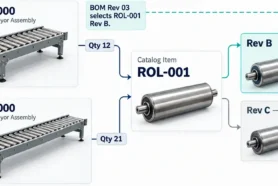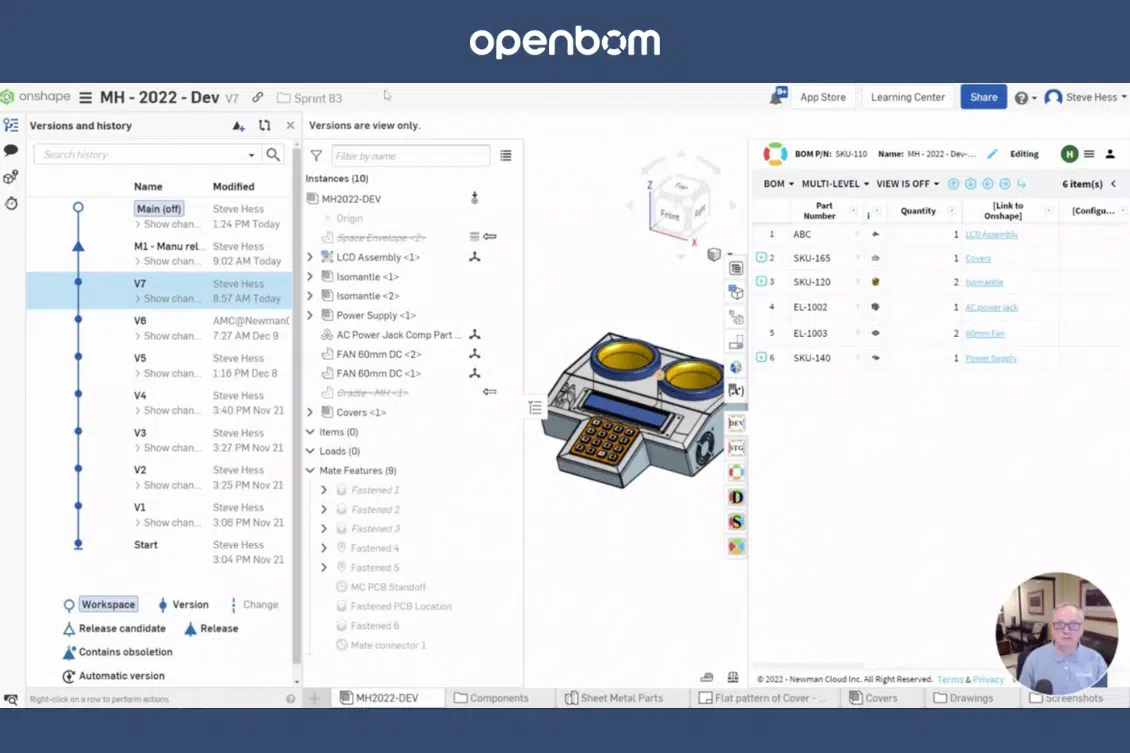
The release process is one of the fundamental engineering processes. It requires coordination and synchronization of the team of engineers and efficient data sharing and collaboration between tools you use to support the release process. Product complexity is growing and modern products combine multiple subsystems and elements – mechanical, electronics, and software. OpenBOM helps you to have all of them synchronize and establish a multi-disciplinary product structure (BOM) that includes all needed components, get them aligned and perform a release, which will create a baseline with all BOMs, item information, attached files, and additional attributes. Check more about OpenBOM Release Best Practices.

OpenBOM and Onshape – Seamless Release Alignment
For a very long time, OpenBOM has provided an integrated product with Onshape allowing seamless integration and data handover between both systems. You can set up what data will be transferred between OpenBOM and Onshape to perform efficient BOM creation, file transfer, and release processes. We would like to take the level of integration between Onshape and OpenBOM to the next level and provide support for the Onshape release process. Here is what is going to happen.
Onshape Release Process
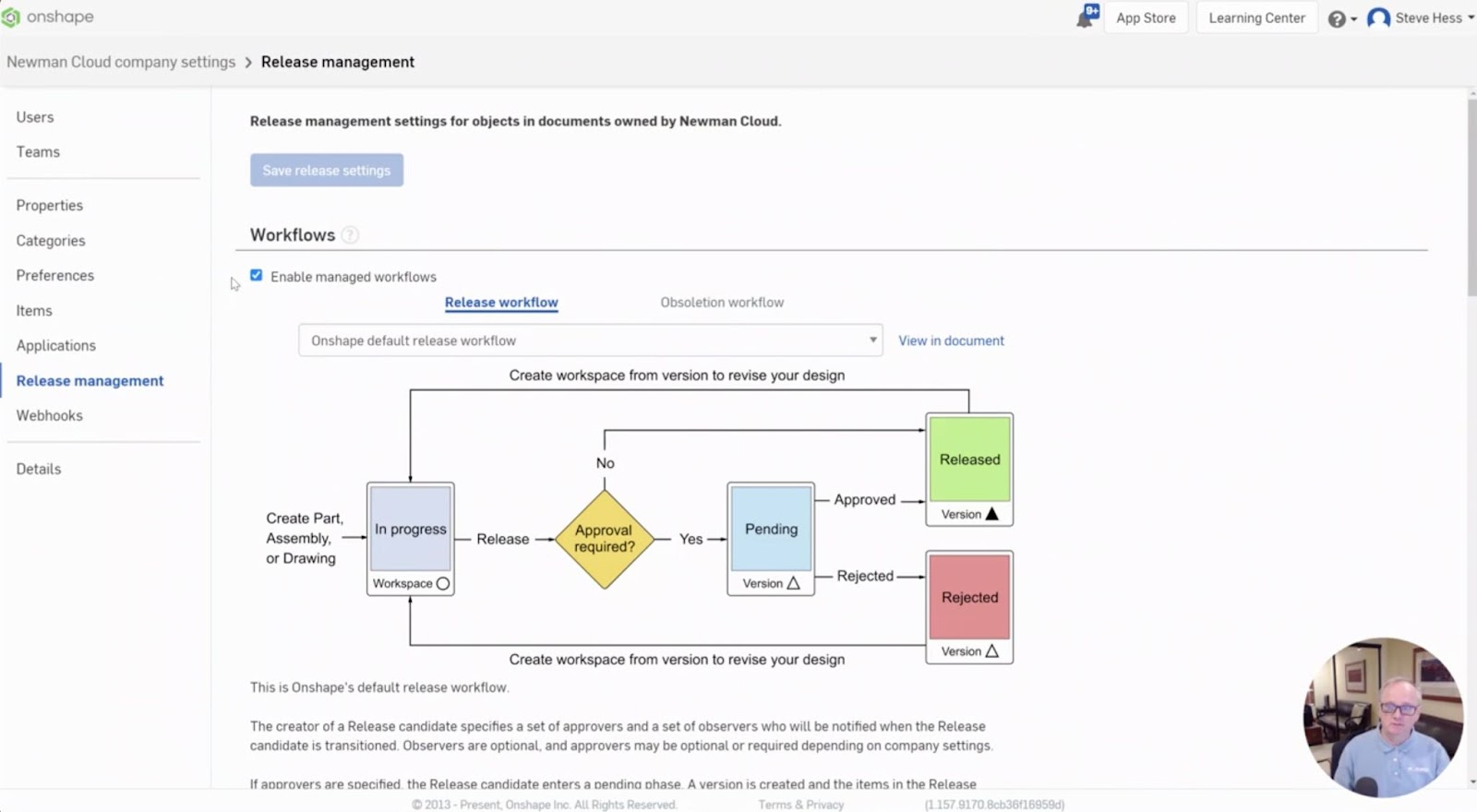
The release process in Onshape coordinates the activities and approval of design and related documentation in Onshape. In the picture below you can see a typical Onshape release process.
Approval Event and BOM Update
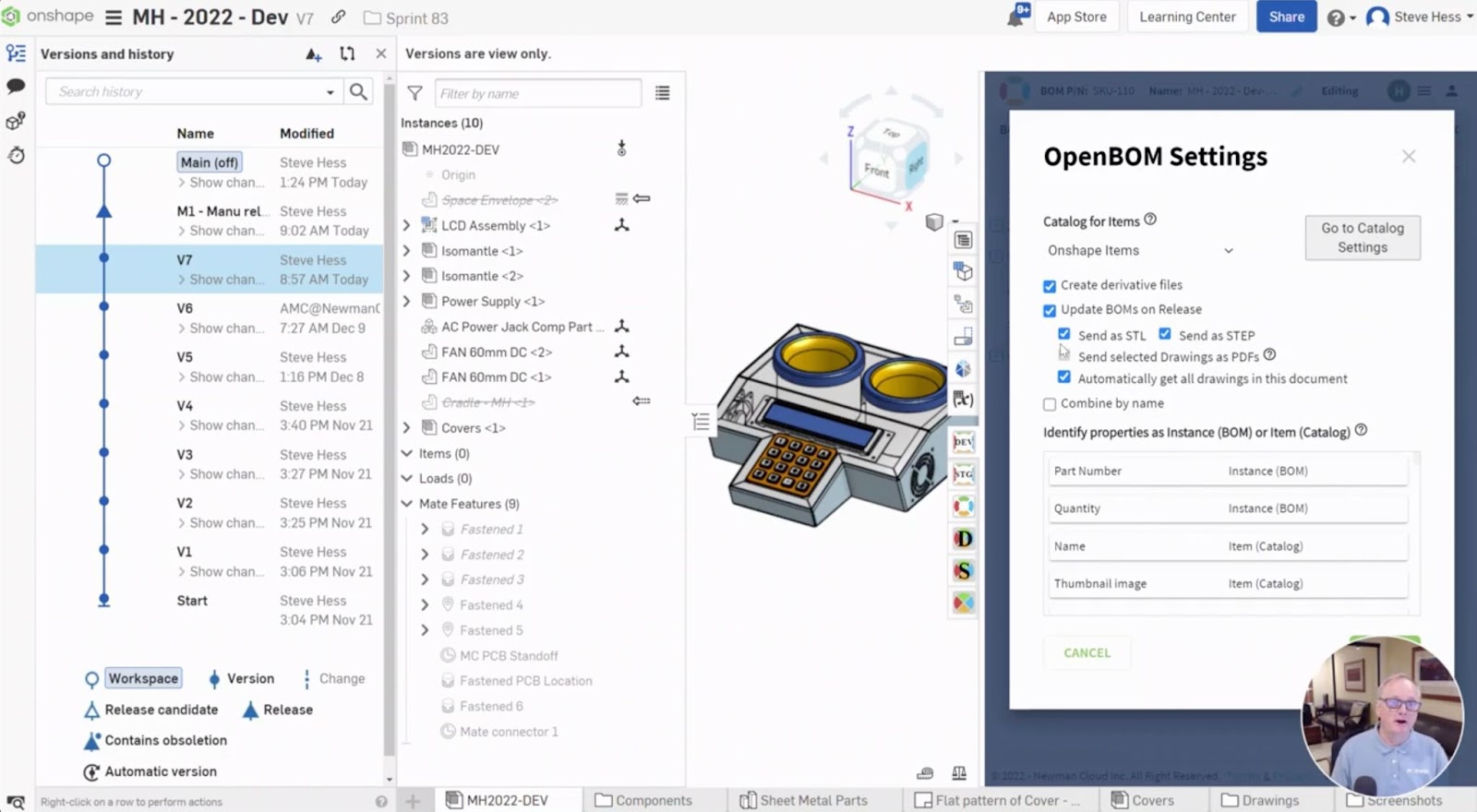
Until now, you should be doing a “BOM update operation” when needed to bring the data from Onshape to OpenBOM. Not anymore, We are introducing an automatic process that is capturing the Onshape release events and sends the data to OpenBOM.
As you can see, a simple setting is going the long way to automate the release process and data handover between two systems.
VIDEO Demo
In the following video, you can watch how to make both OpenBOM and Onshape interplay together during the release process.
The feature will become available in January 2023.
Conclusion
Our vision at OpenBOM is to streamline processes and deliver seamless integration to ensure data is flowing easily between multiple systems. OpenBOM for Onshape Release support is another example of where OpenBOM is intuitively integrated with the design system to support an automatic data handover.
REGISTER FOR FREE to check how OpenBOM can help you today.
Best, Oleg
Join our newsletter to receive a weekly portion of news, articles, and tips about OpenBOM and our community.