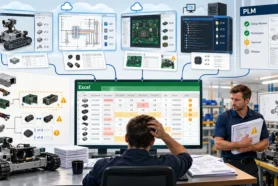
Meet Sarah. She’s a mechanical engineer at a growing robotics company, juggling CAD models, spreadsheets, supplier lists, and emails from manufacturing asking for the “latest version” of parts.
Her company didn’t have a proper PDM or PLM system yet. Worse, the last attempt to implement one fizzled out — too complex, too expensive, too slow.
Sarah needed something better. And fast. That’s when she discovered OpenBOM.
Here’s what happened next — all in under 30 minutes.
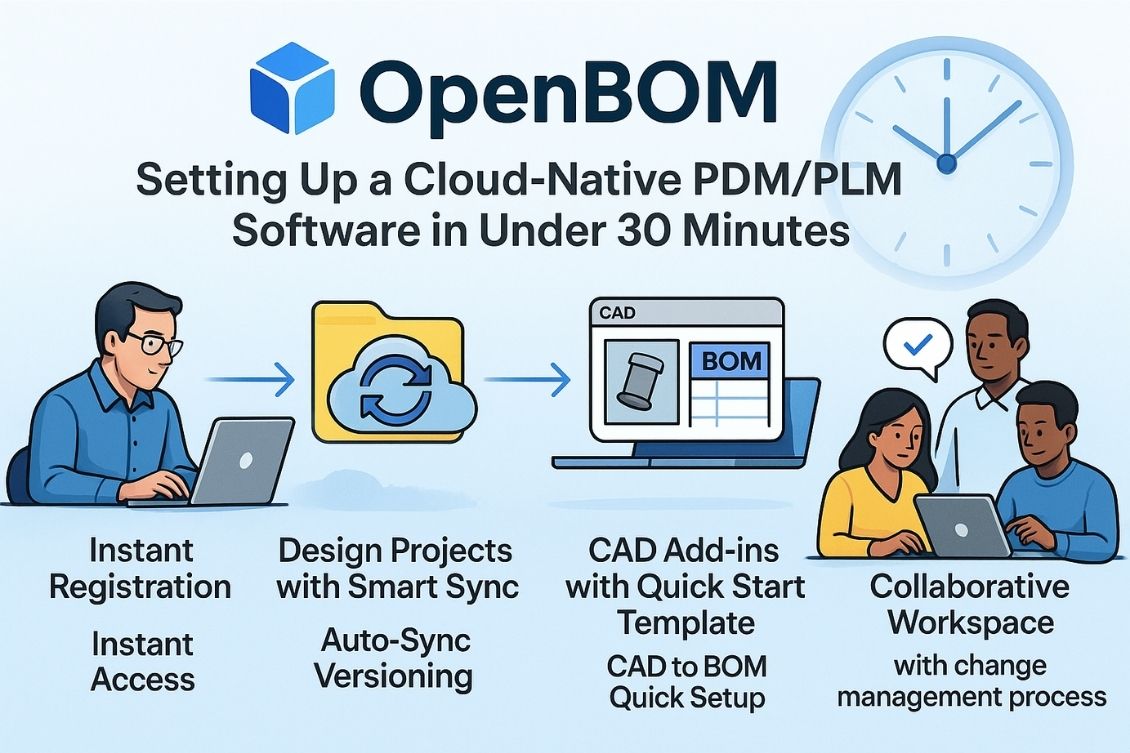
Minute 0-2: Instant Registration (14-day trial activated)
Sarah went to openbom.com and clicked “Register.”
Less than a minute later, she had her own 14-day trial of OpenBOM Company Workspace set up. No paperwork. No IT help. No wait.
Right away, she was the admin of her environment, able to start organizing her product data exactly the way she wanted.
Minutes 3-10: Creating Her First Design Project
Inside OpenBOM, Sarah clicked “New Project” and named it “Robotic Arm Prototype.”
She uploaded her CAD models, datasheets, and assembly drawings directly into the project.
Thanks to OpenBOM’s Smart Sync technology, her files were automatically versioned and securely stored in the cloud — no complicated configuration, no folders to manage. She could already see her files organized and ready for collaboration.
It felt almost too easy.
Minutes 11-18: Connecting Solidworks and Using the Quick Start Template
Next, Sarah installed the OpenBOM add-in for Solidworks. The process took about 3 minutes — just a simple installer and a login.
Inside Solidworks, she opened her robotic arm assembly and clicked “Create BOM.”
OpenBOM’s Quick Start Template did the heavy lifting — extracting part numbers, materials, and quantities directly from her CAD model into a clean, ready-to-use Bill of Materials. No messy spreadsheet exports – everything is online..
In minutes, she had a live, structured BOM connected to her design project. All derivative files that needed for suppliers, contractors and manufacturers (STEP, PDF, STL, DXF, etc) were generated automatically.

Minutes 19-27: Setting Up Collaboration and Change Management
Sarah then invited her teammates — Mike from electrical engineering and Amanda from purchasing — into her OpenBOM Company Workspace.
Mike could now access the design files he needed without asking for email attachments. Amanda could see the latest BOM and start planning procurement without chasing down Sarah for updates. A quantity report (flattened BOM) is the simplest way to start, but there is more later – OpenBOM supports ordering and inventory management.
Sarah also enabled OpenBOM’s Change Management features, letting her control revisions and track changes over time.
Now every design update, BOM edit, or procurement adjustment would be captured and visible, keeping everyone aligned and accountable.
Minutes 28-30: Done — And Ready to Work
By the time Sarah finished her morning coffee, she had a fully operational cloud-native PDM/PLM system in place:
- CAD files were synced and versioned.
- BOMs were created automatically.
- Team collaboration was live.
- Change management was enabled.
It was quick. No massive IT project. Just Sarah — and OpenBOM — getting it done in under 30 minutes. If something goes wrong, OpenBOM gives you online support, chat, and a huge library of online resources with videos and samples.
Ready to Start Your Own 30-Minute Setup?
OpenBOM gives you instant access to modern, flexible, cloud-native PDM/PLM tools — designed for engineers, manufacturers, and product innovators like Sarah.
Where to learn more about OpenBOM – Check the “How to” playlist in OpenBOM Youtube Video Library.
You’re just one click away from transforming your product development process.
REGISTER FOR FREE – Create your free account today.
Best, Oleg
Join our newsletter to receive a weekly portion of news, articles, and tips about OpenBOM and our community.