The calculation is an important part of the Bill of Materials. I’m sure don’t need to explain why. OpenBOM does have some very unique and powerful calculations features allowing you to do things that are pretty much beyond what you can accomplish with Excel. Think about making roll-ups of cost, mass and other things in multi-level Bill of Materials. I’ve been talking to some engineers using OpenBOM and they have been honest by saying that OpenBOM calculation feature can save tons of time.
We are working to make it extremely powerful is that not only you can make roll-ups and calculation, but also it combined with flexibility and simplicity of data management in OpenBOM. In fact, these level of simplicity and flexibility is beyond what sophisticated PLM and ERP systems can do.
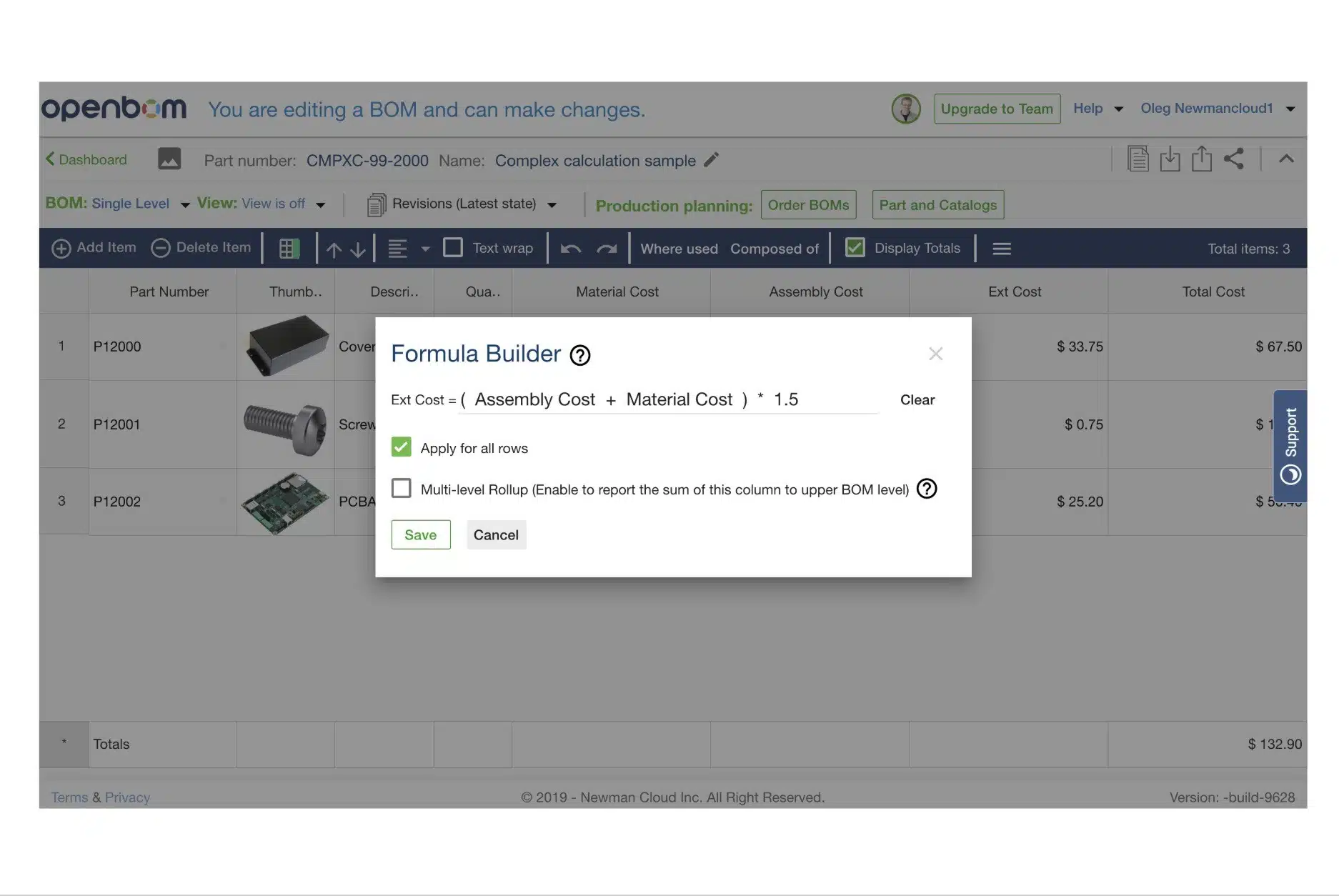
All these things I mentioned above are available and you can use them. Today, I want to give you some preview of what is coming next in calculations and formula editor. In the coming release we are going to introduce new functions in formulas to support parentheses to change the order of operations and make it more sophisticated. Those of you who created additional properties for intermediate results can now take a deep pain relief breath. You won’t need it anymore. In a new release, you will be able to make formulas like on the picture above – using arithmetic operations and changing operations order.
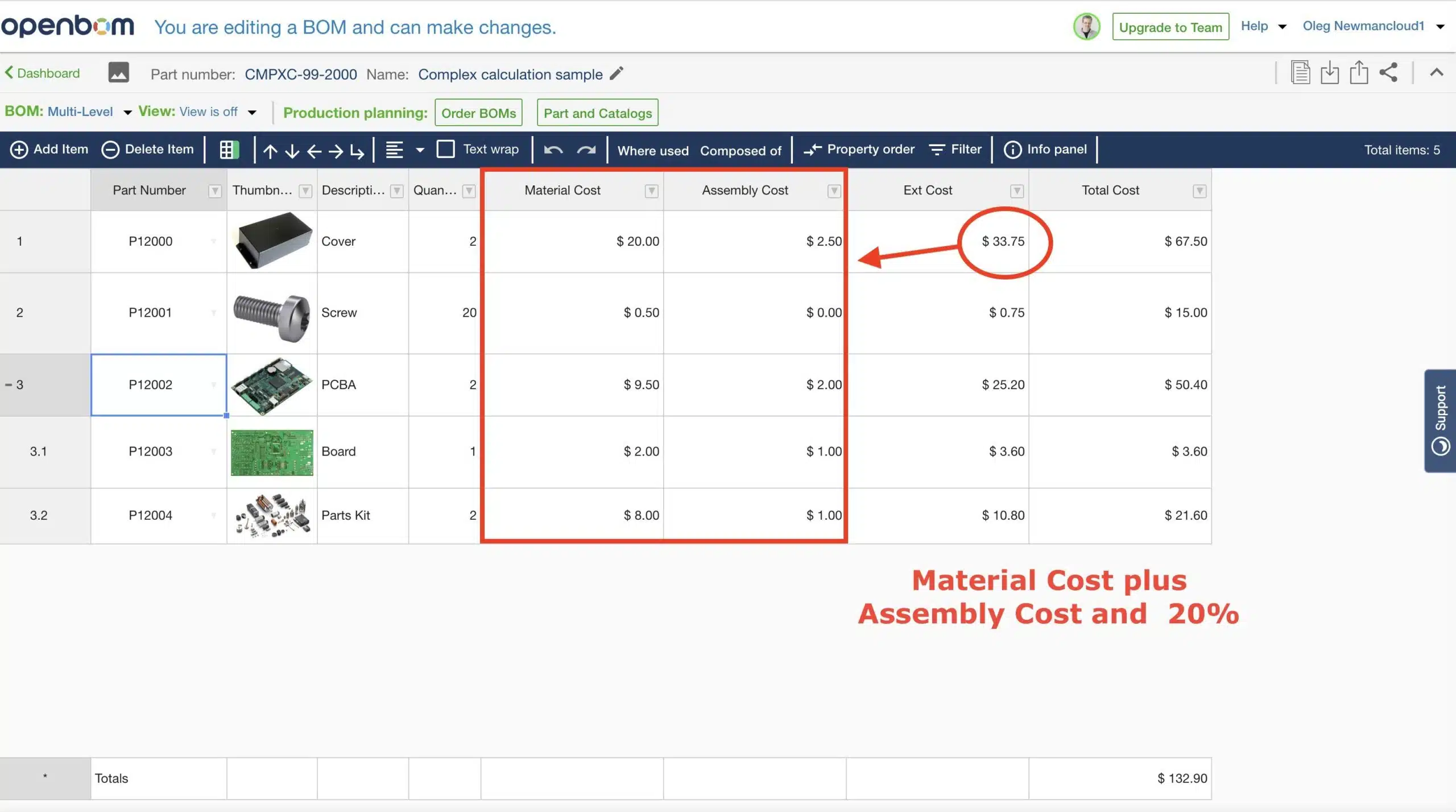
So, in the BOM below, you will be able to apply calculation and combine assembly and material cost with some additional extra.
In the video below I demonstrate how it works. I hope you will like both, the appearance of new formula edit as well as new features. More functions are coming in formula and calculations later in August.
Conclusion.
Calculations are extremely important. We are paying huge attention to that by supporting an easy way to extract data from the CAD system and/or Excel, transform it in OpenBOM and make the calculation and other analysis that can help you to develop products faster and without mistakes.
I hope you will like it.
Best, Oleg @ openbom.
Let’s get to know each other better. If you live in the Greater Boston area, I invite you for a coffee together (coffee is on me). If not nearby, let’s have a virtual coffee session — I will figure out how to send you a real coffee.
Want to learn more about PLM? Check out my Beyond PLM blog and PLM Book website
Join our newsletter to receive a weekly portion of news, articles, and tips about OpenBOM and our community.