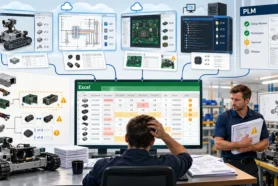
The modern engineering and manufacturing environment is super collaborative and demands everyone to be connected and be able to manage CAD files, multi-disciplinary design data, engineering information, and processes in a connected fashion.
I’m super excited to continue to preview OpenBOM’s new capabilities of Design Projects to allow granular CAD design file management (including versions) and automatic synchronization of files between cloud storage and local workspaces.
The following list of enhancements will be introduced to OpenBOM Design Projects in the coming release. It includes:
- Design Projects Sharing
- File versions
- Improved file-locking mechanism
- Improved Smart Sync mechanism
Check some of the previous articles I published last week:
- OpenBOM Design Project Enhancements
- Video preview of OpenBOM Project Sharing and File Versions
- Introducing the Enhanced OpenBOM Design and Workspace Manager: A First Demo
- OpenBOM Design Projects and Collaborative Lock Mechanism
Check them out to get an impression of what is coming. Today, I’d like to speak about the overall process and how Design Project collaboration, file sharing, and lifecycle of design are connected to other functions (eg. BOM management, change management, etc).

Design Project – Part of Overall OpenBOM Lifecycle Process
Design Project service is part of the overall engineering lifecycle supported by OpenBOM. The life cycle includes the capabilities to manage design versions (CAD files), capture engineering information (Item/BOM), and perform release processes (Revisions / Change Orders).
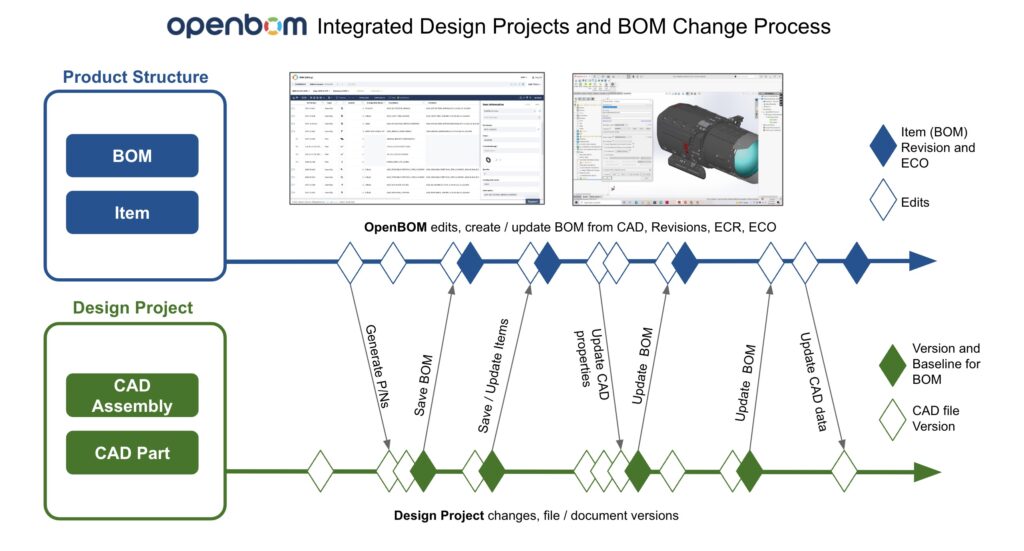
The following picture describes the overall lifecycle logic (Design Project Files –> Item/BOM –> Change Management).
OpenBOM integrated design and item/BOM change management process explains how engineering teams can collaboratively work on the design and manage Items, BOM, and change process.
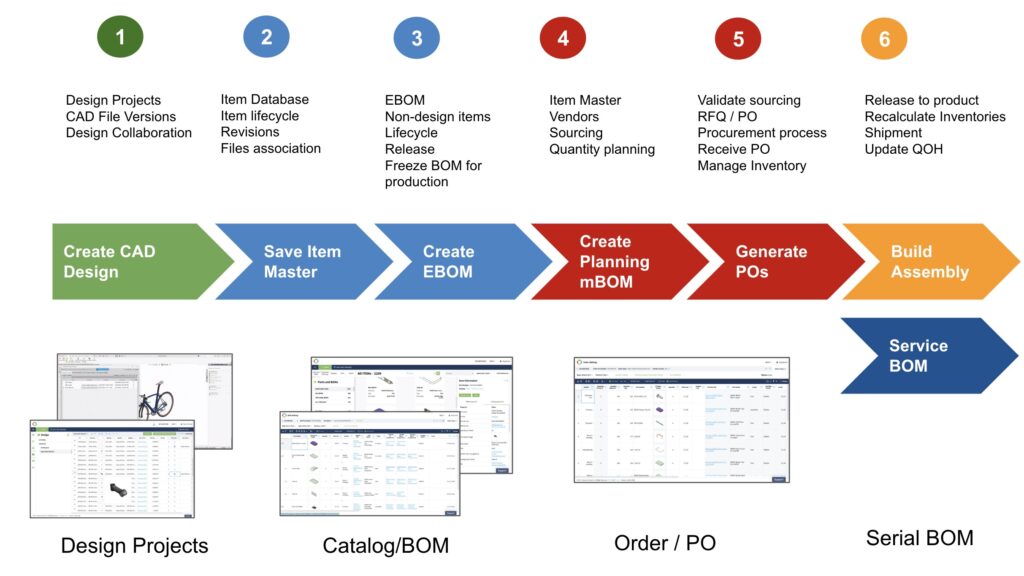
A typical design and engineering process involves creating and managing files using Design Projects, team collaboration using Workspace Manager, capturing engineering BOM and derivatives using CAD Add-in, and using Change Management capabilities to control the Lifecycle, Revisions, and Change Management process.
Video Demo
In this video, you can see a demo of new Design Projects capabilities to manage CAD files and creating engineering BOMs. It includes the following steps:
- Design Project creation
- CAD files sync and update
- Solidworks changes
- Create a BOM
Conclusion:
To support a connected data management environment and to keep managing CAD files (and other design documents) is extremely important. In the previous articles, we described how these files can be managed but also how Design Projects and Workspace Managers can be connected to the rest of the processes.
While Design Projects are optional, I can see how a growing number of design engineering files can be taken under control and connected with the other processes of Item/BOM management.
Register for free and check how OpenBOM can help you today.
Best, Oleg
Join our newsletter to receive a weekly portion of news, articles, and tips about OpenBOM and our community.