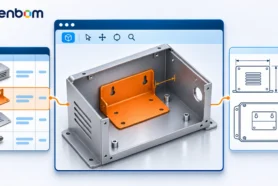
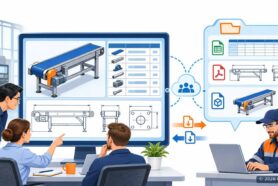
Extracting data from CAD design to simplifying the process of purchasing and BOM management leaves room for a lot of innovation.
This is an area where many engineers and manufacturing companies spend countless hours dealing with BOMs that are created and managed on Excel sheets.
This is the place where you can also make tons of mistakes and derail the process of procurement, manufacturing and cause shipment delays.
SaaS and new cloud technologies bring a new perfect way to work with customers and innovate together. At OpenBOM customers are always our first priority and source for inspiration and challenges. OpenBOM CAD add-ins integrations are full of innovation and we are laser-focused on how to simplify the process of data extraction.
What To Look Forward To…
Today, I want to talk about how we’ve been working on the improvement of CAD add-ins helping to calculate quantity for the use case of measured parts.
I’m especially excited about this new feature as it became possible in the tight collaboration with one of our customers – Gates Underwater Products.
Check out their website here to learn more about this amazing equipment. To learn more about what Gates Underwater does with OpenBOM, navigate here – Gates Underwater Products Uses OpenBOM To Connects Design Engineers, Manufacturing and Supply Chain Teams Together.

The problem of capturing the right quantities for “measured” (not discrete) parts – tubes, wires, etc. and then using it in procurement.See What John Ellerbrock Has To Say…
John Ellerbrock, President of Gates Underwater Products:
Collaboration with the OpenBOM team for new features is a pleasure. They are not only keenly knowledgeable of CAD platforms but open and receptive to useful new features that extract CAD information directly into OpenBOM.
Their latest improvement supports the Property/Quantity substitution feature in SolidWorks, which allows us to communicate exactly how much of a particular item, in inches, is needed on the assembly floor. AND they implemented this feature in less than a month.
OpenBOM continues to be our high-value, low-cost platform for Inventory, BOM, parts catalog, and purchasing support.
Detailed Look Of New Feature
The new feature simplifies the process of BOM extraction and the communication with the procurement team.

Watch the video with Steve Hess, our director of user experience demonstrating how the process of data extraction will be simplified and streamlined by extracting the right Quantity for this specific use case.
Conclusion
Teamwork can make a lot of difference. Combining modern cloud technology with customer focus and team collaboration allows us to innovate at a pace that was never seen before by delivering new features and functionality for customers and making them successful.
Want a more detailed look at what OpenBOM has to offer? Register for FREE for OpenBOM and experience for yourself what it means to directly work with the OpenBOM Team.
Best, Oleg
Join our newsletter to receive a weekly portion of news, articles, and tips about OpenBOM and our community.