Old paradigms and habits are dying slowly. Files is one of the oldest paradigms used in engineering manufacturing software. The reality that even today, 90% of engineering data is still stored in files – CAD files, spec sheets, and many others. Therefore, we often getting these questions in OpenBOM support – can I attach a file to an item stored in OpenBOM?
The quick answer to the question – yes, OpenBOM allows you to include files and file references in the information about items, bills of materials, and other OpenBOM objects (eg. purchase order). Before jumping into the detailed explanation, I recommend you to check out the article from OpenBOM Training Library about OpenBOM basics. The foundation of OpenBOM is data objects- catalogs, product structure (BOM), order (BOM), etc. are fully customizable and can include a variety of properties (eg. text, number, image, currency, etc). These properties allow you to the customer the records and the important property to get familiar with is reference property.
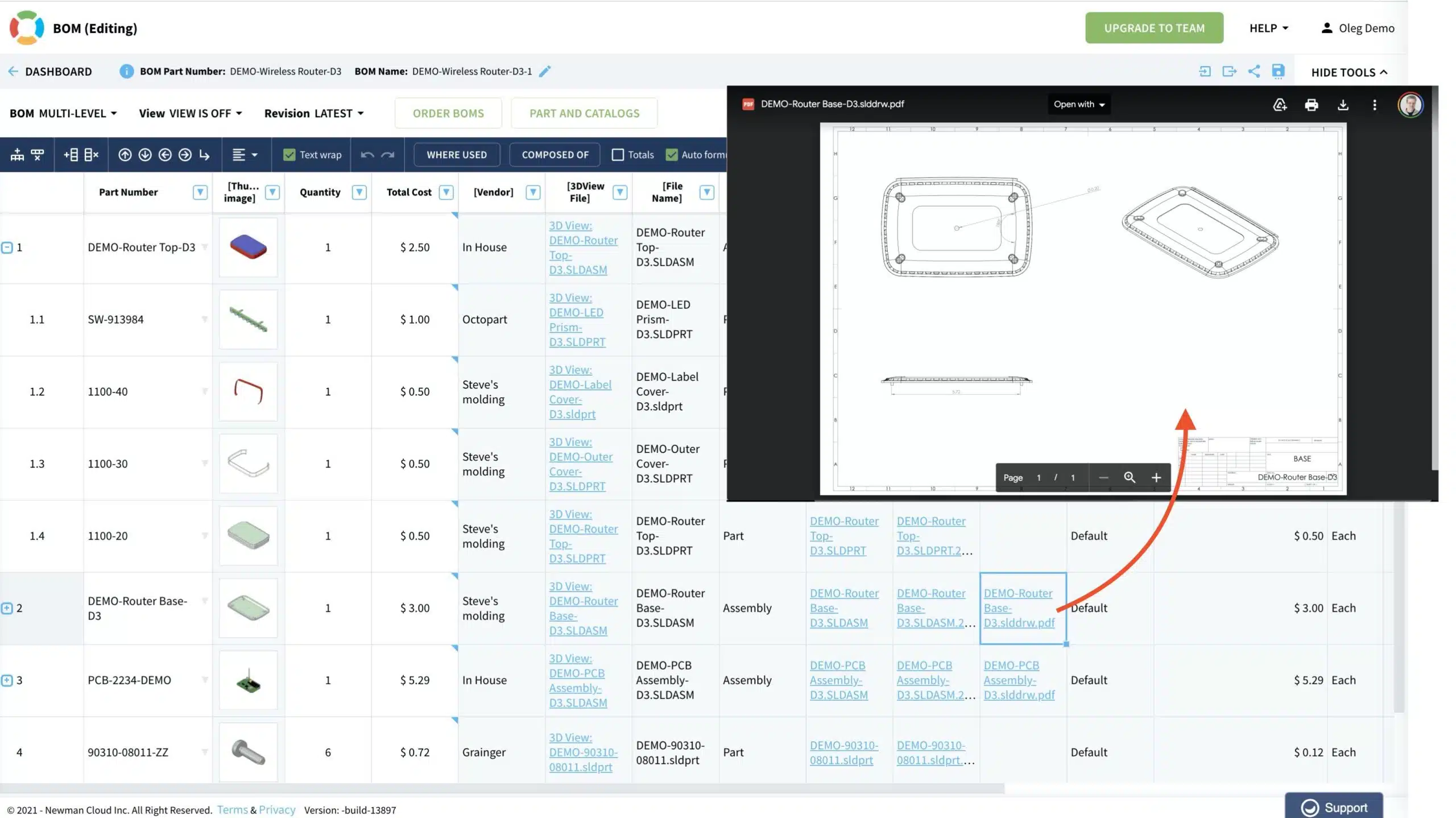
The Reference property serves as an external link. It is useful for referencing any external URL such as a catalog part (Trace Part, Octopart, for example) and cloud file storage (Google Drive, Dropbox, etc.). Use a reference link to point to documentation or installation instructions, etc. Very handy for manufacturing assembly instruction stored as a PDF on your company’s Google Drive.

You can edit reference property manually or via OpenBOM REST API.
Based on the fully customizable data schema, you can create a set of properties associated with each specific data object (eg. Item), which then will be used to store files and references to files in OpenBOM
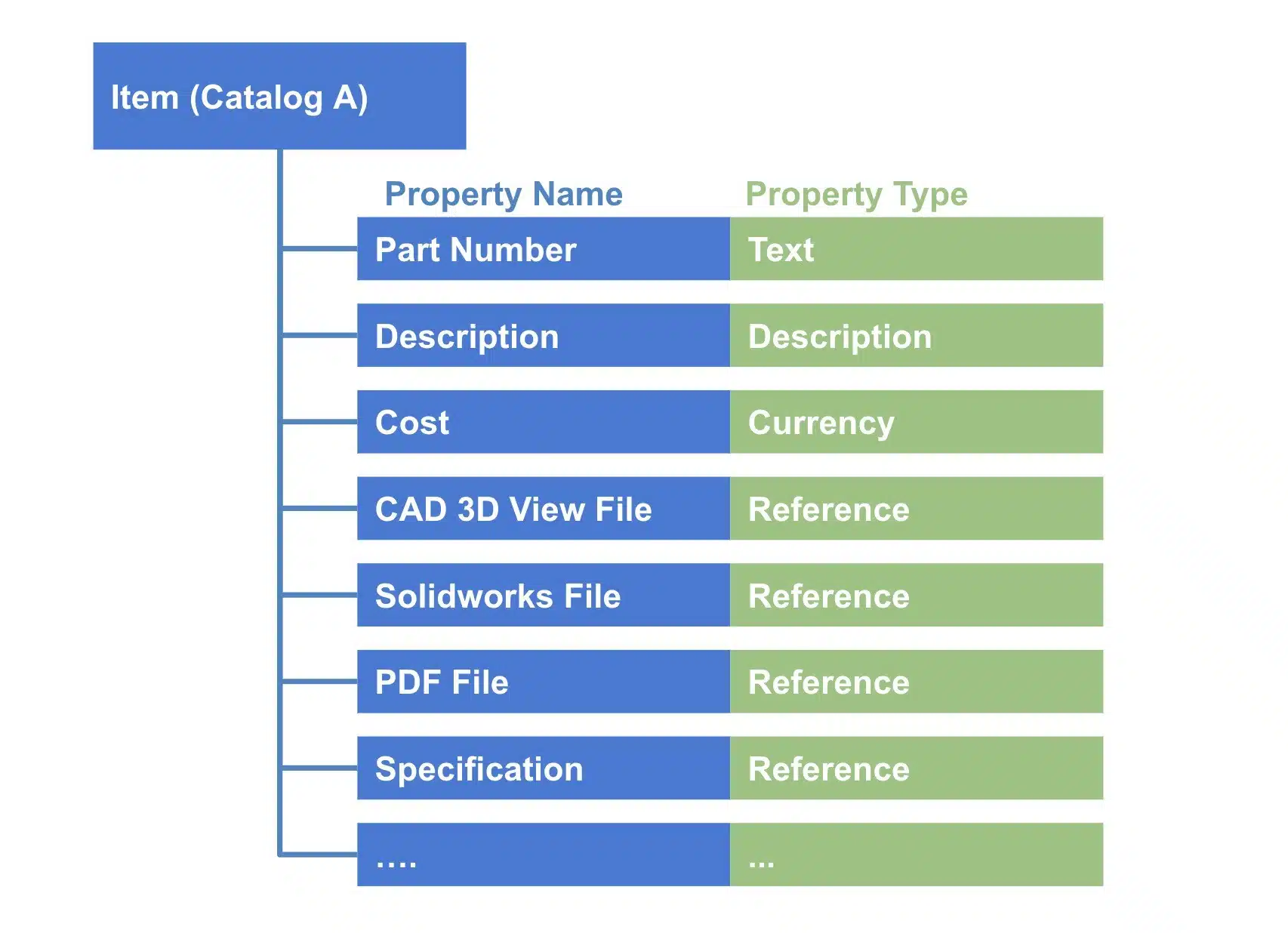
In the following picture, you can see the demo BOM in a typical OpenBOM account and how you can see references to different files.
Conclusion
OpenBOM provides a very flexible and easy to configure data management system architecture allowing you to define data records with flexible property sets. Reference property type allows to store files (using OpenBOM integrated storage or references to linked cloud data storages (eg. Google Drive, Dropbox, Box, Microsoft One Drive, and Box).
Check out OpenBOM capabilities by registering FOR FREE. You can also start a free 14-days trial to test all OpenBOM professional, team, and company features.
Best, Oleg
Want to learn more about PLM? Check out my Beyond PLM blog and PLM Book website. Read OpenBOM customer reviews on G2 Crowd to learn what customers are saying about OpenBOM.
Join our newsletter to receive a weekly portion of news, articles, and tips about OpenBOM and our community.